The User is not stored with Transaction data.
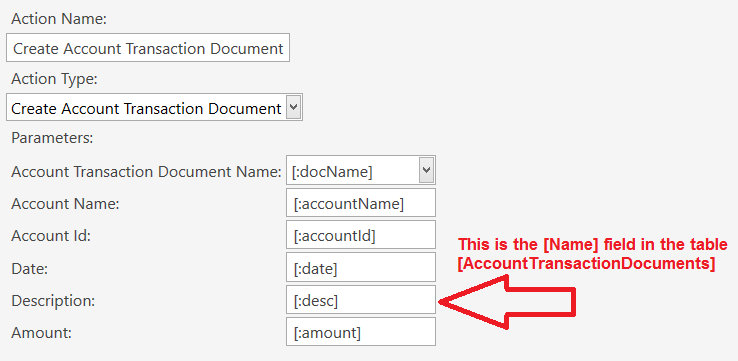
Your only option here is to create a custom Transaction flow using the Create Account Transaction Document Action, and modify the Name parameter in that Action to contain a reference to {:CURRENTUSER}.
Using the Default Account Transaction Document Templates (buttons) will not allow you to do this. You still need the Document Type configured, but leave the Header blank so the button does not appear on-screen on the Accounts screen.
- Define an Automation Command and map it to the Account Screen.
- Have a Rule to capture the click of that button.
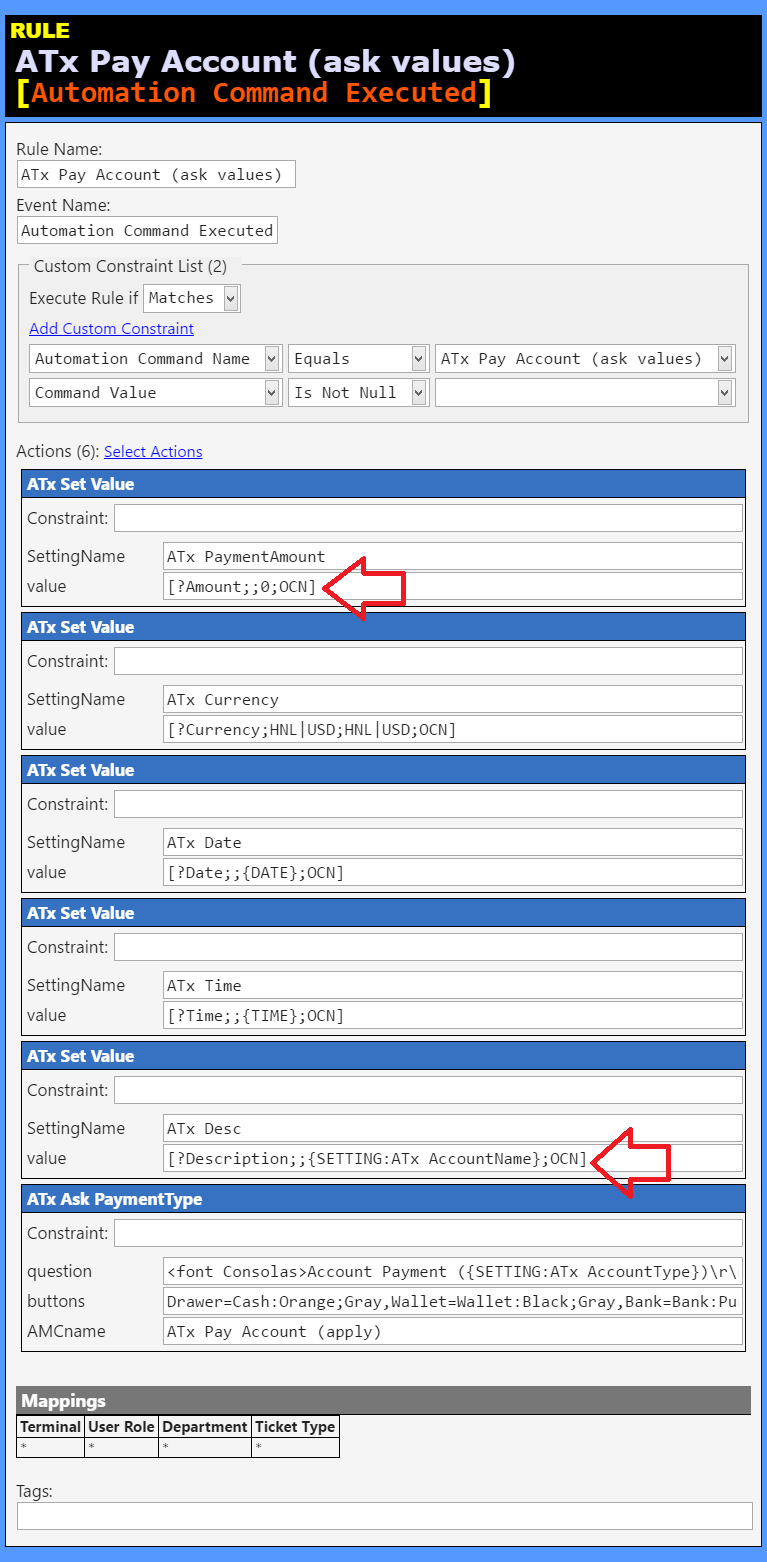
- Put an action for
Update Program Settingcontaining a[?prompt]to get the amount and store it. - Then fire the
Create Account Transaction DocumentAction where you use the value from the Program Setting as the Amount, and{:CURRENTUSER}as value for the Description.
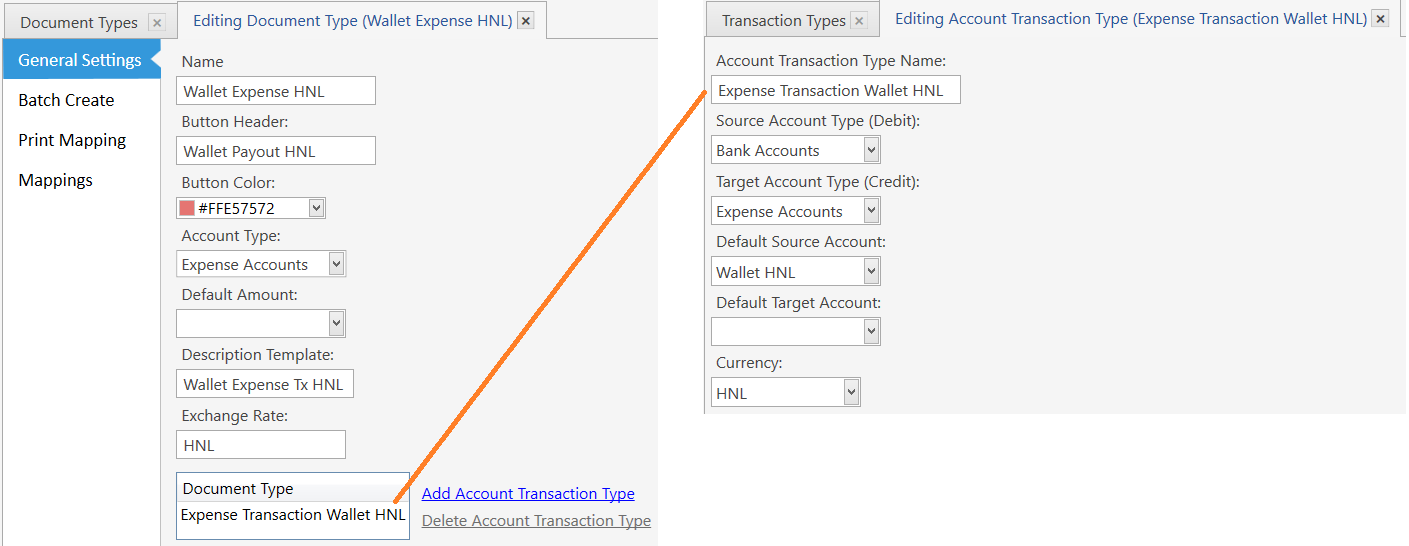
For Reference, I have a Doc Type and Tx Type that look like this:
##Automation Command
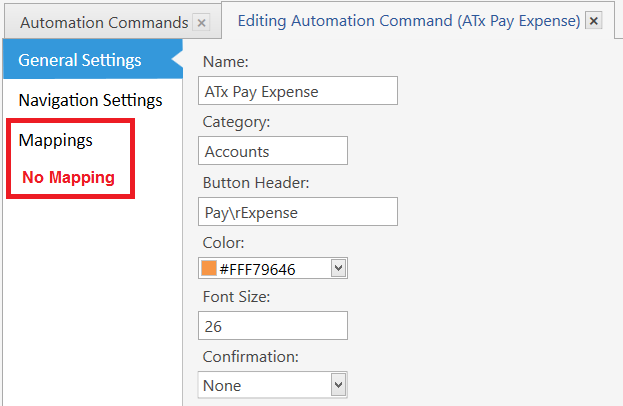
##Account Screen (Expenses)
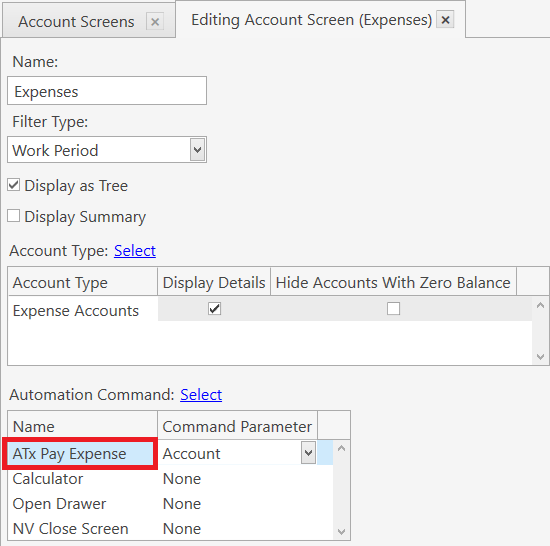
When that ^ button is clicked on the Account Screen, it will send the selected Account Id as the [:CommandValue].
##Rule for button
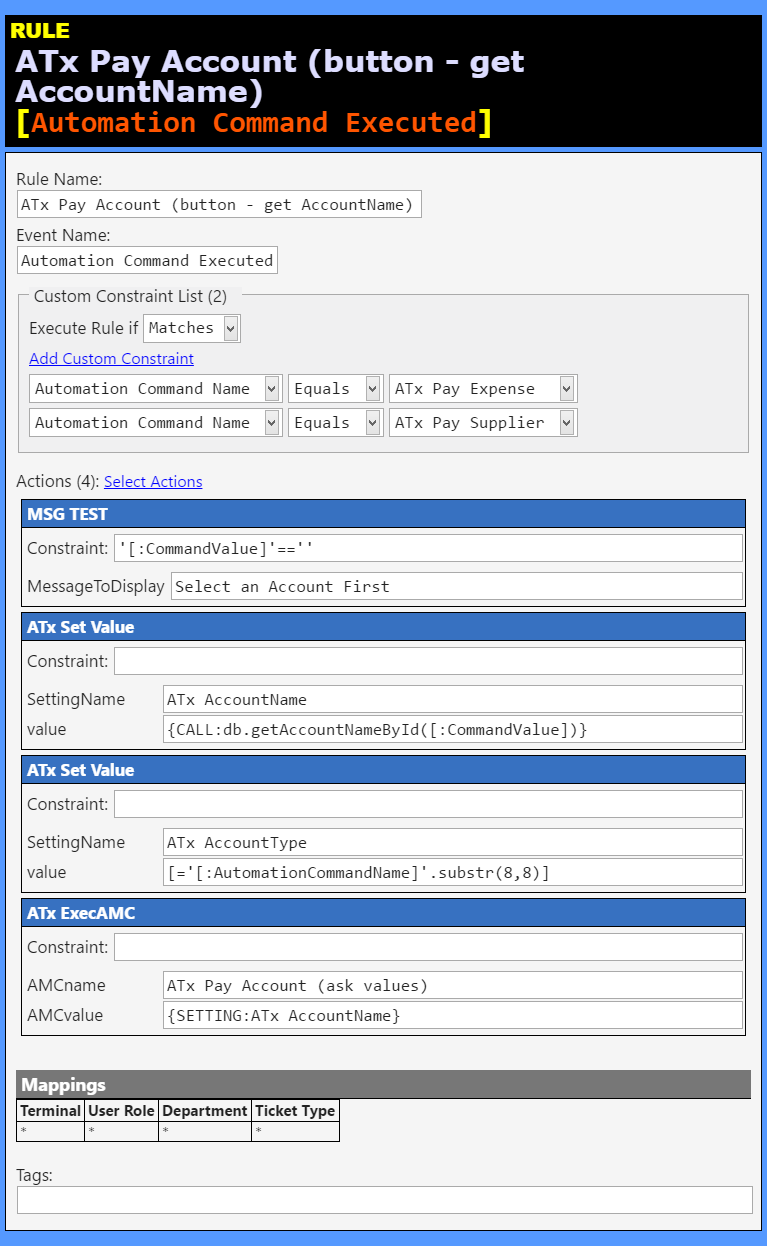
That Rule calls on this script:
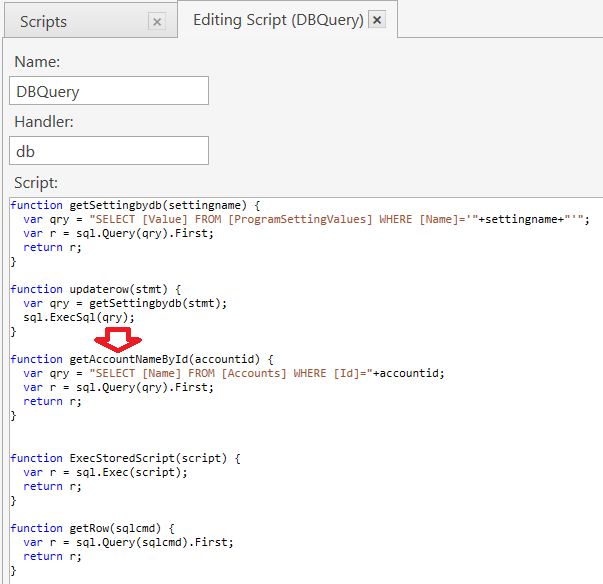
function getAccountNameById(accountid) {
  var qry = "SELECT [Name] FROM [Accounts] WHERE [Id]="+accountid;
  var r = sql.Query(qry).First;
  return r;
}
##Rule for Amount Prompt and Source Account
Then it fires this Rule, where we prompt for the amount, a description, and asks which source Account to use for the payment:
##Rule for Create Account Transaction Document
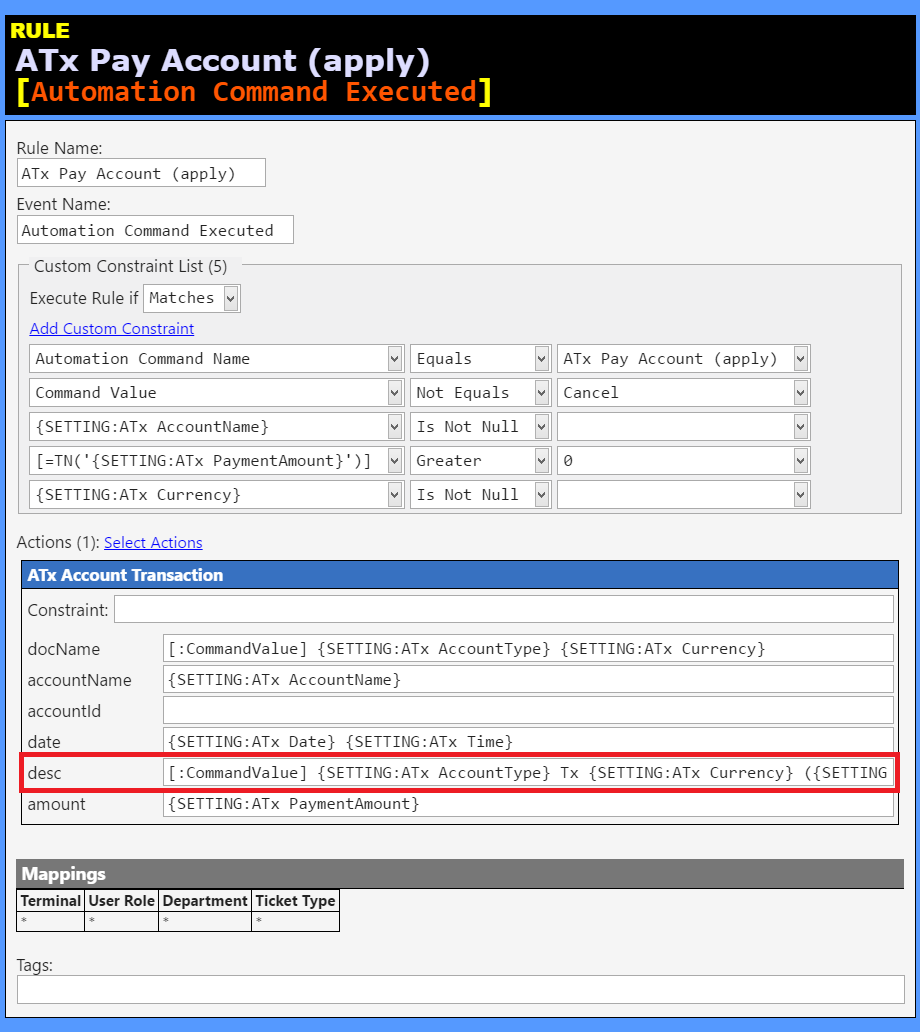
Then it fires the following Rule, which fires the Create Account Transaction Document Action. The field outlined in RED is where you could append the User:
[:CommandValue] {SETTING:ATx AccountType} Tx {SETTING:ATx Currency} ({SETTING:ATx Desc}) {:CURRENTUSER}