yep
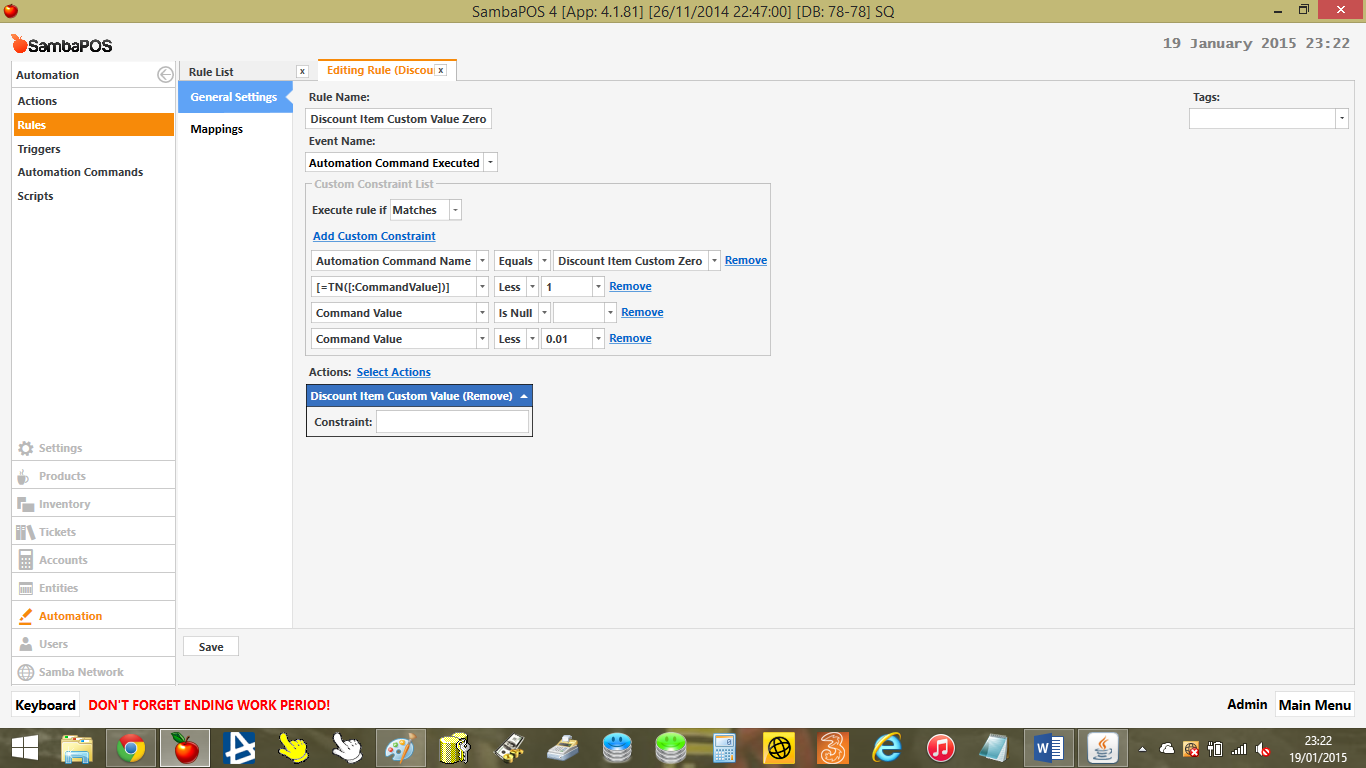
Show me the rule that has the Ask question Should be Discount Item Custom Percent Update
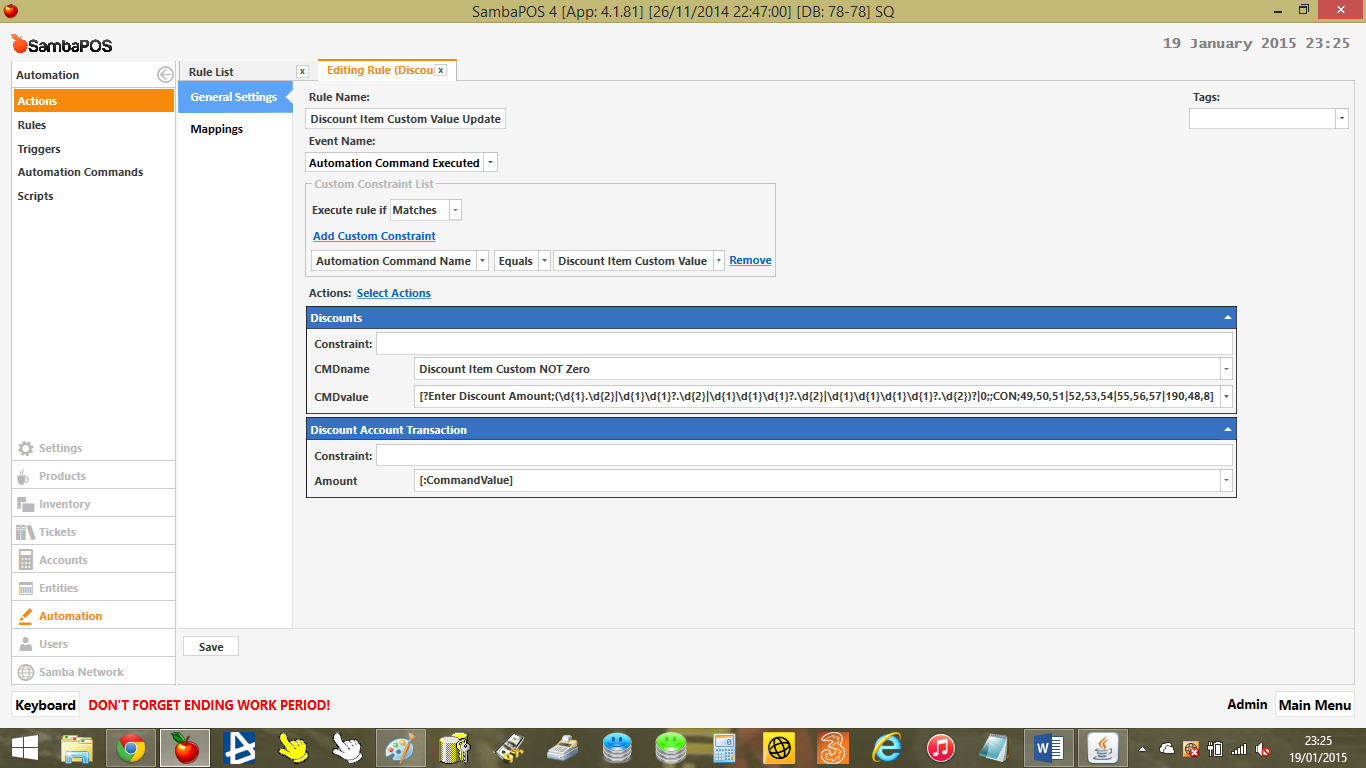
So where is the action that launches Discount Item Custom Zero? Looks like Zero is not launching at all because its not in there.
Did you import this with Database Tools?
It should look like this: Your account transaction would be a third action.
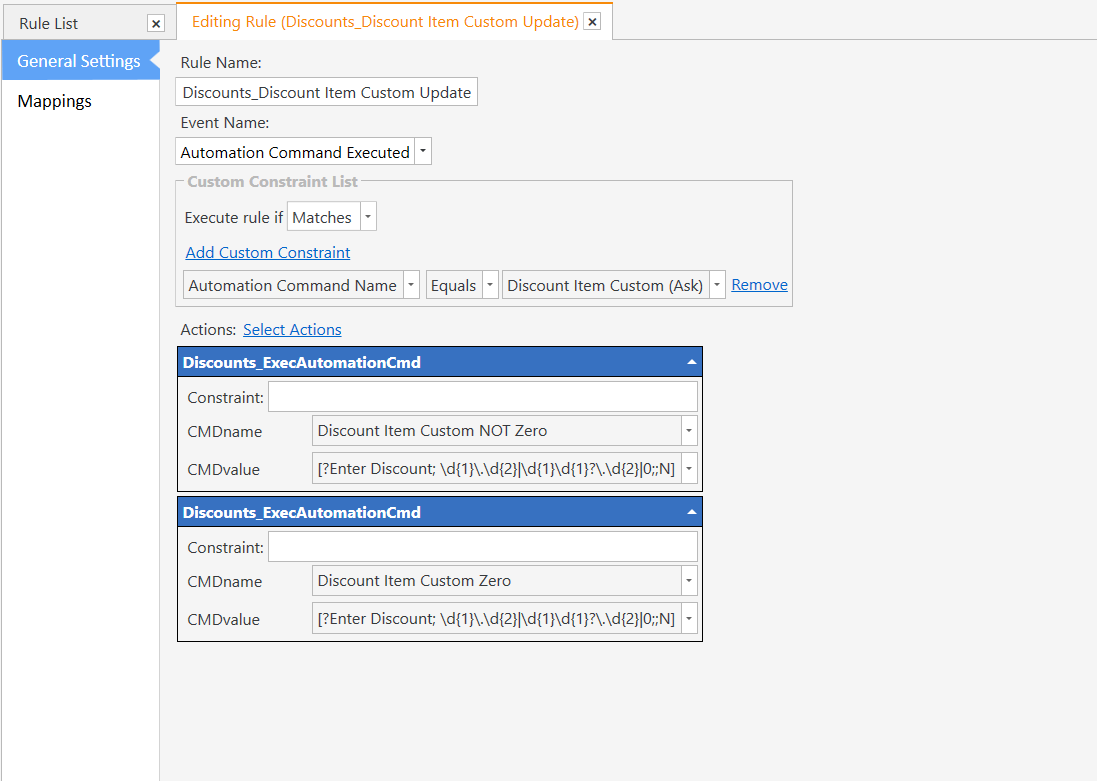
Notice your missing the action that launches Discount Item Custom Zero so it never checks 0 at all.
just added that extra action, dont know why id missed that, it works perfect now thanks for spotting it 
Curious but did you use Database IMport Tool for it?
i dont think i did, im pretty sure when the tutorial first came out i created everything manually
Ok reason I was asking is currently 4.1.82 will not import multi actions within same rule.
1 Like
@satianv Can you show your actions? You have shown the rules but I would like to see the actions specifically the one for AC_Discount Item Custom Percent (Remove)
i did the discounts long before 4.1.82, so that wasnt my issue, i must have just missed the additional action somehow when creating it all.
Thanks as always for your help
1 Like
Ok @satianv I looked at your database and I found 2 flaws why it was not working. #1 you only had 1 action in your
Discounts_Discount Item Custom Update
You must add 2 of the same action as follows:
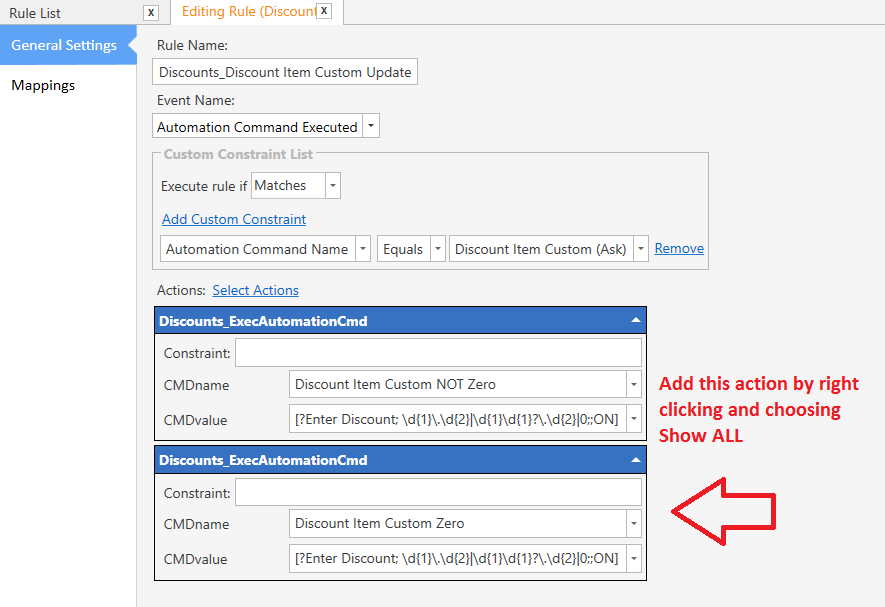
Issue #2 is you had Matches all on your DIscount Item Custom Zero rule it should be Matches.
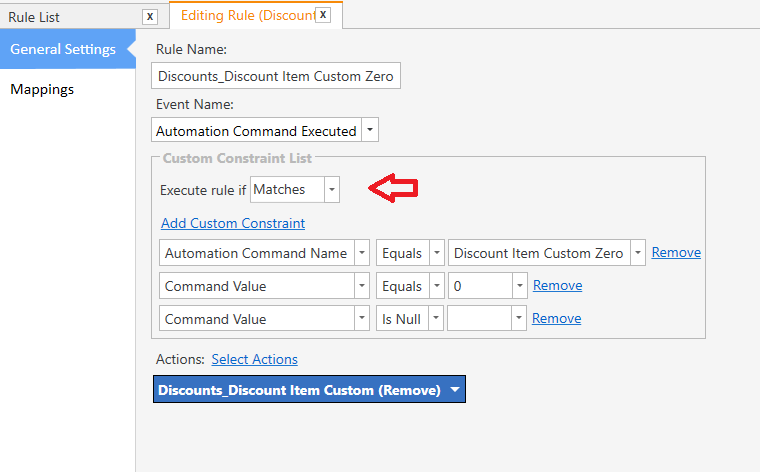
Make these changes and it works like a charm.
@qmckay in fact the only change we had to make was to set Matches All to just Matches on the Discount Custom Zero rule. The mask had nothing to do with it in the end.
@satianv the Database Import file was for Ask any Value NOT Percent. I made a mistake and thought this was the Any Amount tutorial. However the structure of how to remove discount is same for both tutorials.
1 Like
Perfect!!!.. Grew a few greys in the process… Thanks to all of you folks, people like me can keep our sanity. 
it gives the same error no property or field exists
@QMcKay so any other synstax that can be used
What is the Order Tag Name (OTN) value that you are trying to retrieve?
30
30%
%30%
???
Have you tried:
('OTN.Discount Custom Percent'='30')
('OTN.Discount Custom Percent'='30%')
('OTN.Discount Custom Percent'='%30%')
(OTN.Discount Custom Percent=30%)
(OTN.Discount Custom Percent=%30%)
can someone explain how u can input execautomationCmd twice??? when i select actions to add box it only alows me to add it once, please give as much detail ,i am slow
Click select actions, then right click in the box and select show all values (or something like that) and it will add the action to the box for you to add again
God bless u some of us are slow and we need some more details thank u u saved the day ill keep going along thank u again
i have done above tutorial ,once again question comes up i select discount ,and nothing happens to the item ,the math does not change and the little words uncer item do not apear discount.
so when i first started database i changed my ticket creation method to creat ticket ,and removed tables . could this be causing my problem???
No you missed something in the tutorial. Probably spelling or case
yes could be could be i have been at it straight 2 days now 14 to 15 hours just 2 tutorials and i cant figure it out i need to find some help someone who can show me what im doing wrong i did the other discount 4 times over and this one twice ,all this time wasted and not find out what is wrong is a shame .i started today at 10am and now its almost midnight .the tutorial is only less than 10 steps ,i read all the notes from other people too and tried to c if i was having same trouble .
i’ll go ahead and post up pictures and c if some one can c what is wrong .