On my setup, I have a management screen that amongst other things runs two custom reports. This has been getting progressively slower and now produces a timeout error. Investigation of this led me to think it may be an MS SQL issue so first of all I upgraded to MSSQL 2014 and this made no difference. So then I ran some tests directly from the SQL management console as follows (SambaPOS program not running)
DBCC CHECKDB gives 0 allocation errors and 0 consistency errors (full text can be provided if it helps) and running the repair commands had no effect.
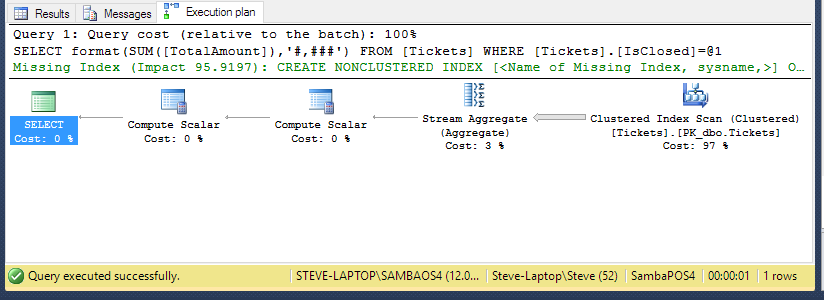
Running a simple script via the “new query” tab, to calculate the total amount billed since day 1
SELECT FORMAT(SUM([TotalAmount]),’#,###’) FROM [Tickets]
WHERE ([Tickets].[IsClosed] = 1)
gave timings as follows with the “new query” tab closed and reopened between each test
10.669 secs
10.813 s
10.938 s
If we now run the test WITHOUT closing the “new query” tab and instead just pressing “execute” we get timings as follows
0.046 secs
0.062 s
0.046 s
0.062 s
0.046 s
now returning to closing the “new query” window between test we go back to timings
10.771 s
10.712 s
10.793 s
The database has approximately 100,000 tickets and 380,000 transactions so is not excessively large.
If we now go back to SambaPOS and run the same script via custom reports, it takes around 11 secs the first time it runs and then too fast to measure if I simply press refresh. If I run another report and then go back to this one it is again very fast. If however, I close SambaPOS and then re-open it we are back to 11 secs again.
It seems therefore this very slow the first time it is run, but is OK after it has been run for the first time which seems odd as my understanding was each time a query is run it recalculates the data.
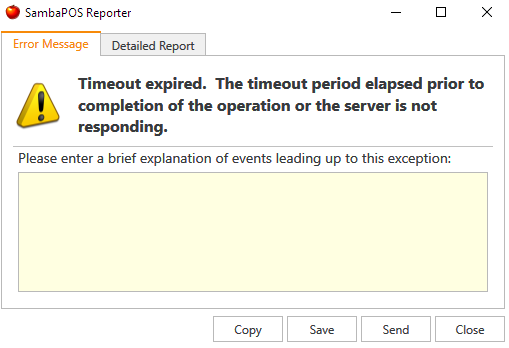
This bears out the operational problem we are having; when the management screen is loaded, it seems to hang until the reports are loaded (or sometimes gives a timeout error) but is OK after that even if you go out of the screen and back in again. The screenshot shows the timeout message screen layout in question.

I am trying to understand why I get these apparently odd results and what can be done about it to get the SQL queries running faster so would welcome any suggestions.