Ah ok Update Order Group is a new addition I think it was developed while you were away. One minute I will get you some resources.
##5.1.21
Grouping in Tickets
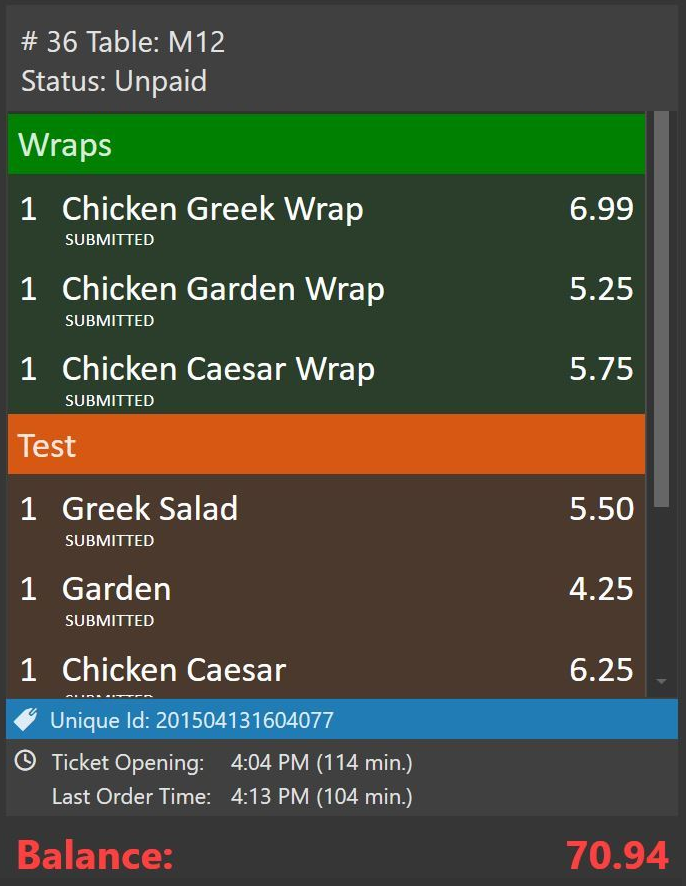
Use Update Order Group Action to group orders as needed.
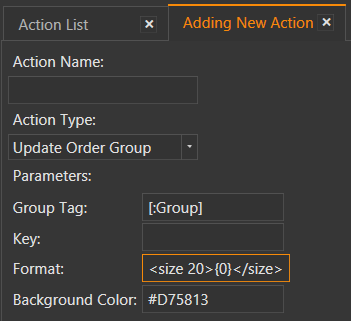
Group Tag: the name of the group
Key: another group identifier. It is not displayed on screen. You can use it to have multiple groups with same name.
Format: {0} is a placeholder for Group Name. You can use format parameter to change size, color, font of the group bar.
Background Color: is the background color for the group bar so you may have multiple groups with different colors.
Group Printing
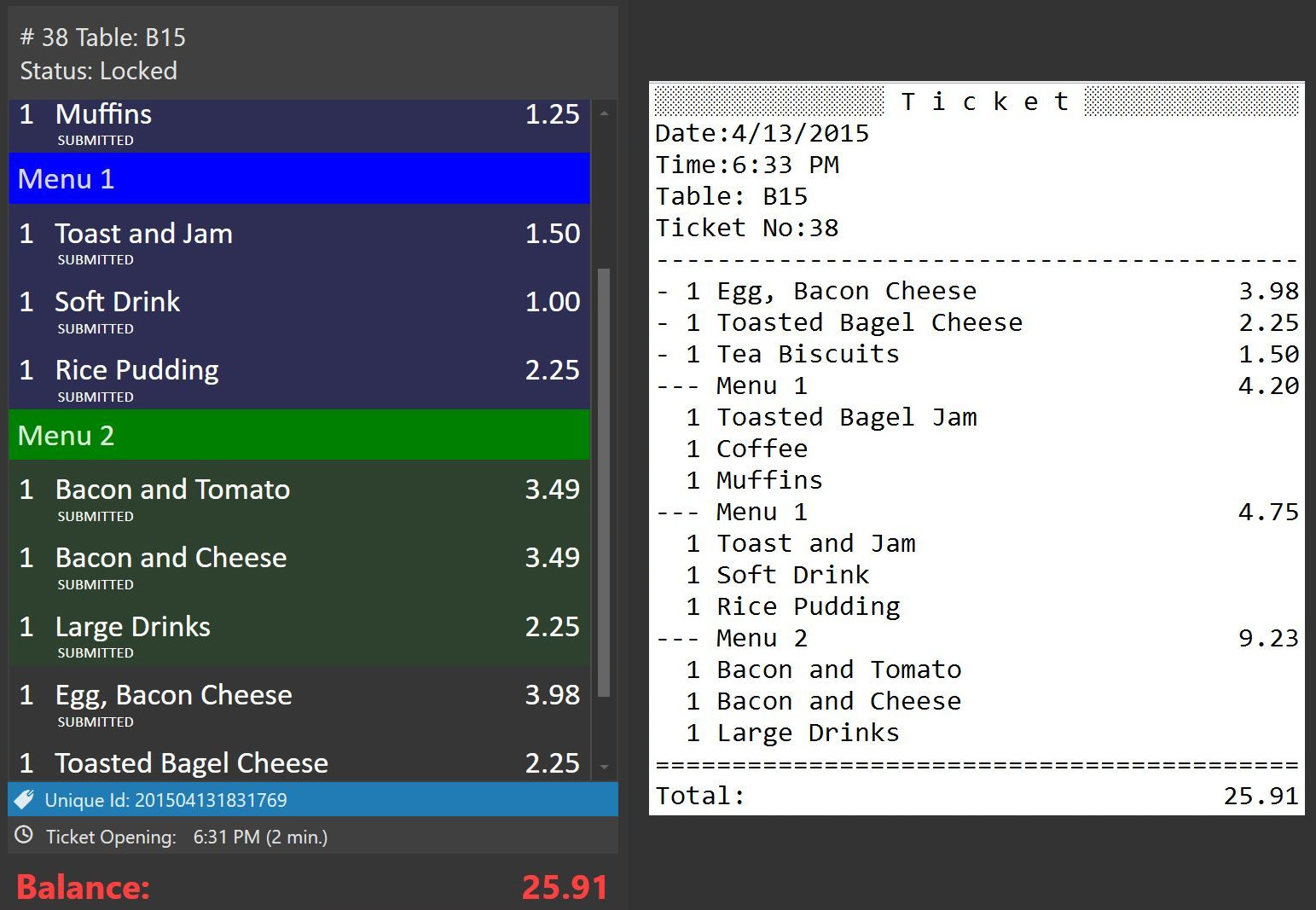
Notice there are two Menu 1’s printed separately because different Key parameters used in action.
Template:
PS: [ORDERS:GROUP TAG=*] is a special template section for orders that have a group tag.
[LAYOUT]
<T>Ticket
<L00>Date:{TICKET DATE}
<L00>Time:{TIME}
{ENTITIES}
<L00>Ticket No:{TICKET NO}
<F>-
{ORDERS}
<F>=
<J10>Total:|{TICKET TOTAL}
<F>=

[ORDERS GROUP|GROUP TAG]
<J00>--- {GROUP KEY}|{GROUP SUM}

[ORDERS GROUP:]

[ORDERS]
<J00>- {QUANTITY} {NAME}|{TOTAL PRICE}
{ORDER TAGS}

[ORDERS:GROUP TAG=*]
<J00>  {QUANTITY} {NAME}
{ORDER TAGS}

[ORDER TAGS]
<J00> * {ORDER TAG NAME} | {ORDER TAG PRICE}