Thank you all, for your comments, each one helped me to solve. I achieved the desired functionality.
He shared on how my configuration finally looks:
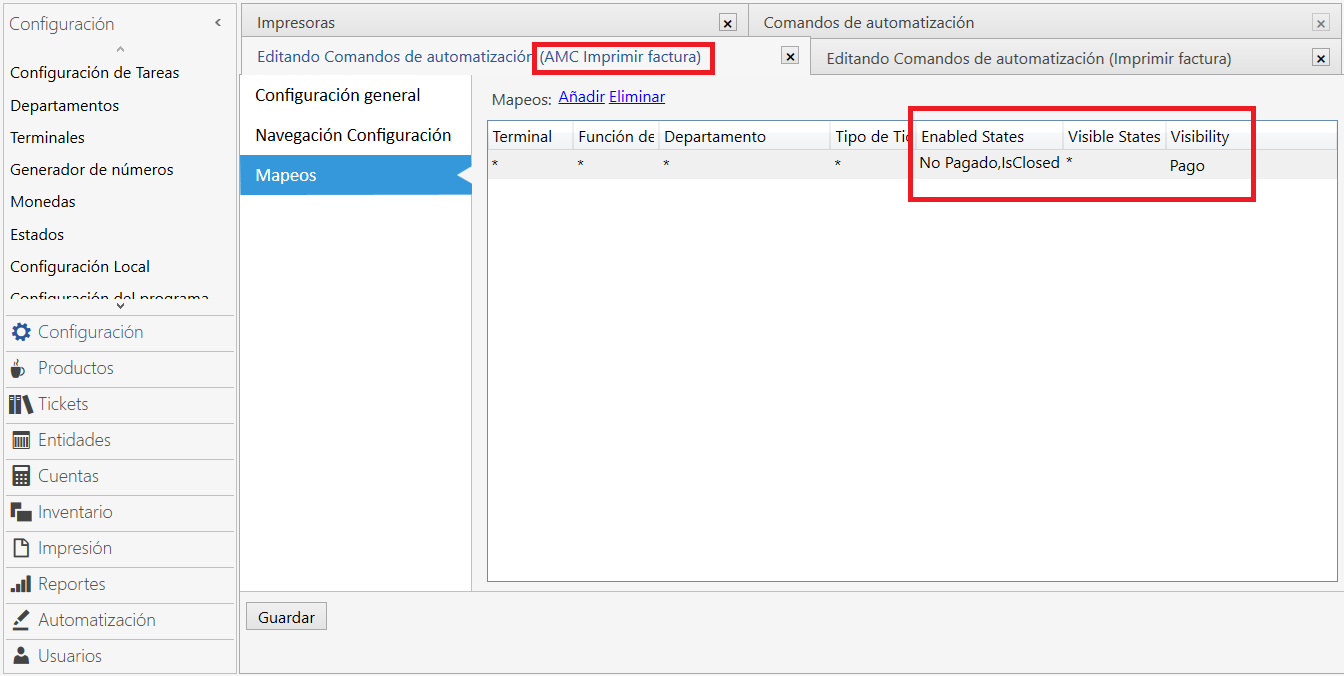
1.- First I cloned the automation command “Print Invoice” as “AMC Print Invoice”. Since this command would be useful when registering the Payment, the visibility was defined only in “Payments” as shown in the image, for the unpaid states, Isclosed.
1.-
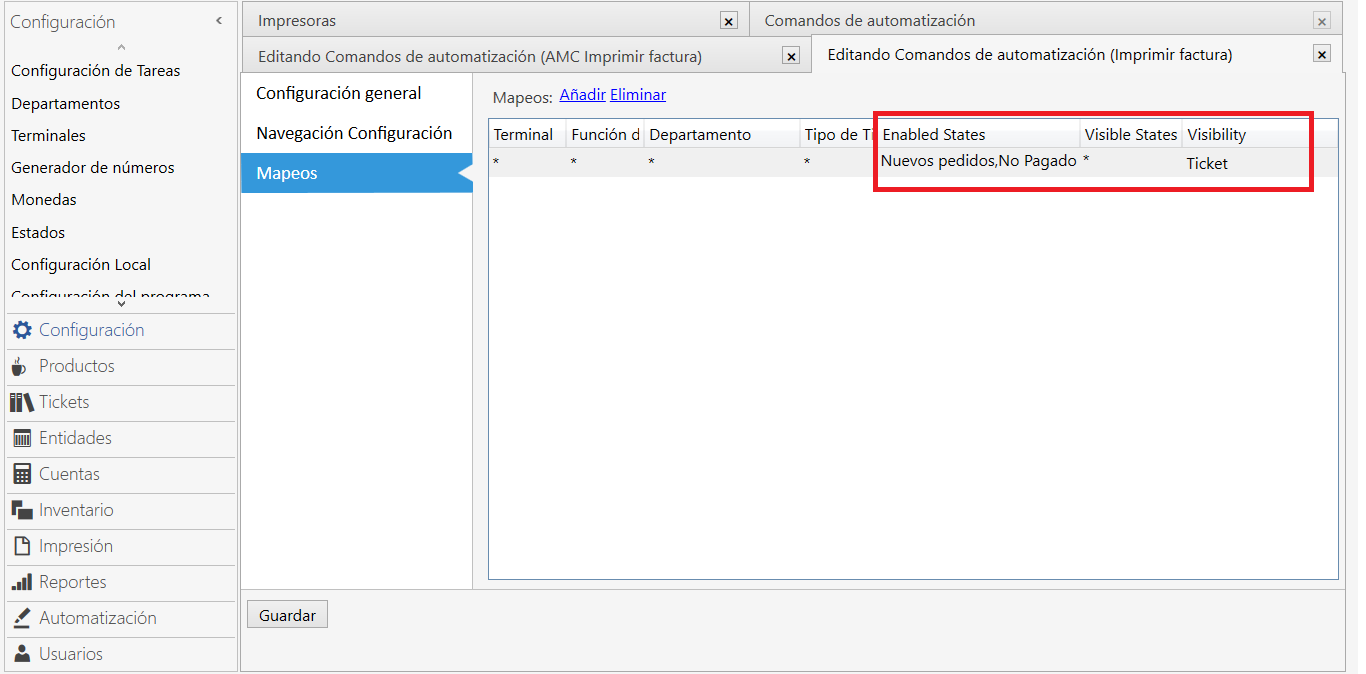
2 -.- Therefore, edit the original automation command and it was only visible for tickets and with statuses of new orders and not paid, as shown in the image. This allowed me to separate the Print Invoice command and the cloned AMC Print Invoice command.
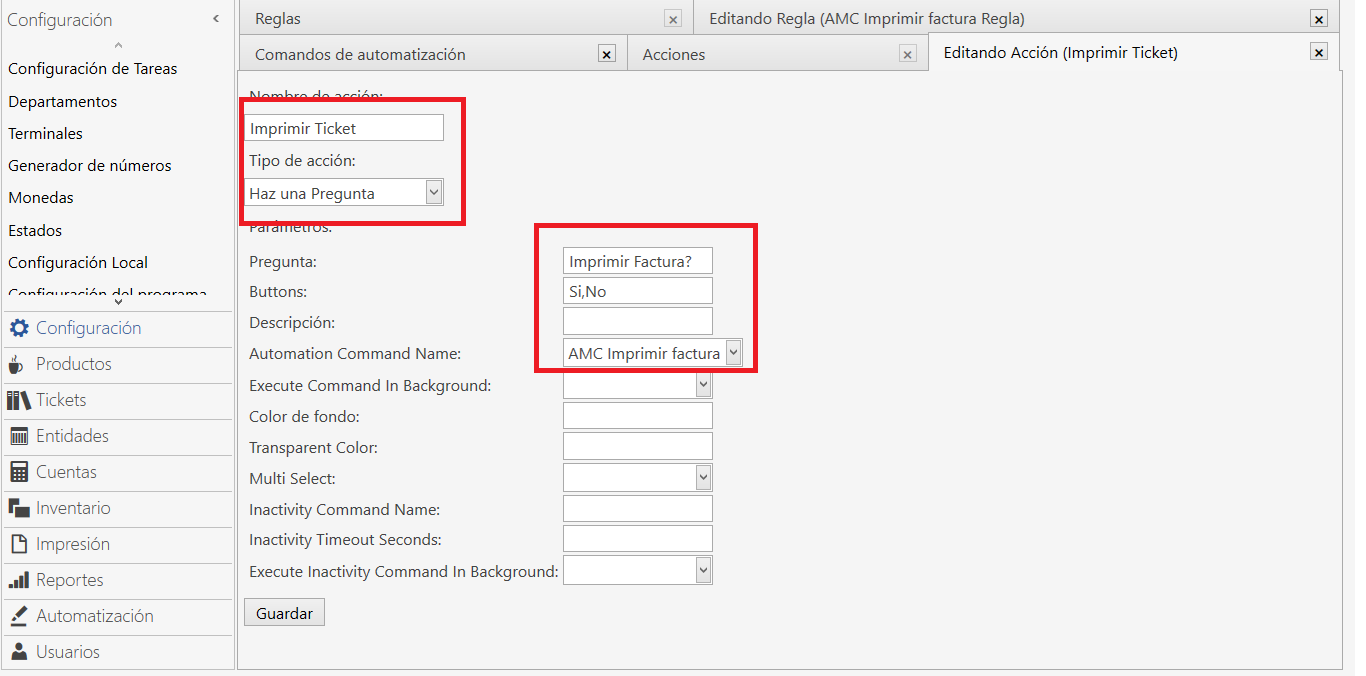
3.- Next, an action called “Print Ticket” was created with the action type “Ask a question” and the parameters that are shown, including Automation Command Name: AMC Print Invoice created previously.
4.- A rule “AMC Print Invoice Rule” is created, in my case I cloned the rule “Print Invoice Rule” and the parameters shown in the image were changed.

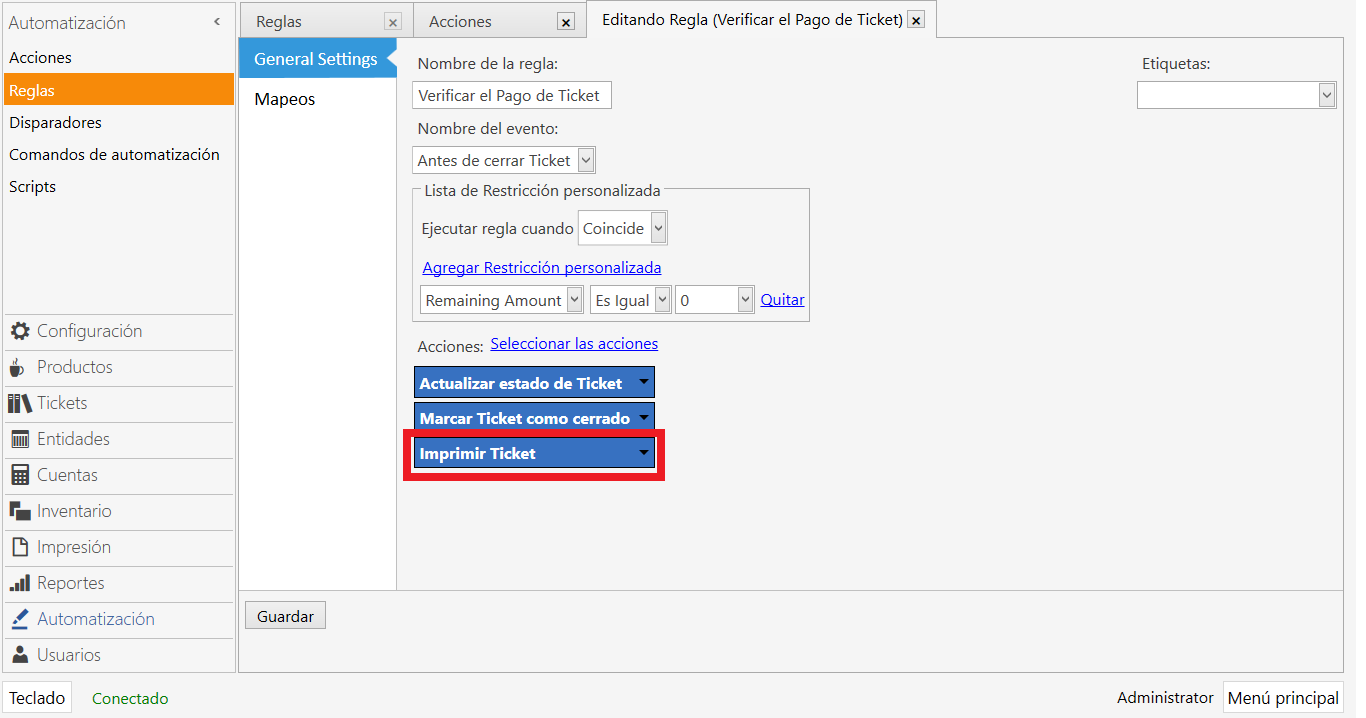
5.- Finally, the action “Print Ticket” performed in step 3, within the Rule “Verify Ticket Payment” is added.
Hope it serves someone and reduces the learning curve. Again I thank everyone and I only share my experience.
Greetings.