##How to use department specific printer templates for print bills
For this sample I’ve created a Take Away ticket type and Take Away department.
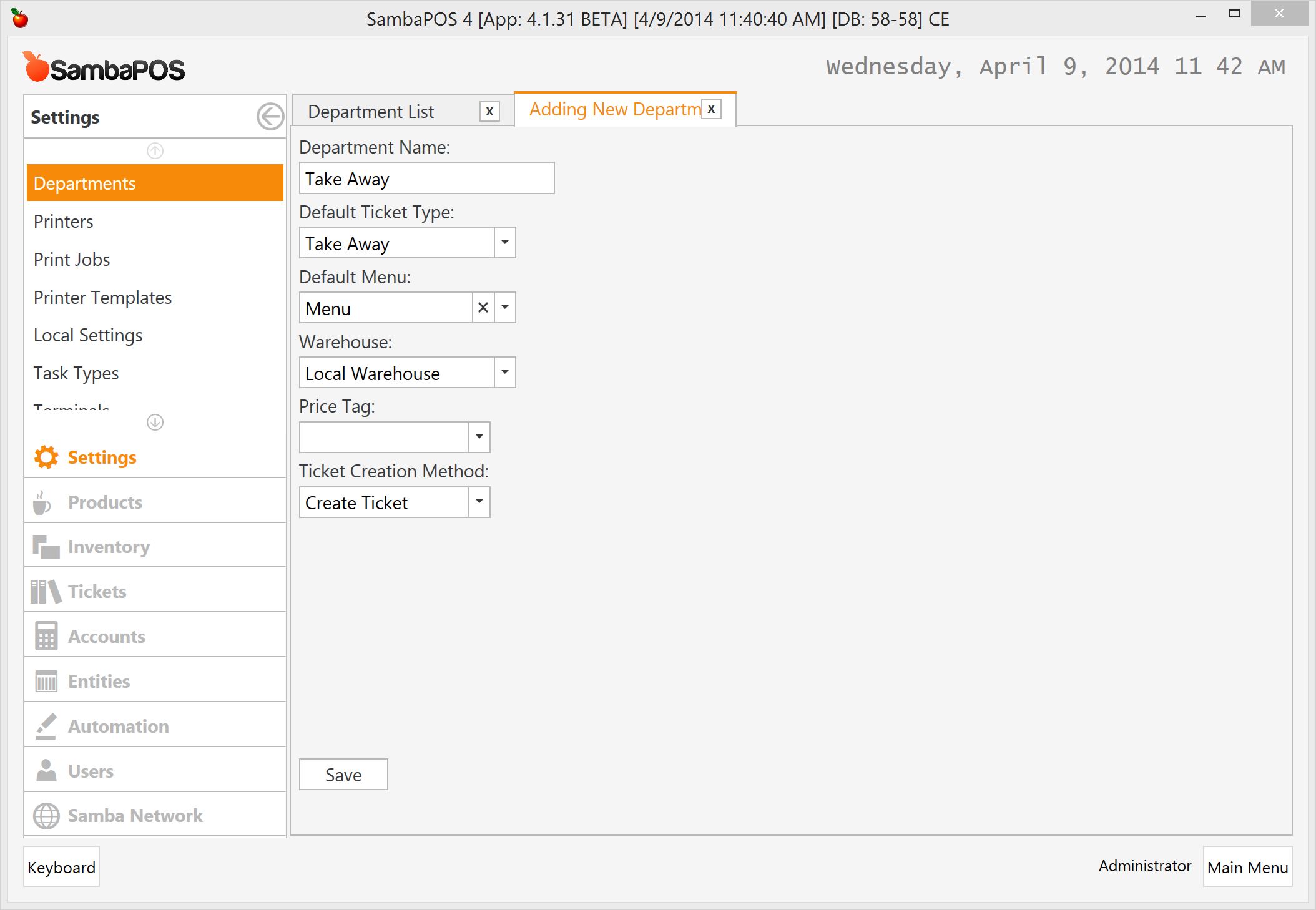
Also I’ve created a separate Printer Template for Take Away department.

We need to have separate print jobs for each department. I’ll right click on Print Bill job and clone a new template.
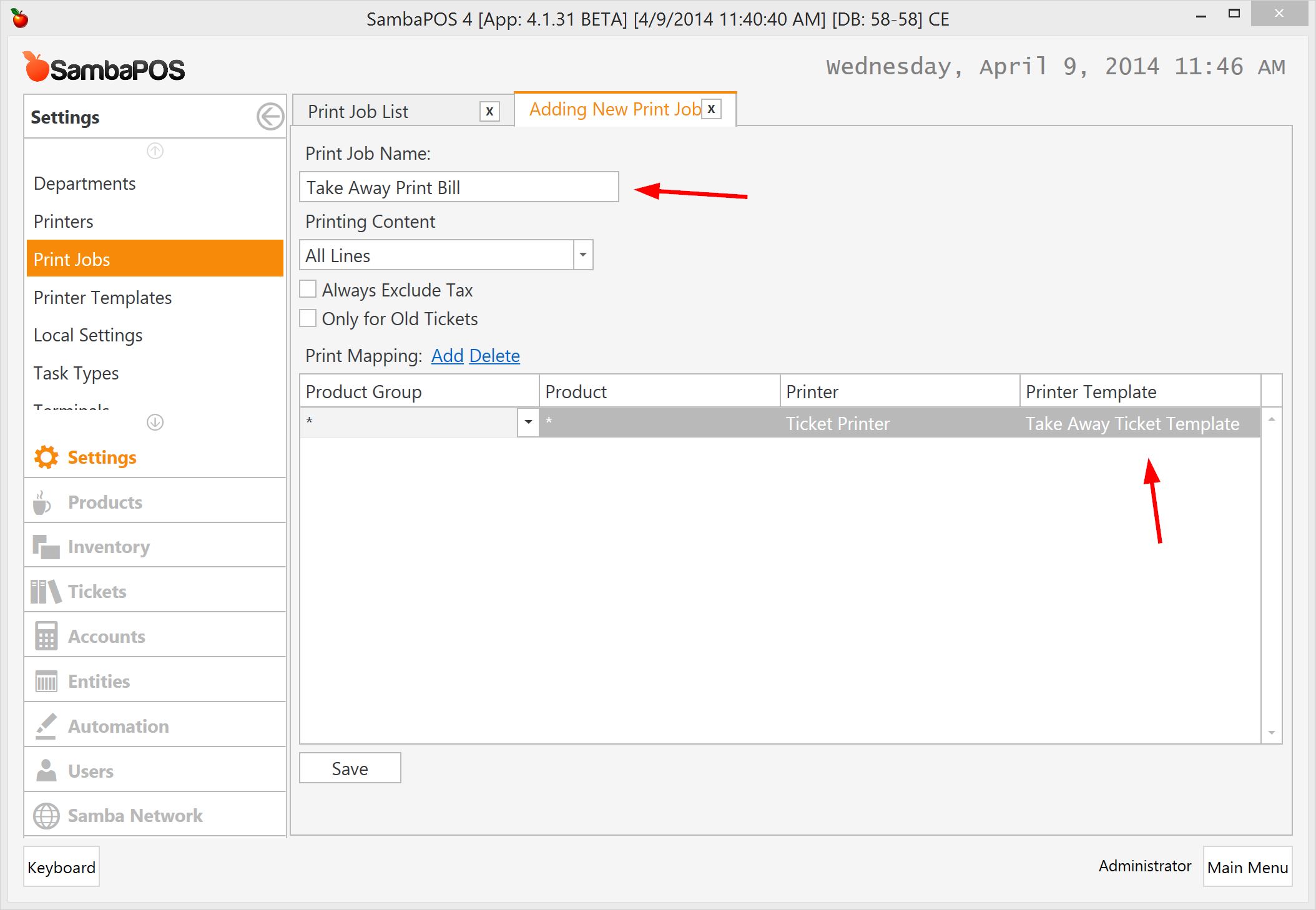
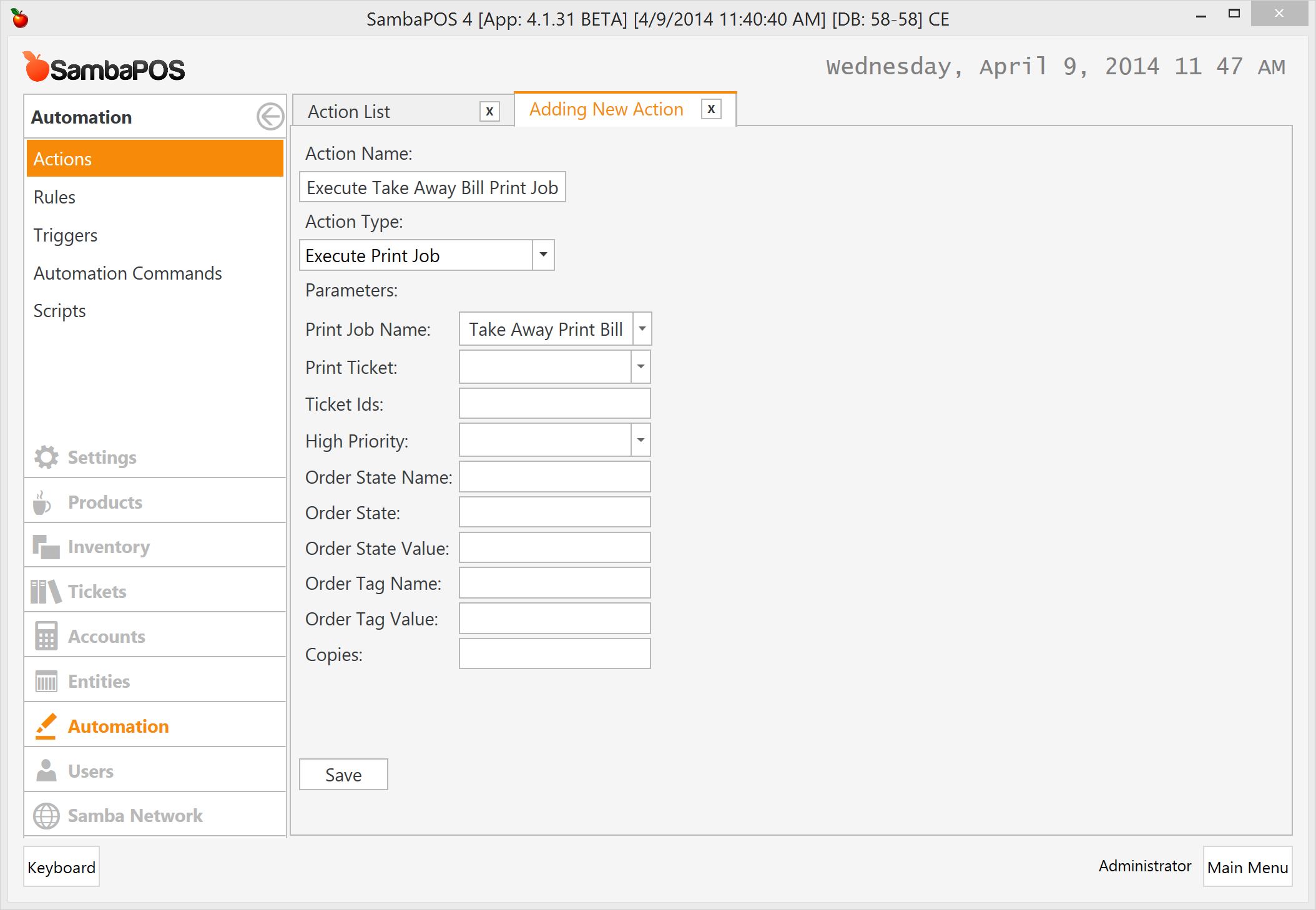
I’ll clone Execute Print Bill Job action and change it for new Print Job.
I’ll clone Automation Command
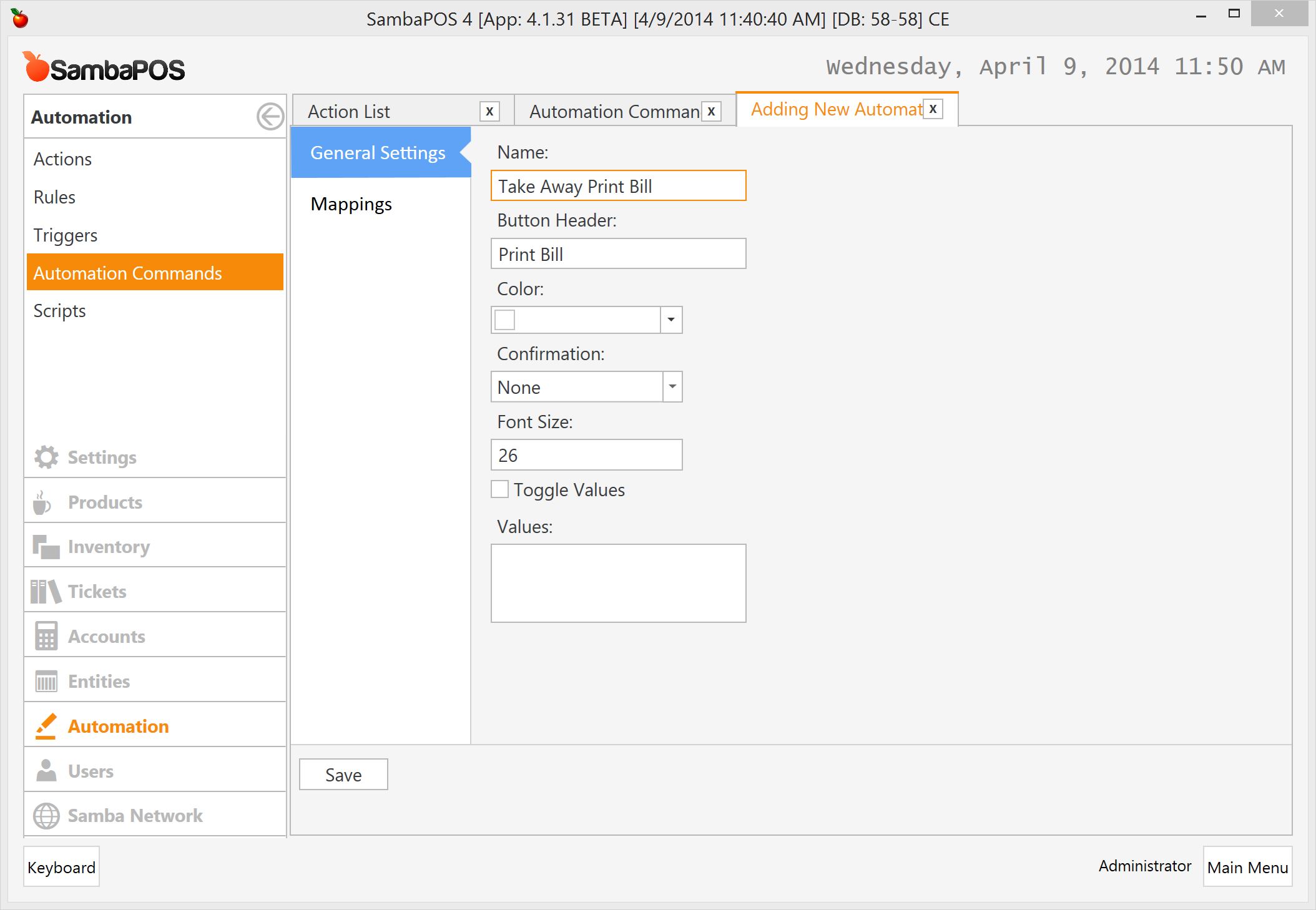
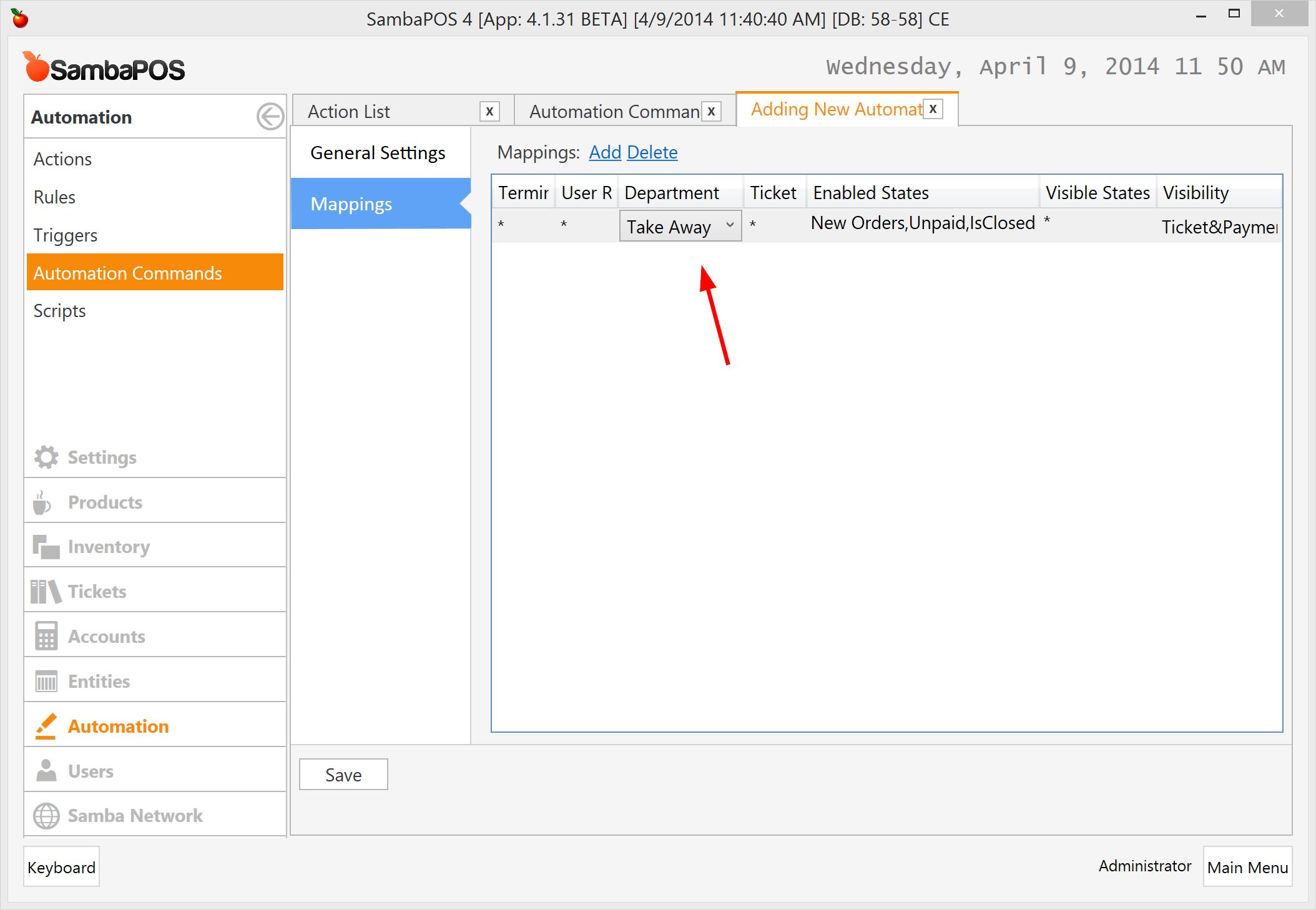
… and map it to Take Away department.
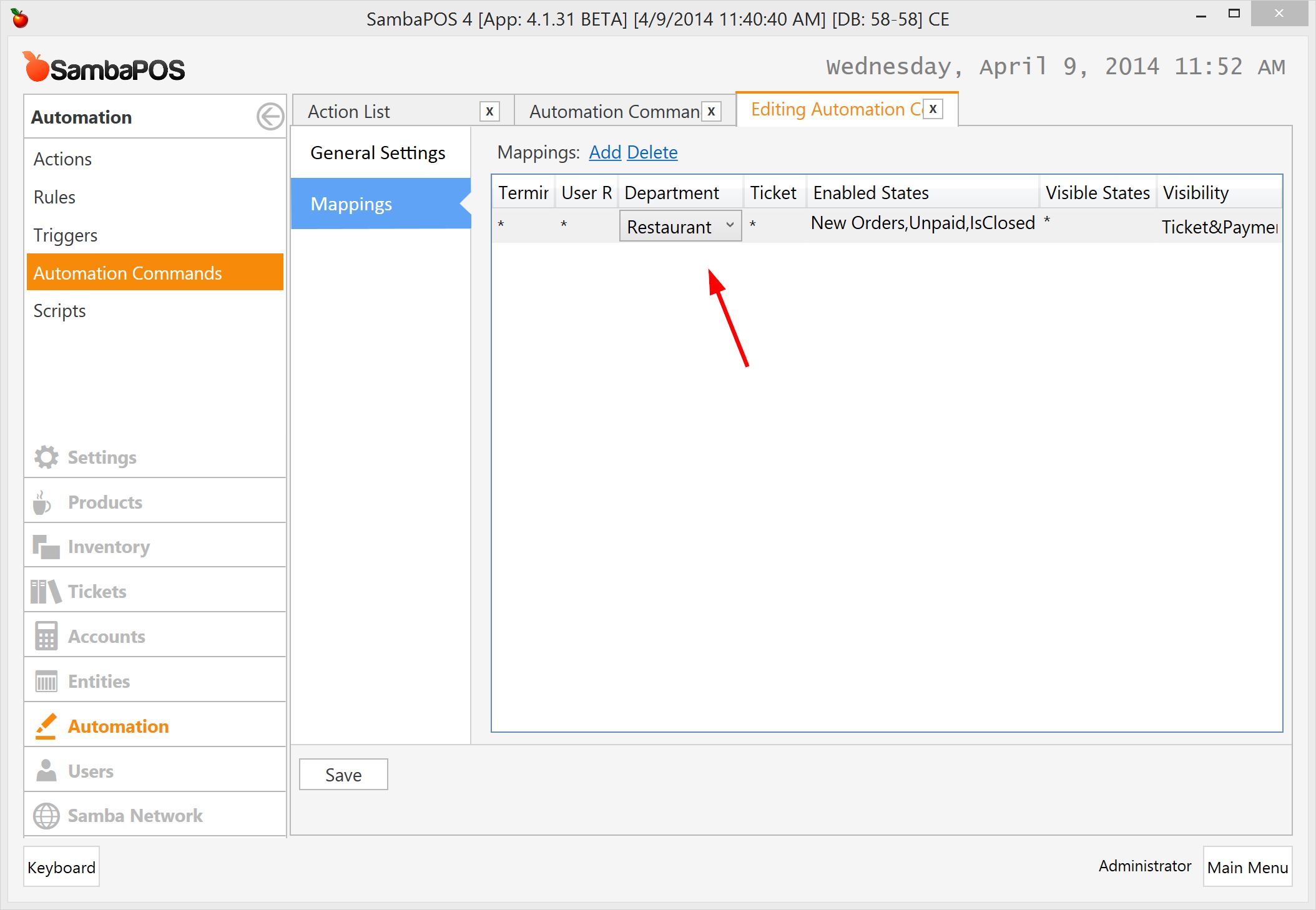
Also I need to map current Print Bill Automation Command to Restaurant department.
Finally I’ll clone Print Bill rule for new Automation Command.
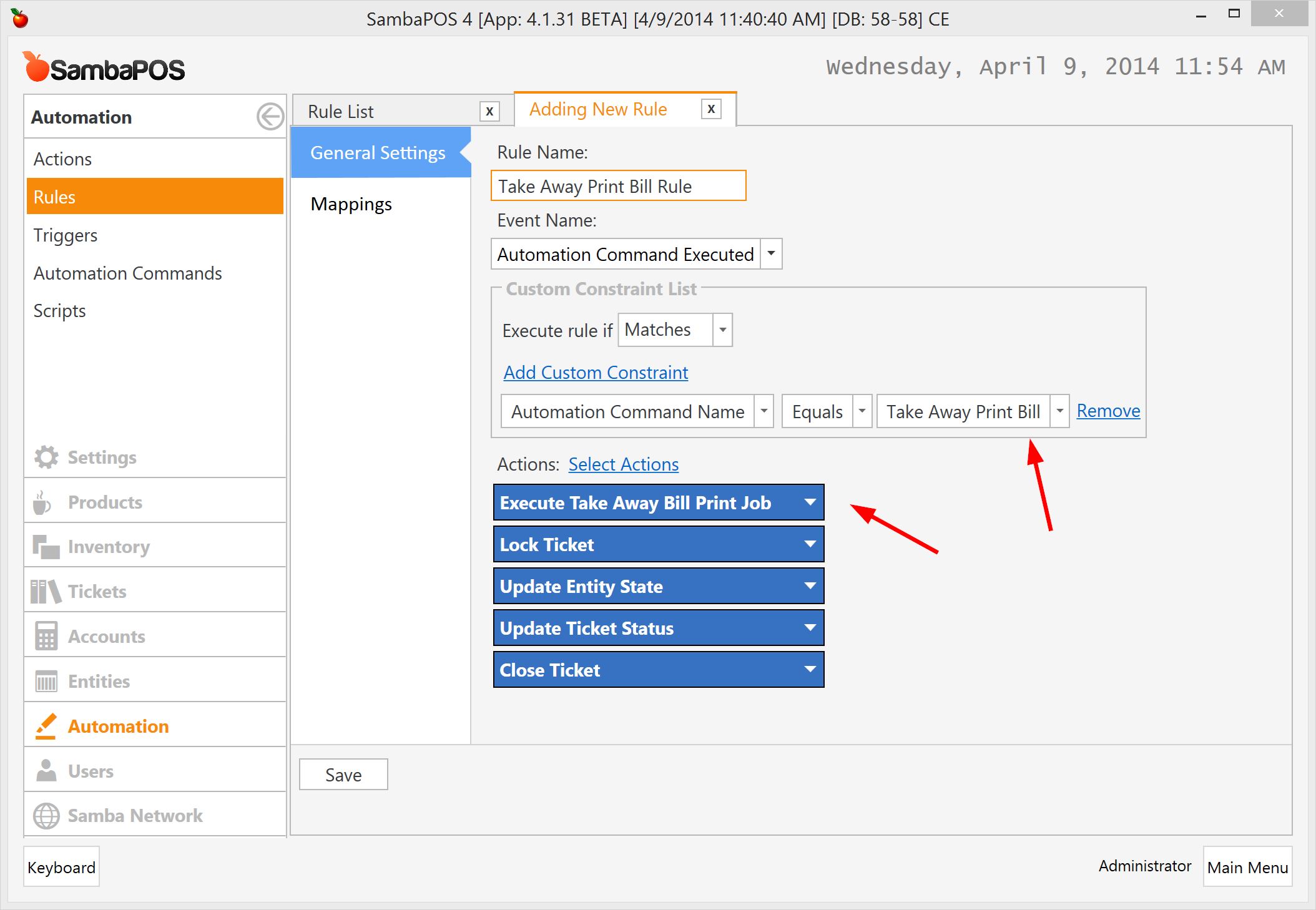
I need to Replace Execute Bill Print Job with Execute Take Away Print Bill Job and change constraint to work when Take Away Print Bill button clicked.