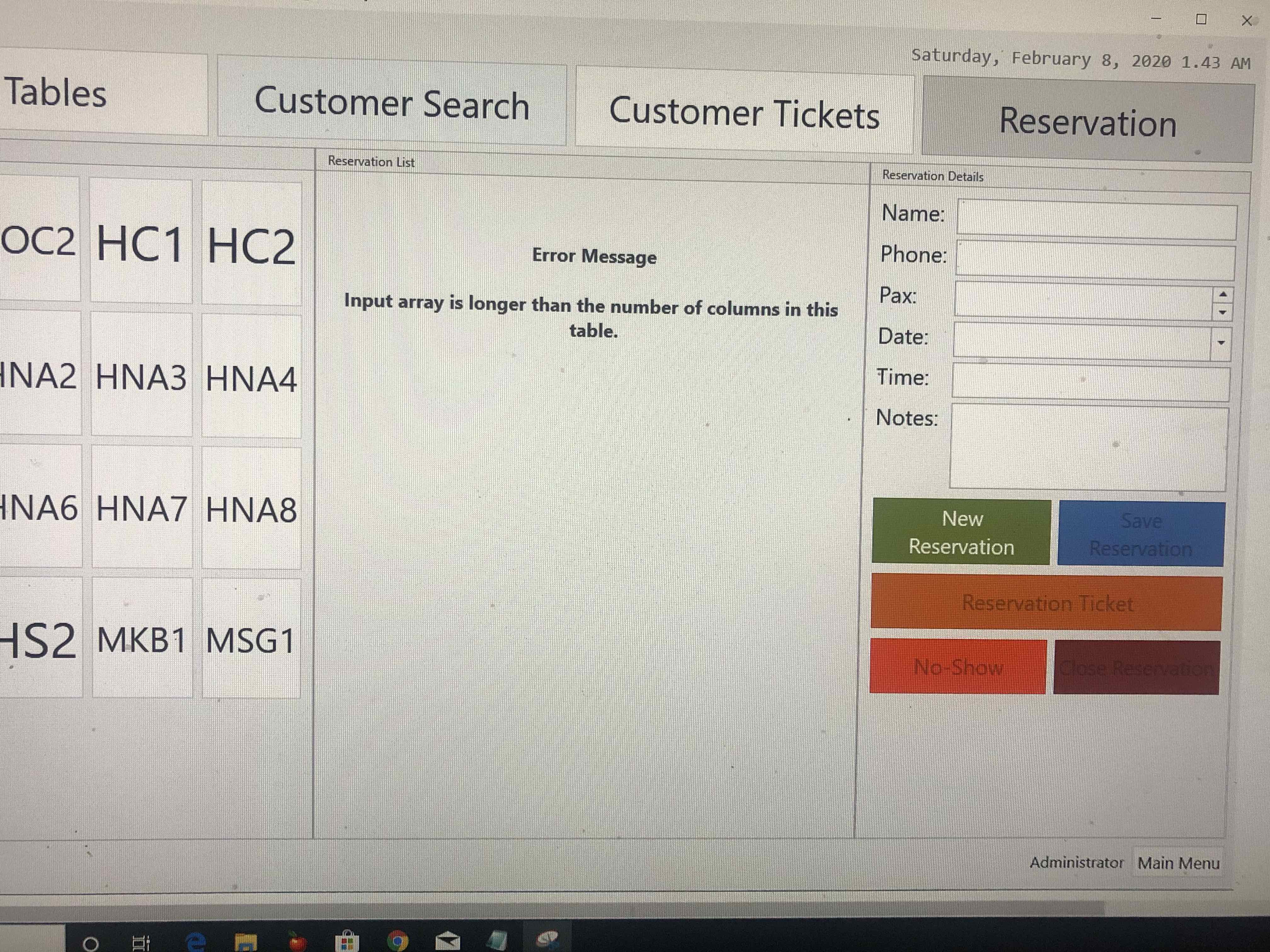
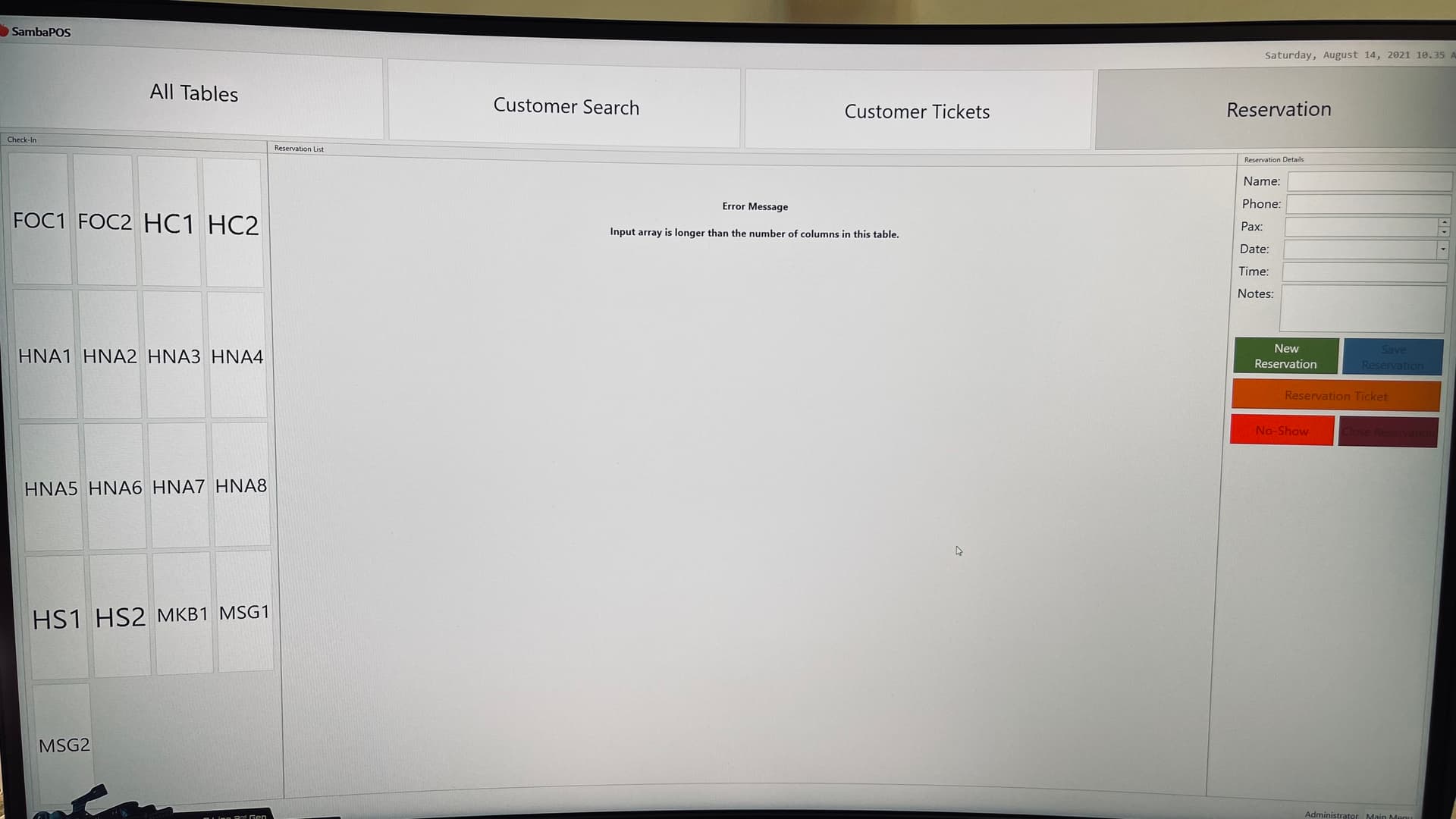
Hopefully this will fix the Reservation invalid charter.
!!Back your database before trying this!!
We need to create 3 new actions:
We will used this first action to temporary store the the reservation number:
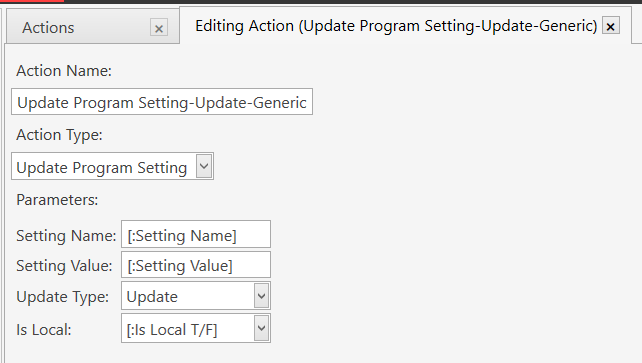
Name: Update Program Setting-Update-Generic
Action: Update Program Setting
Setting Name: [:Setting Name]
Setting Value: [:Setting Value]
Update Type: Update
Is Local: [:Is Local T/F]
This action will be used to trigger another Automation Command:
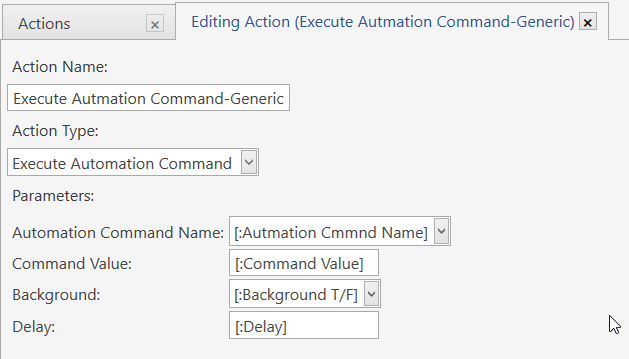
Action Name: Execute Automation Command-Generic
Action Type: Execute Automation Command
Automation Command Name: [:Automation Cmmnd Name]
Command Value: [:Command Value]
Background: [:Background T/F] Delay: [:Delay]`
This action will update the 2 fields that allow invalid characters:

Action Name: RZV Update Reservation-Fix
Action Type: Update Task
Task Type Name: Reservation
Name: Reservation
Content: [:Notes]
Custom Fields: Name=[:Name]
1 - Automation command button:
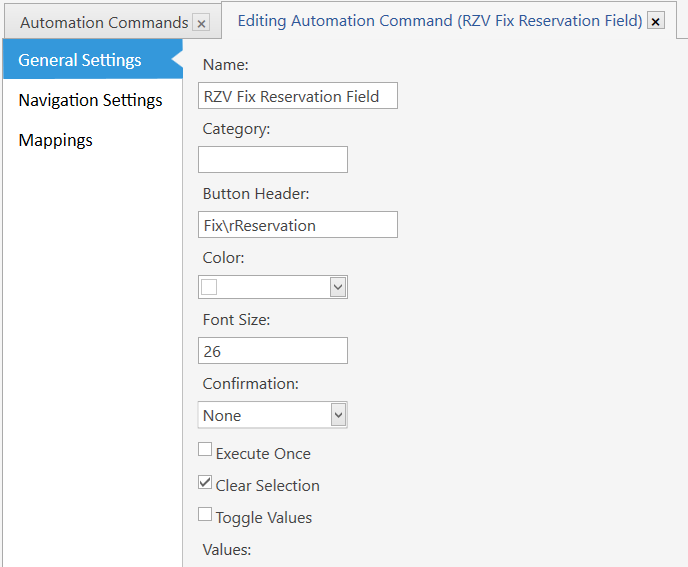
Name:
RZV Fix Reservation Field
Button Header:
Fix\rReservation
Mapping:
User Role:Admin &
Visiblity:Ticket
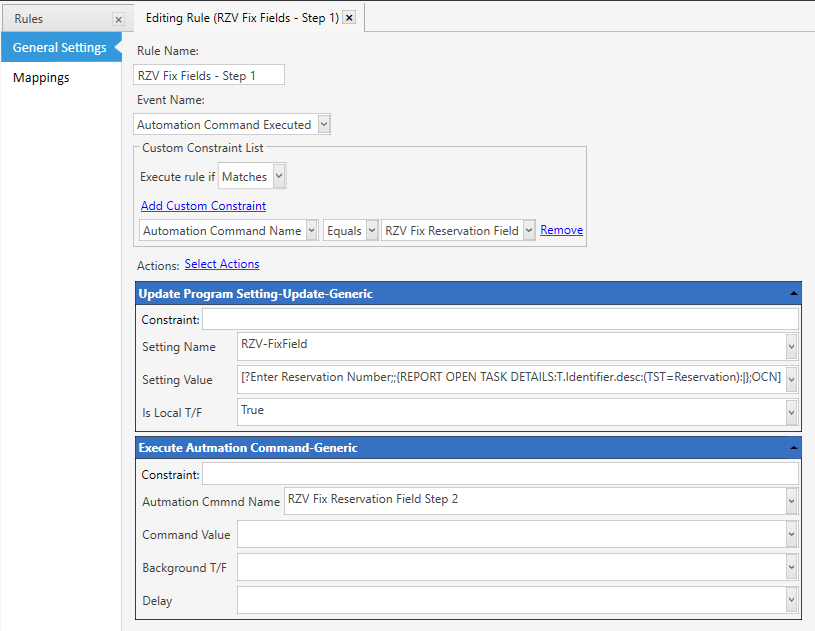
Rule (1 of 2):
Rule Name:
RZV Fix Fields - Step 1
Event Name:
Automation Command Executed
Automation Command Name Equals RZV Fix Reservation Field
Actions (1 of 2): Update Program Setting-Update-Generic
Constraint: (blank)
Setting Name: RZV-FixField
Setting Value: [?Enter Reservation Number;;{REPORT OPEN TASK DETAILS:T.Identifier.desc:(TST=Reservation):|};OCN]
Is Local T/F: True
Actions (2 of2): Execute Automation Command-Generic
Constraint: (blank)
Automation Cmmnd Name: RZV Fix Reservation Field Step 2
Command Value: (blank)
Background T/F: (blank)
Delay: (blank)
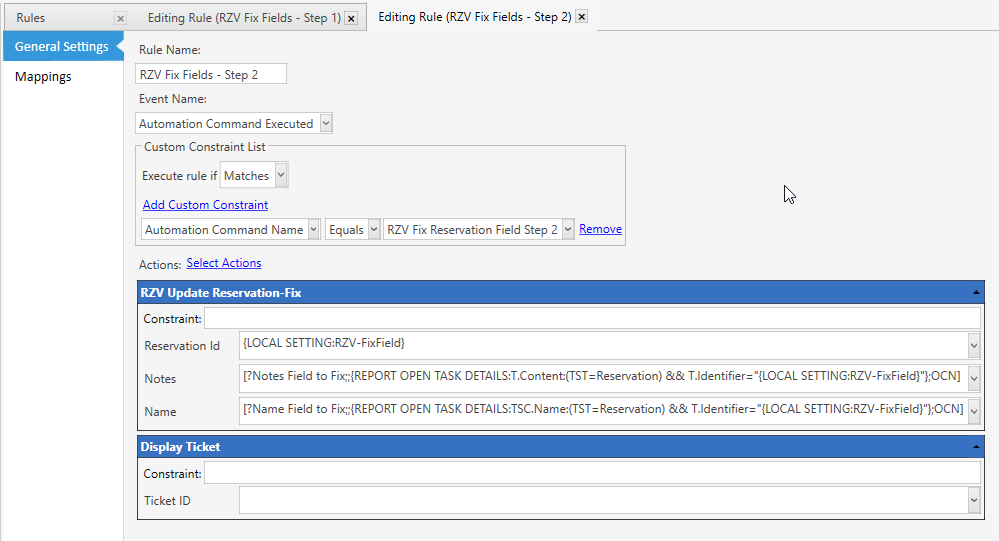
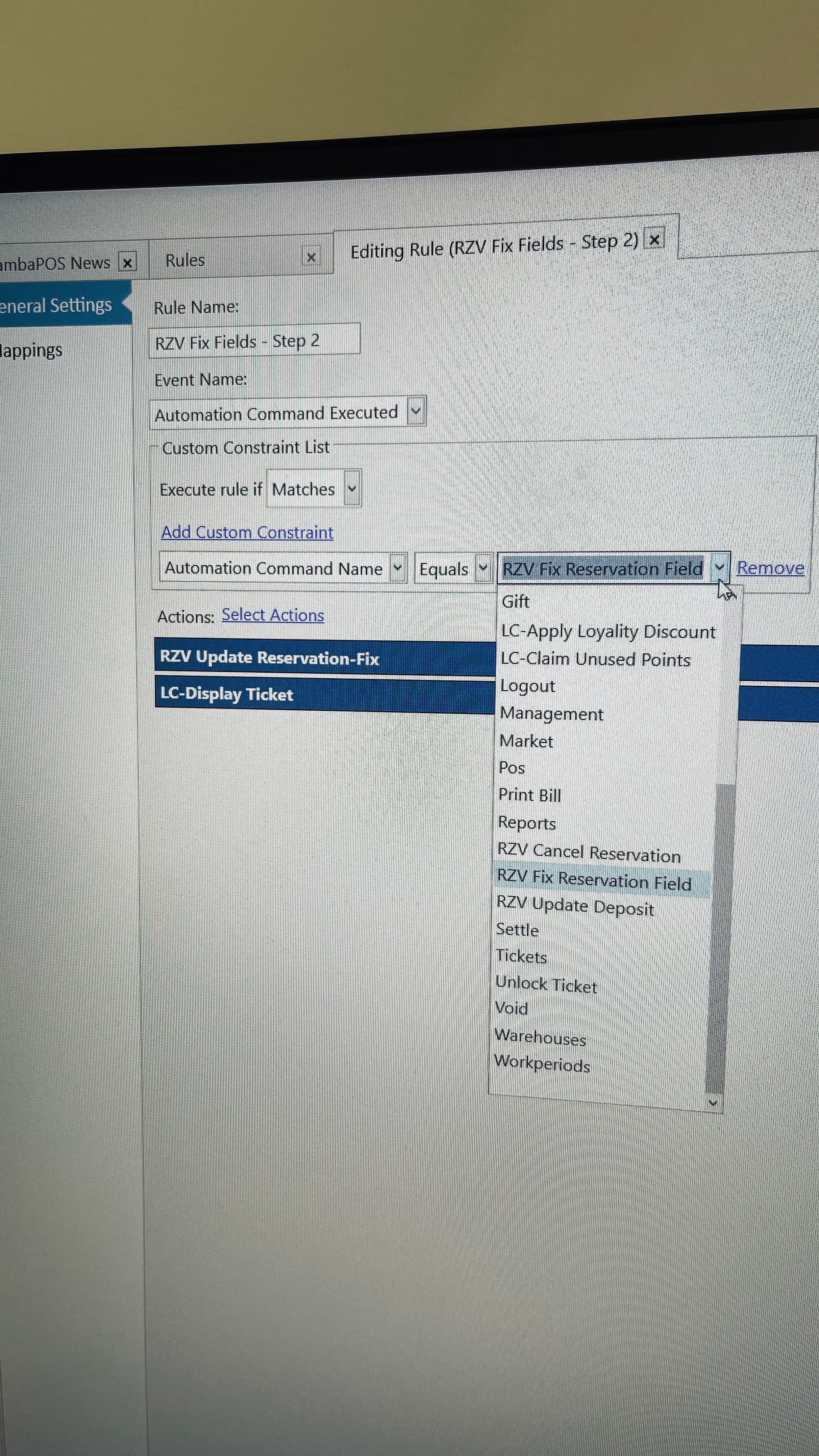
Rule (2 of 2):
Rule Name:
RZV Fix Fields - Step 2
Event Name:
Automation Command Executed
Automation Command Name Equals RZV Fix Reservation Field Step 2
Actions (1 of 2): RZV Update Reservation-Fix
Constraint: (blank)
Reservation Id: {LOCAL SETTING:RZV-FixField}
Notes: [?Notes Field to Fix;;{REPORT OPEN TASK DETAILS:T.Content:(TST=Reservation) && T.Identifier="{LOCAL SETTING:RZV-FixField}"};OCN]
Name: [?Name Field to Fix;;{REPORT OPEN TASK DETAILS:TSC.Name:(TST=Reservation) && T.Identifier="{LOCAL SETTING:RZV-FixField}"};OCN]
Actions (2 of 2): Display Ticket (this action should be in you system)
Constraint: (blank)
Ticket ID: (blank)
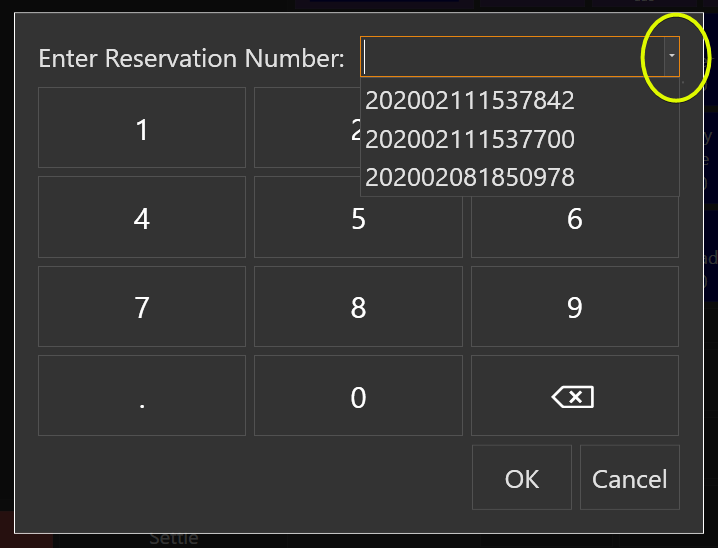
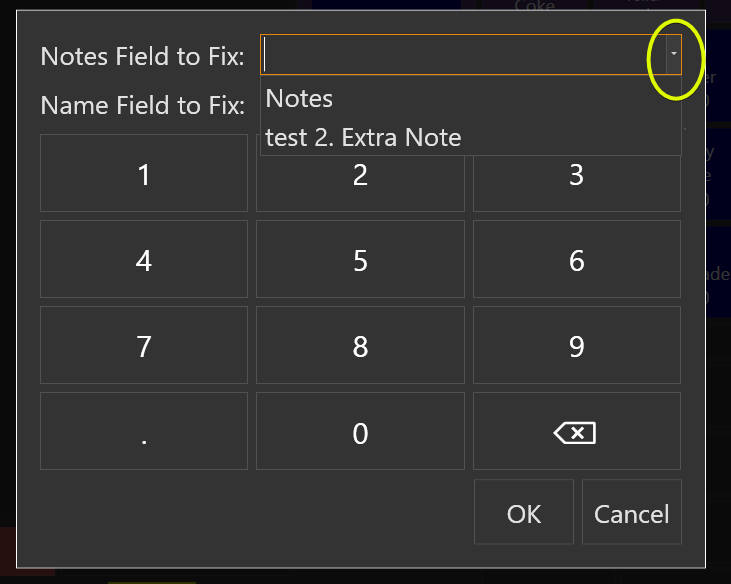
On your POS screen you will have a button called “Fix Reservation”. When you click it this pop-up will come up:
In the upper right hand corner will be a drop down with a listing of Reservation Id’s, ordered from the most recent to the oldest. (This list will be dynamic, meaning if you need to use this in the future it will populate all your current Reservation numbers.) Select the Reservation Id that has the problem. (Or you can type the reservation number in by hand). Then click OK.
After clicking another popup will come up. This popup will have the information from the Reservation number displayed, from the 2 fields that will only allow invalid characters.
Here is where you can fix the field. If you have a pipe character, you will see a drop down of the text that has been split by the pipe character. Manual enter in the all the text (no pipe characters

). Click OK to save the information. Bring up the reservation screen to see if it worked.
If it did work, having the “Fix Reservation” button on the screen won’t be necessary. You can leave it there for just the Admin. Or you can the delete the mapping to the Automation Commands. If you ever need it again, just remap it.