If you want to use a view, in your where clause you can pass ‘{Start}’ and ‘{End}’ and those will be replaced with the date constraints behind the scenes.
I can’t get REPORT SQL DETAILS to work when formatting dates. So this is what I did:
Create a script:
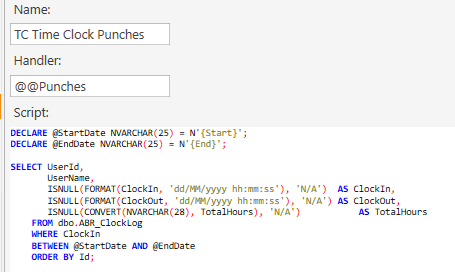
code
DECLARE @StartDate NVARCHAR(25) = N'{Start}';
DECLARE @EndDate NVARCHAR(25) = N'{End}';

SELECT UserId,
       UserName,
       ISNULL(FORMAT(ClockIn, 'dd/MM/yyyy hh:mm:ss'), 'N/A')  AS ClockIn,
       ISNULL(FORMAT(ClockOut, 'dd/MM/yyyy hh:mm:ss'), 'N/A') AS ClockOut,
       ISNULL(CONVERT(NVARCHAR(28), TotalHours), 'N/A')           AS TotalHours
    FROM dbo.ABR_ClockLog
    WHERE ClockIn
    BETWEEN @StartDate AND @EndDate
    ORDER BY Id;
I just went with constraining the clockin column
and then the report:
[Clock Report:3 ,15, 20, 20, 20]
>Id|Name|In|Out|Total
@@Punches