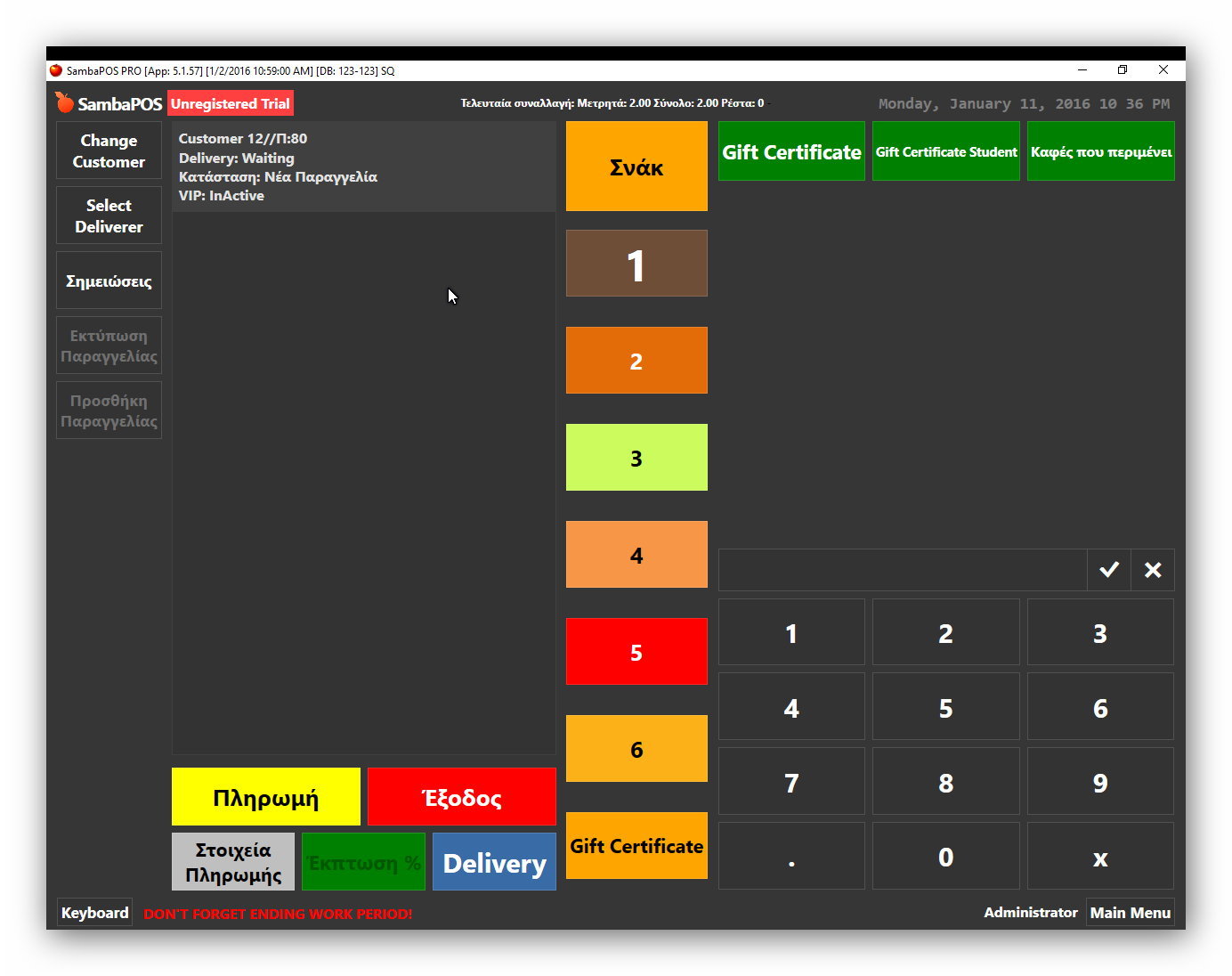
You can see it above in the last picture
Ok, well somewhere your changing entity to the ZZGC2000 dummy voucher entity/account which would have 0 balance.
If the GC is fully redeemed, the GC Entity is replaced with a “dummy” GC Entity named ZZGC2000.
Same Rule as above does this…
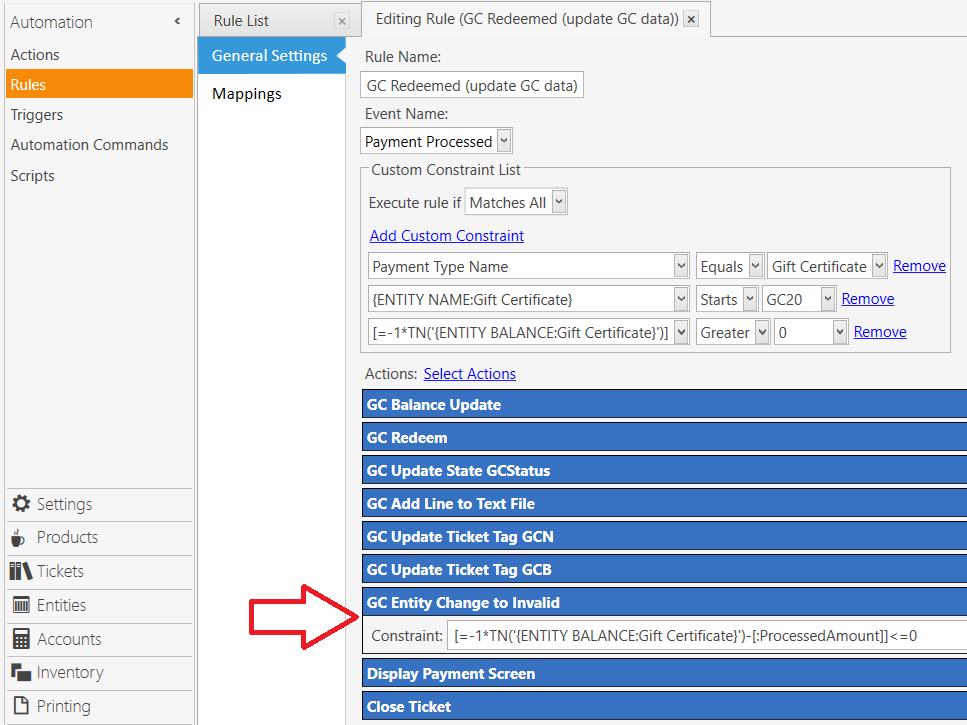
In the action for GC Entity Change to Invalid, ensure the Constraint is correct…
[=-1*TN('{ENTITY BALANCE:Gift Certificate}')-[:ProcessedAmount]]<=0
You seem to be having issues with redemption, take a screenshot of that Rule, with all Actions fully expanded.
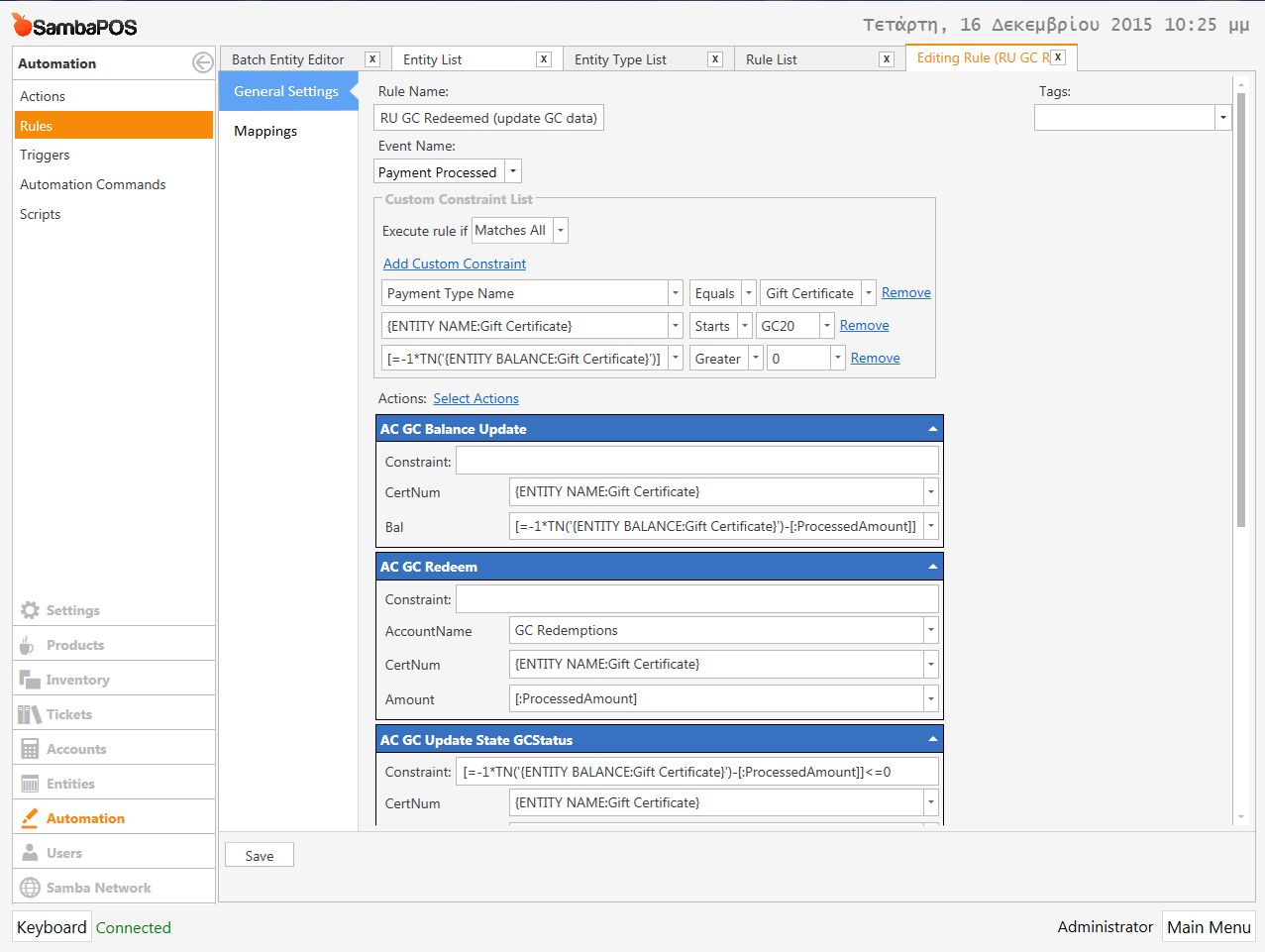
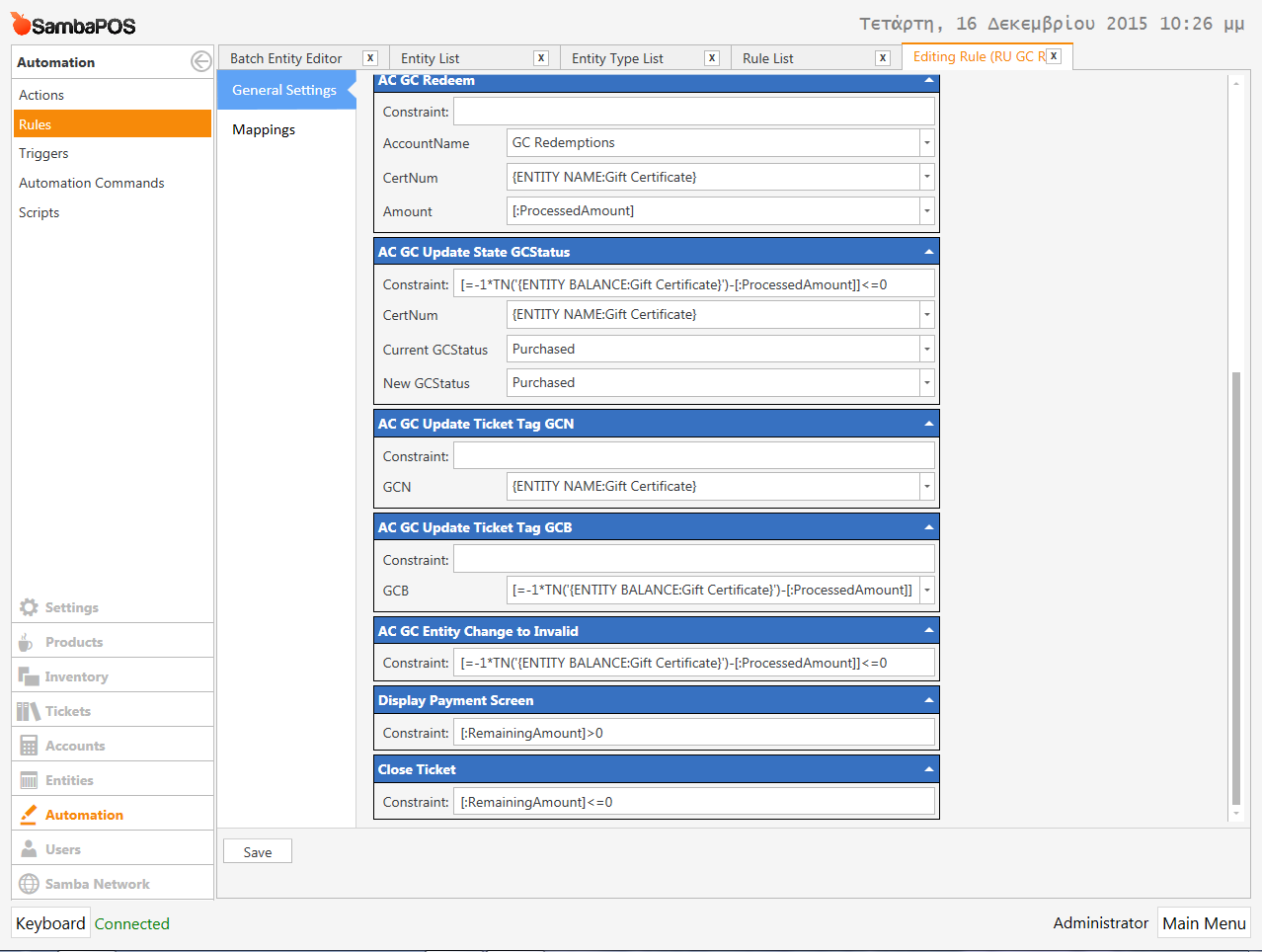
I made this changes that @QMcKay suggest
Continuing the discussion from Help for the tutorial GC Sales & Redemption:
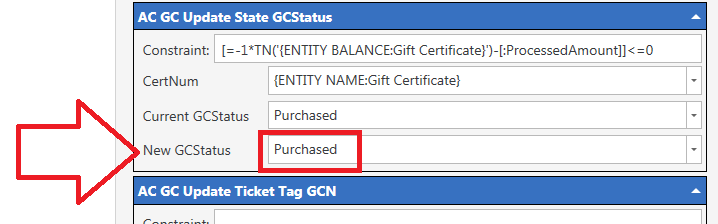
I have already changed it but nothing new …
I’m stumped I mean I did entire tutorial and even had the print job and mine worked fine regardless if I deleted the print job or not.
You must have made a mistake somewhere or something you did is conflicting.
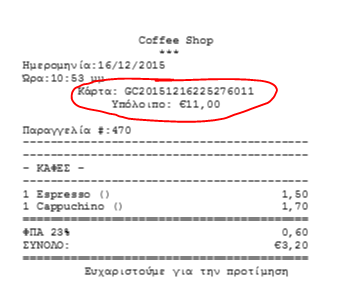
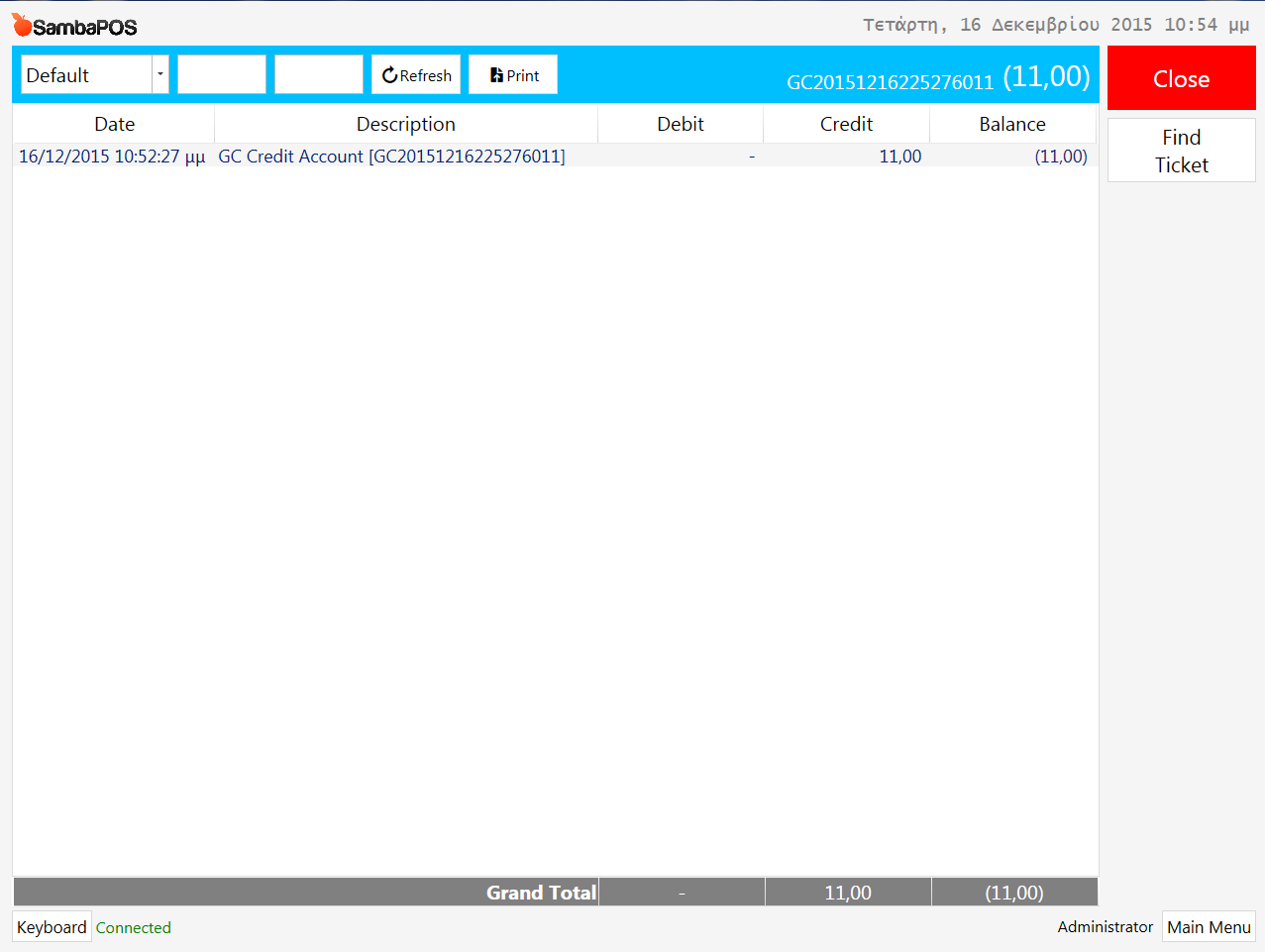
Same here. I have the Print Job as well, and it still works, so I don’t know why deleting it fixed his issue. Nonetheless, there continues to be issues with his setup in other areas. It is so easy to mess up the flow with one little mistake.
hi sorry for open this question again but 6 days now i cant find a solution
Where i must check for not updating the balance in the entity page and i thing that the Dummy Account is not working .
I trieds to add msg but i screwed up …
I lost my Select Gift Certificate button from V5, any idea ?
i restore older backup and stil not there …
Really have no idea did it fall off a cliff? Lol sorry bad joke. Maybe remake it? Is the automation command still there? Buttons don’t just disappear perhaps even its mapped to a ticket state and you changed it?
hi kendash you make my day …
i recreate it but it stiil hiding …
i vever had AC for GC
Show a screenshot of ticket view and of button settings.
I never had a button in Automation Commands neither Tutorial has
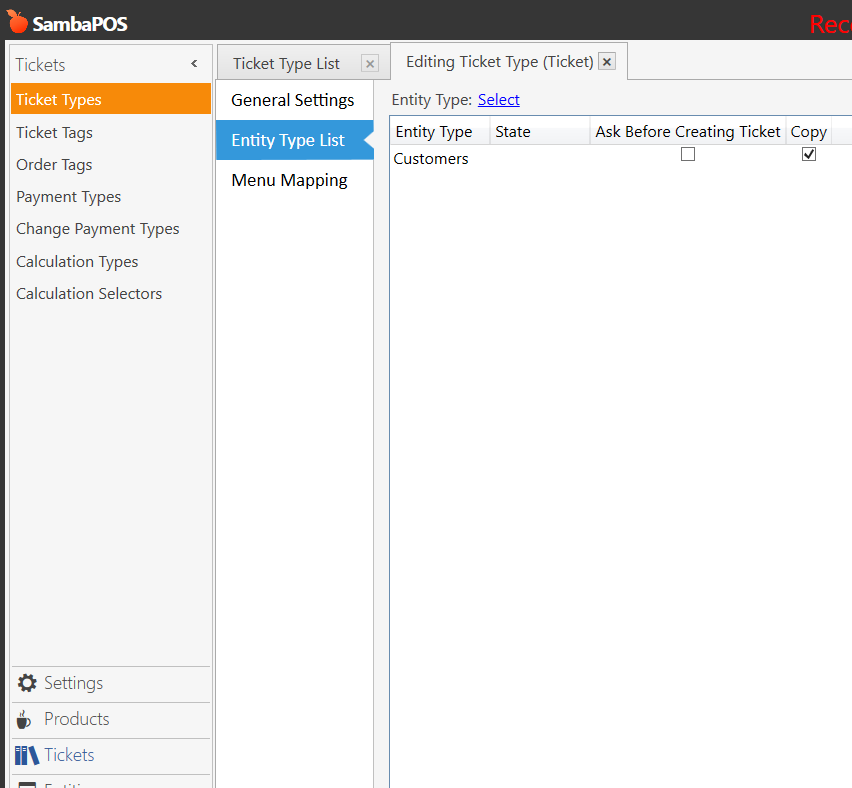
Yes so show a screenshot of ticket screen then?
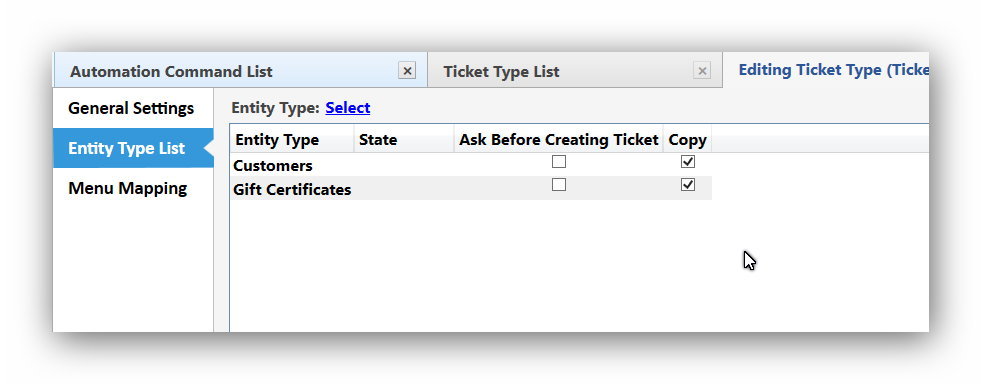
Check your Entity Screen for Gift Certificates and make sure you didn’t remove the Entity Type from it located in the Entity List portion of the Entity Screen settings.