QMcKay
September 15, 2017, 8:33pm
9
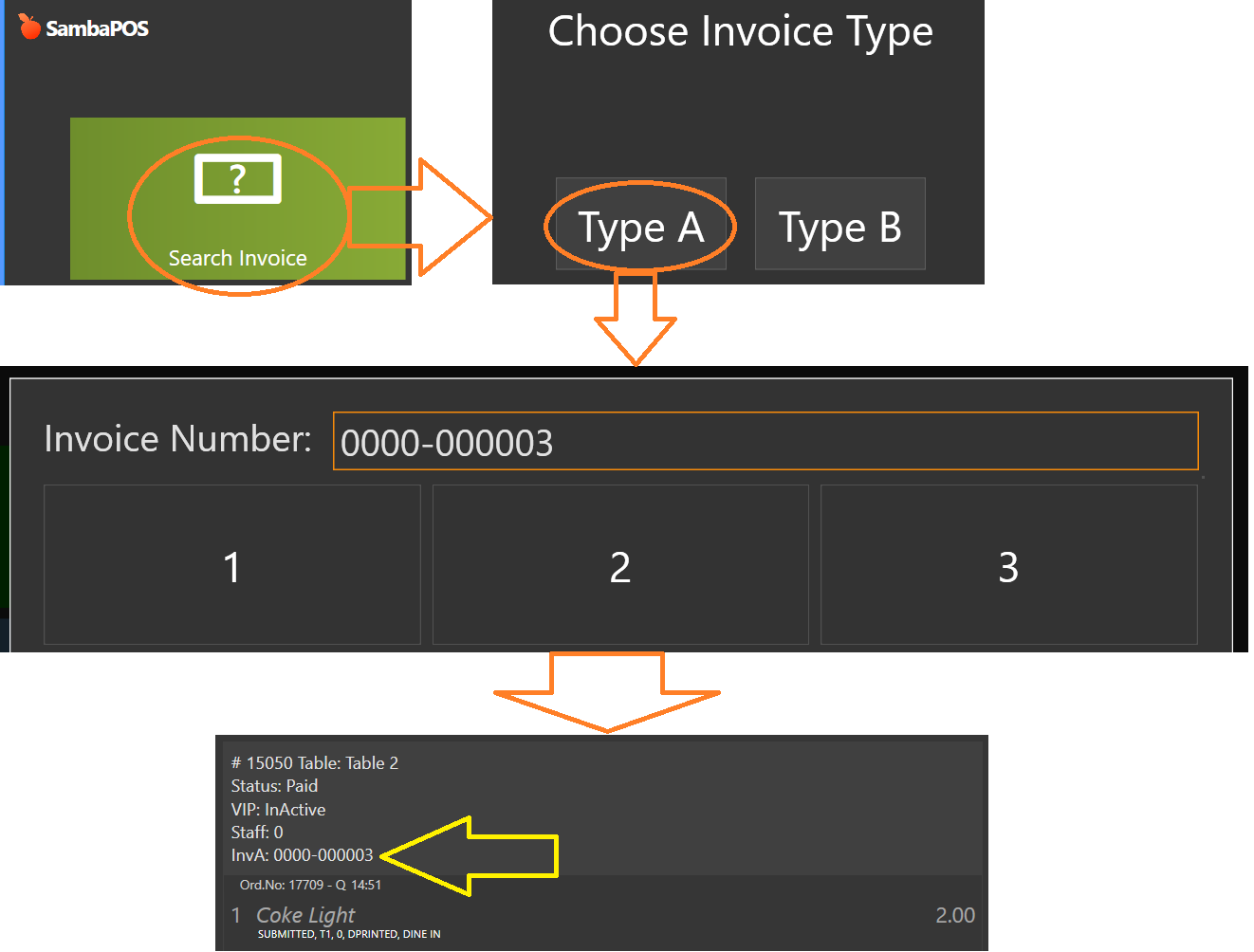
Because the Invoice Number is stored as a Ticket State and/or Ticket Tag, it might be difficult to locate them at a later time, because the Ticket Explorer does not display States or Tags. So here is a mechanism we can use to Search for and Display Tickets based on the Invoice Number stored in the Ticket State/Tag.
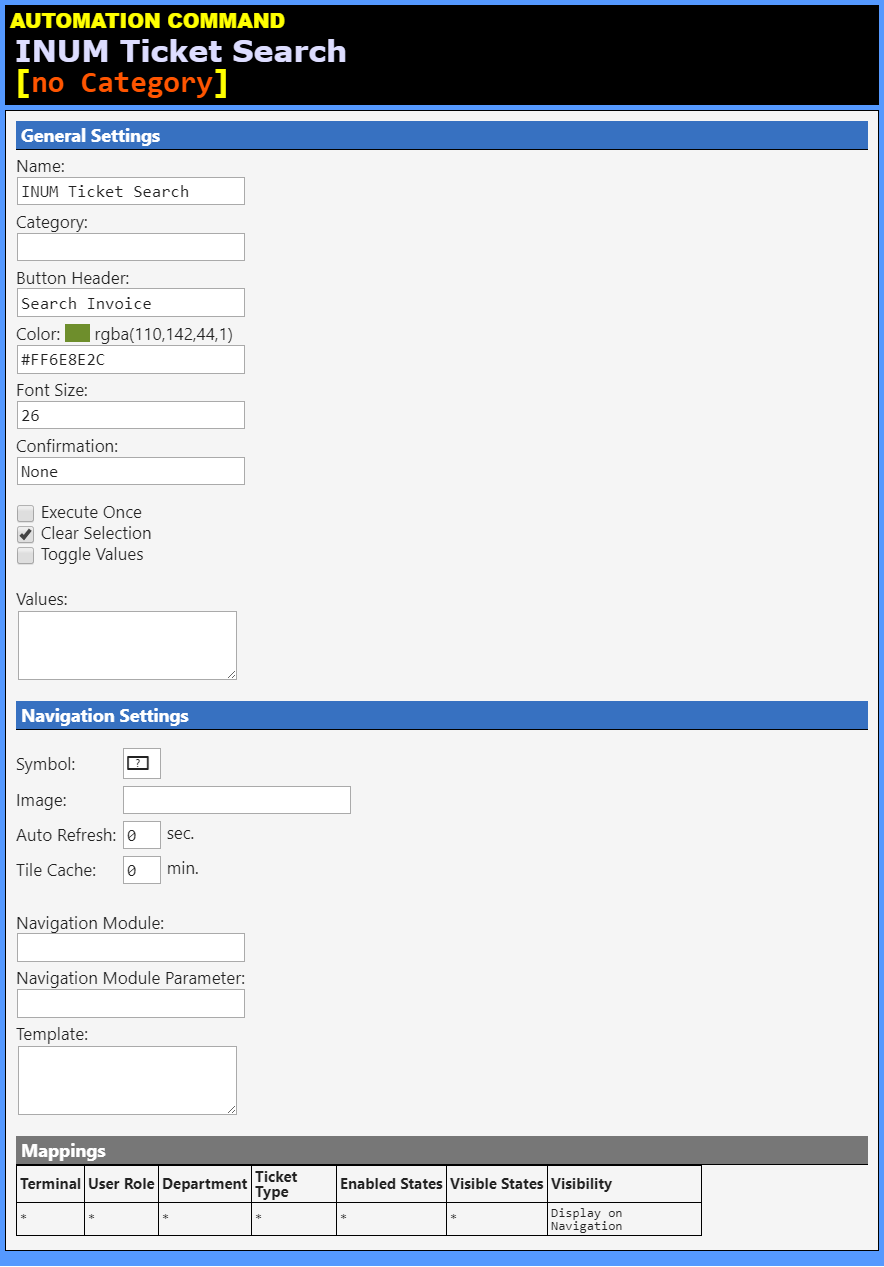
INUM Ticket Search [no Category] (Automation Command)
Name: INUM Ticket SearchCategory: Button Header: Search InvoiceColor: #FF6E8E2CFont Size: 26Confirmation: None
Values (0): (none)
Navigation Settings Symbol: Image: Auto Refresh: 0Tile Cache: 0Navigation Module: Nav Module Parameter:
Template:
Mappings Terminal User Role Department Ticket Type Enabled States Visible States Visibility ******Display on Navigation
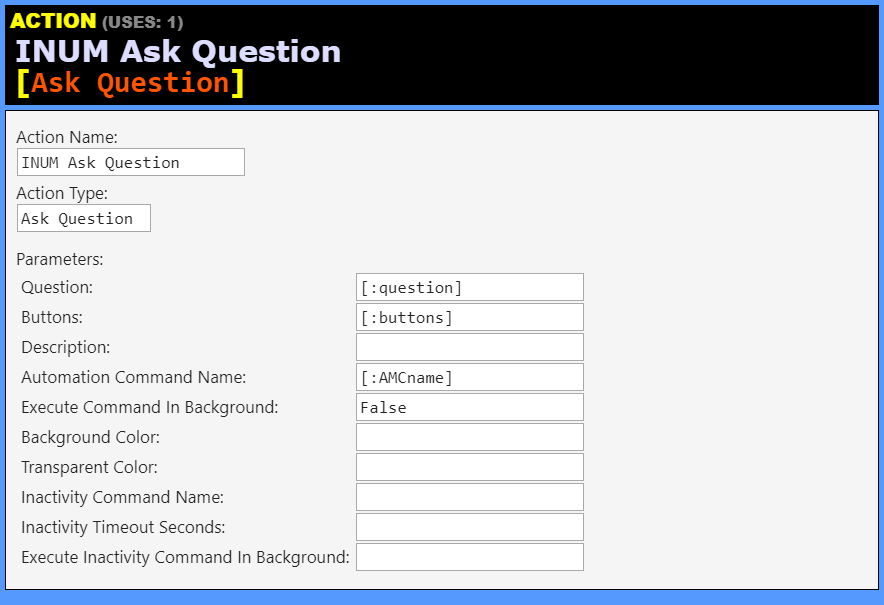
INUM Ask Question [Ask Question] (Action)
Action Name: INUM Ask QuestionAction Type: Ask Question
Question: [:question]Buttons: [:buttons]Description: Automation Command Name: [:AMCname]Execute Command In Background: FalseBackground Color: Transparent Color: Inactivity Command Name: Inactivity Timeout Seconds: Execute Inactivity Command In Background:
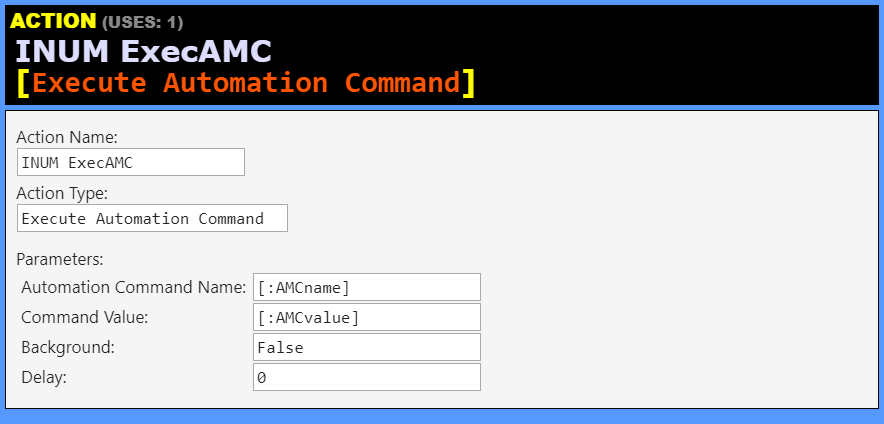
INUM ExecAMC [Execute Automation Command] (Action)
Action Name: INUM ExecAMCAction Type: Execute Automation Command
Automation Command Name: [:AMCname]Command Value: [:AMCvalue]Background: FalseDelay: 0
INUM Load Ticket [Load Ticket] (Action)
Action Name: INUM Load TicketAction Type: Load Ticket
Ticket Id: Ticket Number: Ticket Uid: Tag Name: [:tagName]Tag Value: [:tagValue]State Name: [:stateName]State: [:stateValue]Entity Type Name: Entity Name:
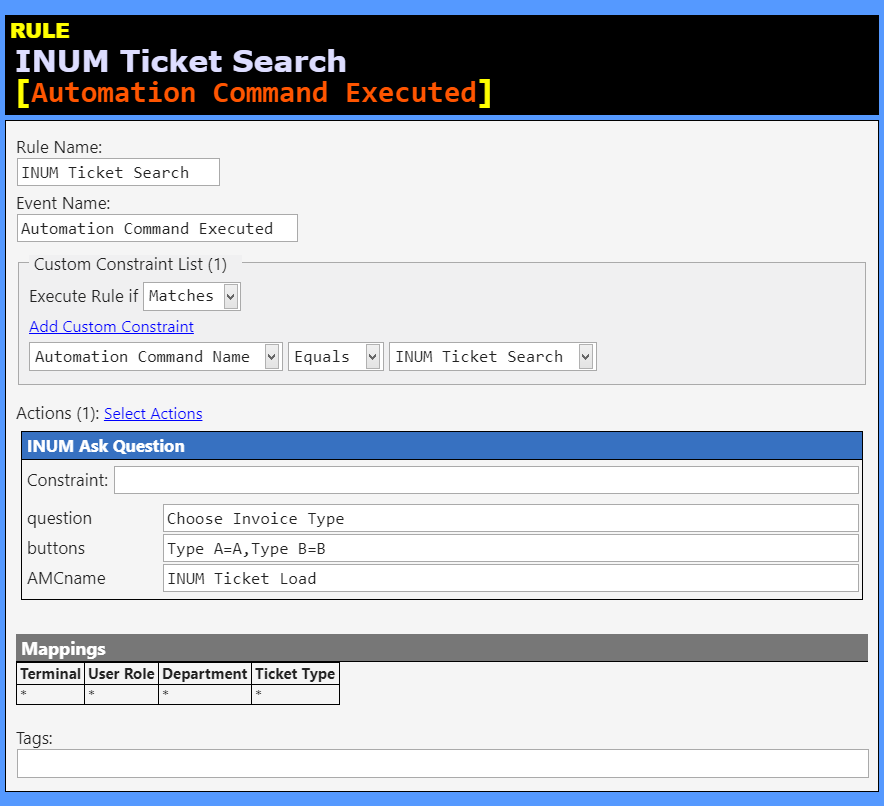
INUM Ticket Search [Automation Command Executed] (Rule)
Rule Name: INUM Ticket SearchEvent Name: Automation Command ExecutedRule Tags:
Custom Constraint List (1):
Automation Command NameEquals INUM Ticket Search
INUM Ask Question Constraint: (none)
question: Choose Invoice Typebuttons: Type A=A,Type B=BAMCname: INUM Ticket Load
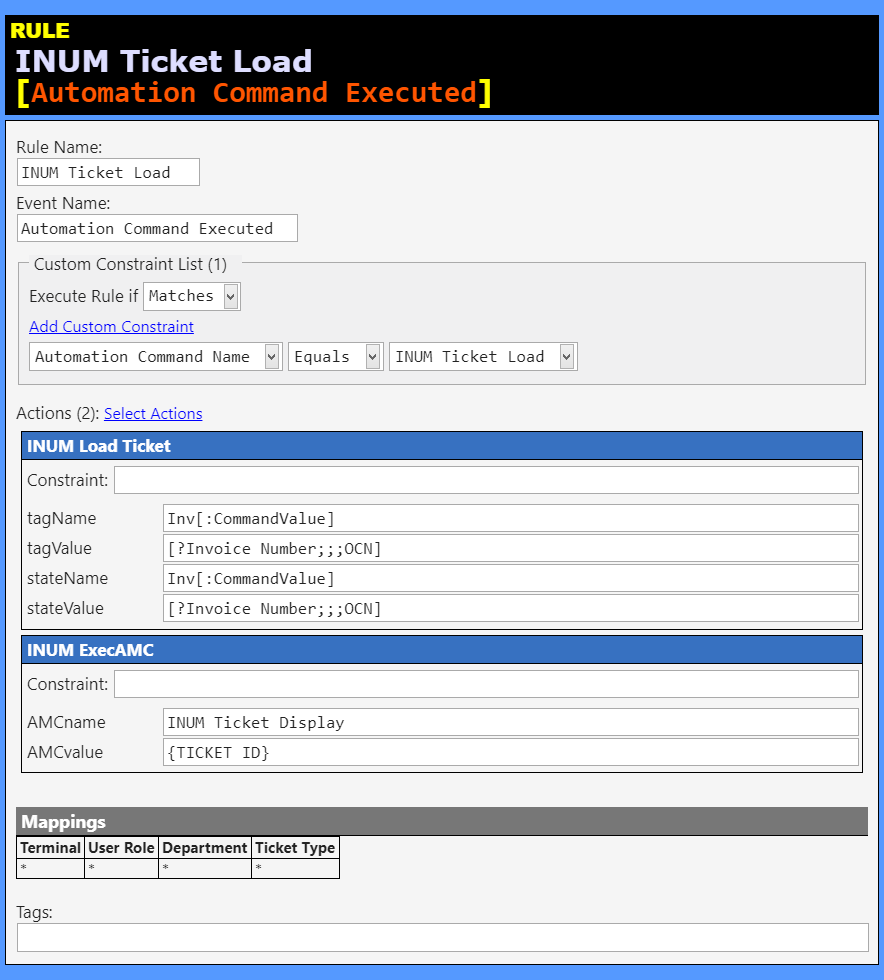
INUM Ticket Load [Automation Command Executed] (Rule)
Rule Name: INUM Ticket LoadEvent Name: Automation Command ExecutedRule Tags:
Custom Constraint List (1):
Automation Command NameEquals INUM Ticket Load
INUM Load Ticket Constraint: (none)
tagName: Inv[:CommandValue]tagValue: [?Invoice Number;;;OCN]stateName: Inv[:CommandValue]stateValue: [?Invoice Number;;;OCN]
INUM ExecAMC Constraint: (none)
AMCname: INUM Ticket DisplayAMCvalue: {TICKET ID}
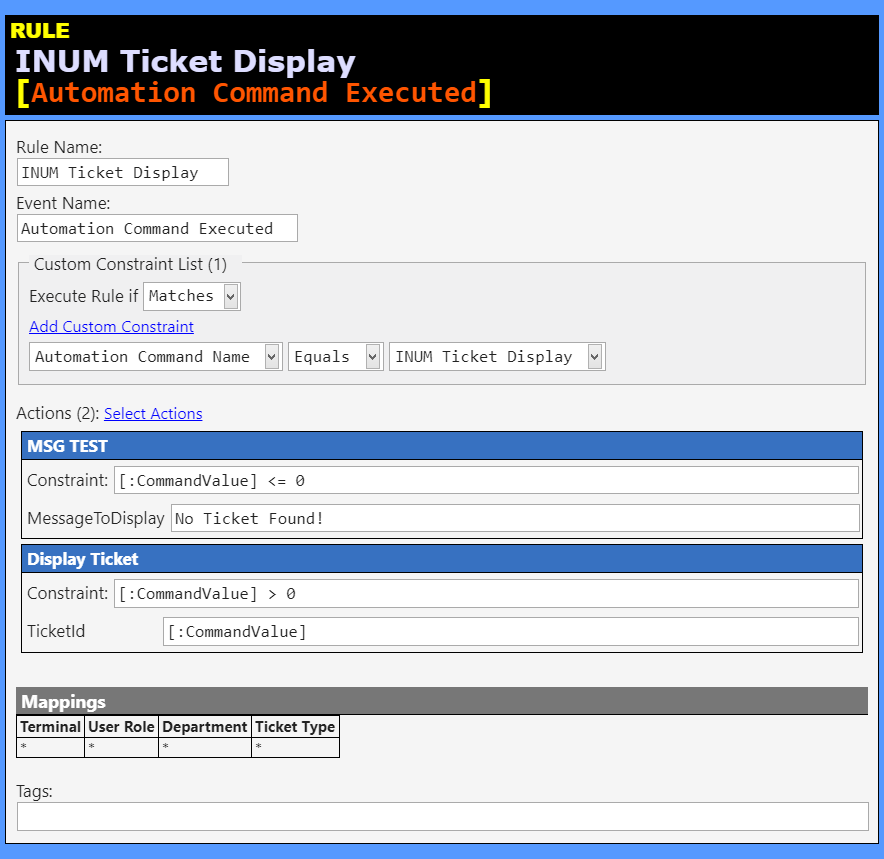
INUM Ticket Display [Automation Command Executed] (Rule)
Rule Name: INUM Ticket DisplayEvent Name: Automation Command ExecutedRule Tags:
Custom Constraint List (1):
Automation Command NameEquals INUM Ticket Display
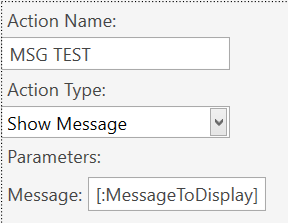
MSG TEST Constraint: [:CommandValue] <= 0
MessageToDisplay: No Ticket Found!
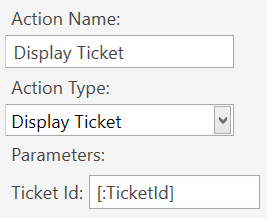
Display Ticket Constraint: [:CommandValue] > 0
TicketId: [:CommandValue]
TIP: The MSG TEST Action shown above is a Show Message[:MessageToDisplay] as the Message
TIP: The Display Ticket Action shown above is a Display Ticket[:TicketId] as the Ticket Id
1 Like

TIP: The MSG TEST Action shown above is a