##5.1.26##
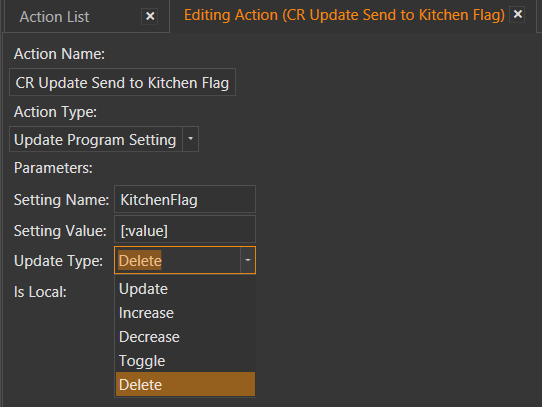
Update Program Setting Action contains a new Update Type: Delete
The Delete update type removes a setting from the database.
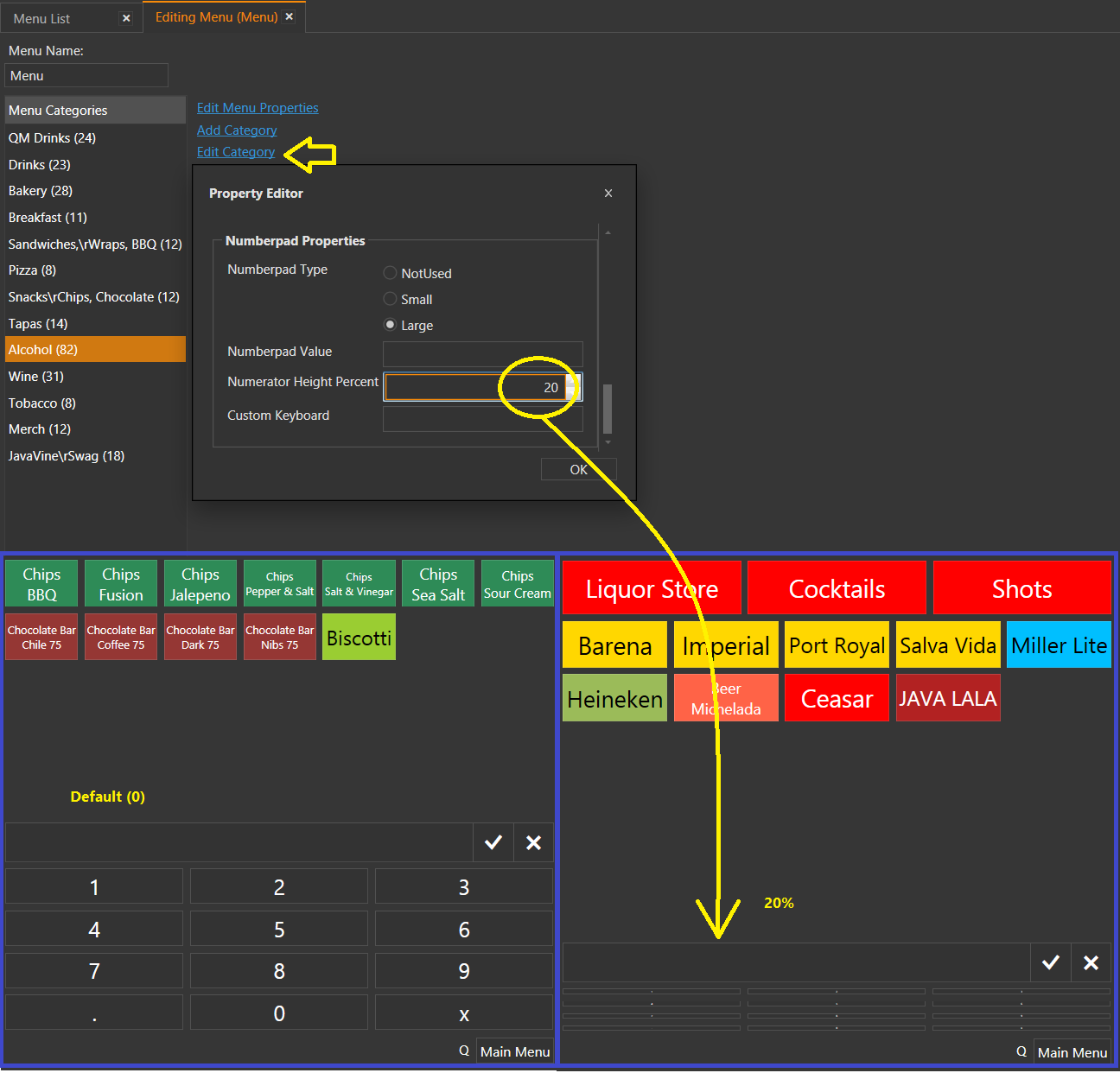
Menu Numberpad Height % can be changed per-Category
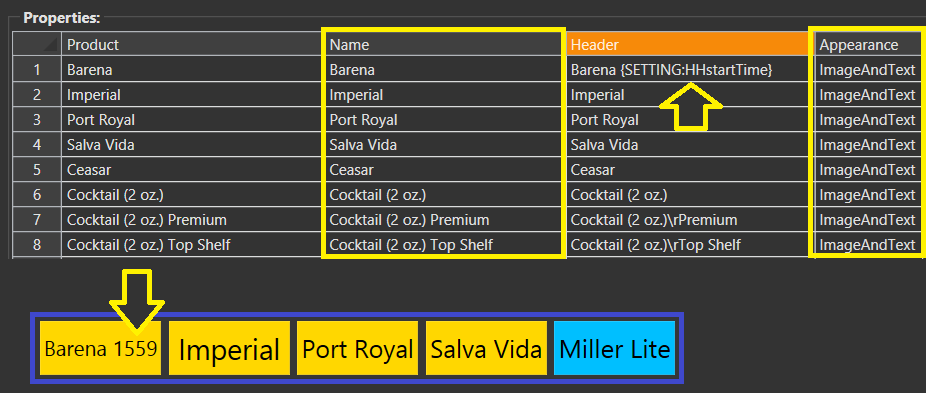
Menu Item buttons supports displaying values for reporting tags and global printing tags
For example: {SETTING:X}, {CALL:X}
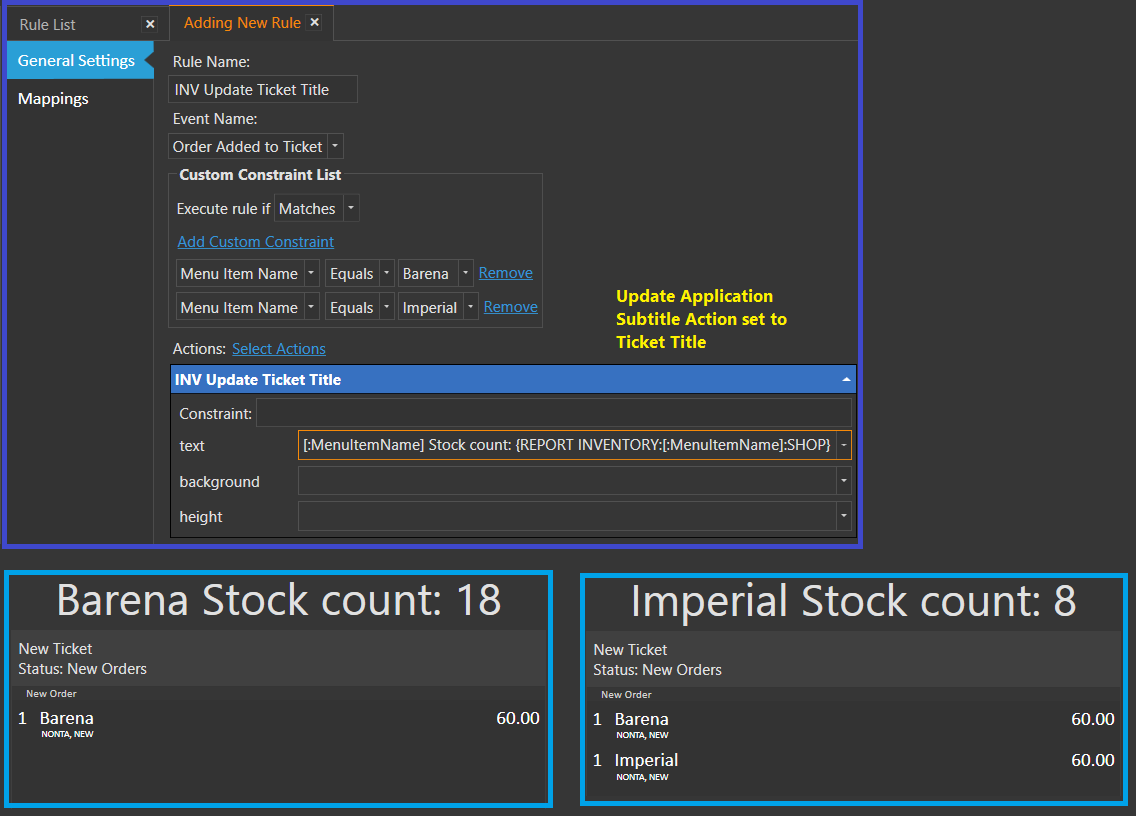
New tag {REPORT INVENTORY:<inventory item name>:<warehouse name>}
Other than reporting we can also use this tag to display inventory level on specific menu item buttons or test specific inventory levels on the fly.
IMPORTANT: Inventory level calculation needs to process all Tickets and all Inventory Transactions created in current work period (for each inventory item). So to avoid unnecessary network traffic try to use this feature for only a few menu items that really have mission critical meaning.
{WORKPERIOD ID}, {FIRST TICKET NO}, {LAST TICKET NO} report tags implemented
These tags can be useful for creating more complete Work Period Reports for accounting and auditing purposes.
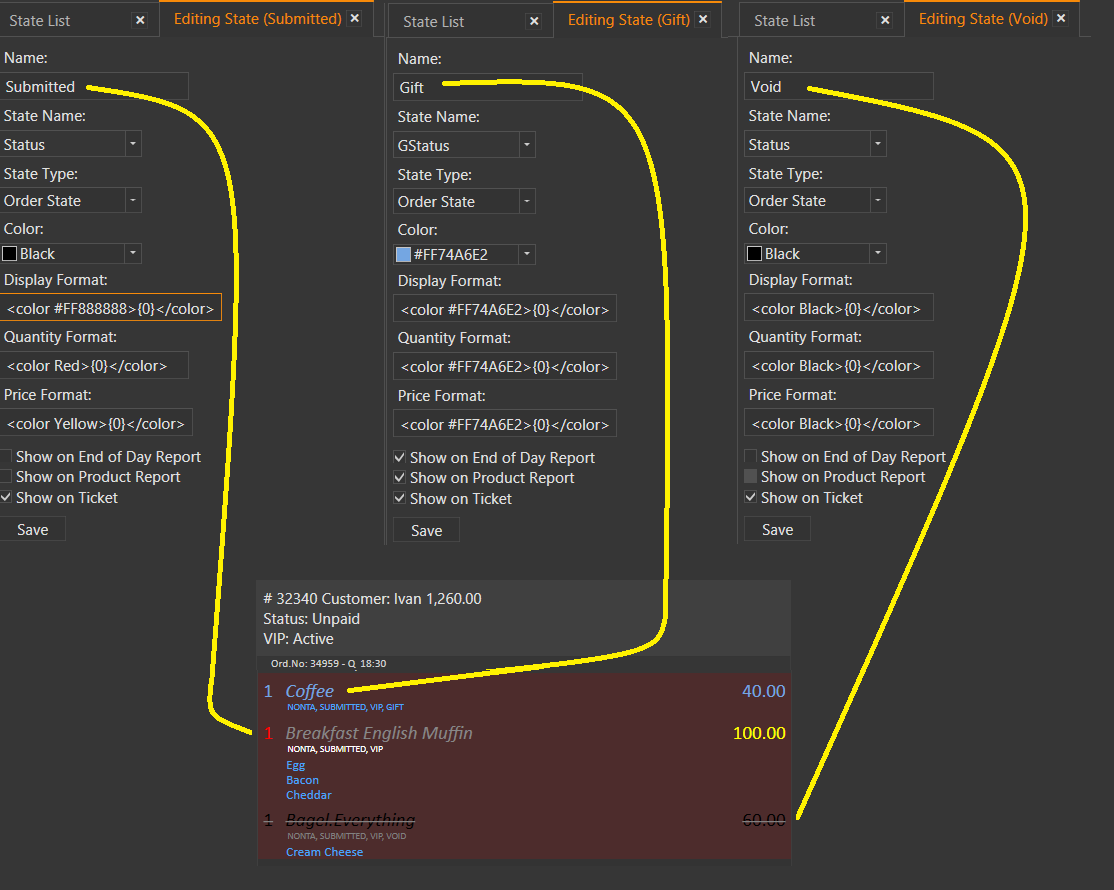
Order State Formatting
Display Formatis used while displaying product namesQuantity Formatused while displaying quantitiesPrice Formatused while displaying prices{0}indicates placeholder for formatted value
Example:
<color #FF888888><italic>{0}</italic></color>
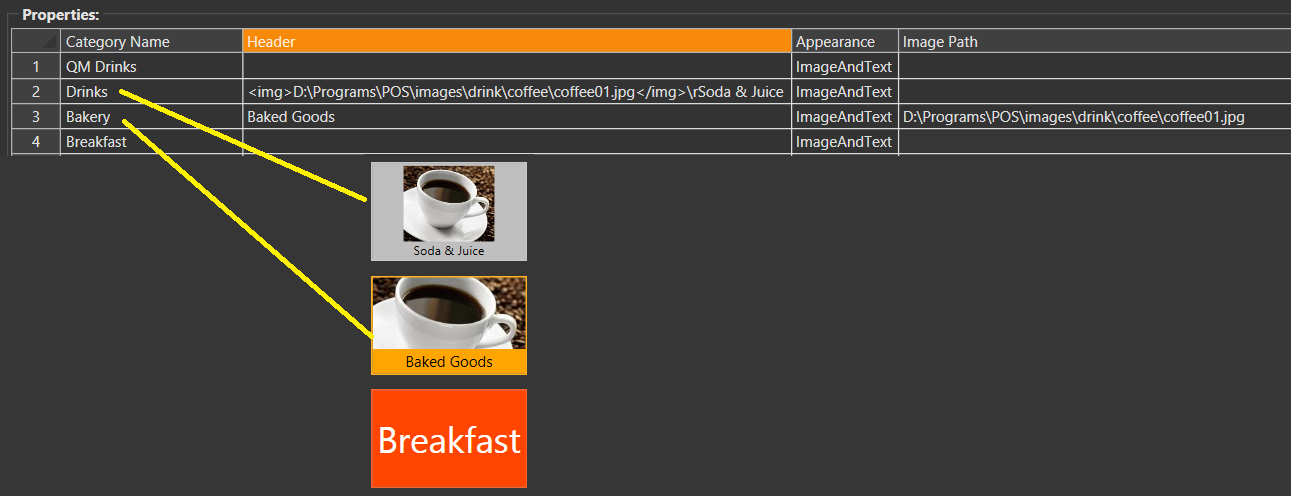
Header setting added to Menu Categories
Now you can individually change how categories appear without changing category name. You can also choose to display Text only, Image only, or both.
[ORDERS:INDEX:x] section tag added
Useful to change formatting for orders that have a specific index. For example, in this Ticket, the Order at Index 3 is displayed on the Customer Display in bold red…

Template:
[ORDERS:INDEX:1]
<div id="orderline" style="width:99%; font-size:16px; border-top:solid 1px #BBB; padding:3px;">
<div id="prodimg" style="width:15%; display:inline-block; vertical-align:middle"><img src="D:\Programs\POS\images\[='{ITEM TAG:ProdImage}' !='' ? '{ITEM TAG:ProdImage}' : 'znoimage-th.jpg']"> </div>
<div id="prodqty" style="width:5%; display:inline-block; vertical-align:middle">{QUANTITY}</div>
<div id="prodname" style="width:45%; display:inline-block; overflow:hidden; vertical-align:middle;color:#FF0000"><b>{NAME}</b></div>
<div id="prodprice" style="width:13%; display:inline-block; text-align:right; vertical-align:middle">{PRICE}</div>
<div id="prodamount" style="width:15%; display:inline-block; text-align:right; vertical-align:middle">{TOTAL AMOUNT}</div>
</div>
<div style="width:99%; text-align:left; font-size:10px;">{ORDER TAGS}</div>
[ORDERS]
<div id="orderline" style="width:99%; font-size:16px; border-top:solid 1px #BBB; padding:3px;">
<div id="prodimg" style="width:15%; display:inline-block; vertical-align:middle"><img src="D:\Programs\POS\images\[='{ITEM TAG:ProdImage}' !='' ? '{ITEM TAG:ProdImage}' : 'znoimage-th.jpg']"> </div>
<div id="prodqty" style="width:5%; display:inline-block; vertical-align:middle">{QUANTITY}</div>
<div id="prodname" style="width:45%; display:inline-block; overflow:hidden; vertical-align:middle">{NAME}</div>
<div id="prodprice" style="width:13%; display:inline-block; text-align:right; vertical-align:middle">{PRICE}</div>
<div id="prodamount" style="width:15%; display:inline-block; text-align:right; vertical-align:middle">{TOTAL AMOUNT}</div>
</div>
<div style="width:99%; text-align:left; font-size:10px;">{ORDER TAGS}</div>
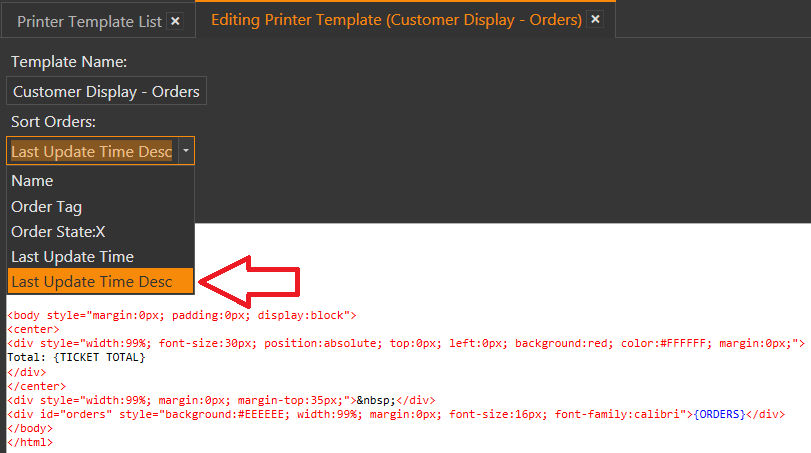
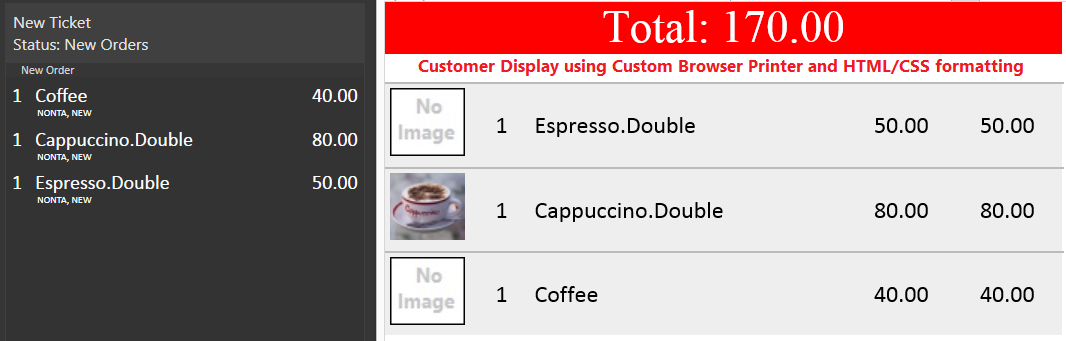
Last Update Time Desc sorting option added to printer templates
An example use of this sorting option is a Customer Display Template where you want the most recent order to appear at the top, and the earliest order to appear at the bottom.
Automatic sizing menu buttons optimized
Generates better button layouts while searching products on POS screen.
State settings refresh when user logs in
For example, {:ISCURRENTWORKPERIODOPEN} will be refreshed on User Login.