Hello to everbody,
I have realised that sale amount under Ticket List and in report is not same. To make this i make following: i list all tickets with a date range and i check total amount under the list. After this, i go to report section and choose same date range, total sale amount is not same. What is wrong in this ?
Thank you for answer.
Reports are based on work periods and I’m pretty sure the ticket screen is not. Or so I believe.
So for instance a bar that closes at 2am, the report might include sales from the prior day since the work period is within the date range, even though sales occurred outside of the date range.
Thank you for your answer.
Yes, correct, reports are based on worksperiods and worksperiod
are based on ticket. I have checked all tickets one by one, all are in same date range, and they are in works periods. To check this i reopen ticket and change price, this change is not reflected correctly in report.
I dont know what i am doing wrong.
You’ll need to provide some screenshots of what you’re experiencing. I just reopened a ticket and changed the price. It is most definitely reflected in the report and the ticket screen.
I go to Ticket and I reopen one Ticket
. I change Price,for exemple i make + 100. This Chnage is reflected immediatly in Total at the bottom of this Ticket List. After adding 100, Total amount is USD 30 015.-- that is correct.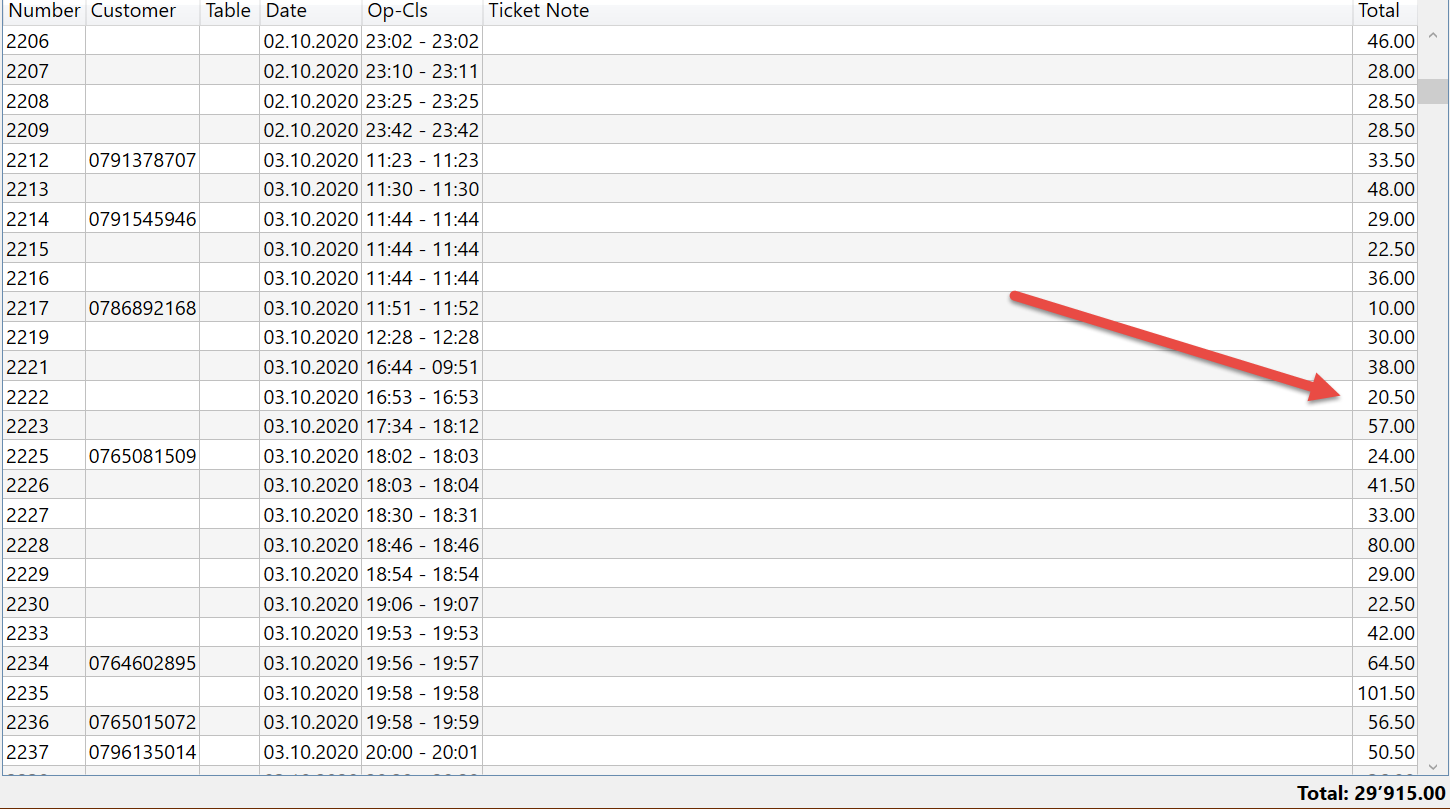
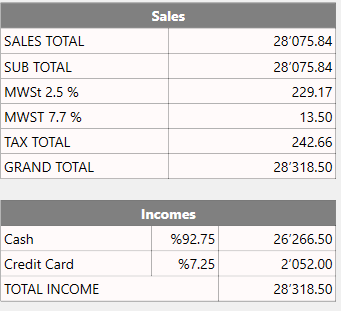
Question is: why this change is not reflected in Report for same Period? If The Ticket amount is now 100 usd more, in report it must be reflected. I have checked all actions and rules. They seems to be correct.
Reopen ticket should be used with caution.
You will likely find it messes with reports if you don’t fully understand what is happening.
For example depending on how you report payments your described situation above you may find payments would go down since payment.
As for your issue of tickets and reports not matching its hard to offer sugestions without more info.
Looking at your ticket list it’s spanning days, can’t see dates for report etc so with greatest respect all you given is some tickets and snippet of a report, for all we know could be completly different dates.
Can only go by what we can see.
i have carefully created Actions, Rules and Automation Command. I can re-open Ticket and change Price without Problems. This changes is reflected immediatly in Total of ticket list.
I am sure Reports are based on correct date-range. I choose a Ticket in the middle of a moth, or exemple ( 15.10.2020) This ticket is in a Worksperiod, sure.
After Re-opening Ticket, i change Price and I take again “Settle” Button to confirm. It is a mistake?
Thank you for your Help.
If you reopen a ticket and make a change it will not magically be in that work period. The ticket screen is not sorting by work period it is using ticket date and not payment date.
Ticket date and payment date are two different things.
@Jesse Thank you for Answer. In Ticket I dont make any other Changes. Ticket Date and Payment Date are same. I change only Ticket Amount. It is reflected immediatly in total Amount under Ticket, BUT NOT REFLECTED IN REPORT. And This Ticket is in same date range as Report.
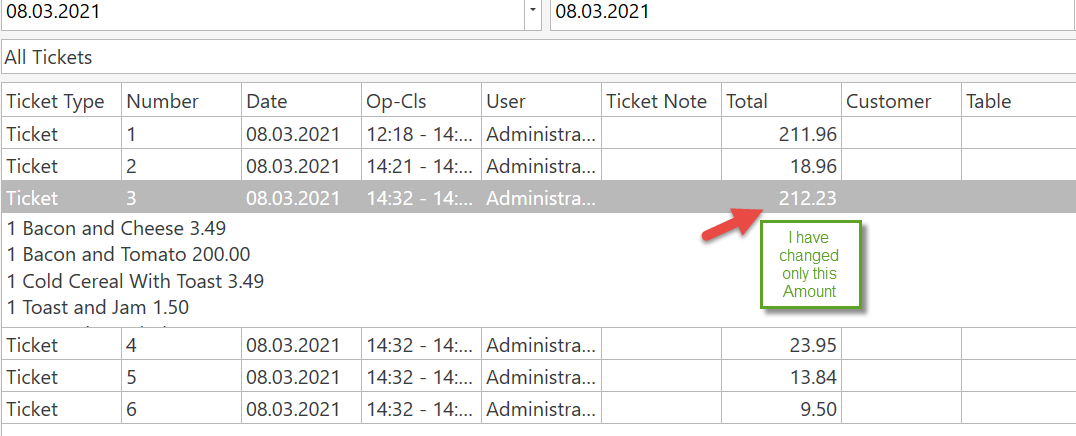
Ticket lister will show the total of the tickets…including Taxes & Calculation Types (tips, service charges, etc).
If your running a report that does not include Taxes & Calculation Types, the numbers will be different.
@Bob_be In oder too see if this changes are reflected in Reports correctly, i choose a big number, for exemple Ticket amout is 25.90, i make it 525.90 ( it means it is 500 more) it must be somehow reflected in report.(Taxes, Calculation Types, services, etc… are excatly same)
Maybe there is a problem in rules, actions and automations command, but i make exactly same in Tutorial. 
As it does:
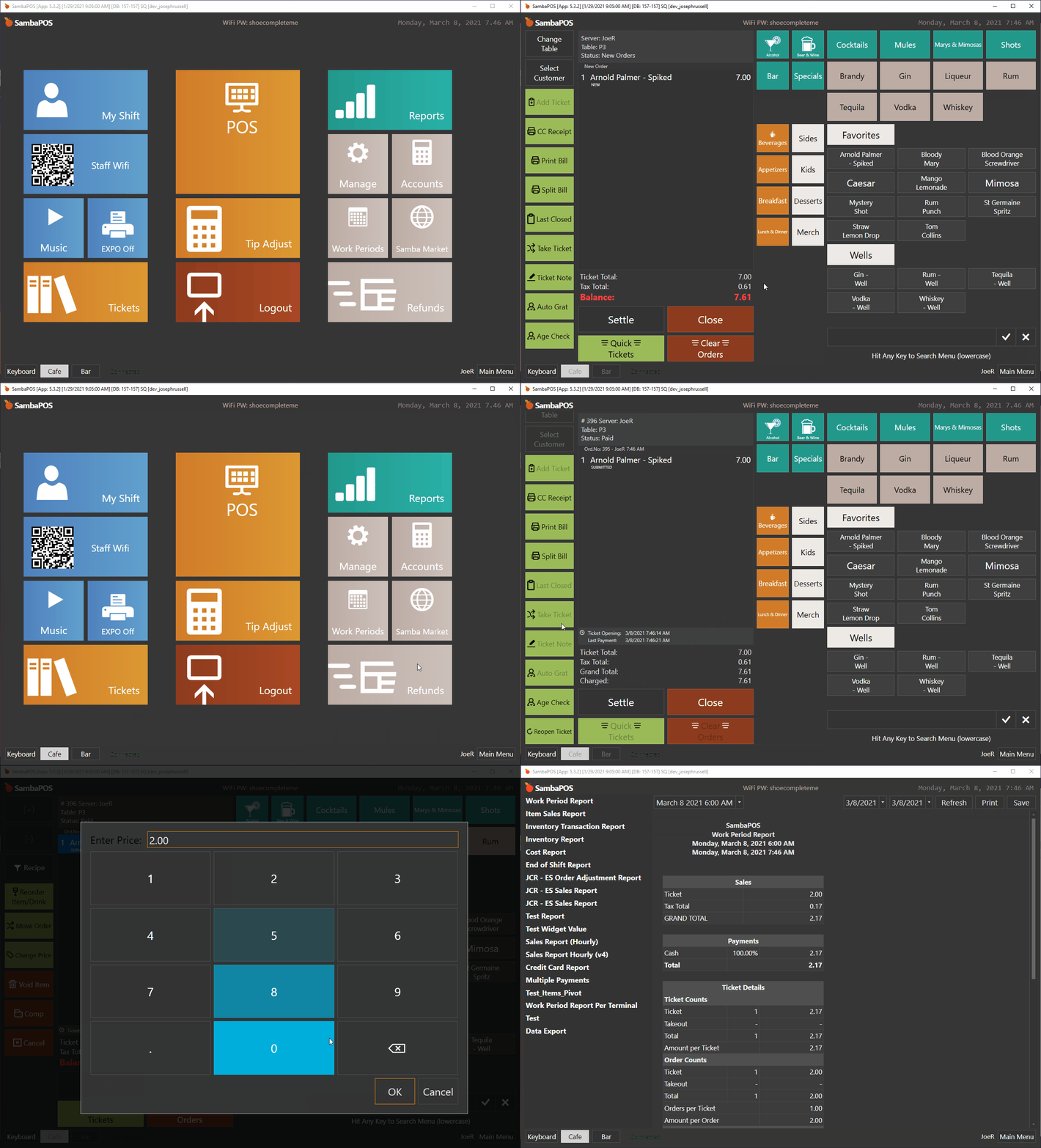
To figure out exactly what is going on, build a new report to get your ticket details. You can then compare against your list and see where the issue is.
[Ticket Report:1,1,1,1]
>Date|Number|Ticket Type|Total
{REPORT TICKET DETAILS:T.Date,T.TicketNumber,T.TicketType,T.TotalAmount}
@josephrussell thank you for answer. May i know which one you use? Compact sql or sql local db server? It is very interesting, with compact sql sdf db it makes problem, but with sql local db it is working fine. Experience about this ?
I’m running MS SQL Express 2019, downloaded directly from Microsoft’s website.
We ended compact sql support year’s ago. We no longer use it. We use local db sql express or full sql express.
What version of sambapos are you using? We are discussing version 5 in this forum as it’s the latest version of sambapos.
@Jesse I use sql express with V5, just tested with old version too, it is same. If Workperiod is not closed, every changes in Ticket are reflected in Ticket List amount or Report. Once Workperiod is closed, it is possible to make changes in a Ticket, but it is never reflected in report. Even if Ticket Date and Payment Date are not changed. I change only Amount of this Ticket. I am sure this Ticket is in this Workperiod.
Why this changes are not reflected in report? What i am doing wrong?
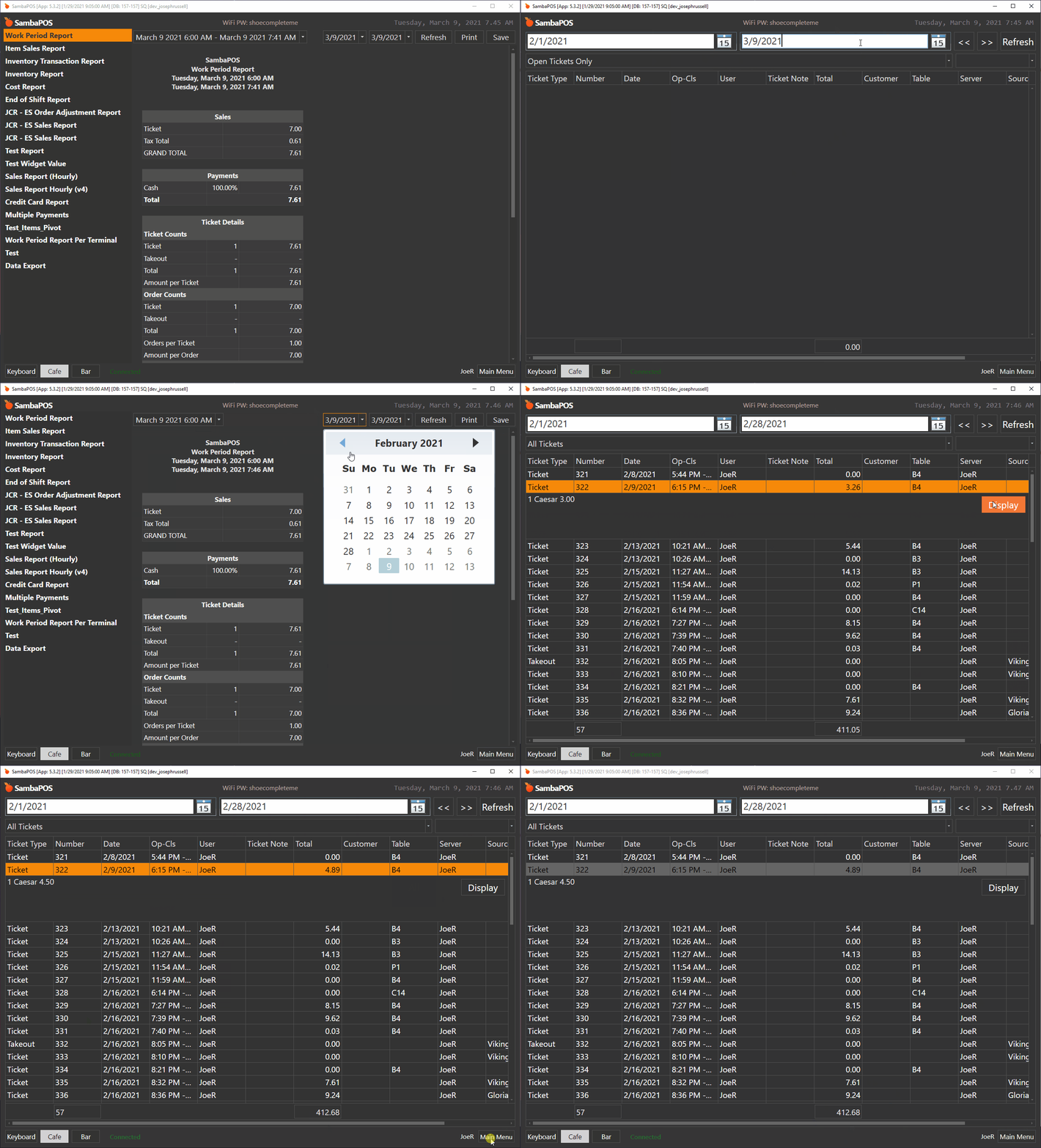
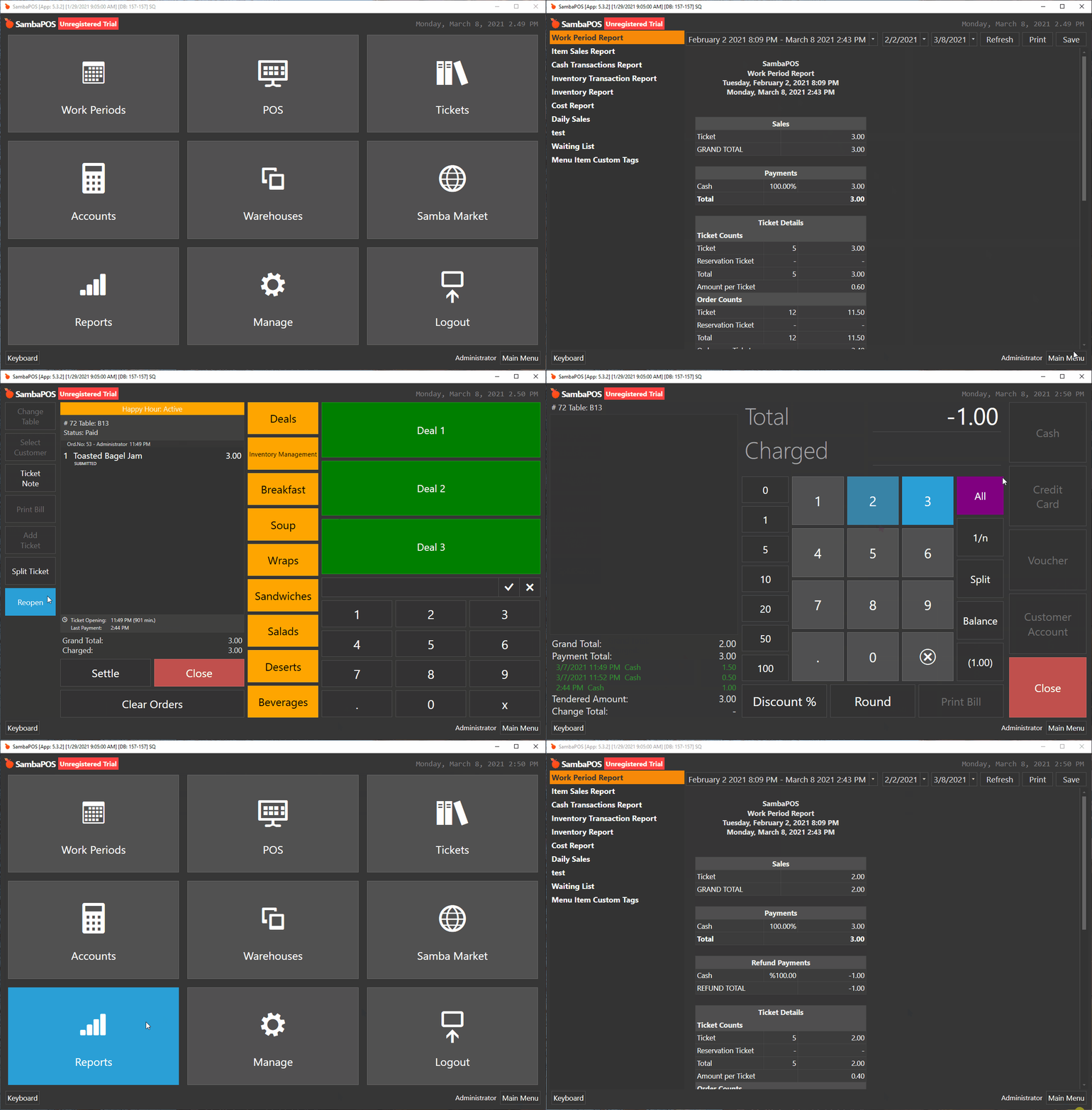
I just tested this and it did update the report. Here are the steps I did to check this:
- Complete a sale for $2.00 cash.
- Checked the report and the ticket lister, all said $2.00
- Close work period, open a new work period.
- Reopened the ticket and changed price to $3.00.
- Settled the ticket for +$1.00.
- Check yesterdays work period and the ticket lister. It was $3.00.
Here’s a example of this type of change, adjusting an order from yesterdays work period in an active work period.
@josephrussell In this way it is possible to see this changes in report and in Ticket list, you are absolutley right. Change is correctly reflected. If you have possibility, please take a Workperiod in the past, for exemple in january 2021 (whole Month) and edit a ticket in this date range (add just 100 usd more ) and check this result same way. Normally Ticket and WorktPeriod is in same date range. Nothing to do with actual workperiod, ( i think !) . Change must coming in report without anything else. Correct?