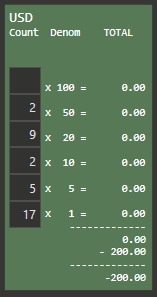
These Editor Widgets all have an assigned Local Program Setting (held in Memory, not DB) as part of each Widget config. What I want to do is clear them all when I Start a Workperiod. But I don’t want to clear other Local Program Settings necessarily, just Editor Widget Settings.
Any way we might be able to do this?
Maybe have an Action that allows clearing Editor Widget Local Settings, with a Parameter for the Entity Screen?
P.S. there are approximately 25 of these little buggers on one screen.
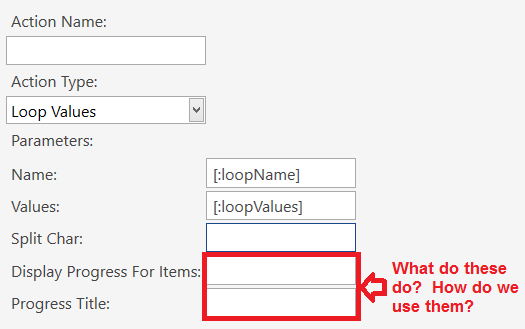
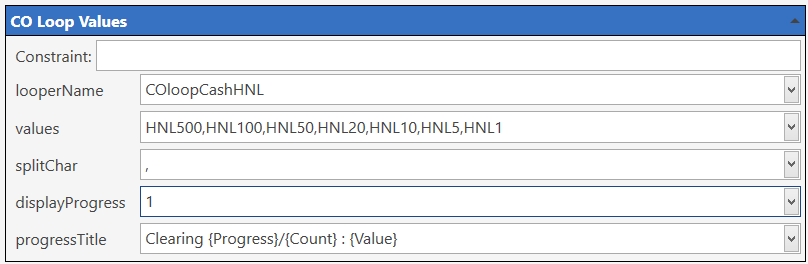
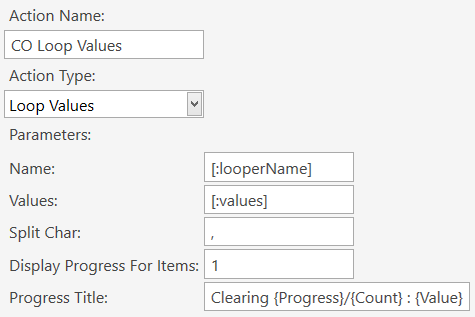
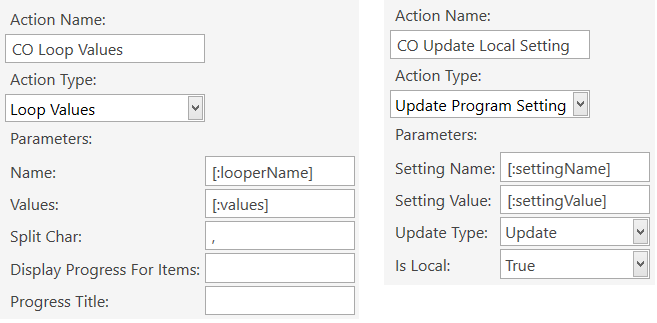
You can display a progress window to operator if it will take a lot of time. For example it might be useful if you’ll load 20 tickets and settle them. Display Progress For Items parameter lets you to define when progress window will appear. For example when set to 5 progress window will appear if value count is more than 5. Progress title is the value that appears to user. {Value} tag replaces with current value, {Progress} tag replaces with the index number of the value being looped and {Count} value for the total number of Values.
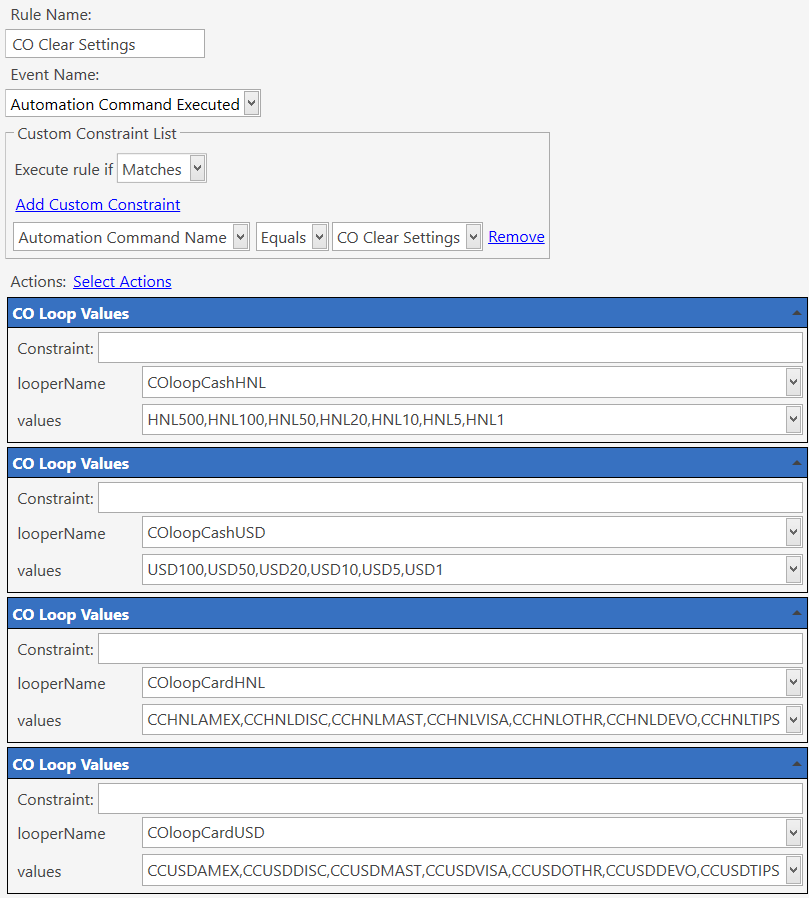
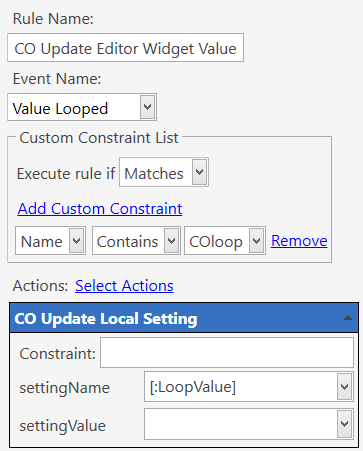
This Rule is triggered when one of the above Loopers loops a value from it’s value-list. Since we named all the Loopers to start with the word COloop, we can have a “Contains” or “Starts” constraint on the Name so that this Rule will fire for any of the 4 Loopers.
In the Action, we use the [:LoopValue] from the Looper value-list. For example, for the Looper named COloopCashUSD, the [:LoopValue] will be one of USD100, USD50, USD20, etc. which is the name of the Local Setting of the Editor Widgets. So the Local Setting will be cleared (emptied).