Dam it, stupid mistake.
Dam it again, even stupider as it was correct on the other uses!!!
Thanks
Dam it, stupid mistake.
Dam it again, even stupider as it was correct on the other uses!!!
Thanks
It seems your right you can get TICKET ID from Ticket Closing event… that is good to know. I always thought it had to be ticket Closed.
So Ticket ID is assigned during Closing and Ticket Closing can read it. Great to know!
How do you format the ticketid lust in the merge ticket action? comma separated?
I have managed to get it to merge the tickets on close 
HOWEVER
Somthing in my rules is causing a fatal freeze/crash with no error message.
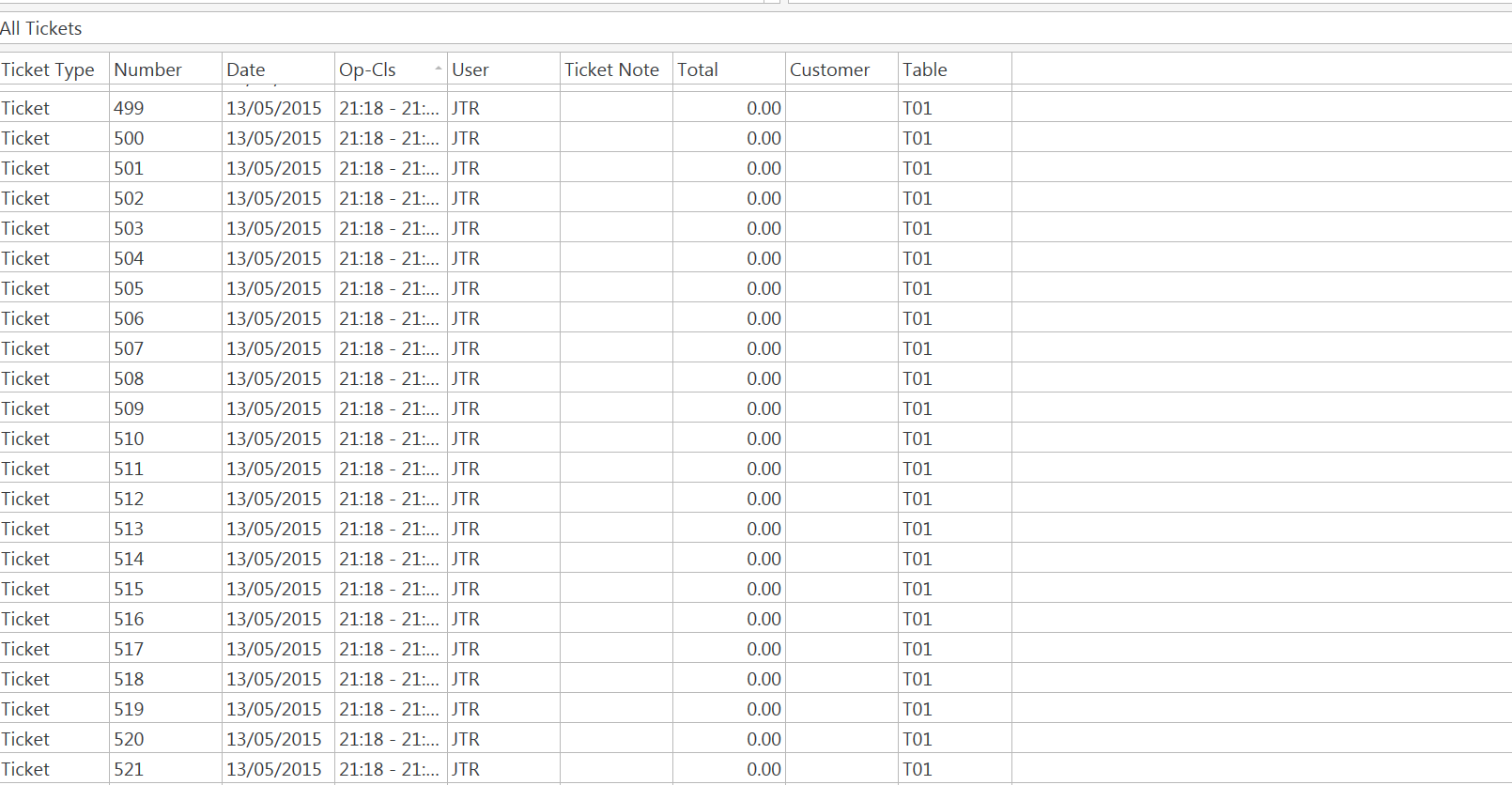
I think I have ended up causing some kind of infinate loop as after crash i open and ticket number of new ticket is like 200-300 higher 
Think i need to understand exactly what happens on merge ticket action?
Is it new ticket of all orders and close others with a 0 balance? Newset onto oldest? older on to newer?
OK, I think I defiantly need a hand if anyone would mind looking over my settings.
@emre could I maybe ask for any pointers 
I think the problem is happening within the merge ticket action, looking more at the merge process it does seem to merge all the orders in to a single new ticket. Pretty sure somewhere in that process one of my rules is looping itself over and over…
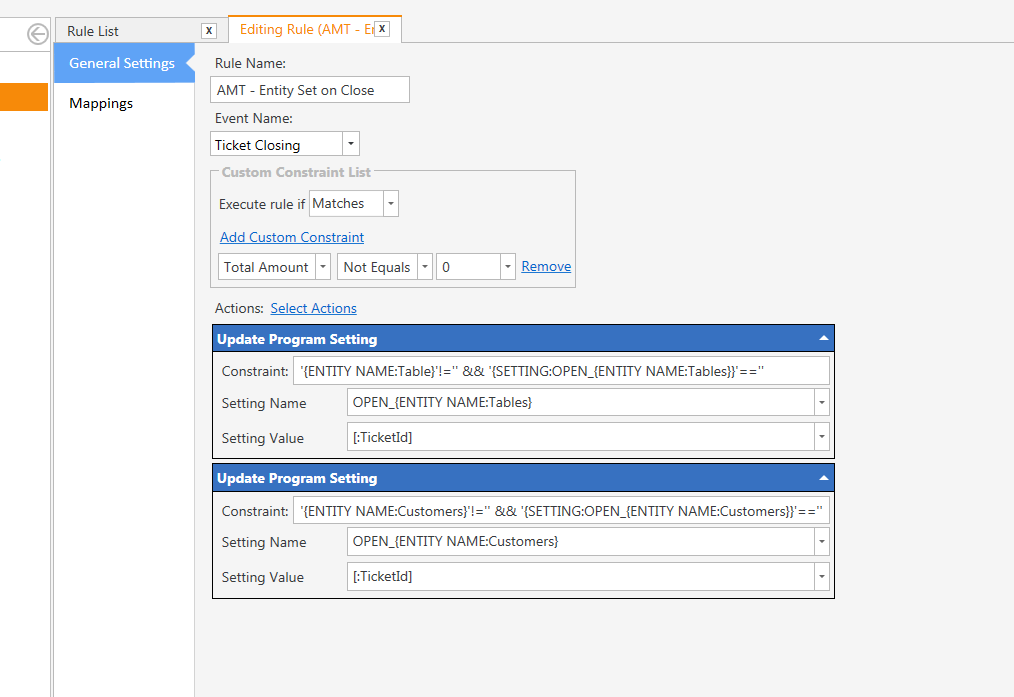
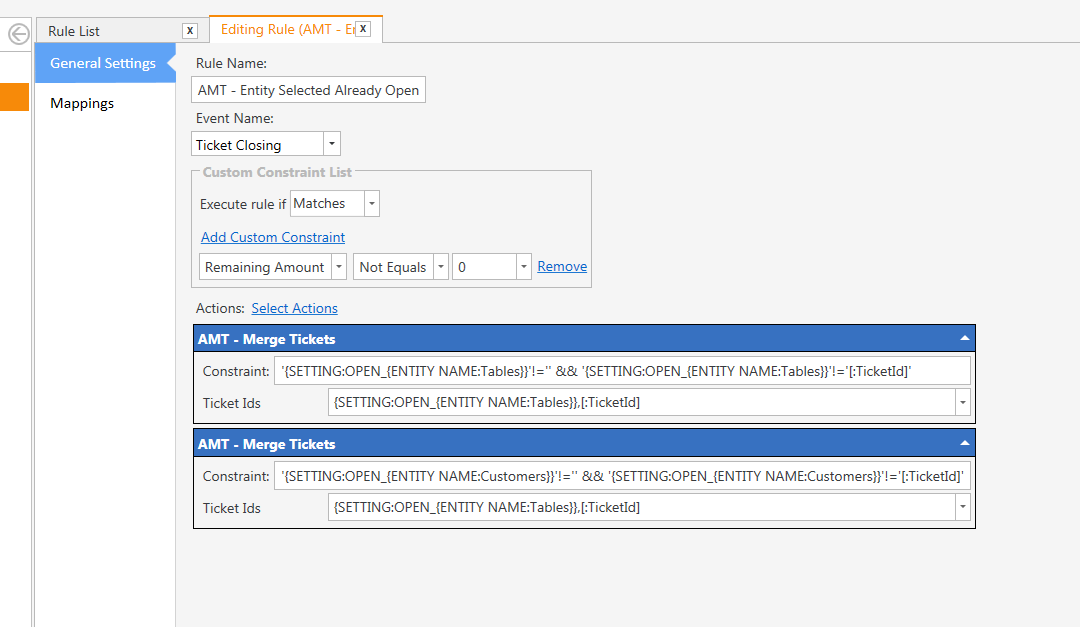
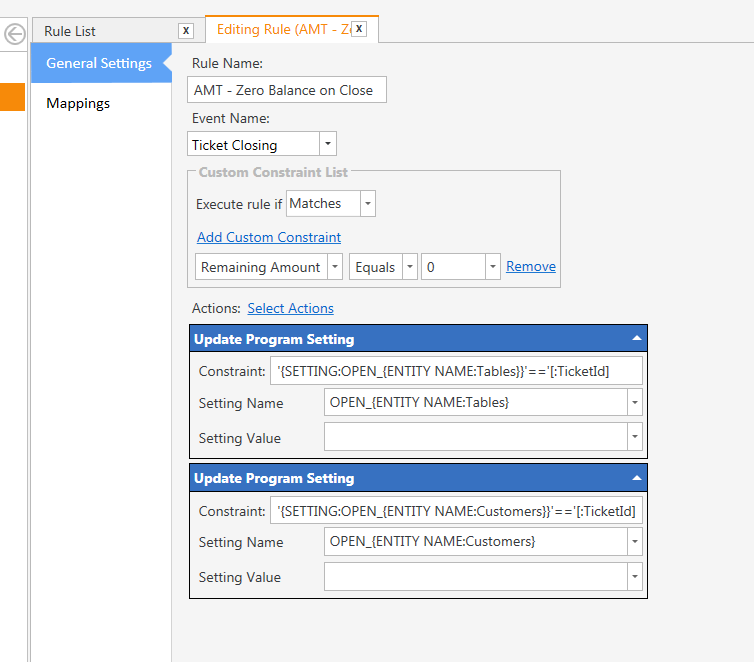
Here are my rules;
Just encase I have my current sort order, but have tried a few orders to no avail.
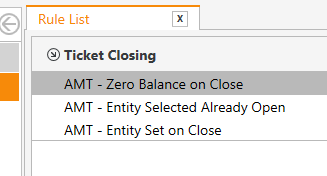
These log the first ticket and in theory merge the original ticket with the current ticket on close (if the current ticketID is not the ID of the logged 1st ticket)
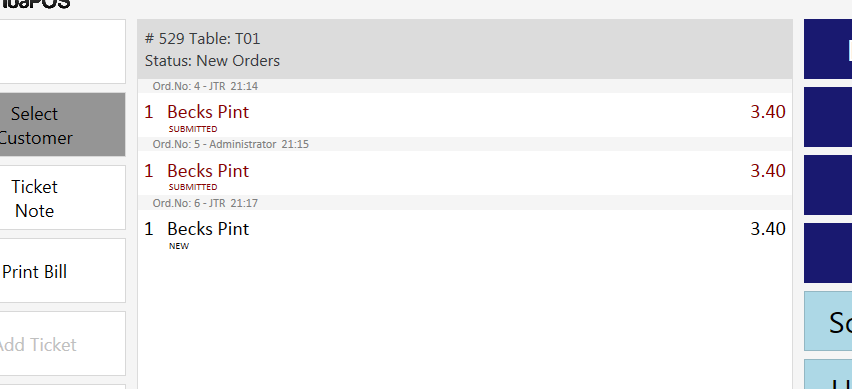
It kinda works, yes it crashes but when reopened the ticket has been merged as below… however the new orders are stuck in new but seem submitted (cant be cancelled or voided).
And as said the crash seems to be cause by some form of infinate loop. End up with 200 £0.00 closed tickets.
OK. Let’s get back to the ticket list screen that displays when we click on table. I can simply merge all tickets visible on screen without the need of selecting all one by one. I think displaying merge button disabled when no tickets selected is unnecessary. So when compared to auto merge that will be just +1 click to merge & display the ticket. Also you won’t need to implement additional features to split merged ticket back if table requests separate bills for each seat.
The part I personally don’t like is you it a second ticket to table fine, is that you don’t get the ticket list until next time you select the table, so if a different user goes to the table and they aren’t expecting that list.
@emre had a thought today…
Would an ‘add to ticket’ action be easy to implement?
My thought is that as the new (2nd ticket that isnt a ticket/has no ticket id yet) ticket doesnt have a ticket ID yet merge is probable the wrong route to take as in theory it isnt a ticket yet.
So what could be done is the first part which I have working OK is the logging of the first ticket id on that entity, then if you start a fresh order/ticket, when entity is selected it checks if the entity is in use… then an ask question if it is say, already a ticket on this table, do you want to start a new ticket or add this to the existing ticket… two buttons/commands of add or new, new ticket would then just set the entity as it would do at the moment, add would fire the add to ticket action using the ticket ID logged in the program setting and submit the new orders to the original/1st ticket.
Merge seems quite complex to use allong with ticket id logging as it seems to make a new ticket and move orders from the tickets to be merged to the new one (think thats right anyway)
What do you think? I thought that was a good idea.
@emre was there any thoughts on an add to ticket action?
Well I’m not sure… such functionality is not we’re trying to achieve with actions. You want to change how tickets creates and what happens when we assign entities to tickets. I never thought we’ll need that level of flexibility so most of these parts are hardcoded.
Fair enough, of ots not easy and you don’t see a need…
I was struggling with the merge action, maybe you could advise?
My current rules and actions result in a ticket loop and 200 zero value tickets.
I feel that multiple tickets on an entity is not for everyone and a feature like this should be considered.
It’s requested a few times.
Would an add to ticket action be that complex? If its a ticket without a ticket ID as not been submitted to database yet could it not be added to a ticket rather than trying to use merge which creates a whole new ticket id and combines the orderes to it??