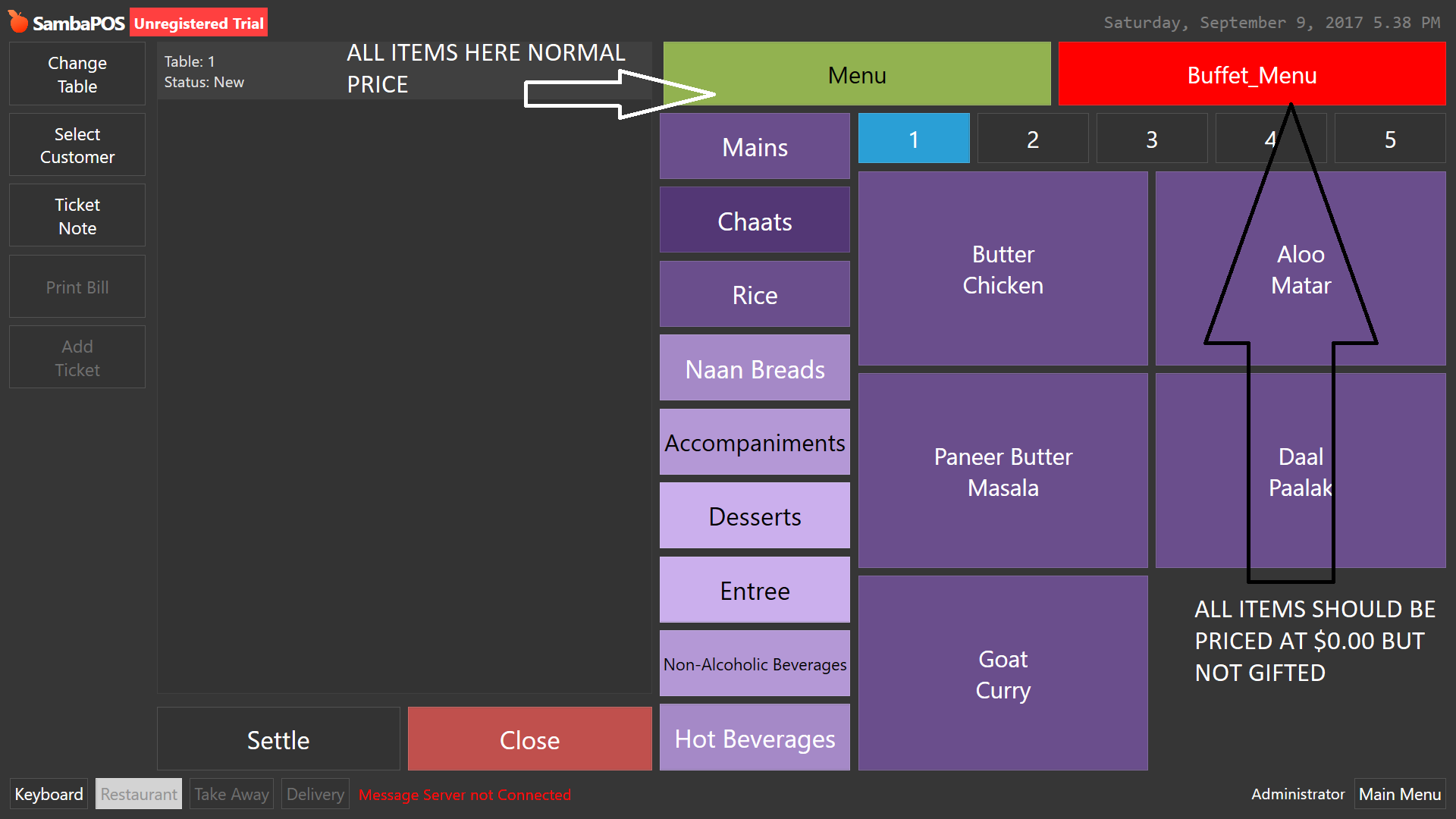
I’ve got a scenario here where a client would ideally like to create a menu specific for “Party Groups”(Almost Buffet Style).
What I’ve done is create a fast menu switch, which is working great however there is one catch…
If the products are based on the "Party Group menu, then all the items within that menu should be priced at $0.00, as he uses a different platform to bill party groups. He wants to basically still send items to the kitchen for the making but at the same time, he also wants a report on how many items were taken to the group table.
I thought the best method was to create a fast menu which they can switch between, but only issue I’m having is making the item for that menu $0.00 as soon as the menu switches to the Party Group menu.
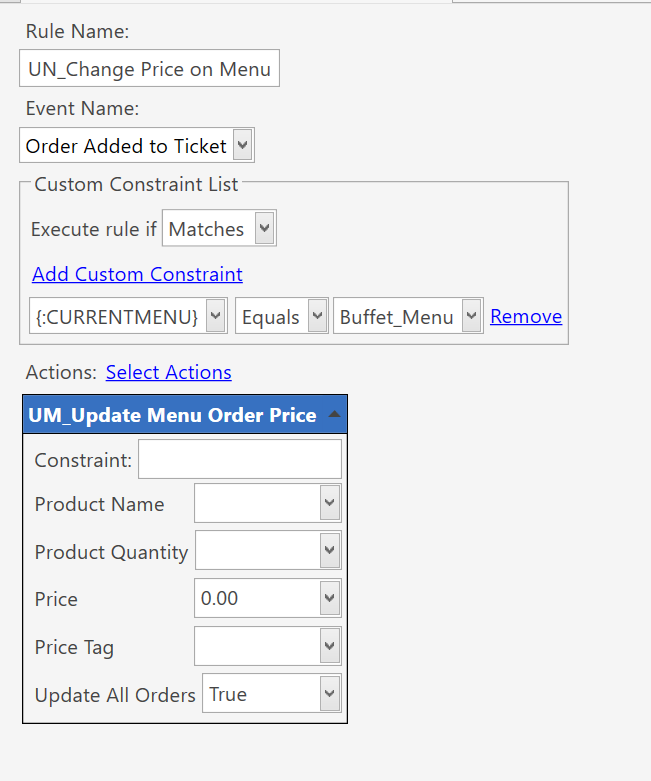
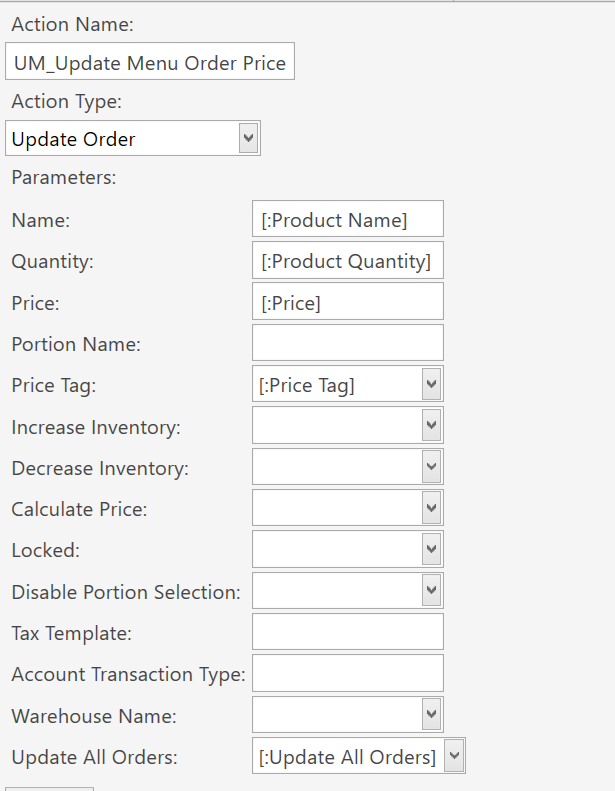
This rule and or action could be wrong but I wasn’t sure of another way I could constrain it specific to that menu.
I also created a price defintion for it, but since all items will be priced at 0.00 it wouldn’t let me save a 0.00 value, it would revert back to “-”(Default behaviour).
Any ideas?
EDIT: I know 1 method to do it is using “Portions” and then define them in menu
like below
That works when switching menus… However a user can also choose that Portion in the normal menu as well!
Unless there is a rule or way we can we can constrain the portions to only be selected based on menu.
E.g.
1 item, 2 portions. Portion 1 can only be selected in Main menu but not the other. Portion 2 can be selected on the other menu but not the Main menu.
Could you not just use normal menu and have a flow involving update order in order added to change price to 0 or something is ticket type or state etc is party?
Doesnt have to be ticket type, could be any factor you want, ticket tag, state, entity type you pick.
I have a DBB half board setup on my PMS intergration which using the room entity package field check for DBB and uses occupancy to update the order price to the product custom tag ‘package price’ which is mostly 0 but has a supliment value on a couple.
It also uss the occupancy to only do this for the first 2 starters, mains and desserts if say occupancy was 2. any additional meals are not changed and left at full price.
^^ that confirmed what was in my mind but I just couldn’t put it to action haha!.
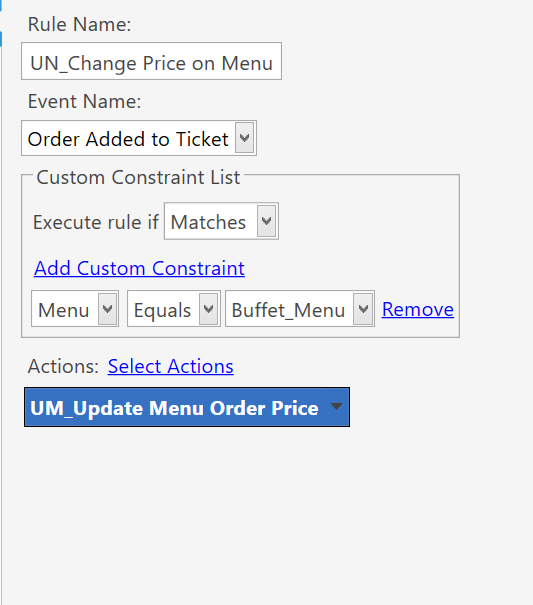
I knew there was a syntax I could use in the constraint to allow it to work and I found it! It was {:CURRENTMENU}
Works Perfectly! Although I’m a bit skeptical about “Update All Orders” column. I have a feeling it might cause an issue, as I don’t quite understand what it means by Update All Orders exactly.
But it works! haha
Ok so without having to use portions or any use of ticket types what this does now, the rule states
If current menu = Buffet_Menu, then apply a change of price to all items in that menu(which is the change price action).
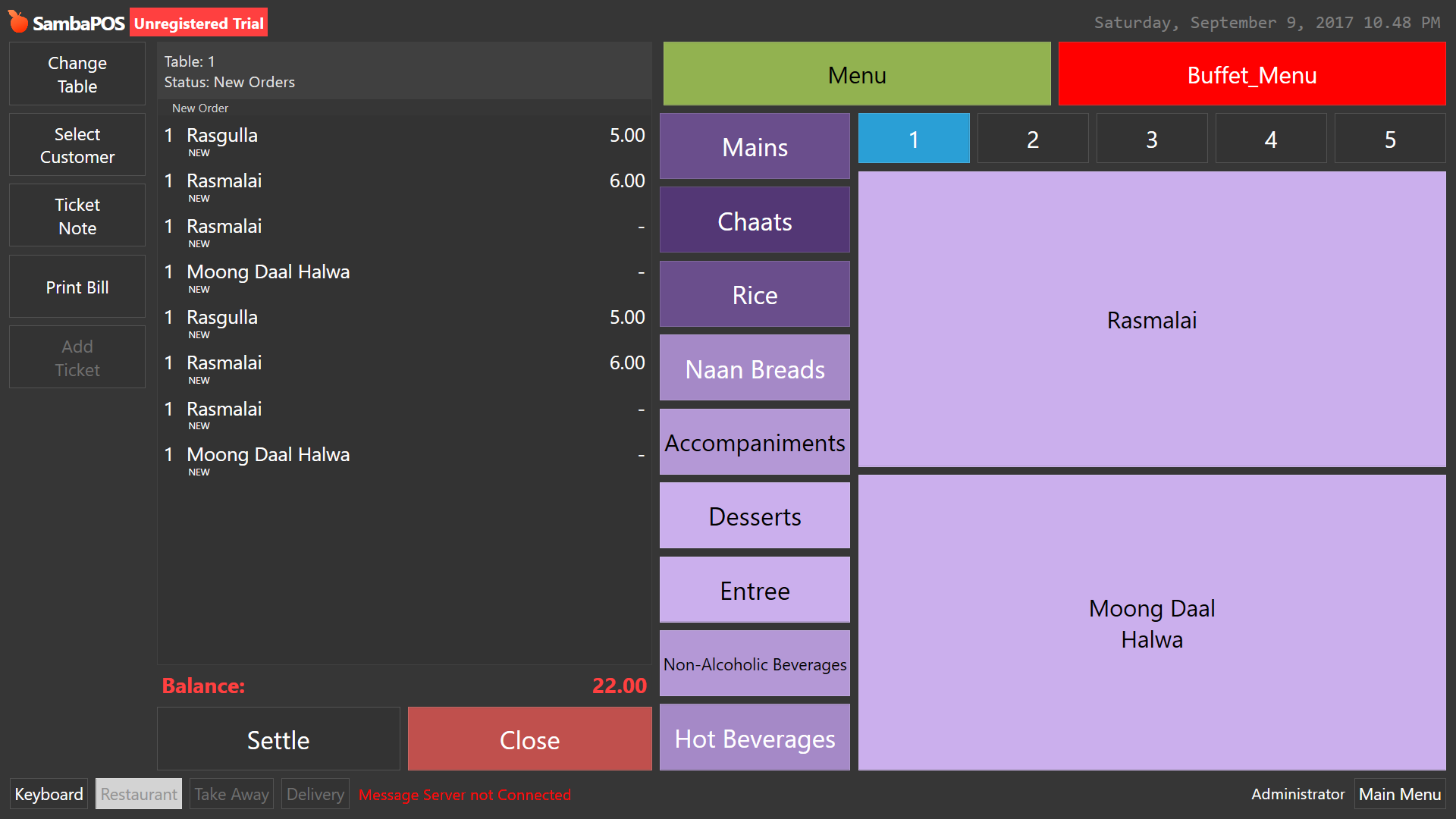
The second screenshot is the Buffet fast menu highlighted and in the order you can see for example that Rasmalai without a price and the sam Rasmalai with a price.
Rasmalai with a price was chosen from Main Menu and Rasmalai without a price was chosen from Buffet_Menu.
Since this is specific to how the client wants their work flow, that is why I designed it this way.
But I do see a slight issue. Issue one Is it doesn’t change the ticket type to buffet but shows it as a regular ticket, so I need to figure out how to change the ticket type during the change of menu also. I might see if it makes a difference if I had an change ticket type action within the switch menu rule. hmm… Maybe that way we can get accurate reporting also to reflect items sold under work period report.
There is one more requirement from this, and that is to create a report that shows how many items within the buffet menu had been sent out to the customers table.
So the next thing is, in reporting, how can i view the items sold specific to the menu it came from?
EDIT Ok I see that even though I put an action to change the active ticket type after a switch menu, it doesn’t actually work. It still stays as “Ticket” Ticket type. So it seems we cannot have more than 1 active Ticket type which is with good reason, but this means I have to think of another way(possibly using departments) or maybe states(which I’m a little hesitant on trying because I have no proper knowledge of the way it works and I might break something haha, unless I can get some help with direction)
Update Order State action.
Just be sure to use a custom state name and not mess with the default Status state used for orders etc.
I have at least half a dozen custom states.
They are also good for special order level automation commands and also order level automation.
I have selection or order state actions on order added rules that set custom product tags as order states to help automation and reporting.

 I managed to fix it.