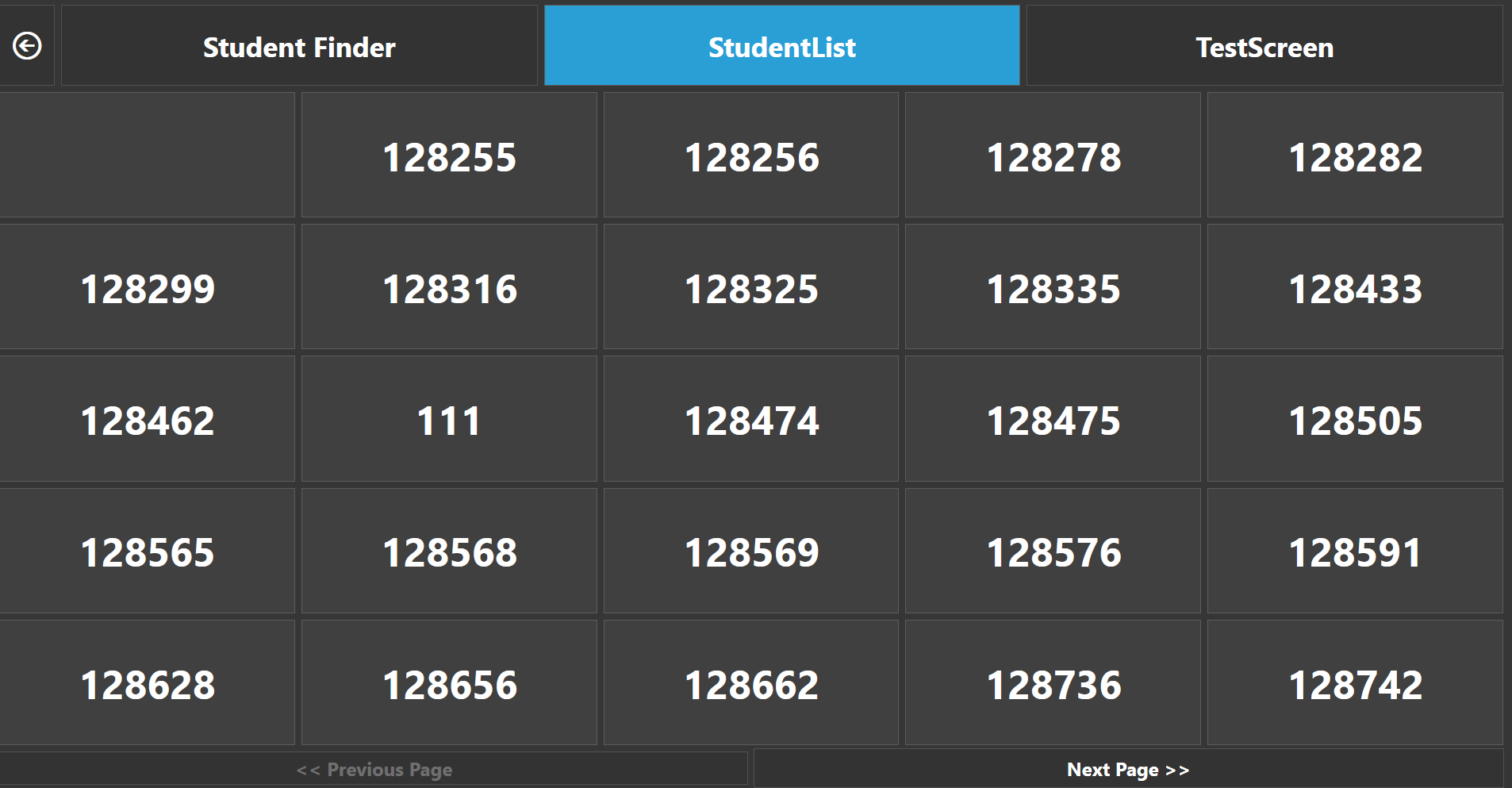
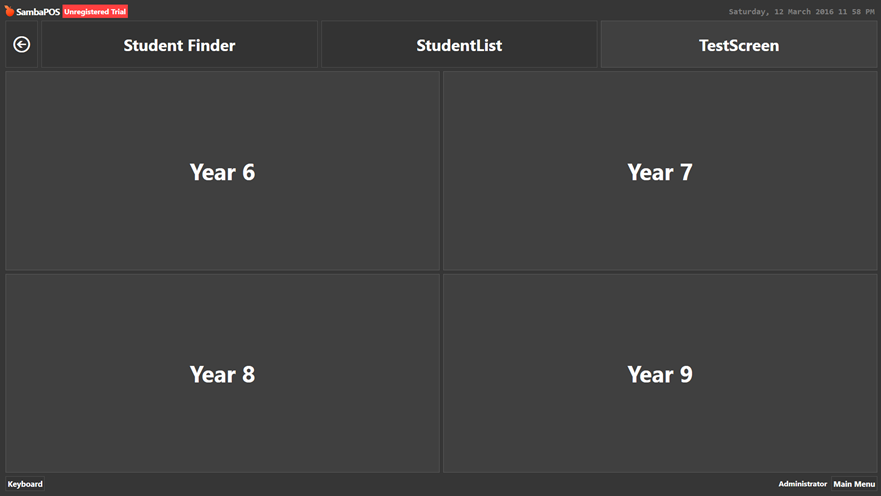
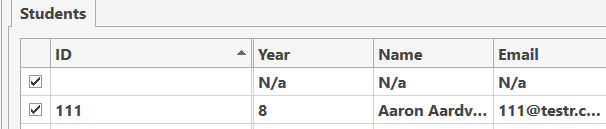
Would there be anyway to change what the buttons show to a custom field. I have the default field being a long barcode so their card is able to get entred into the system, but on the entity screen would I be able to show the custom field Name?
As well, is their anyway to filter by custom field. Say for one of my custom fields I have year which can ever be 5,6,7,8,9,10,11,12 Would I be able to display all these fields first, and then display all entities which have this custom field in the table?
Screenshots might illustrate better what you mean. Also if you explain your business flow and what you want to achieve we may be able to recommend better solutions etc.[quote=“the133448, post:1, topic:9816”]
Would there be anyway to change what the buttons show to a custom field.
[/quote]
Which buttons? [quote=“the133448, post:1, topic:9816”]
I have the default field being a long barcode so their card is able to get entred into the system, but on the entity screen would I be able to show the custom field Name?
[/quote]
Yes you can but how do you want it shown?
You can set it up however you like but please before I provide examples can you be more clear and possibly show some screenshots to illustrate what you mean.
Not sure what you mean… filter to what? Those are Entities. [quote=“the133448, post:3, topic:9816”]
And after seleting this, all the enties with the custom field value Year, which have that specific item come up?
[/quote]
What item?
Please explain what your trying to achieve so I can understand the big picture… What are you doing with those?
The answer is Yes you can do that but if thats the right answer I am not sure yet. Should you do that? I dont know because I dont know what your trying to achieve.
in POS pres Select Studen-t> Panel comes up asking you to select year-> All entiees which have the custom field value of the year you chose come up in an entity grid.
Ok so now it makes more sense… You are going about it the wrong way. Instead of linking entity screens like that lets make a single custom screen and we can use tools to achieve your goal. We should use an Entity Search widget and possible few other things. I will give an example.
Please any further questions I hope you can see why I asked you for more detail. Its very important you do that because remember we have absolutely ZERO knowledge of your system or what your trying to do. Most forum members will just skip posts like that because they dont feel like wasting time prodding someone for more key info.
Give me a few minutes to provide you a quick example to get you started with ideas.
Thanks, I will have to go now its very late in my time, and I will see your reply tomorrow, thanks a lot. Could I also quickly ask how to refresh a ticket when the Ticket Entity is changed as I dont feel the need to make a spearate thread.
If its in ticket screen then you should create a Display Ticket action and put 0 for Ticket Id and then put that action in your rule that changes the entity, put it last in the sequence.
I have an idea and its something others may benefit from. I could use some help brainstorming it though. @QMcKay maybe you can help me with some ideas.
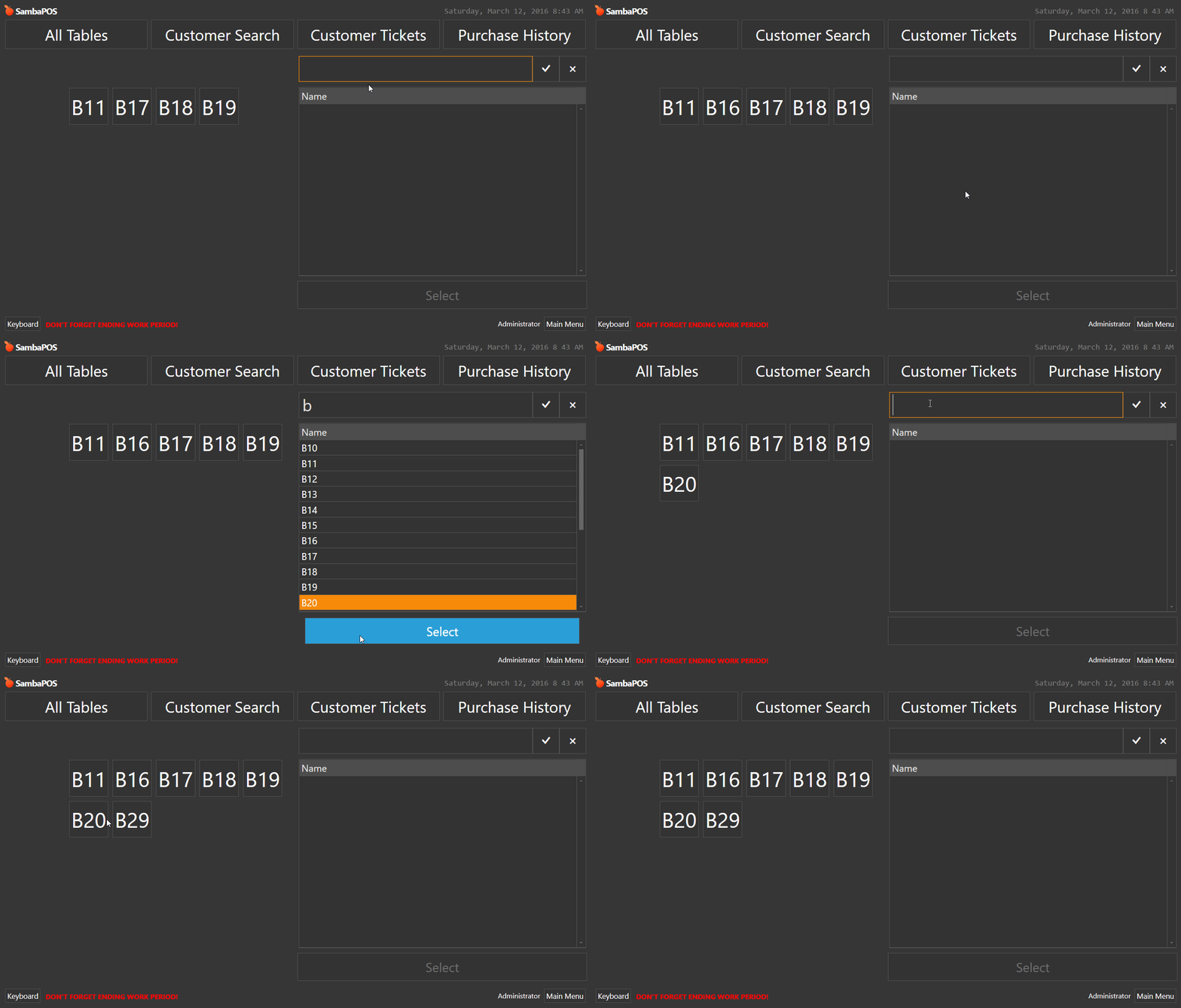
I created a Command Button called select and added {ENTITY NAME} as the value.
I gave a unique name to my Entity Grid so I could refresh it with the Refresh Widgets action.
I automated a rule that changes a state of Search to the state Selected.
I set the Entity Grid to use Display state = Search and State Filter = Selected.
This allows you to search for an entity then select it and press Select button and that entity will popup in the Entity grid.
This works great! The part I need help brainstorming is how to reset that state if you wish to search for a different Entity. Or we could allow multiple entities to show on the grid but we need to find out a point we should reset the State.
Animated Gif coming up to demonstrate what I am working on…
Looks cool. To be more practical, he is asking to search by Custom Field for Year, and display all Entities with that Year, so that 1 of the Entities can be selected.
It might require some scripting to set/unset the Search State Name. I have a cool one here that allows for setting a specific Entity to a specific State, or an ALL Entites of a certain Entity Type to a specific State. Might be useful…
function UpdateEntityState(eType,eName,sName,s) {
  var entitylist='';
  var qry="";
  var eTypeId=-1;
  var eCount=0;

  qry = "SELECT [Id] FROM [EntityTypes] WHERE [Name]='"+eType+"'";
  eTypeId = sql.Query(qry).First;
  qry = "SELECT COUNT([Id]) FROM [Entities] WHERE [EntityTypeId]="+eTypeId;
  eCount = sql.Query(qry).First;

  qry = "SELECT [Name] FROM [Entities] WHERE [EntityTypeId]="+eTypeId+" ORDER BY [Name]";
  var entities = sql.Query(qry).Delimit(',').All;

  //for (var e=0; e<eCount; e++) {
  //  entitylist += entities[e] + "\r";
  //}
  //return entitylist;

  if (typeof(eName)=="undefined" || eName=='') {
    //update State for all Entities
    for (var e=0; e<eCount; e++) {
      api.Entity(entities[e]).State(sName).Update(s);
    }
    return "All Entities ["+eType+"] updated ["+sName+"] "+s;
  } else {
    //update State for specified Entity
    api.Entity(eName).State(sName).Update(s);
    return "["+eType+"] "+eName+" updated ["+sName+"] "+s;
  }

  return 0;
}
This could be adapted to receive 6 parameters to add Custom Field Name and Field Search value.
Then I would likely do away with the Search Widget and simply place x number of buttons on the screen to select the Year, or use an Editor Widget to type in the year. In turn it would run the script to find all Entities of that Year (create a JS var containing the list derived by SQL) and set the States.