Is there something am doing wrong? I am using one printer to do a number of actions. I have 3 printer templates which I have mapped appropriately. I have set up fast payment configuration but when I do not include the Close Ticket Action in the Rules, the transaction is not recorded. The problem is that this Close Ticket Action prints to the wrong print template and I cannot find where to change the setup. I hope am clear.
I was able to introduce new actions that enable the receipt to be printed as I wanted. The problem now is that a further receipt is being printed when i increment the menu items.
Think your going to need to show some screen shots of your related settings am struggling to visualise what you have done from your description.
Printer Settings
Templates,
Print Jobs
Print Job Actions,
Rules with the Print Job Actions
If you want help from the community provide quality questions with supporting information or screenshots. We have no way to know how yours is setup.
Alright. So I have only one printer which is supposed to print 3 receipts from 3 templates: one is for the kitchen, one a waiter copy and the last one is a customer copy. The problem is when i increment any menu item or when I just click a menu item twice, it prints a 4th receipt which is similar to the kitchen template only that the grouping is skewed. This 4th receipt shouldn’t show up. Included is my rules page for that button.
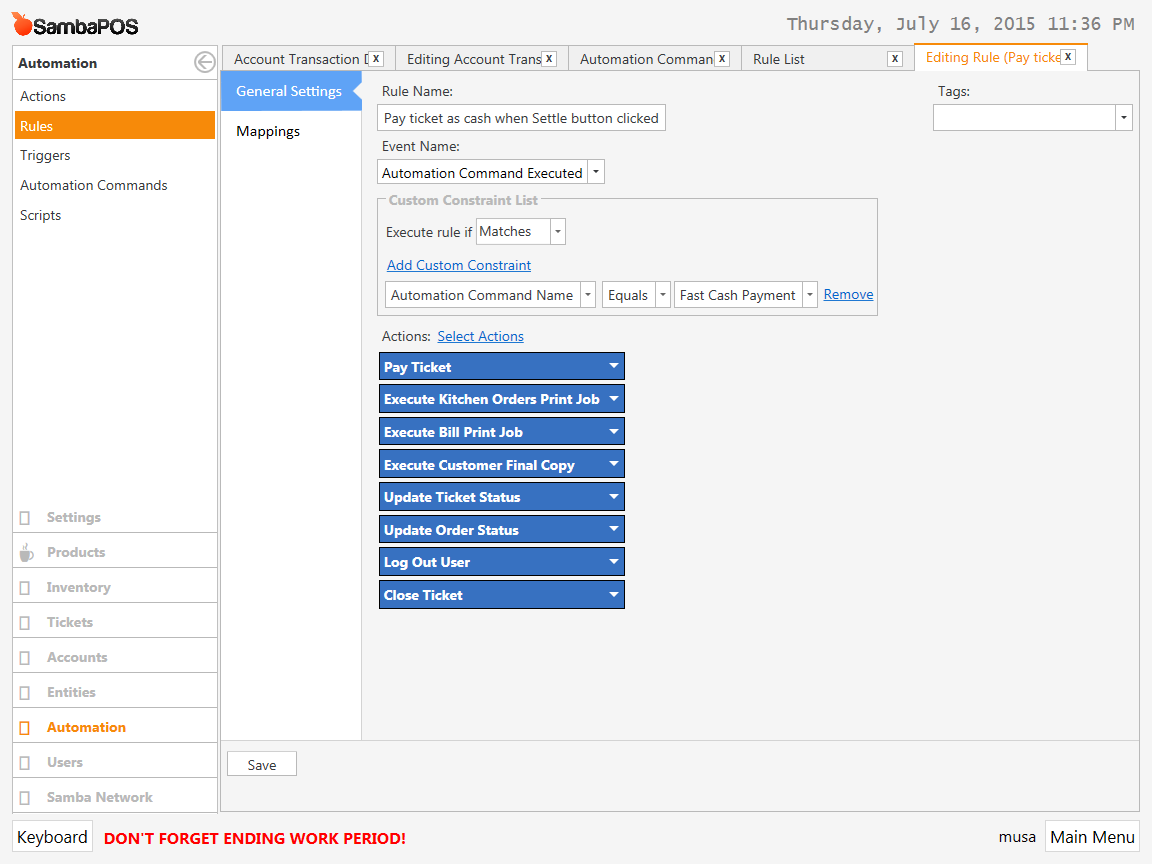
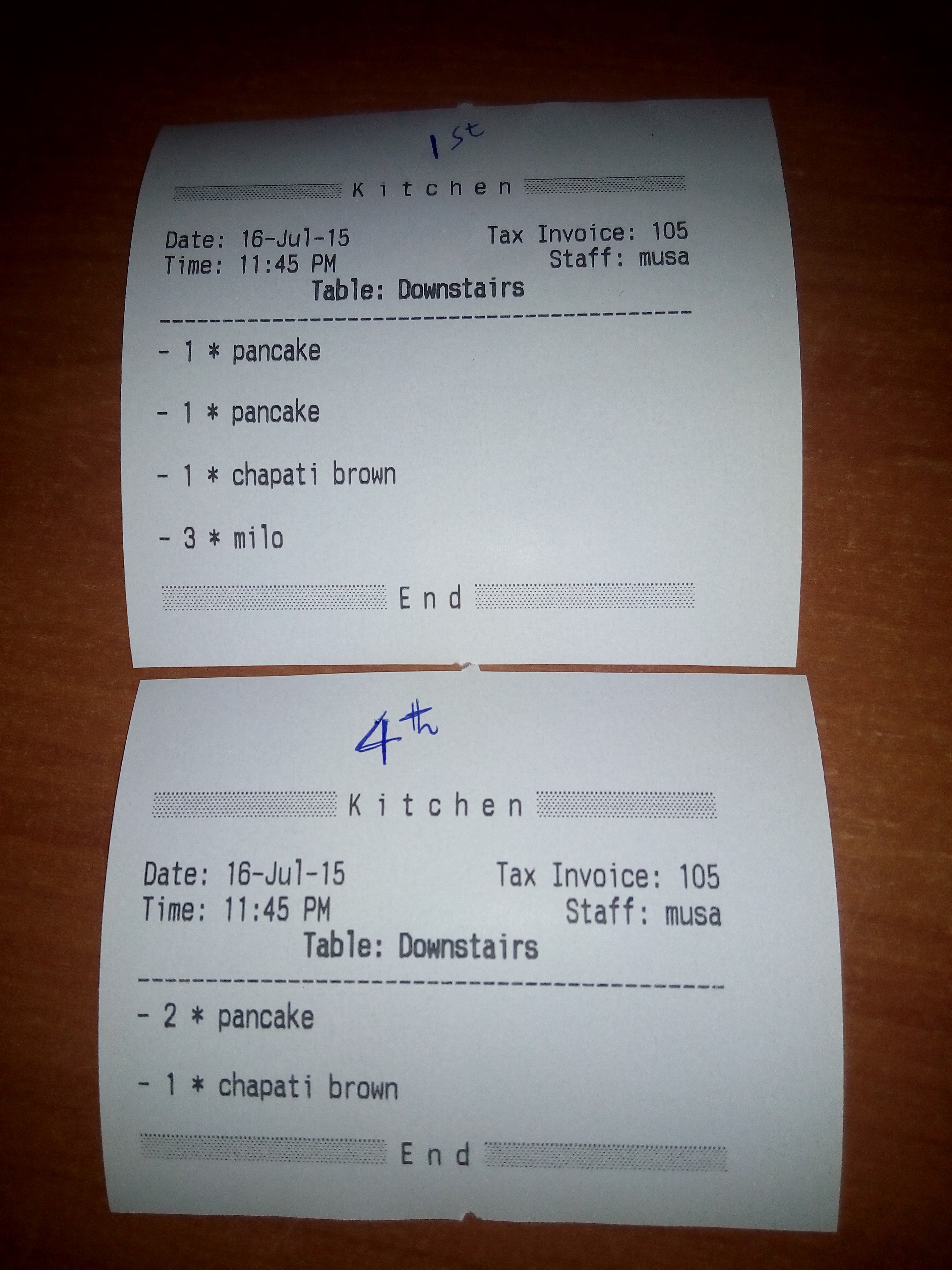
If you have a ticket printing that you feel should not be, then check your other Rules to find where the Print Job is firing.
It could be just about anywhere, since you can fire a Print Job Action from nearly any Event. Check State/Status Rules, Payment Processed Rules, Close Ticket Rules, etc.
I think i have combed through all the sections to no avail but also I do not know my way well around the system. I am in the process of learning. Anyway, when I click on single menu items (i.e., no repeated menu items or incremented) it prints as it should. If in the example above I just clicked on 1 pancake and 1 milo there would be no issue.
Ideally you’ll only have Pay Ticket, Print Customer Ticket & Close Ticket actions here.
Do not duplicate actions. For example think Kitchen print. We always want to print to kitchen while closing ticket if a ticket contains new order lines. We don’t care if ticket paid or not.
You can also handle Ticket Closing event to logout user. Because ticket paid or for any other reason if you’ll logout user when a ticket closed on screen handle one appropriate Ticket Closing events for that.
Okay, I removed the Log Out User but it’s still behaving the same. So you are meaning that the actions used on one rule should only be unique for that rule. If I need to create another rule I need to define new actions but under different names?
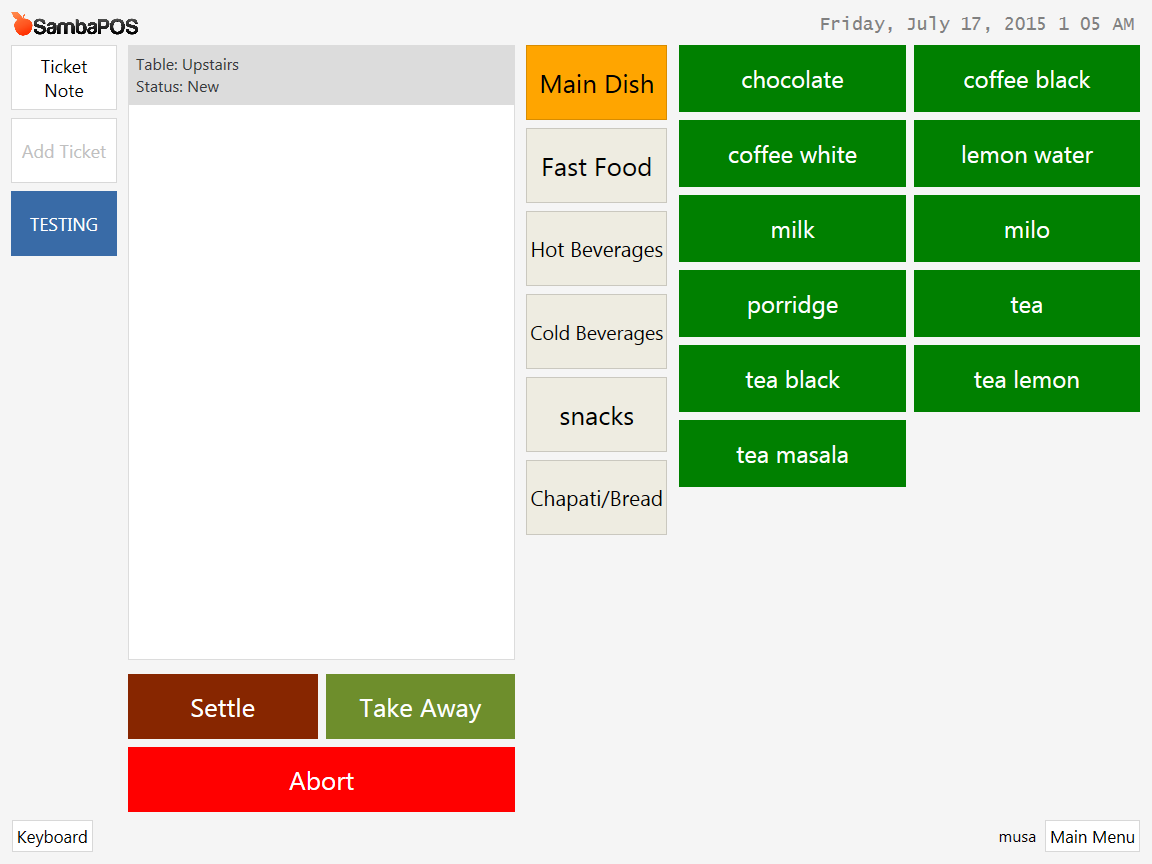
And while on it, my system is constructed in such a manner that there are three table entities known as upstairs, downstairs, and fast food. Inside the menu page, there is a “Take away” button that resonates with the fast food table entity. Is there a custom constraint in the Rules that can be enabled such that this button will only be visible if the fast food table entity was chosen.
No I don’t mean create new actions.
On default install SambaPOS prints new orders to kitchen when you close ticket.
Do not include kitchen print to fast payment rule.
Because you called Close Ticket there and closing ticket will already execute kitchen print job.
Button’s visibility toggles by ticket states. You can map visibility of that button to (for example) “Fast Food” state value by using command mapping. So when Ticket’s (for example) “Type” state becomes “Fast Food” it will appear. When “Type” state changes to something else it will disappear.
After mapping button to state you’ll handle Entity Selected for Ticket event and when fast food entity selected you’ll update Ticket’s “Type” state to Fast Food. You can name states for your liking.
This now makes sense. Thanks very much, I know understand. Okay, the last thing, I installed my system without the segoe font, if I uninstall it and install it again, will it able to go back to how it is if I do a full database backup
I reinstalled and it picked automatically. Let me try your other instructions and I will tell you how it goes. Thanks again.