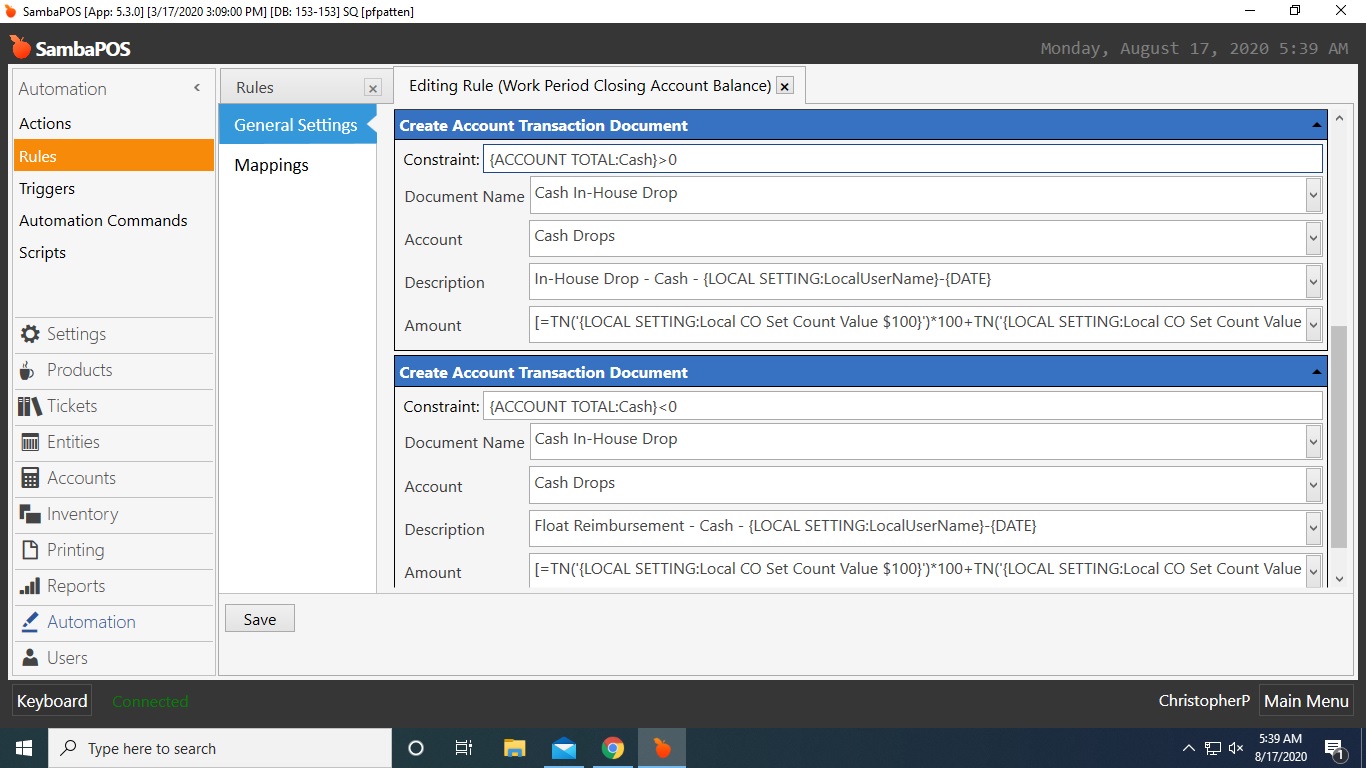
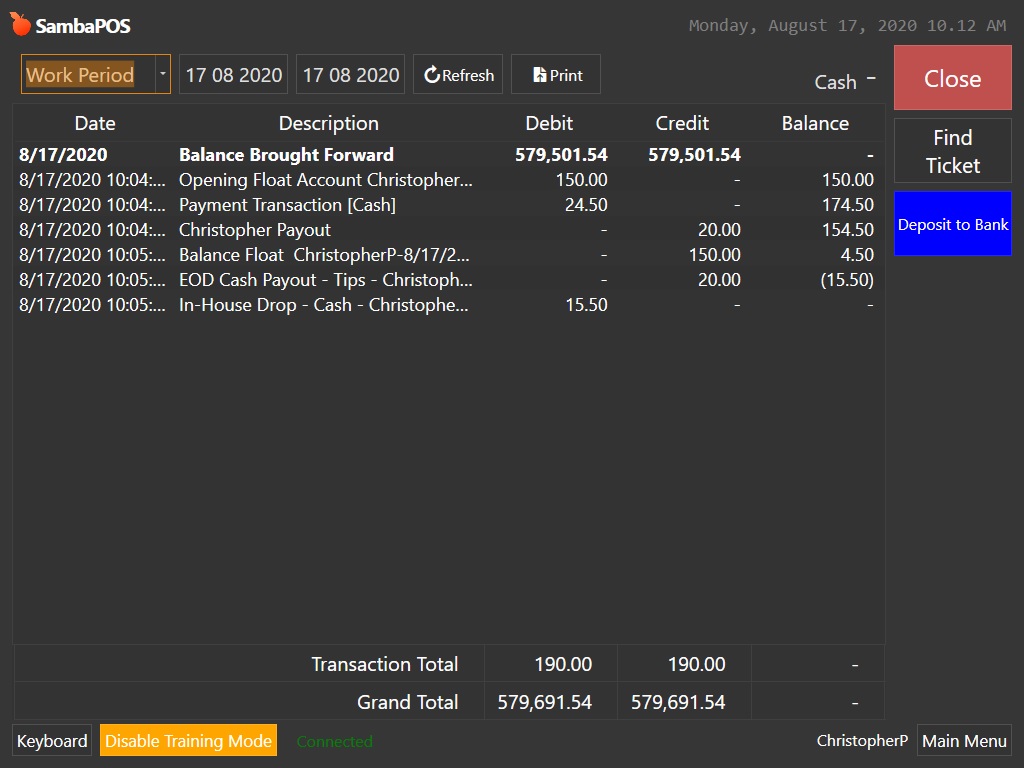
I am running into a scenario in which I need a transaction documents description to be different depending on whether a specific account is a positive number or negative number. I’ve tried the constraints in brackets, quotes, single quotes, and any other way I can think to try them. Is it possible to to do this the way I’m attempting to or should I be going about this a different way? No matter how I combine, or separate the two actions I always end up with a transaction document reflecting the positive number’s action.
[=(TN(''))] casts a string as a decimal. The nice thing about this function is that if, for some reason, the string can’t be cast as a decimal it will still return 0 (e.g. [=(TN('abcd'))] returns 0)
Thanks ilyas! I did try that and got the same result. I’m able to create a dummy rule that has just the two actions in it, one < and one > and it works. Inside my existing rule it doesn’t.
Hmm. This is puzzling. I’m getting the same outcome with with using the expressions Memo suggested and with the expressions in ’ '. I literally took the dummy rule that was working and renamed it and added the correct automation command to fire it and suddenly i’m back to only getting the > result.
I recall running into an issue with automating the creation of transaction documents when passing a negative value.
This may be an issue with the underlying account transaction. You may need to create another account transaction and document for moving money from the float account to the cash account instead of moving a negative amount from cash to the float account.
After not finding a solution to this I had pretty much settled on correcting these transactions when they happened. For whatever reason I decided to give it one last shot and found a solution by creating individual rules AND actions for each step in the process and individually calling each rule with an automation command rather than having them all fire at the same time. After a quick sort of the rules and actions it works perfectly. Sometimes there’s perfection in simplicity.