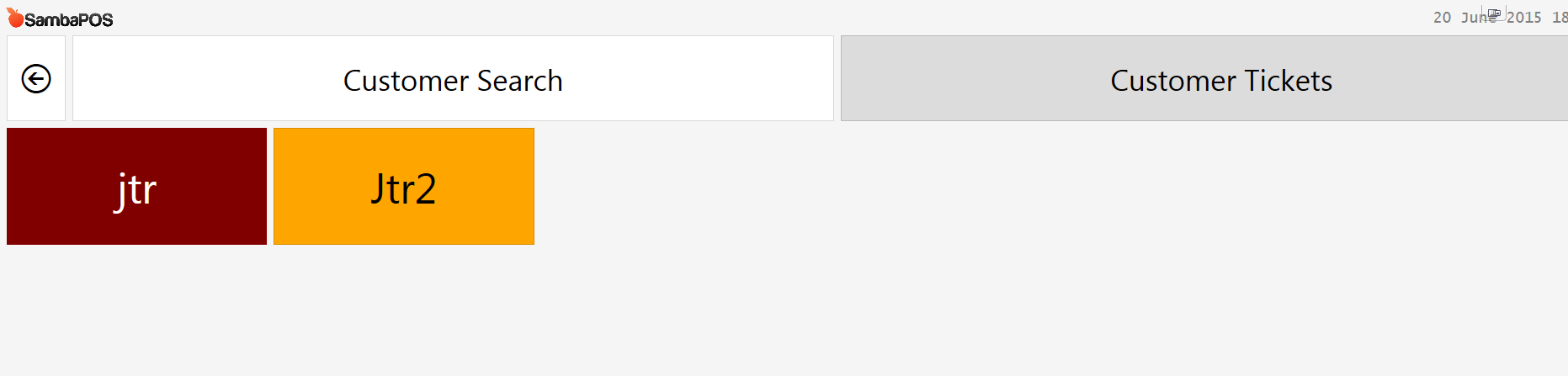
My bartenders love using customer tickets screen to monitor their tables. There is one problem however. When they print the bill and it locks the ticket it disappears from the customer ticket screen. Many of they are not fi using customer tickets screen to monitor their tables. There is one problem however. When they print the bill and it locks the ticket it disappears from the customer ticket screen. Many of closing their tickets because they don’t know how to find them.
Is there a quick change I can do to allow for the customers tickets screen to show new orders as well as locked state?
I don’t want a screen like the tables view however because they add new customers consistently. Your help is very appreciated!
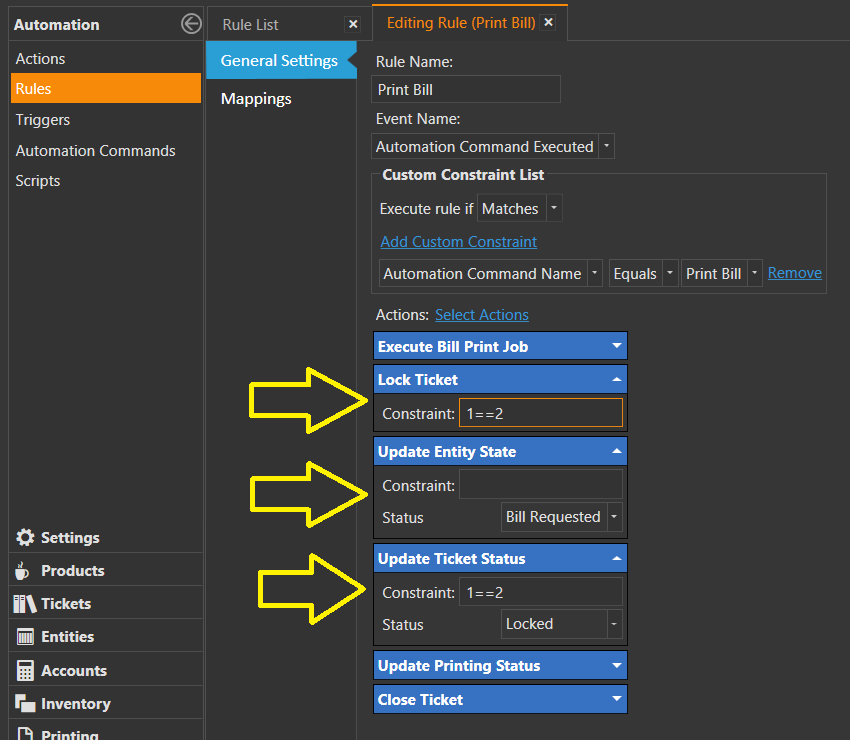
Remove or constrain the Actions there so that the State does not change when you print the bill. I prefer to constrain them (i.e 1==2) to never fire rather than removing the actions.
Only concern is that if not locked it will allow your waiters to add orders to them. Purpose of locking a ticket is to prevent any further orders from being added.
You can change this behavior if you feel its not needed for your business. By default it locks tickets when bill printed because that is the behavior most restaurants use but it doesnt mean you have too.
By default its New Orders. He doesnt want to change the default function he just wanted the tickets to show. So you can leave them locked but take out the state change.
I agree with @josephrussell my waiters and cashiers did have a problem to find the ticket back.
Would it not be an option to change the Color to RED for example so the bartender and waiters know that this bill is Printed and waiting for payment. Once paid it will remove from the screen.
I dont understand, my customer ticket screen does do that, it treats customer tickets the same as tables with the exception that it dont show ‘AVAILABLE’ customers only ‘New Orders’ and ‘Bill Requested’, they are orange and red just like tables are.
In Entity Screen --> Customer Tickets --> Entity List
Set display state to ‘Status’
And add Bill Requested to the state filter to be New Orders,Bill Requested
Bill Requested is an Entity State. It is a red/burgundy color by default.
Locked is a Ticket State. It is not defined in the State list, so it has no color (Tickets have no method to display a color anyway).
If you are using Ticket Lister Widgets, you can filter the Tickets by their State. In this case, you would probably filter them to only show Tickets with a Status State of Unpaid. By default, when you print the bill, the Ticket State changes to Locked, and the Entity State changes to Bill Requested. So, the Ticket will not appear in a Lister that is filtered to show only Unpaid Tickets.
Constraining/removing the Actions that Lock the Ticket and set the State to Locked will prevent this behavior, and the Ticket State will remain as Unpaid. You can still update the Entity State to Bill Requested if you want. This is what I do, and that is what I showed above.
In the case of using the Customer Tickets Entity Screen, you can also filter Entities by State if you wish. As @JTRTech has shown, the default filter is for New Orders, and you could add Bill Requested to the filter list. But you do not need to filter them at all, and all Tickets should be visible for the selected date range. This will not prevent Ticket Locking however.
@QMcKay , thanks for the simple solution, working now.
I only had one issue, when typing New Orders,Bill Requested I typed New Orders, Bill Requested a space behind the , and than it was not working. So yes coding is sensitive.