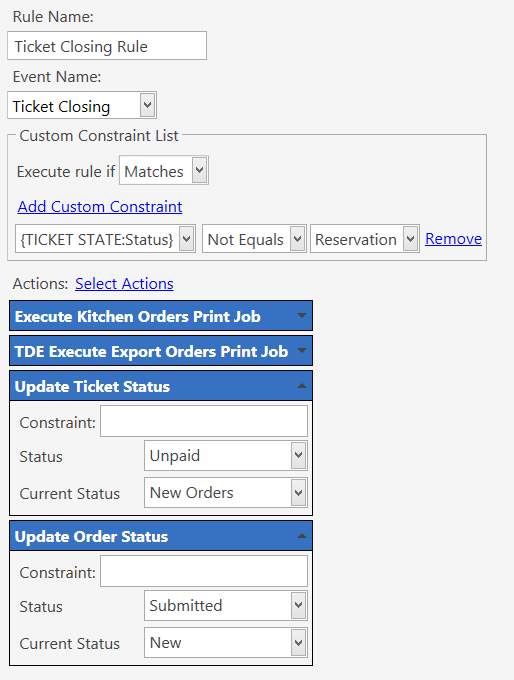
I have created a Data Export to export a CSV of all ordered items. I have had a look at the Data Export action however I am unsure if there is a way I can either have the CSV exported for only the current ticket, or for orders taken over a past period of time. Both have potential issues I am uncertain about…
Data Export for current ticket only
Is there any way I can get the Data Export action to only export the current ticket (and only the items on the current order)? In which case I would export each ticket order to a separate CSV file (for which I just use {DATE:x} in the filename field on the report).
Data Export for date range
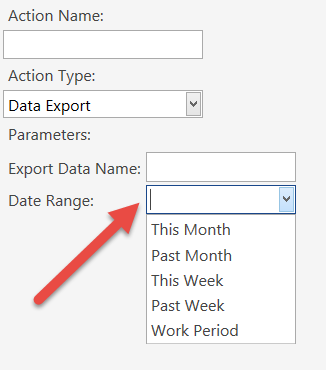
As I would be running the data export after each ticket closing, I don’t like the idea of exporting the entire work period each time (imagine it would cause performance issues). On the Data Export action, there is a date range field but how can I set the date range to only be for, say, the last hour?
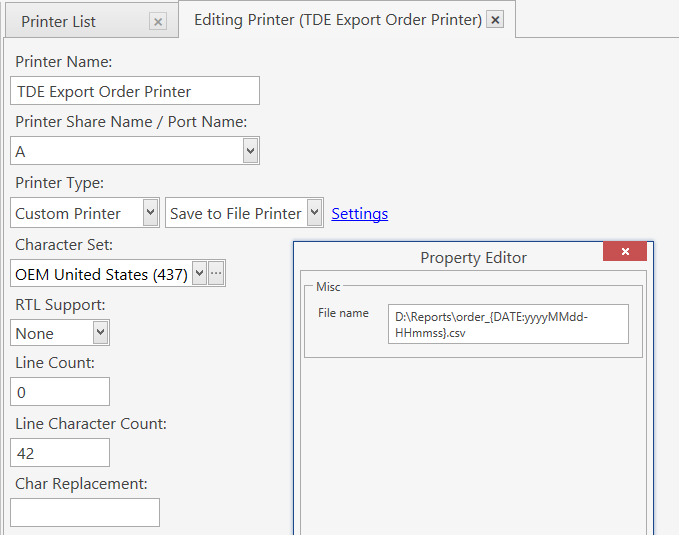
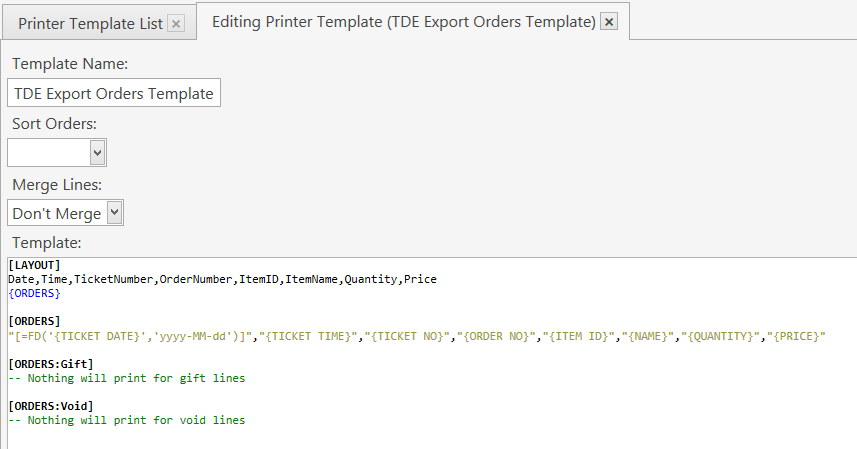
So forget data export. What you really need is the content of Kitchen Print. Create an additional print task that works exactly like kitchen print job, format it as you need and use File printer to write it to a file.
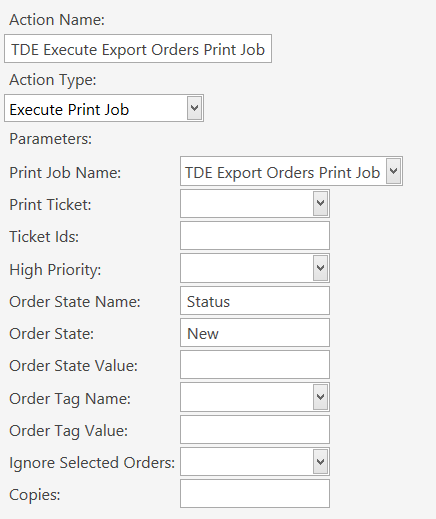
So I’ve set up as identical as the kitchen printer, however for some reason a file is being created every time I close a ticket which contains orders, regardless if I add new orders (status=new) or not (e.g. if I open an unsettled ticket then close it again without adding new orders). The file created when no new orders are added is blank except for the header row.
EDIT: Note the kitchen printer, which is setup in the same way, does not print anything when no new orders are added, as expected.
Setup a second Ticket Closing Rule that works before Default Ticket closing and setup a constraint for that rule that checks count of new orders by using an expression tag. For example you can use… {ORDER STATE QUANTITY TOTAL:Status=New}