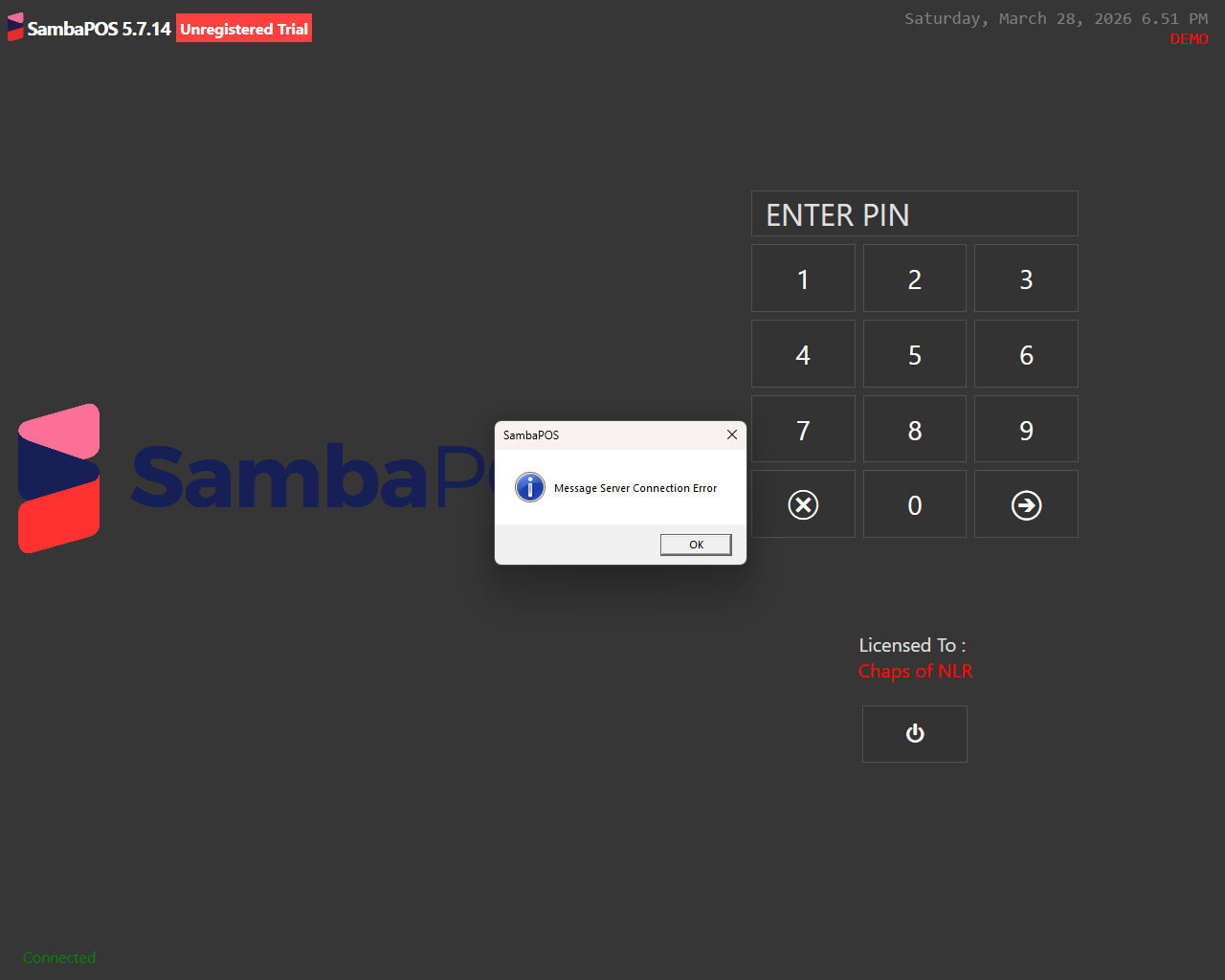
Has any experienced this? This started happening the day before yesterday. Our server machine is licensed and everything works fine there, but now suddenly on our other terminals the SambaPOS loading screen takes twice as long followed by a message informing us that there was a problem with the message server connection. The terminal operates fine from there, but it seems to be eternally stuck in DEMO mode. I’ve double and triple checked the message server address and port on all machines as well as firewall rules.
It’s strange to me that it shows an error connecting to message server yet it shows connected. lol I swear our building is possessed.
To expand - here is the log which, if I’m reading this correctly, (highly unlikely) makes no sense….
[Exception Info 1]
Top-level Exception
Type: System.NotSupportedException
Message: There is no store type corresponding to the EDM type ‘Edm.Time(Nullable=False)’ of primitive type ‘Time’.
Source: EntityFramework.SqlServerCompact
Stack Trace: at System.Data.Entity.SqlServerCompact.SqlCeProviderManifest.GetStoreType(TypeUsage edmType)
at System.Data.Entity.ModelConfiguration.Edm.Services.StructuralTypeMappingGenerator.MapTableColumn(EdmProperty property, String columnName, Boolean isInstancePropertyOnDerivedType)
at System.Data.Entity.ModelConfiguration.Edm.Services.PropertyMappingGenerator.Generate(EntityType entityType, IEnumerable1 properties, EntitySetMapping entitySetMapping, MappingFragment entityTypeMappingFragment, IList1 propertyPath, Boolean createNewColumn)
at System.Data.Entity.ModelConfiguration.Edm.Services.TableMappingGenerator.Generate(EntityType entityType, DbDatabaseMapping databaseMapping)
at System.Data.Entity.ModelConfiguration.Edm.Services.DatabaseMappingGenerator.GenerateEntityTypes(DbDatabaseMapping databaseMapping)
at System.Data.Entity.ModelConfiguration.Edm.Services.DatabaseMappingGenerator.Generate(EdmModel conceptualModel)
at System.Data.Entity.DbModelBuilder.Build(DbProviderManifest providerManifest, DbProviderInfo providerInfo)
at System.Data.Entity.DbModelBuilder.Build(DbConnection providerConnection)
at System.Data.Entity.Internal.LazyInternalContext.CreateModel(LazyInternalContext internalContext)
at System.Data.Entity.Internal.RetryLazy`2.GetValue(TInput input)
at System.Data.Entity.Internal.LazyInternalContext.InitializeContext()
at System.Data.Entity.Internal.InternalContext.Initialize()
at System.Data.Entity.Internal.InternalContext.ForceOSpaceLoadingForKnownEntityTypes()
at System.Data.Entity.DbContext.System.Data.Entity.Infrastructure.IObjectContextAdapter.get_ObjectContext()
at Samba.Infrastructure.Data.SqlData.EFWorkspace..ctor(CommonDbContext context)
at Samba.Persistance.Data.WorkspaceFactory.Create()
at Samba.Presentation.Services.Common.DataGeneration.DataCreationService.get_Workspace()
at Samba.Presentation.Services.Common.DataGeneration.DataCreationService.ShouldCreateData()
at Samba.Presentation.Services.Common.DataGeneration.DataCreationService.CreateData()
at Samba.Presentation.Bootstrapper.InitializeShell()
Turns out the company pushed a malewarebytes update and that’s what was causing the problems.