Are you using “Custom Navigation”? If not, it’s a good idea to start becasue then you can use automation rules and actions to control what happens within your main menu. (Start by searching on the forum for infomation on “Custom Navigation”).
Once you are using custom navigation, take a look at this post from @QMcKay
This explains how you can control the opening and closing of work periods. Crucially, as you open or close the work periof you can create a program variable to store the value of the current work period state. By doing this, you can then use this stored value in some logic on you main menu button. For example:
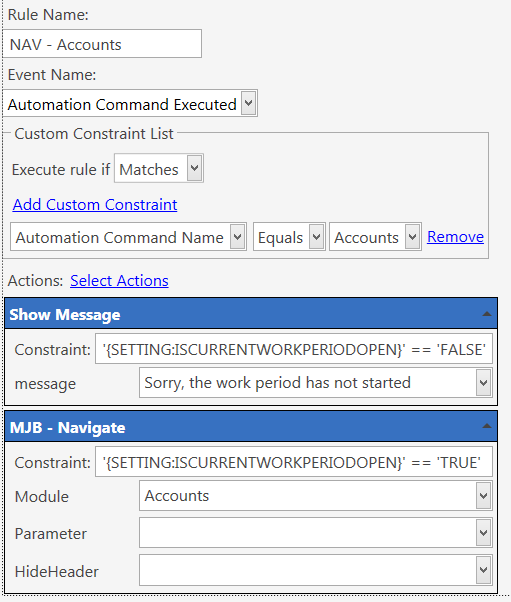
This rule will show a message if the WP is closed, and show the accounts screen if the WP is open. You’ll need to have created “Show message” and “Navigate” actions before you create this rule.