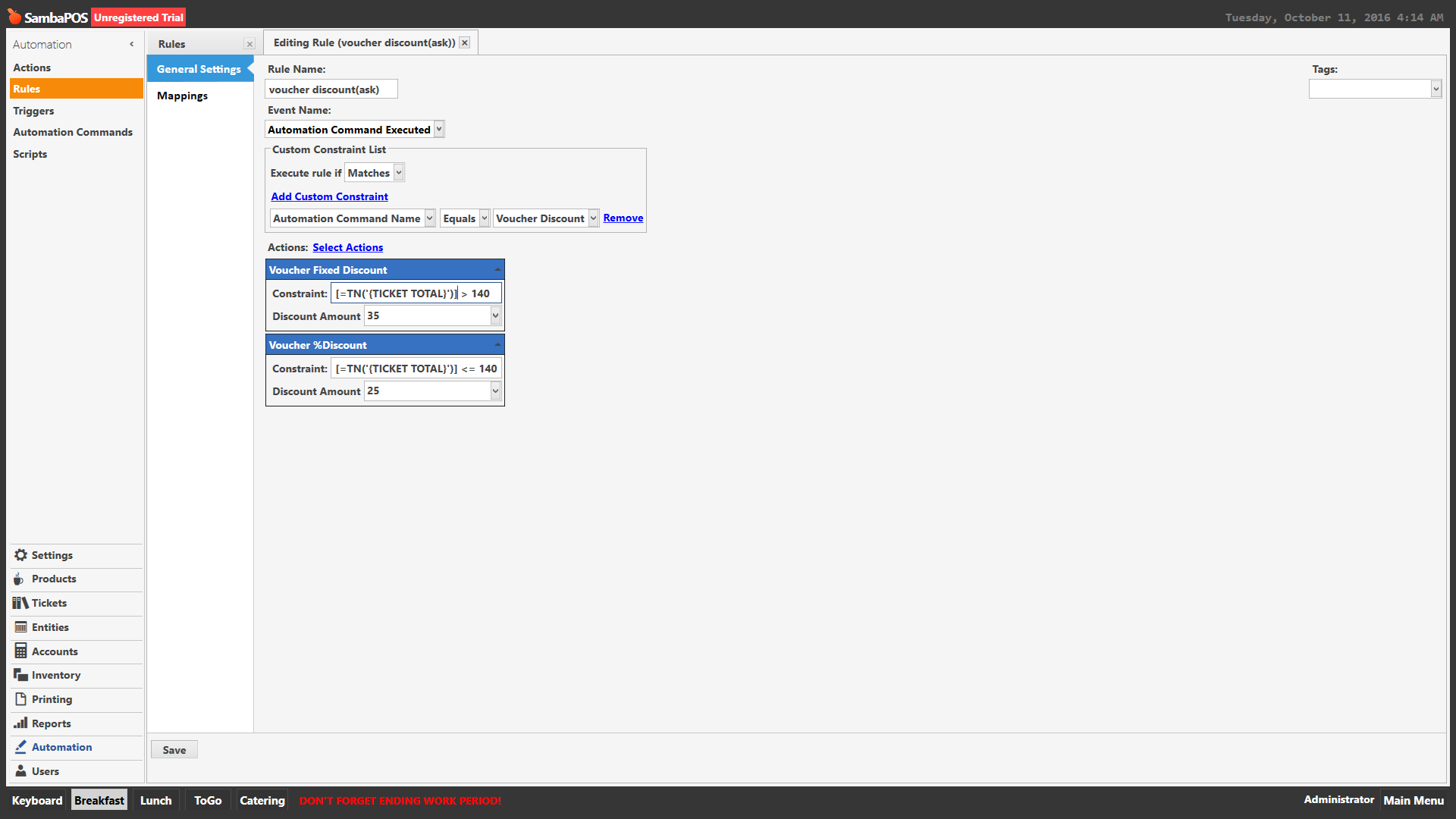
This will work…
[=TN('{TICKET TOTAL}')] > 140
// 35
[=TN('{TICKET TOTAL}')] <= 140
// 25%
… or this depending on where the threshold is to be inclusive of that calculation…
[=TN('{TICKET TOTAL}')] >= 140
// 35
[=TN('{TICKET TOTAL}')] < 140
// 25%
This will work…
[=TN('{TICKET TOTAL}')] > 140
// 35
[=TN('{TICKET TOTAL}')] <= 140
// 25%
… or this depending on where the threshold is to be inclusive of that calculation…
[=TN('{TICKET TOTAL}')] >= 140
// 35
[=TN('{TICKET TOTAL}')] < 140
// 25%
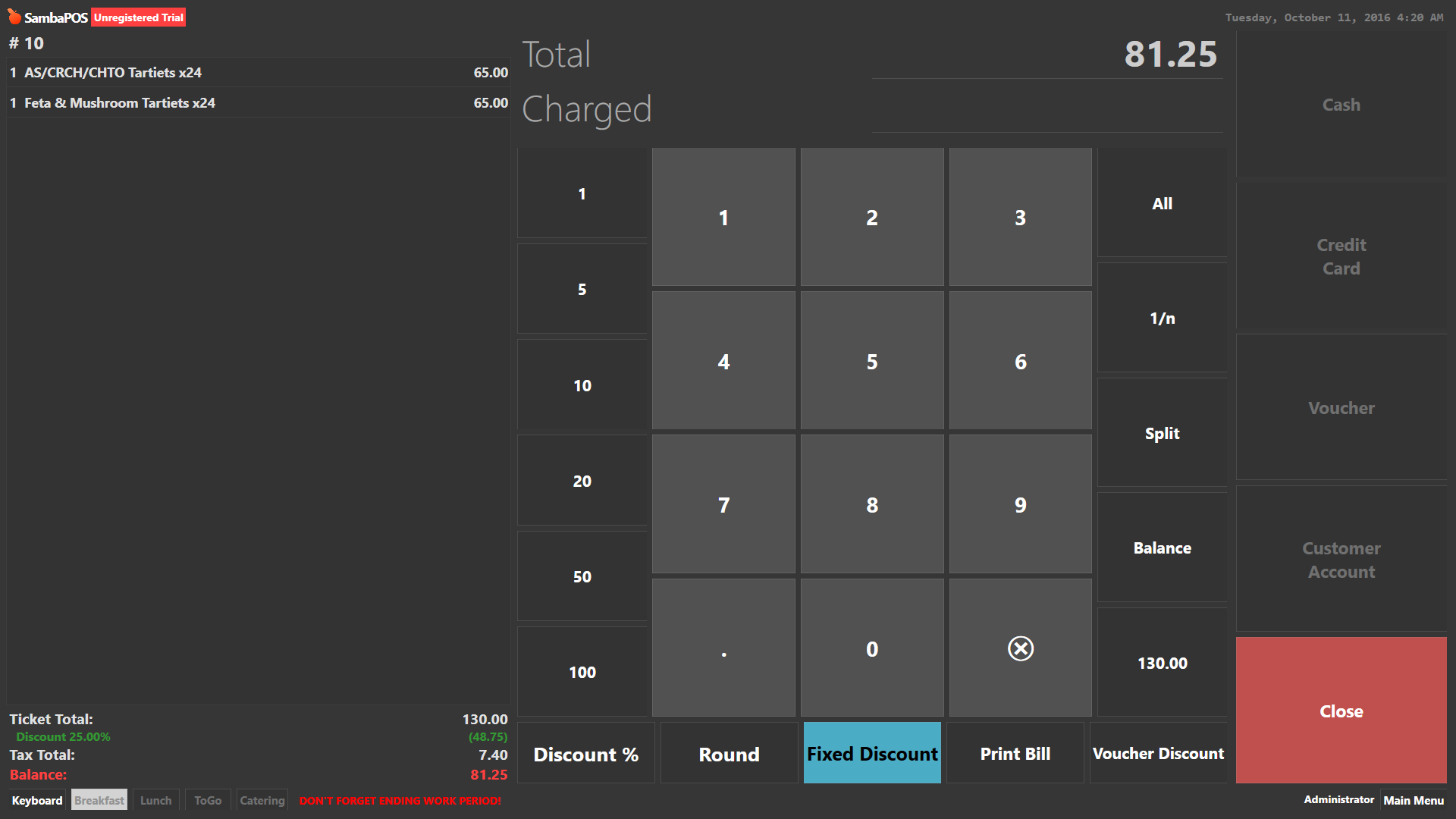
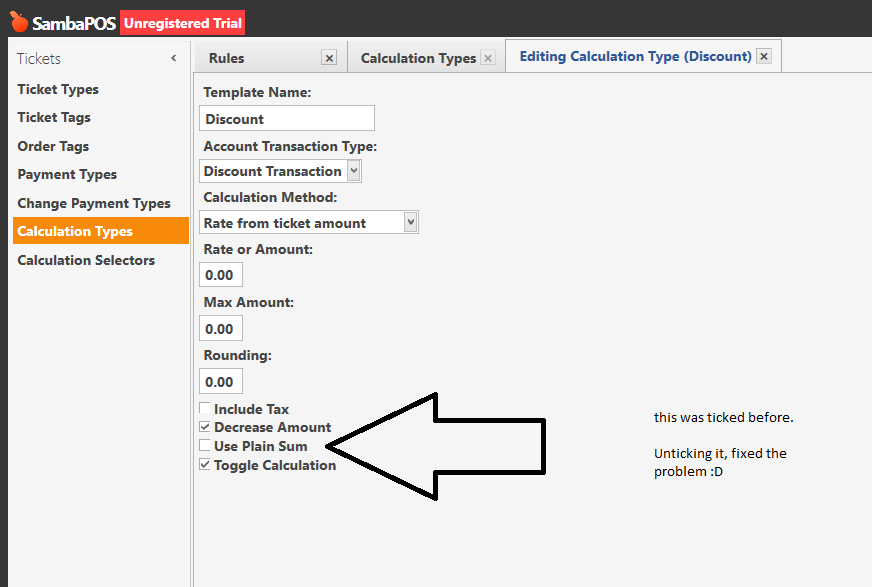
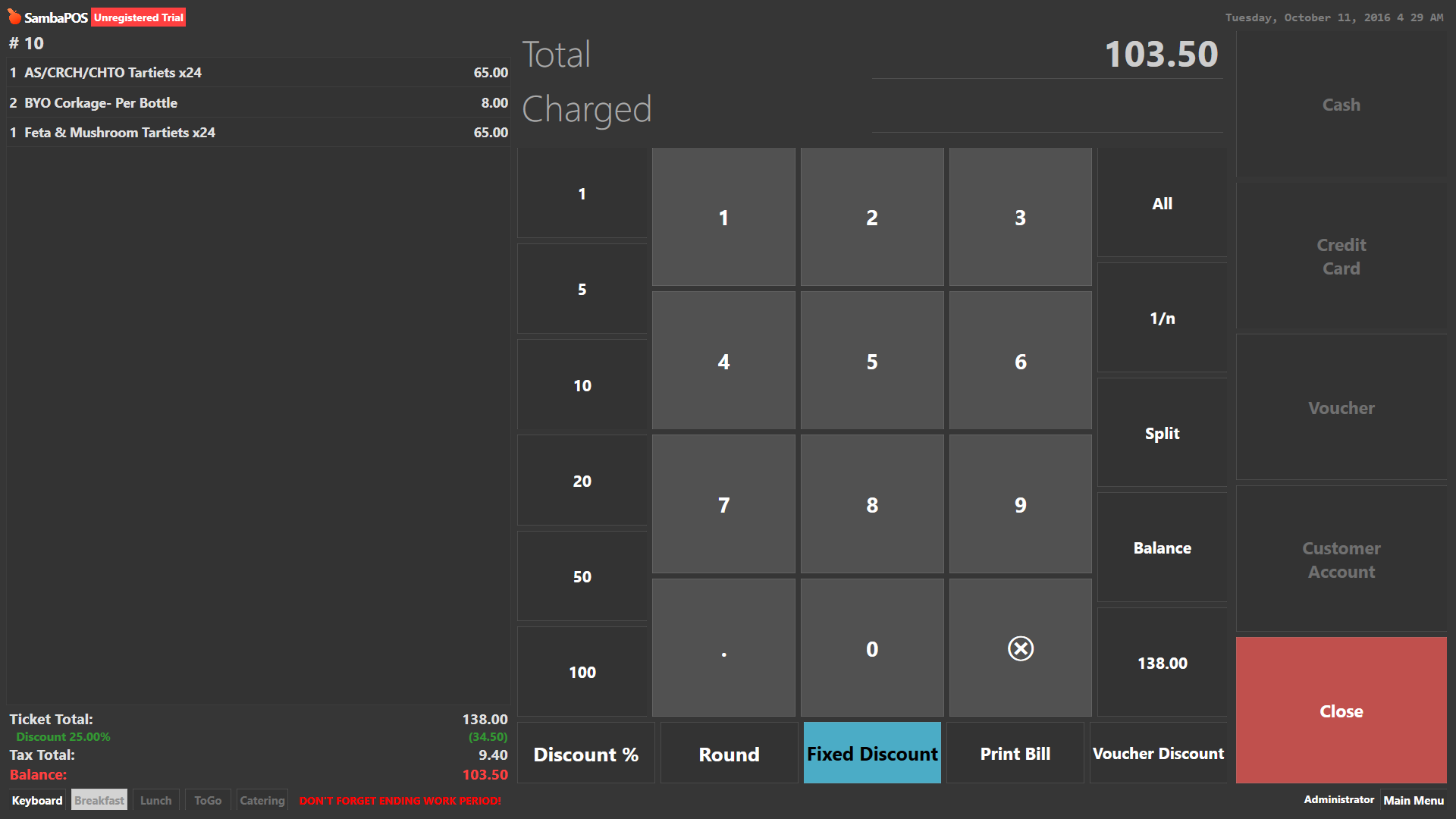
the discount total shows 25% but it deducted more than that
Now one more question,
When I press the original voucher button, it process the payment as voucher. I applied an ask question to it, so that when payment processor = voucher, it would ask question, voucher type, and then u’d select example, groupon.
That fires the Voucher Discount AMC. If I apply that ask question to that voucher payment processor rule,
and press groupon, since we already got the calculation rule set, would it fire that calculation rule when groupon is pressed?
Also, id want to make voucher not process the ticket, but instead give options.
would the easiest way to do this is remove the voucher processor, and just have that voucher discount button on screen?
or is there a way I can make voucher not process, but instead apply that discount rule
I Have one minor issue with the button.
When you first press it, it doesn’t actually fire that rule straight away, you have to press like the X in order for it to apply.
And if you want to toggle it off, you have to press the voucher button again, and press x again for it to go away.
any ideas why this would happen?
 but something doesn’t quite addup.