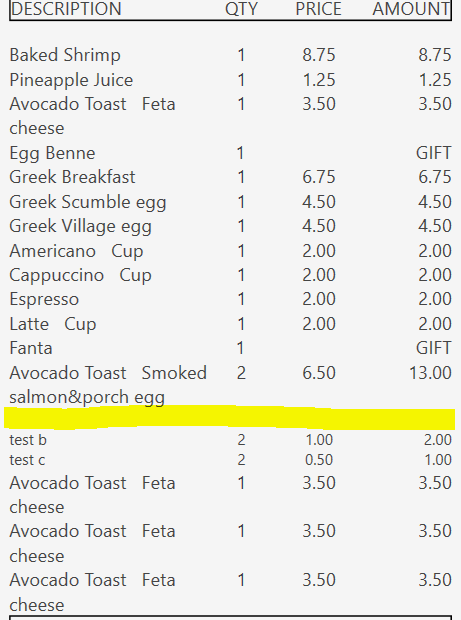
Wrapping the whole thing in ternary expression works.
[SORTED ORDER TAGS]
-- Format for order tags

[=TN('{ORDER TAG PRICE}') != 0 ? '<Table FontSize="10" CellSpacing="0" Margin="0" Padding="0"><Table.Columns><TableColumn Width="45*"/><TableColumn Width="15*"/><TableColumn Width="20*"/><TableColumn Width="20*"/></Table.Columns><TableRowGroup><TableRow><TableCell Padding="20,0,0,0"><Paragraph Margin="0" TextAlignment="Left">{ORDER TAG NAME}</Paragraph></TableCell><TableCell Padding="0"><Paragraph Margin="0" TextAlignment="Center">' + F({ORDER TAG QUANTITY}*{QUANTITY},'#.#') + '</Paragraph></TableCell><TableCell Padding="0"><Paragraph Margin="0" TextAlignment="Center">{ORDER TAG PRICE}</Paragraph></TableCell><TableCell Padding="0"><Paragraph Margin="0" TextAlignment="Right">' + F({ORDER TAG PRICE}*{ORDER TAG QUANTITY}*{QUANTITY}) + '</Paragraph></TableCell></TableRow></TableRowGroup></Table>' : '']
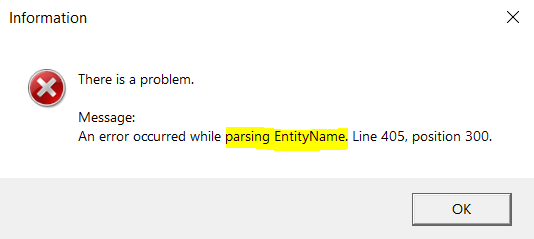
But you wont be able to sanitize the name with <![CDATA[{ORDER TAG NAME}]]> within the ternary expression. And you don’t want to experience this error mid service when printing templates
Yeah, if your template isn’t script heavy you could use {CALL:X} and use a helper function to encode the text to make it “XML safe”. But overuse of script helpers within printer templates can cause eventual lagging due to memory leaks - the JScript helper doesn’t do proper garbage collection so doesn’t let go of the RAM it consumes.