I make a widget lister to show list of order just submitted, and make an automation command to change order state from submitted to ready. Now, when click on order list in widget, it will be remove from the list. But i must click one by one to clear the list, could i make a button and when click the button it will change state of all orders listed at the same time???
I see in setting property of widget lister, it has command button field, but i have no clue of how to use it ??
thanks for your rely, could you show me a little detail of that rule? how to make rule that update the state of all order from Submitted to Ready?
That “poster” can’t show you anything - it’s a LLM spammer.
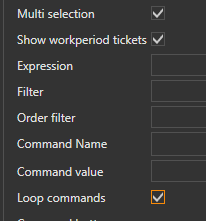
If you only have one automation command specified for the widget, In the widget settings select “Multi selection” and “Loop commands”.
If you have multiple automation commands available that you don’t want fired for each ticket (e.g. Display Ticket) you’ll have to handle that in a rule and loop values executing the required automation commands. The selected ticket ids are passed comma delimitated so you’ll split on the , character.
Yes, i have only one automation command that change State of Order from Submitted to Ready. Could you please give me an example of how to create a loop values combine with “Multi selection” and “Loop commands”. I try to find out how to use it.
It will be more effective if we have a button that change all State of Order from Submitted to Ready at the same time to clear all Order show in that widget lister.
Thanks for your reply,
If there’s only one command, you needn’t worry about looping values at this moment.
Enable design mode and select widget settings.
You’ll find checkboxes for “Multi selection” and “Loop values” and that should be all you need to do.
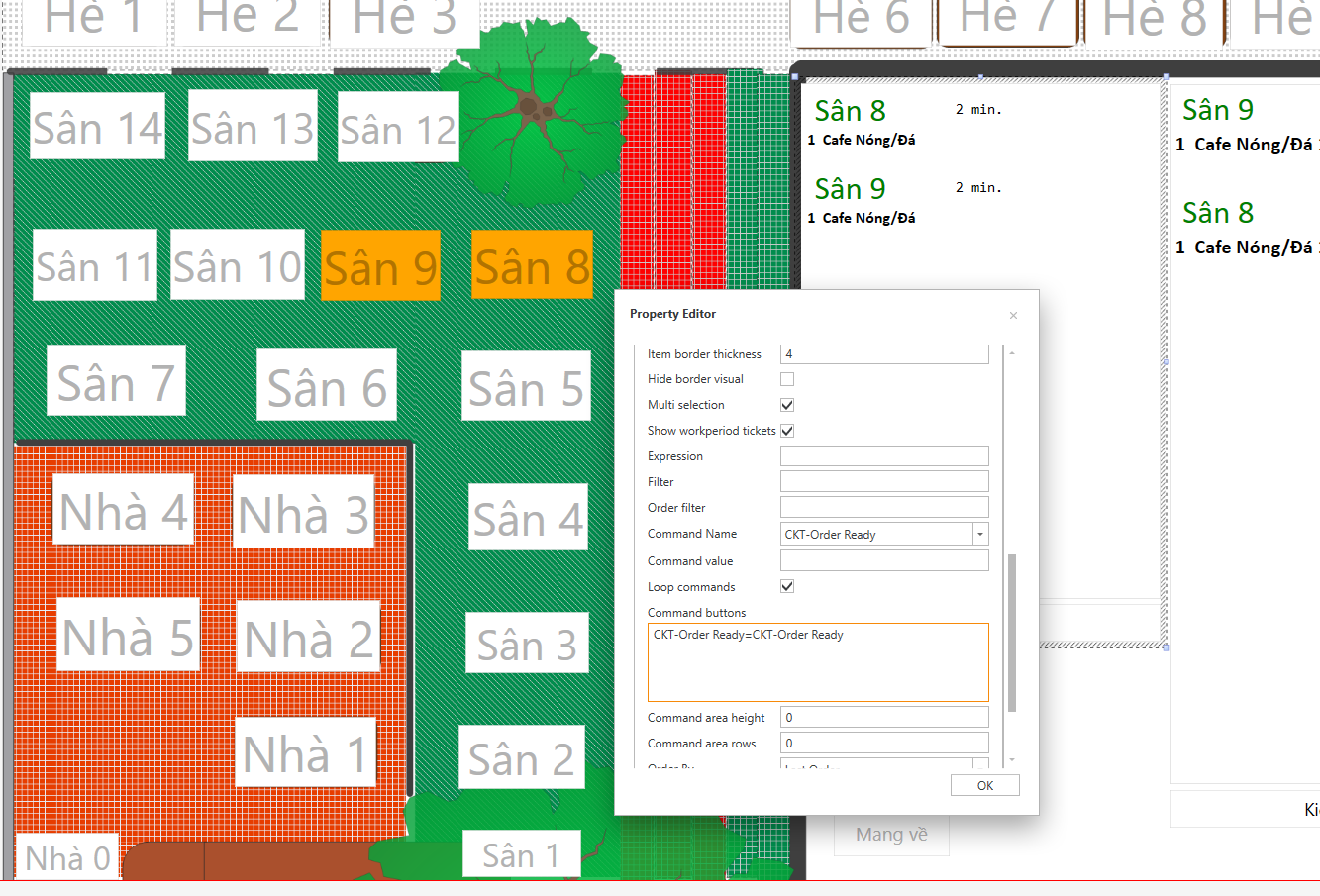
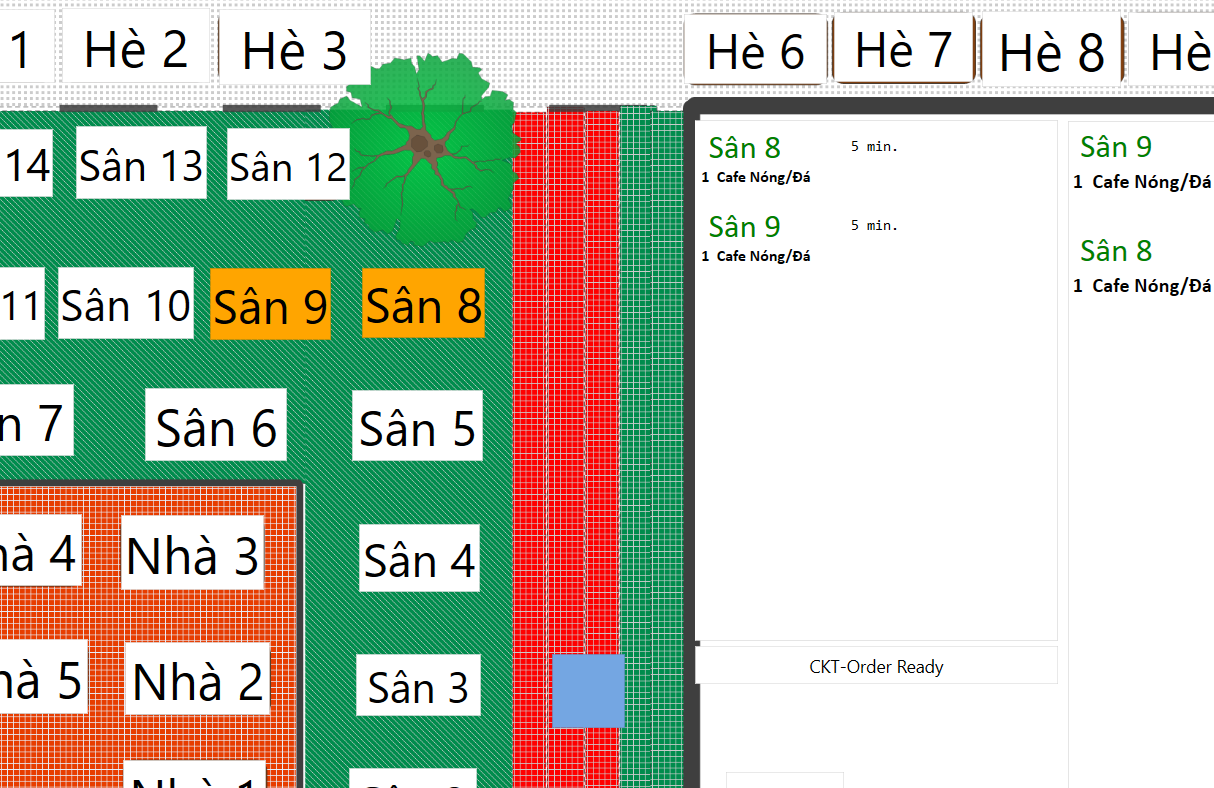
When i click individual Order in List it worked, but click CKT-Order Ready button it does not work.
I find out that the button will work if i click to select items of the list, but i want that just click button and it will clear all items of the list. So i do not see any different when click on checkbox Loop command.
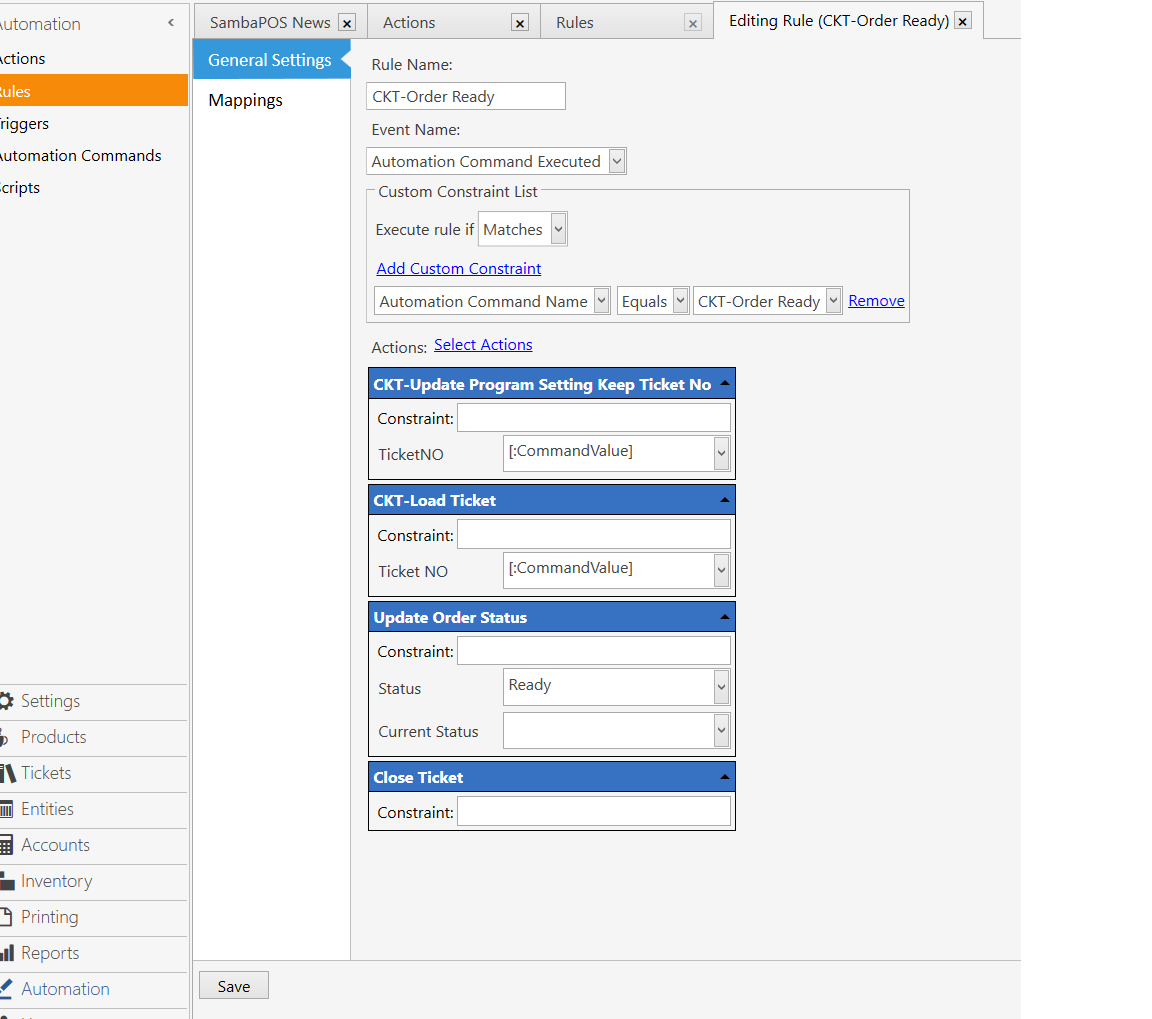
I don’t think there’s really a way for you to accomplish updating all the tickets as the lister just displays the tickets and there’s really no way to communicate its contents with anything outside that control with the exception of passing ticket id argument to an automation command.
You may be able to use {REPORT TICKET DETAILS} to search for tickets that are open and in a certain state to get the ticket ids then loop through those and update the ticket state. I’ve not done anything like that so I would have to point you back to the forum as I’m not that well versed in the reporting stuff.
thank you for your reply!
Hi, after search in forum i see there already has a solution for this. Add one more Automation Command Select All to select all Order list first as this guide
1 Like