Hello. Is it possible implement a tax for shipping? I have home delivery service but there is a tax based on distance. This money should not go to the cash account because it is for the carrier, not to the accounts of my business, but must be placed on the printed ticket that gives the carrier to the client.
It is possible in sambaPos ??
I thought putting it as a product but would go to my accounts, or as tax but I only see percent options
It would be doable but bit beyond my abilities/experience.
The basic method I can see might be to put in as product and then setup a paid out type setup to act like a refund, when you pay the driver you put in a payout which then removes it from sales and cash account…
I thought about that. but when the driver gives the money to the cashier, does not give his commission, charged at the time. the cashier can not get less money than the ticket says.
if I could separate, a total product and another total with the additional tax, could collect only the total product.
I’ll show you. Give me a few minutes. @reych9 you mentioned its distance based? So is the rate a flat rate based on distance if not then how do you calculate the amount?
shipping price would be a dollar for every kilometer away. we have a map, locates the address on a map and calculate the distance. It is added one dollar per kilometer.
Are you using google maps or something like that or just manually calculating it with paper map?
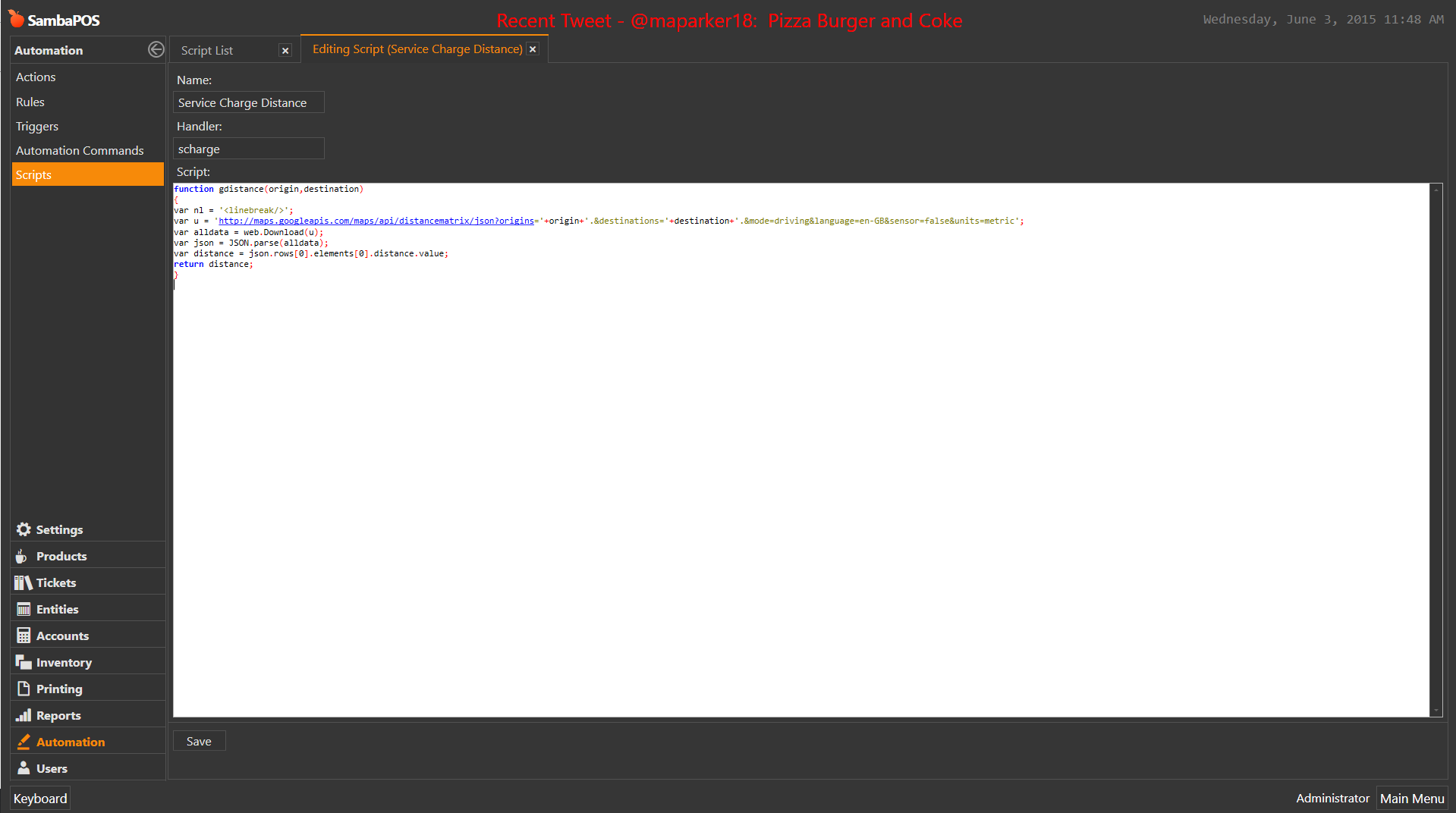
reason I ask is I can show you how to set this up in v4 but v5 which is due out very soon has a cool scripting feature and I have built a Google Maps script that we can use to automatically calculate the rate based on distance. Basically you will enter the address where its being shipped and it will add the shipping charge to ticket automatically.
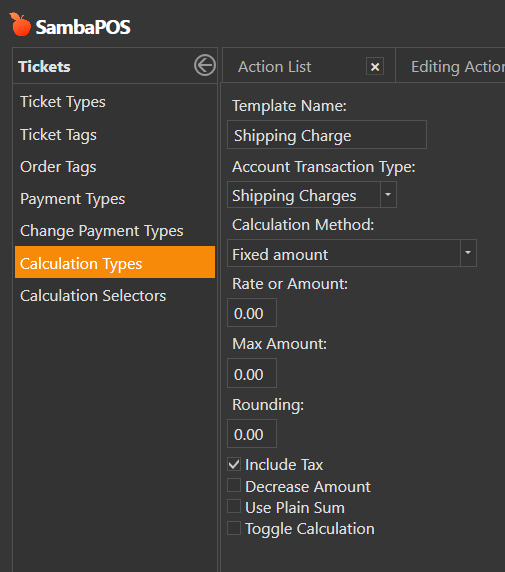
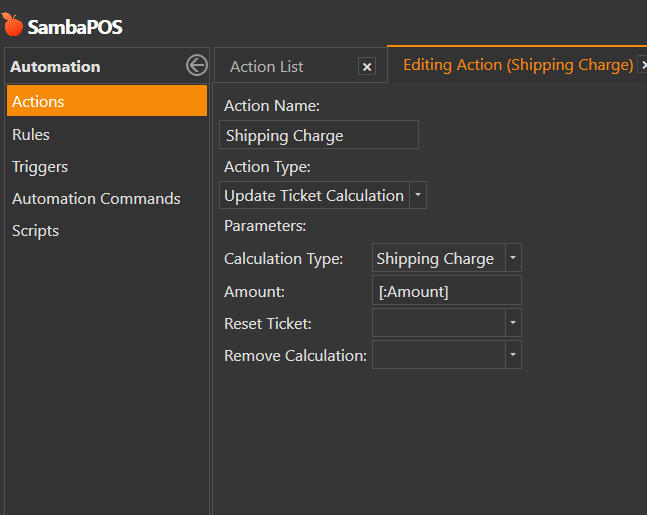
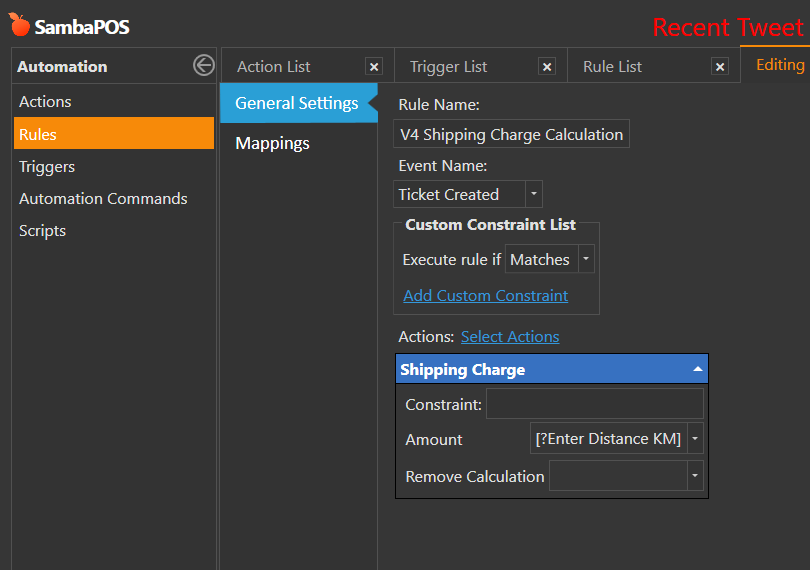
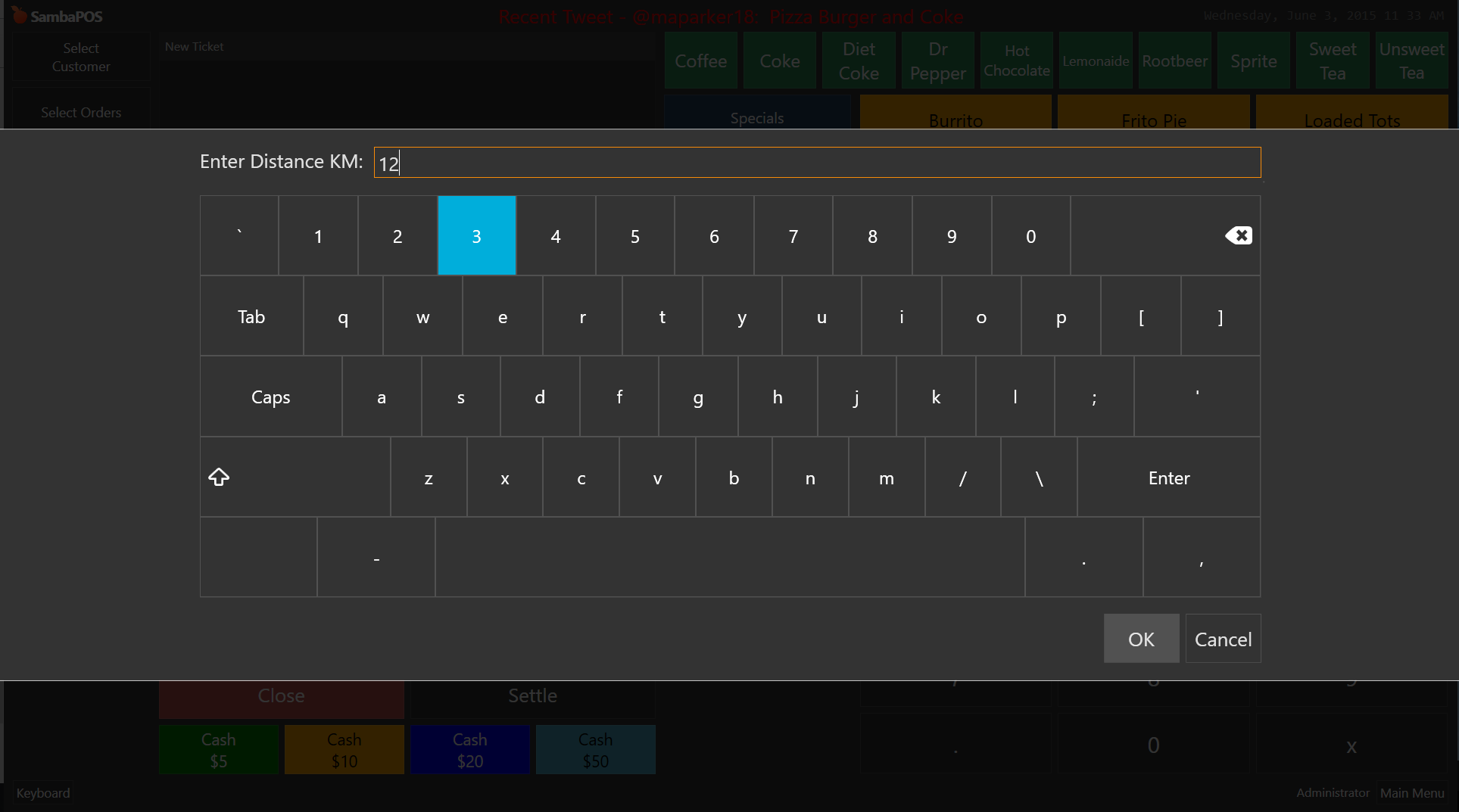
So I planned to show you both methods. V4 does not support the automatic portion of it but I can show you how to set it up so you type distance and then it will calculate it.
function gdistance(origin,destination)

{

var nl = '<linebreak/>';

var u = 'http://maps.googleapis.com/maps/api/distancematrix/json?origins='+origin+'.&destinations='+destination+'.&mode=driving&language=en-GB&sensor=false&units=metric';

var alldata = web.Download(u);

var json = JSON.parse(alldata);

var distance = json.rows[0].elements[0].distance.value;

return distance;

}
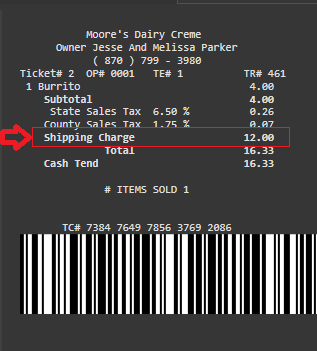
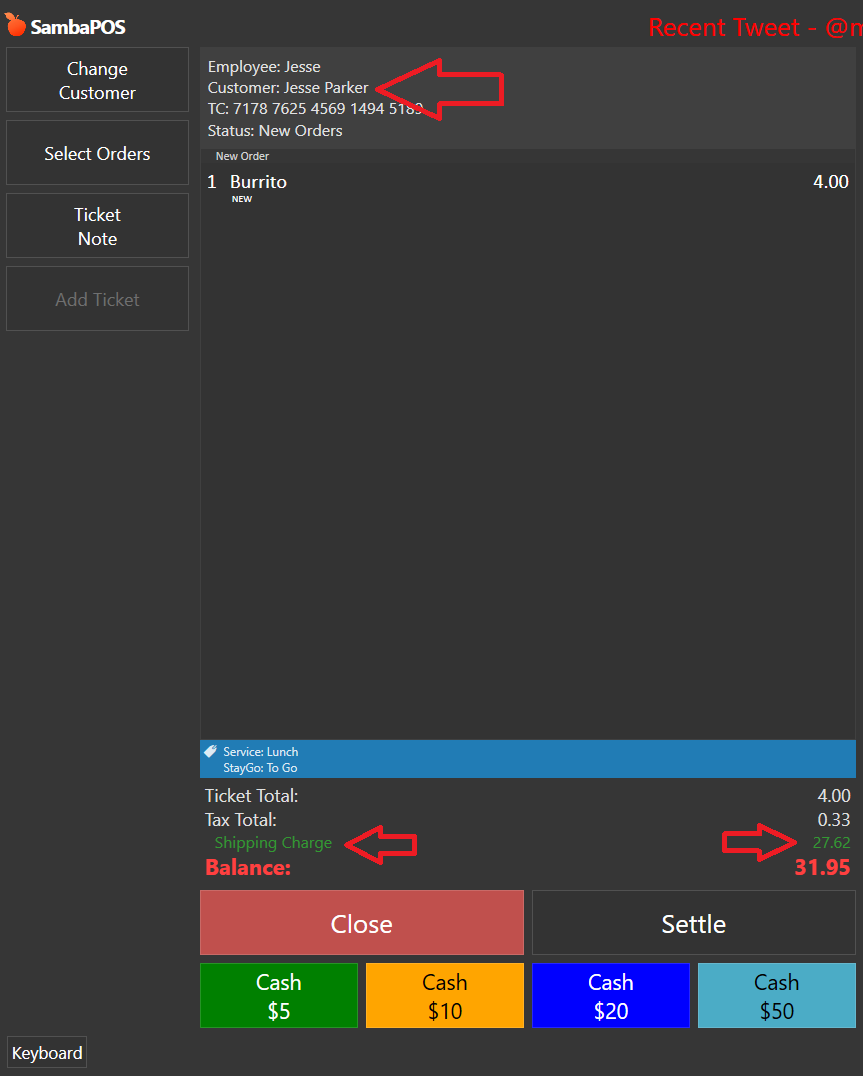
Now when you add a delivery customer to your ticket and add an item it will automatically calculate distance for you and put the correct service charge.
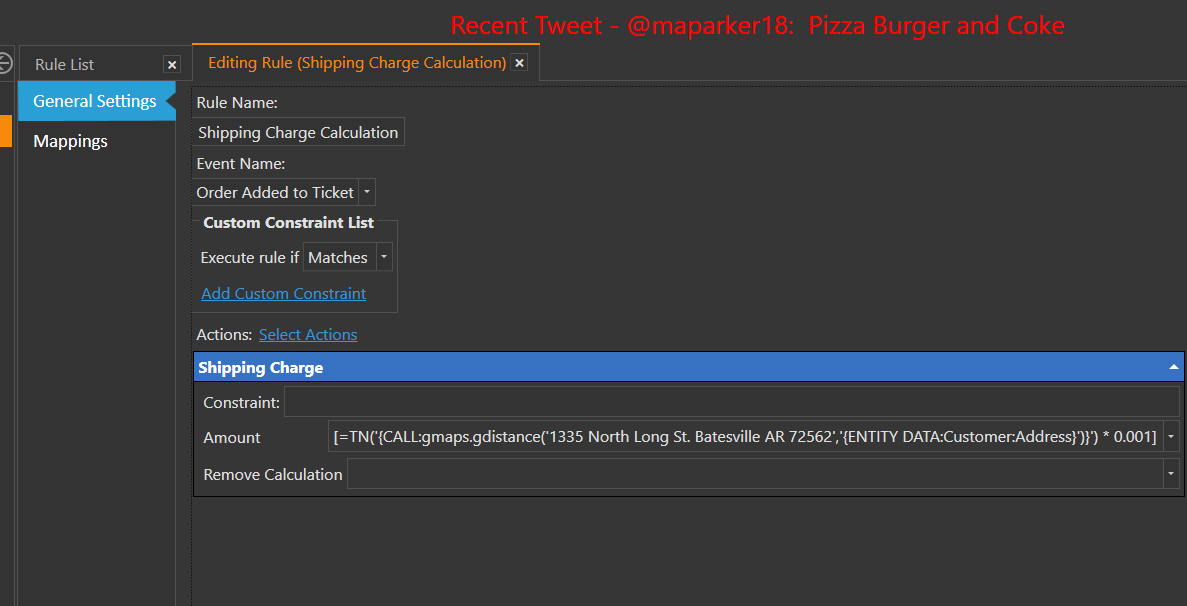
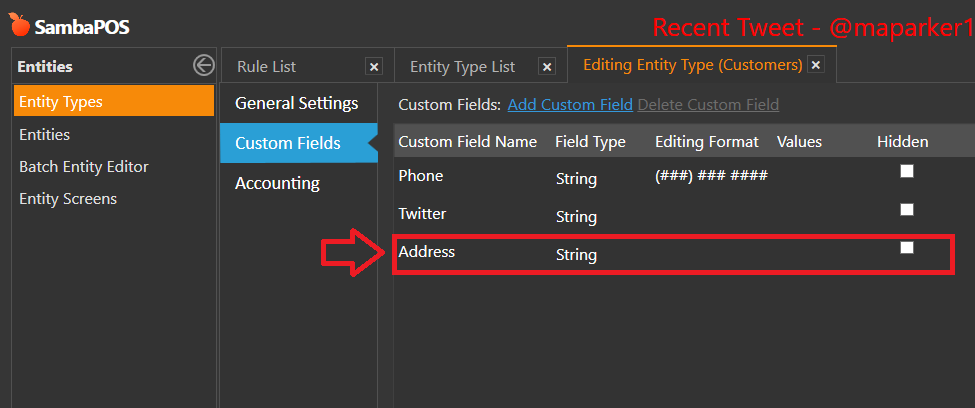
As you can see my business address was 1335 North Long St. Newark AR 72562 the Destination address is {ENTITY DATA:Customer:Address}
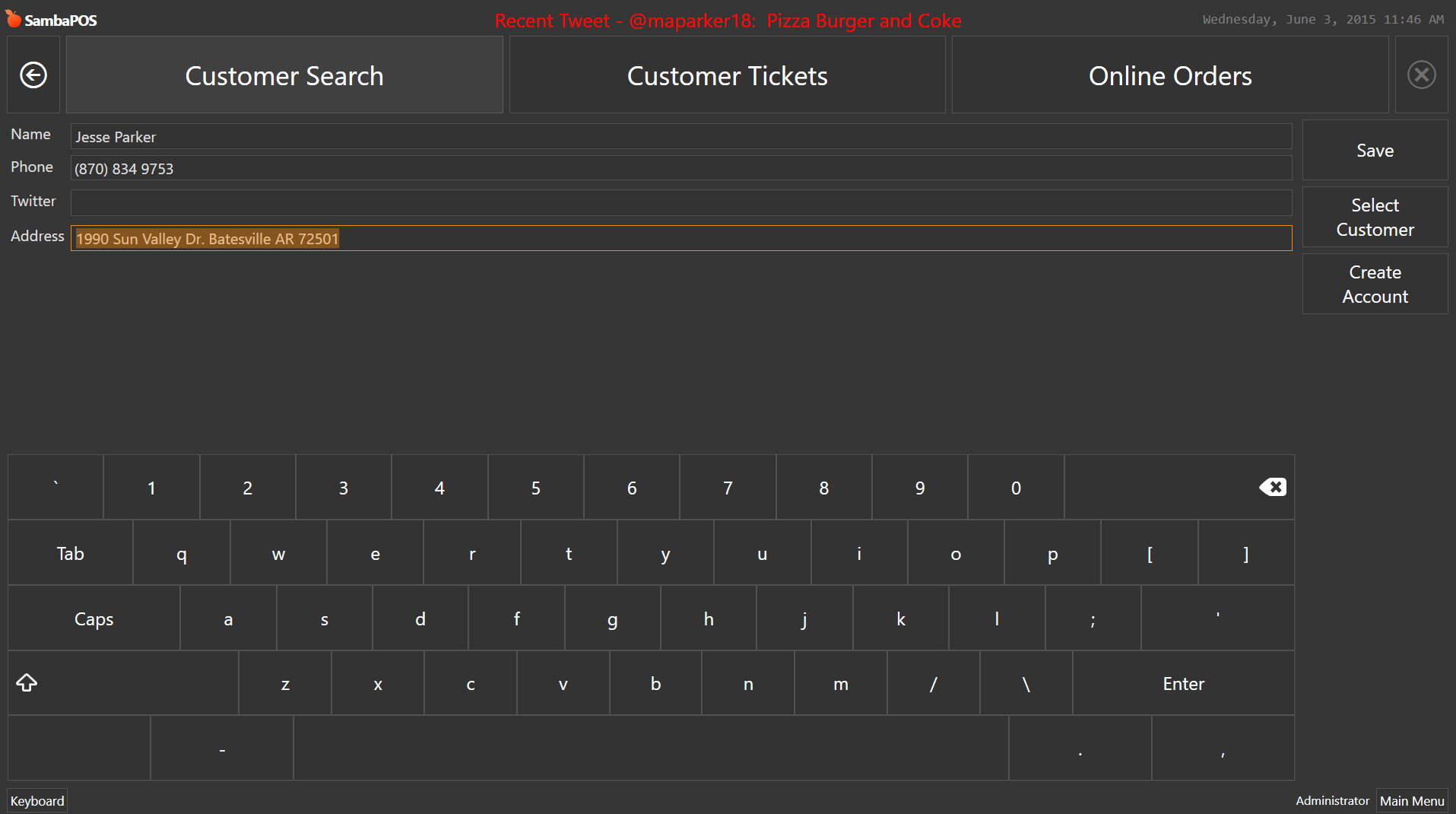
This caused it to calculate the distance between my business and the address entered for the customer added to ticket. In this case it was 1990 Sun Valley Dr. Batesville AR 72501 Google calculated it as 27.61 KM.
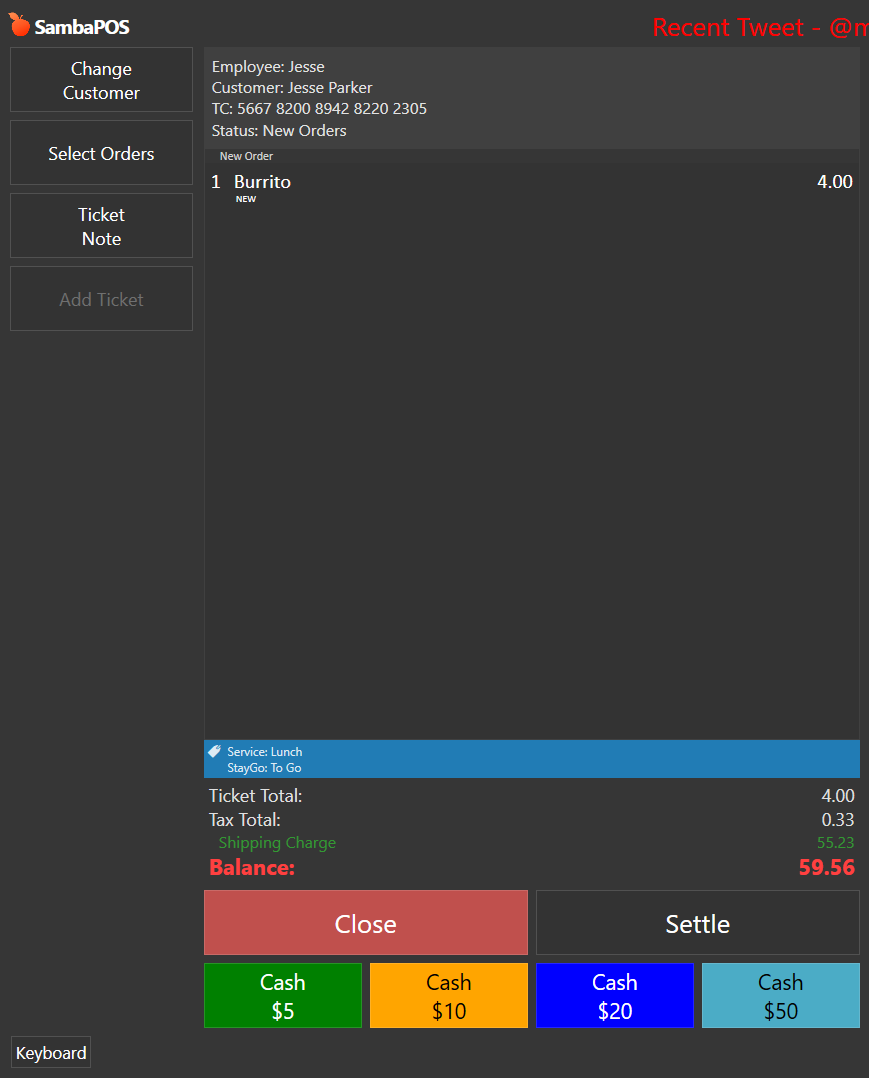
If you used a different rate other than 1.00 for every KM you would enter an expression similar to this into the Rule:
For 2.00 for every KM simply change the last set of numbers in the expression accordingly.
[=TN('{CALL:gmaps.gdistance('1335 North Long St. Batesville AR 72562','{ENTITY DATA:Customer:Address}')}') * 0.002]
Notice now its 55.23 for same customer because he was charged 2.00 per KM
If your wondering how I figured 0.002 as 2.00 per KM its because the google script I used returns KM as a raw number so 27.61 would in reality be 27615 so we need to convert it.
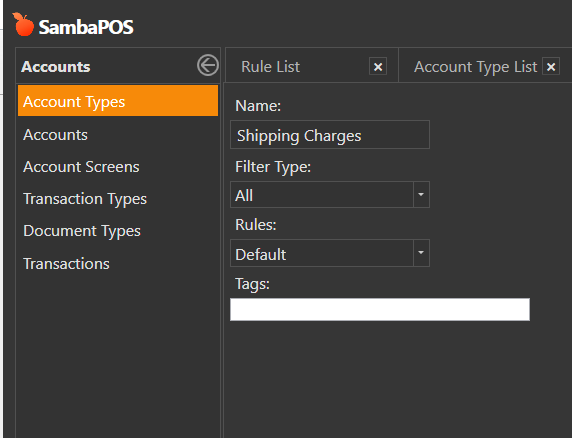
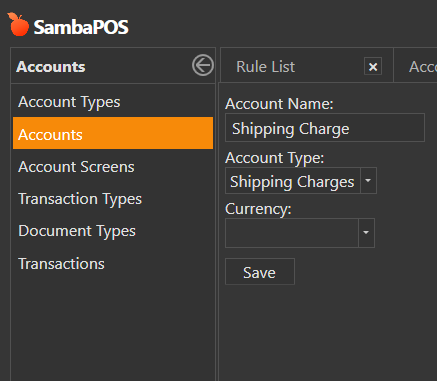
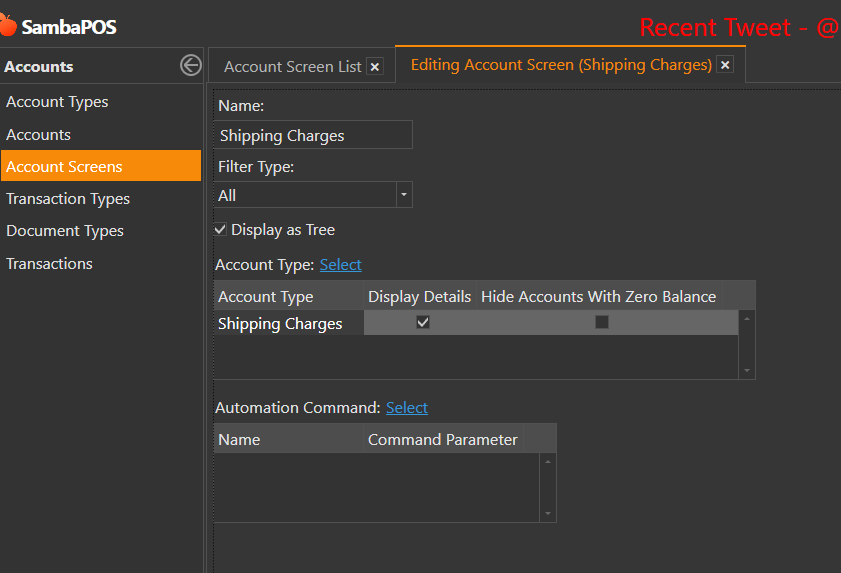
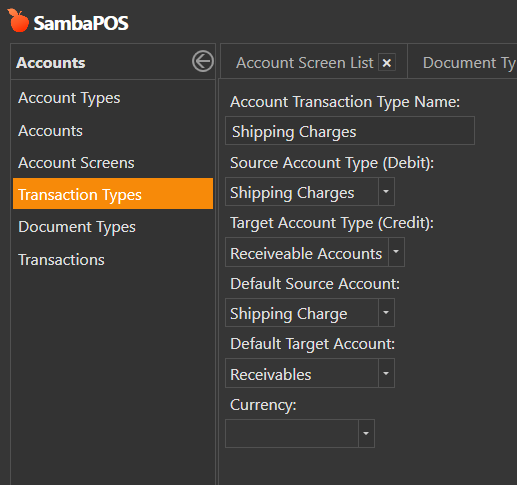
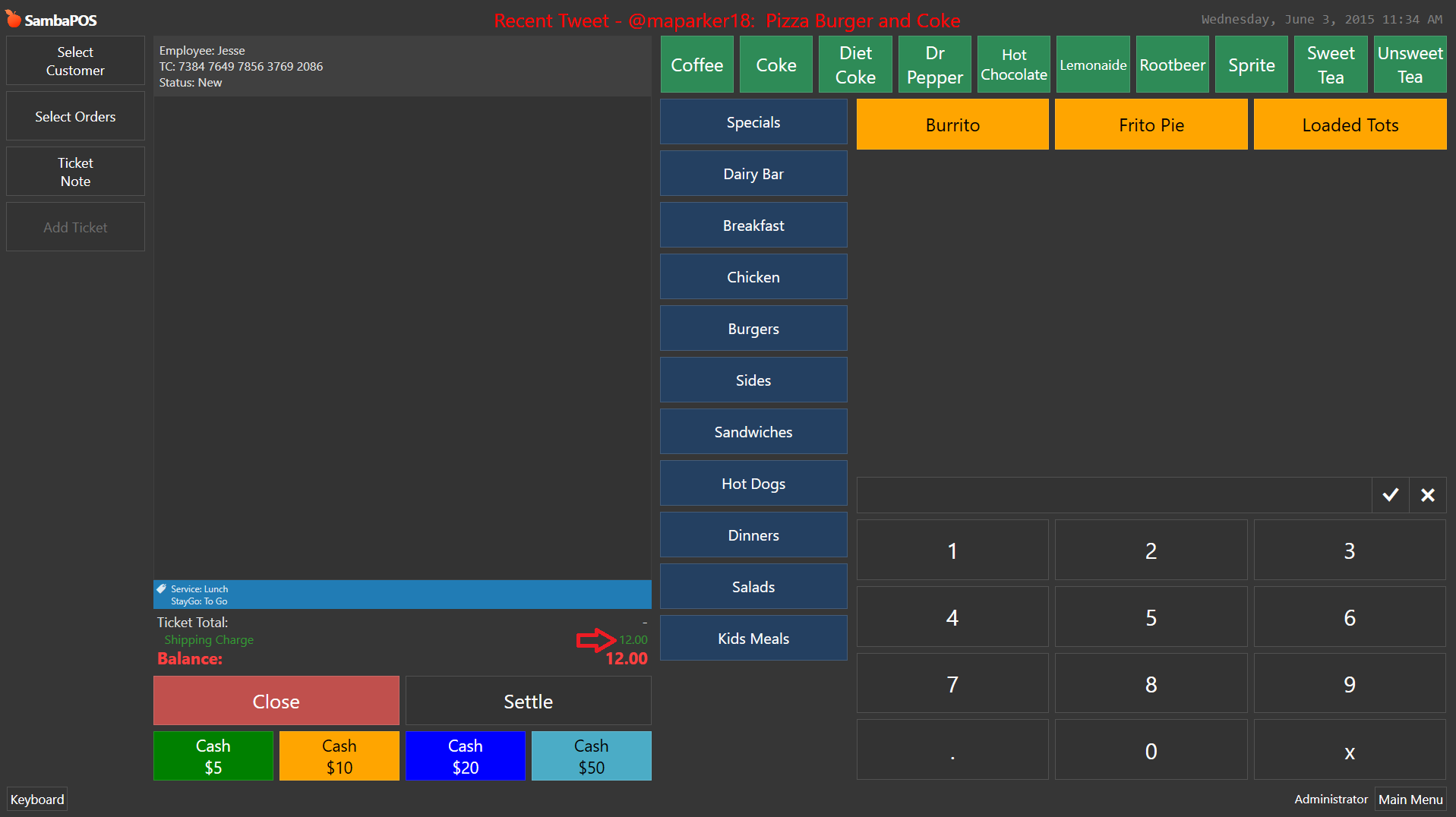
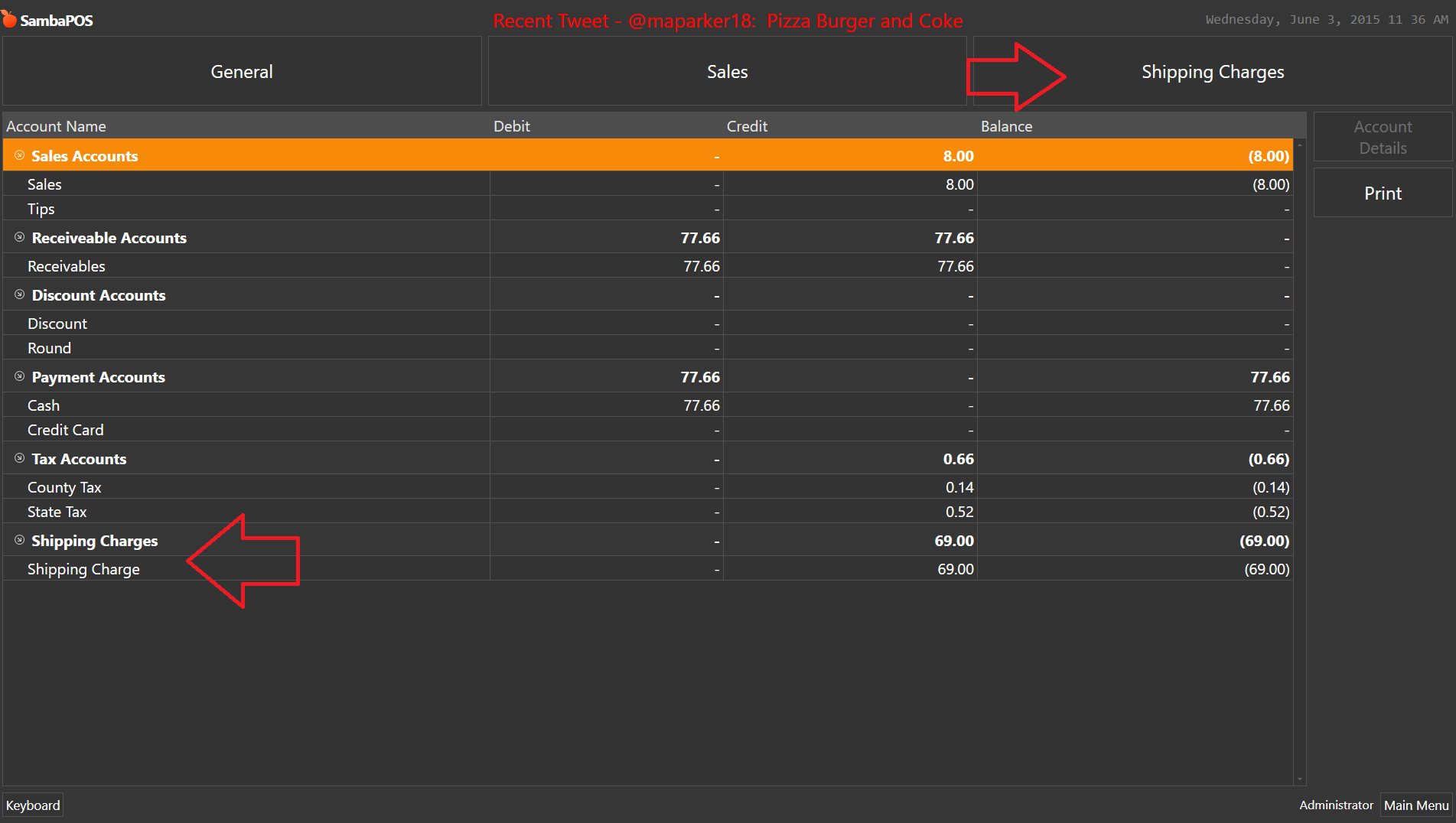
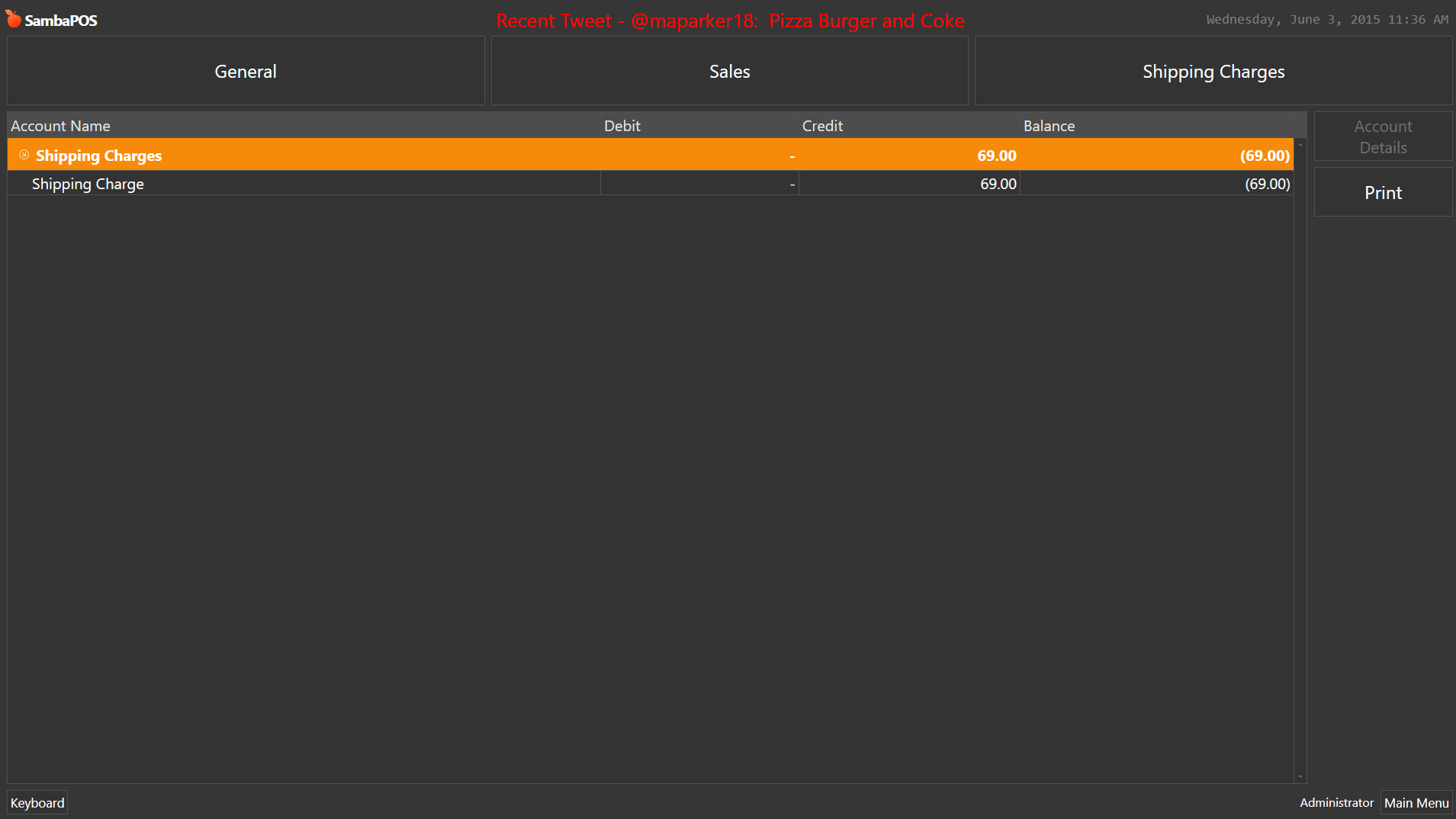
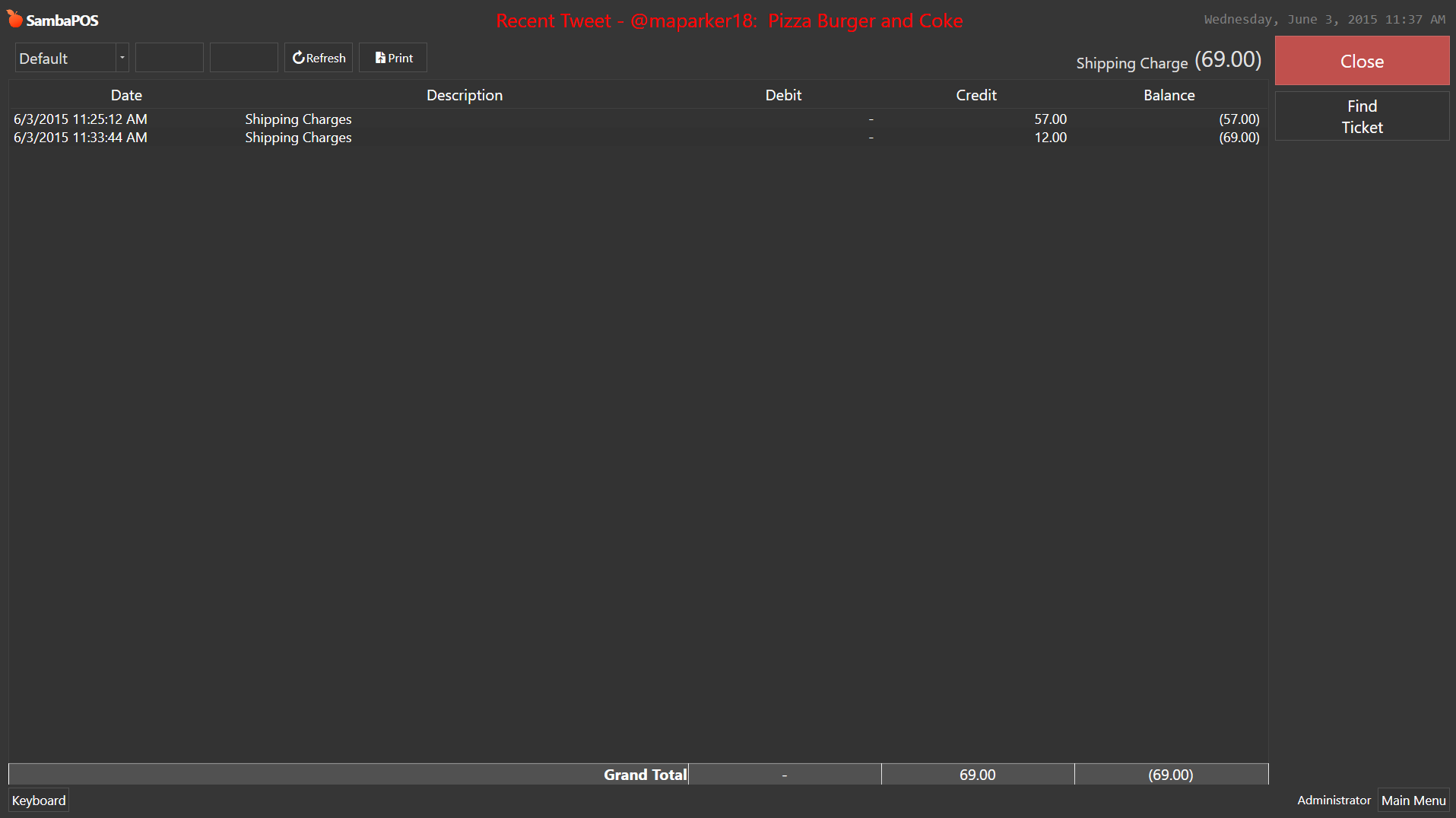
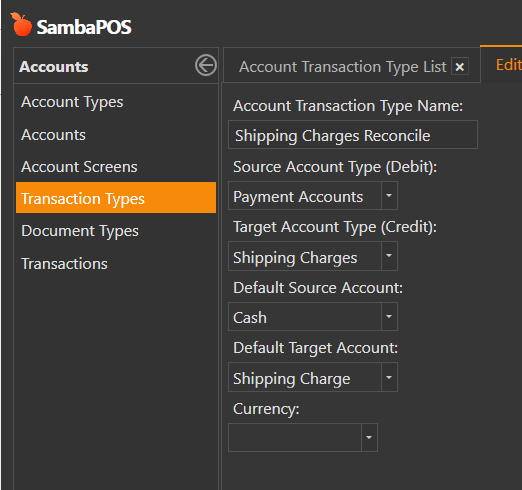
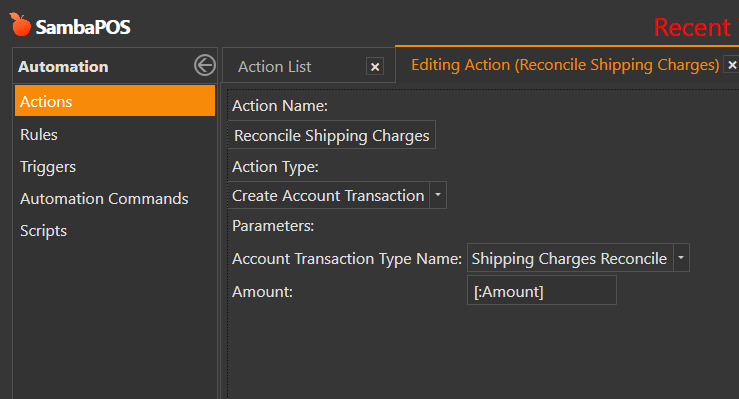
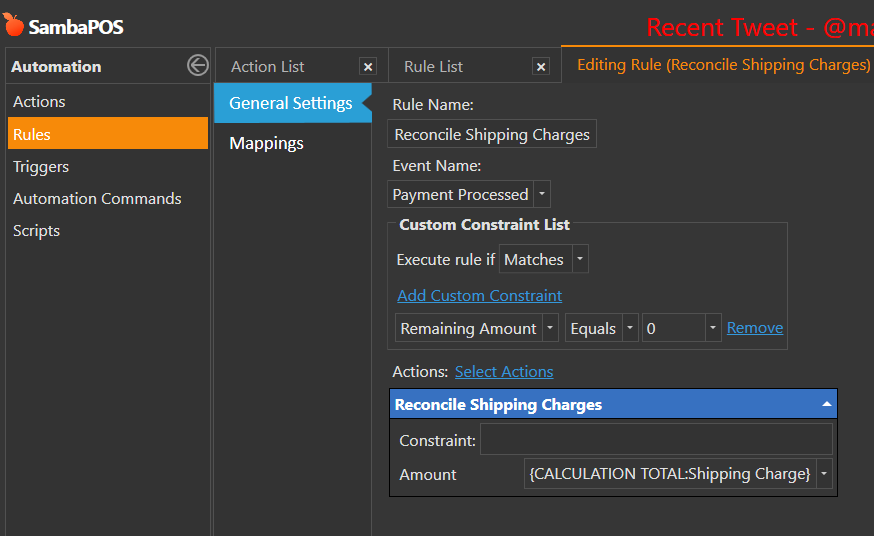
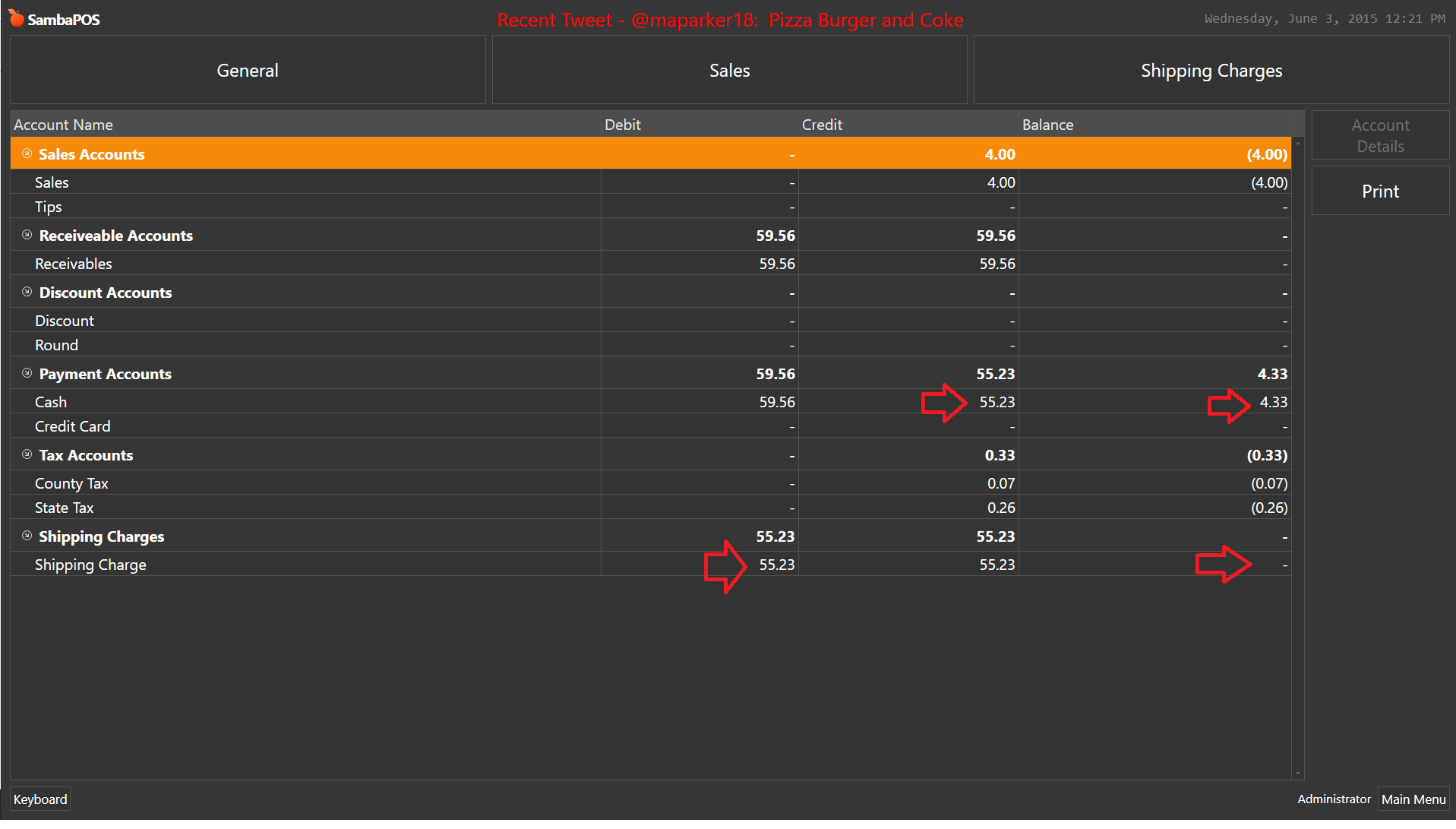
I will add one more thing if you do not collect the shipping charge in your cash drawer, if its sent directly to shipper then you can create an additional Transaction Type that moves it from Cash to the Shipping Charge debit column this would remove it from your cash account and balance the Shipping Charge Account to 0. This causes your accounting to be accurate but still gives you something to track shipping charges with.
Now it will reconcile the Shipping Charge out of Cash and put it into Shipping Charge account balancing it to 0. This provides you a paper trail of your Shipping Charges without affecting your Cash Account.
PS: This reconcile tutorial works with v4 as well as v5. So if you setup the v4 tutorial I showed above and wish to use the reconcile this tutorial will work as its shown.
@reych9 Sorry for length but I wanted to cover both to show what you can do now with v4 and a very cool way to do it with v5 when it releases. I hope this helped you.
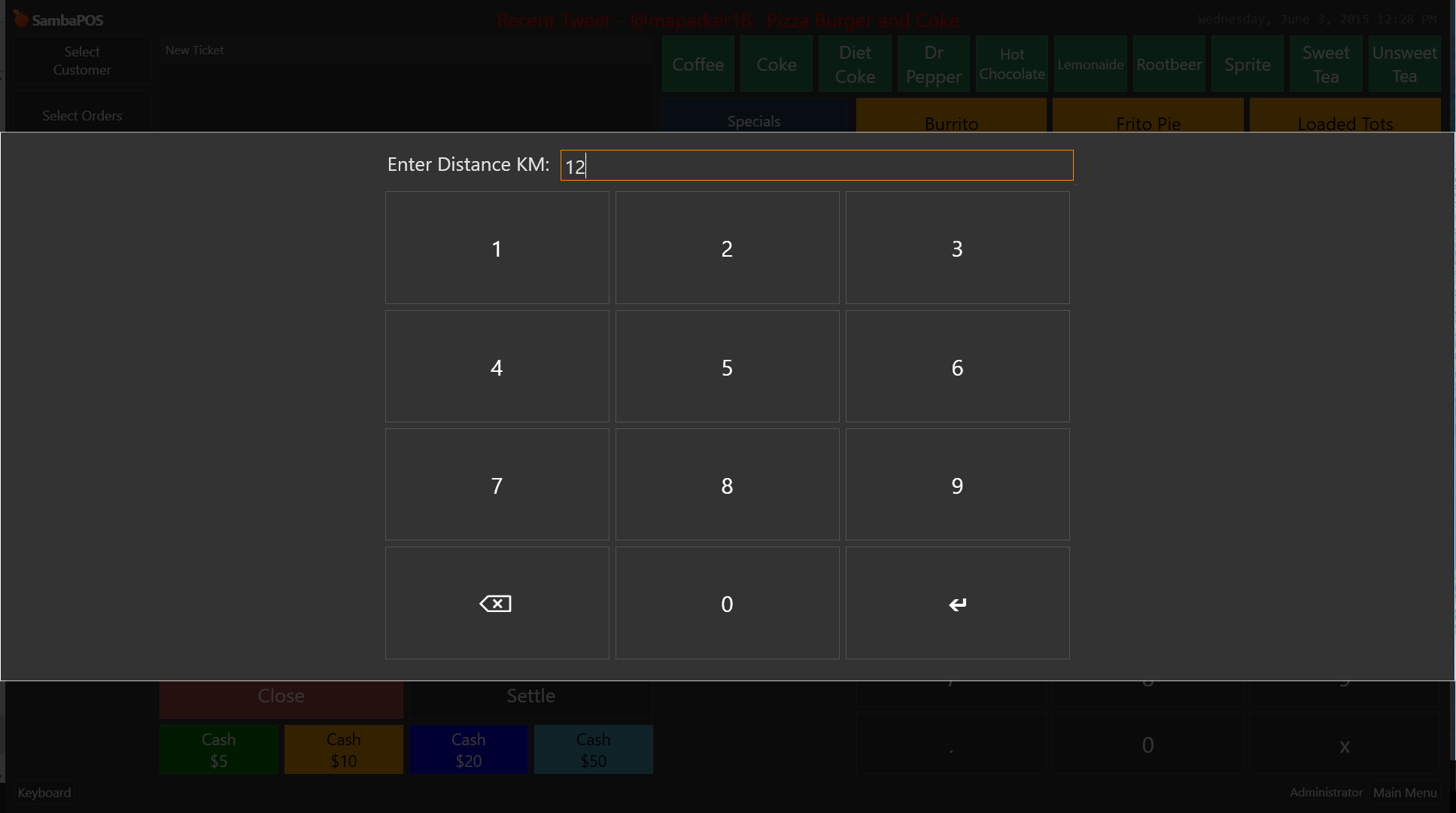
PS: You can customize it further. For example if you dont like the large full size keyboard for entering KM Distance you can use this inside the Action of your Rule.
Replace [? Enter Distance KM] with
V5:
[? Enter Distance KM;;;N;"1","2","3"|"4","5","6"|"7","8","9"|"<backspace>","0","<enter>"]
V4:
[? Enter Distance KM;;;N;49,50,51|52,53,54|55,56,57|8,48,13]
thank you very much, I am very grateful for your explanation, I am convinced it will be helpful. Thanks again for your time. I’ll read it calmly at home and will comment on the results
No just an Expert with SambaPOS and a Community Volunteer that volunteers way too much time haha. Me and @QMcKay volunteer to help @emre with the forum moderation and we assist with questions etc so he can focus on development more.
It is due out very soon. We have a great Beta Team ensuring it gets polished up and ready for the masses Last Emre mentioned he said first part of June hopefully it happens soon.
I’m using samba post since version 3. Continuous currently using version 3 because I had not found a limitation that v4 resolved. and as it is open source I had made some additions to my intereés. I saw that include some in v5.
unfortunately I can not do something like this “[?Enter Distance KM]” work. Do you know if it is a limiting v3? Could it be a new feature of the v4?
 Last Emre mentioned he said first part of June hopefully it happens soon.