my restaurant has a pizza section and a kitchen. If an order contains both pizza and kitchen meals we print two tickets to go to each section.
In order to ensure that the each section knows that they need to co-ordinate for that individual item, we will print a “plus pizza” on the kitchen docket and “plus kitchen” on the pizza docket.
I’ve been trying to get this working in Samba but am not having any luck.
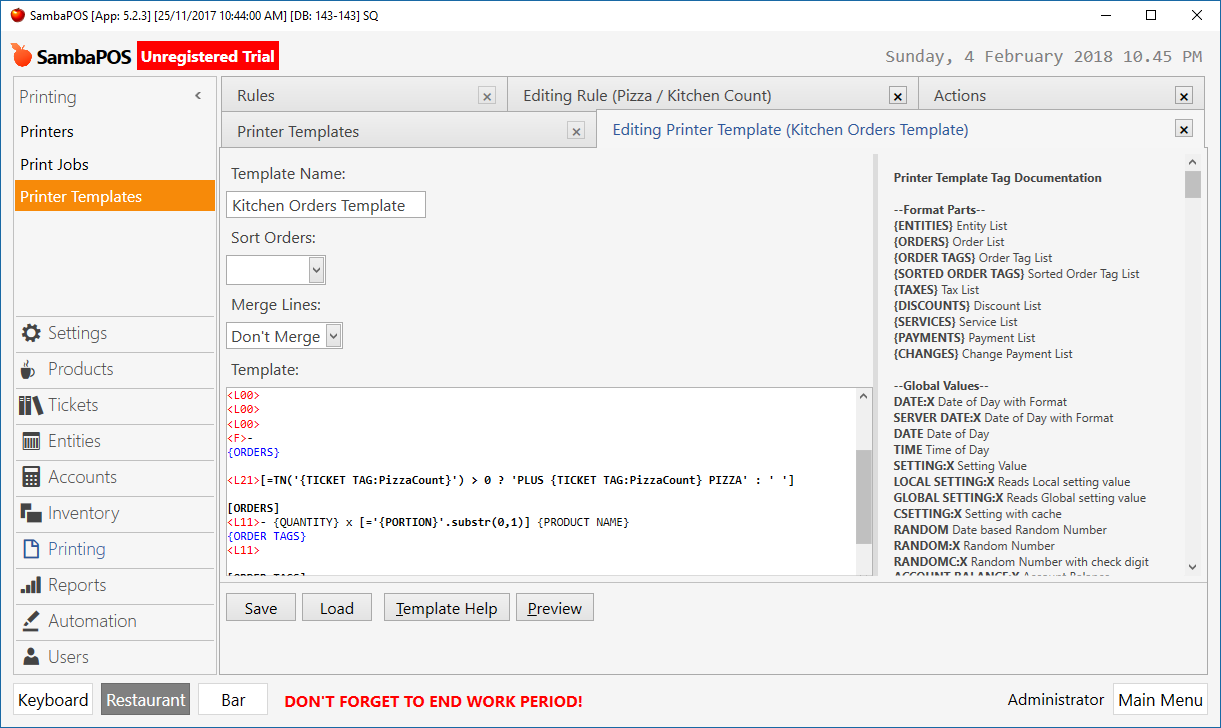
i’ve used the following code in the kitchen ticket template (and same with pizza replaced with kitchen for the pizza template)
and each item has a PrintTarget custom tag which identified where it is served from.
I use an automation command to print the ticket, where a user physical presses the button (as opposed to print on exit).
I can use this code to display a custom message and it works perfectly every time. However it doesn’t work on the tickets.
The only time it worked is when someone orders a kids pizza. Because this is printed on both tickets (because the kitchen supplies the chips that goes with it), it works consistently.
It’s almost as though the ticket doesn’t know that there other items on the order other than the context of what is being printed.
Any help in how to get this working would be appreciated as i’ve played with it for ages and have had no luck.
we are using version 5.2.3
if you need any further info to assist please let me know.
From what you said I would guess the expression doesn’t work because only the orders mapped to that printer are available to the expression hence kids pizza is counted as a available to both.
I’d suggest either using a ticket state or tag updated as ticket is created or what I have planned for my system which is to print all orders to all printers but highlight the orders in bold relavent to that section using separate templates highlighting based on a custom product field/tag.
printing all items wont work for us… For the ticket state, are you saying that I should basically update the ticket state when and item is added based on where that item should print to… and then reference that from the print template ?
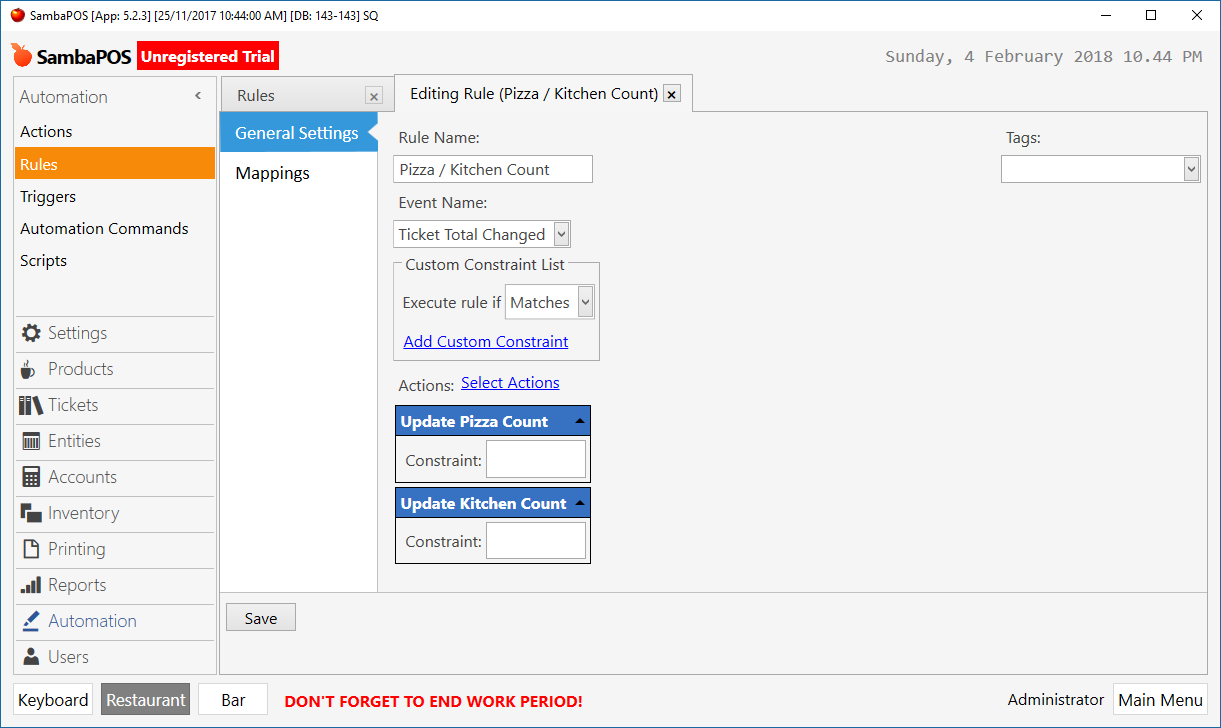
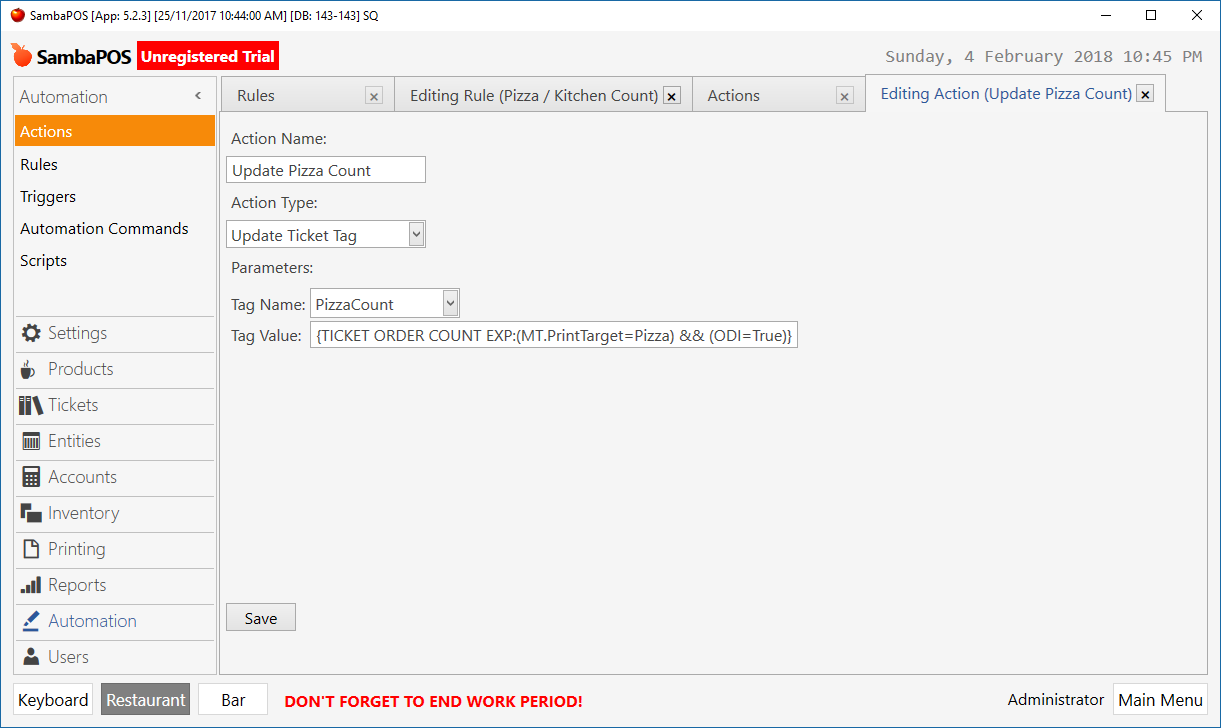
One method if the previous comment about it not working because the other orders are not included on the print is that you say make a ticket total changed rule which with two actions updates two ticket states or tags say pizza and kitchen with states/tags of the count using similar expressions as you described above so the ticket has an order count for each as a state/tag then use a ternary expression on the template to show the plus kitchen or pizza lines. Ticket tag or state will be visable to any print and work arround that the other orders are not being printed.
As using a count you could make it ‘PLUS X PIZZA’ so it also gives an indication of the number of orders on that ticket for the other section.
If you use ticket total changed rather than order added it will adjust down if orders are canceled.
Also thinking about that you will want to make it so blank and 0 as you will get 0 id say once you start adding orders due to the count expression.
No, you want 2, if you make the state type pizza and kitchen and set the state name using the number value for the count.
By using the number you don’t need and or remove just update and you can use a greater than 0 type expression on the template.