pleas now 6 hours but cant connect database
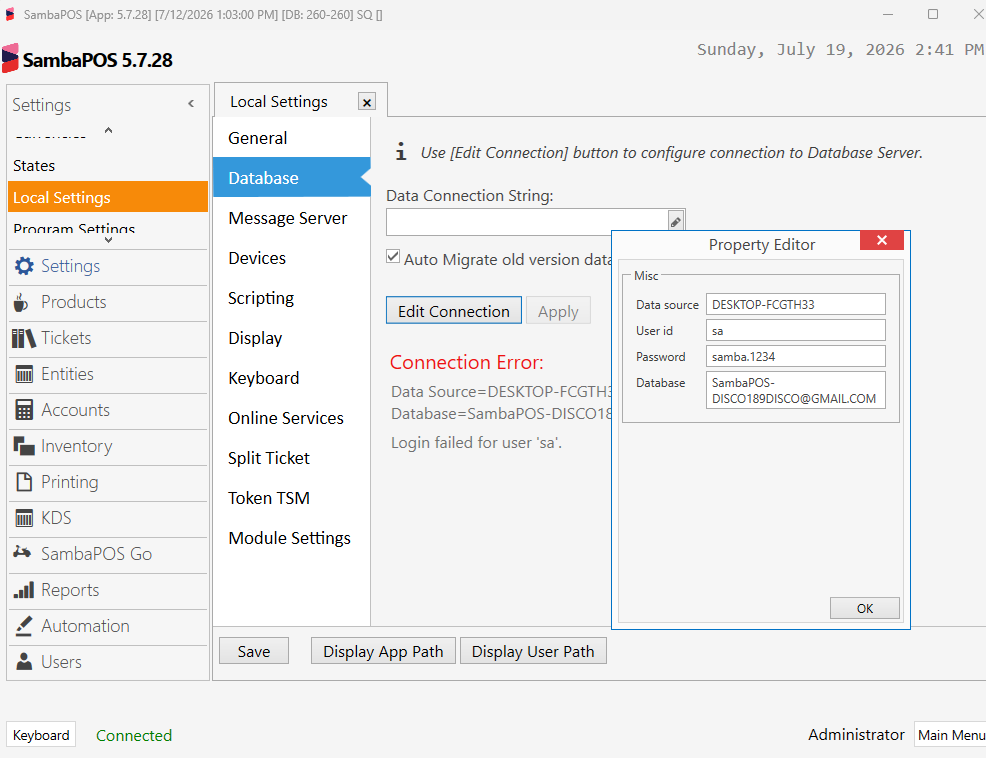
Are you creating a new database or are you connecting to an existing one?
You may have problems with the @ symbol, just call your database something simple like SambaPOS5
im not understand <<how call my database
In the Database field you have like an email address, call it something simpler. Delete everything after Sambapos (assuming you’re setting up a new database that is).
Thank you for your help anyway, but I couldn’t find a solution.
One of the following is true:
- mixed-mode authentication not enabled when installing SQL Server
- enabled mixed-mode authentication enabled, but the password entered in SambaPOS for SQL user
sais incorrect
To check if it’s the first issue, in SQL Server Management Studio execute the follwoing query:
exec xp_instance_regread N'HKEY_LOCAL_MACHINE', N'Software\Microsoft\MSSQLServer\MSSQLServer', N'LoginMode'
If the query returns 1 then follow (B) here:
If that query returns 2 then the password entered is wrong. If you can’t remember the password orignally configured do the following in SQL Server Management Studio:
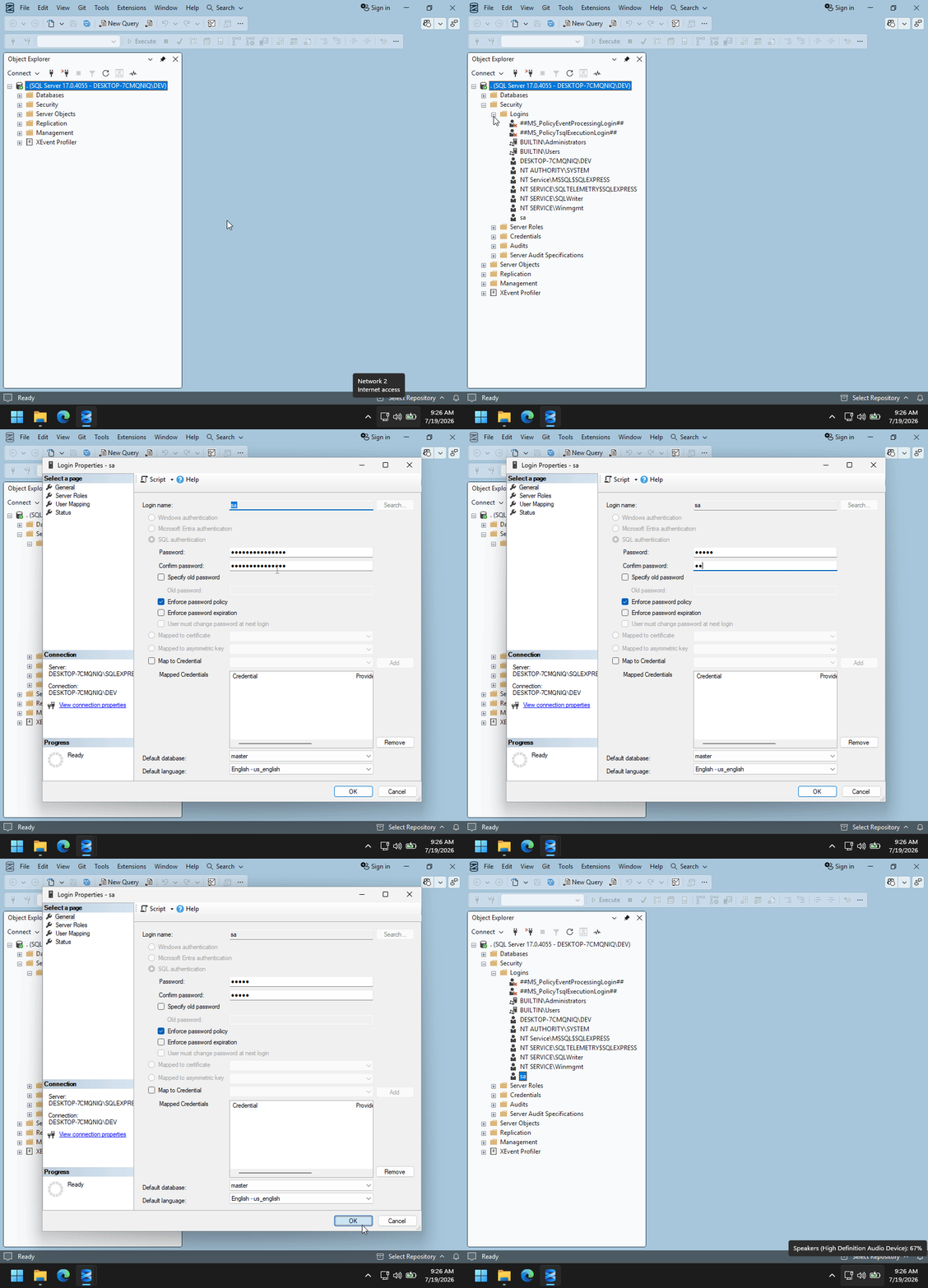
- in object explorer expand Security - > Logins
- right-click sa - > properties
- on the General page, enter the new password in “Password” and “Confirm password” then click “OK”
thanx tooo mu bro <now ok