Navigation Buttons GONE

Hey guys
I was following QMcKay’s Time Clock tutorial to set up the Time Clock. When I got to the end, his “TimeClock” button did NOT appear. So, I went to Settings and when to the Navigation settings and I checked “Allow Custom Navigation” and now I have this problem:
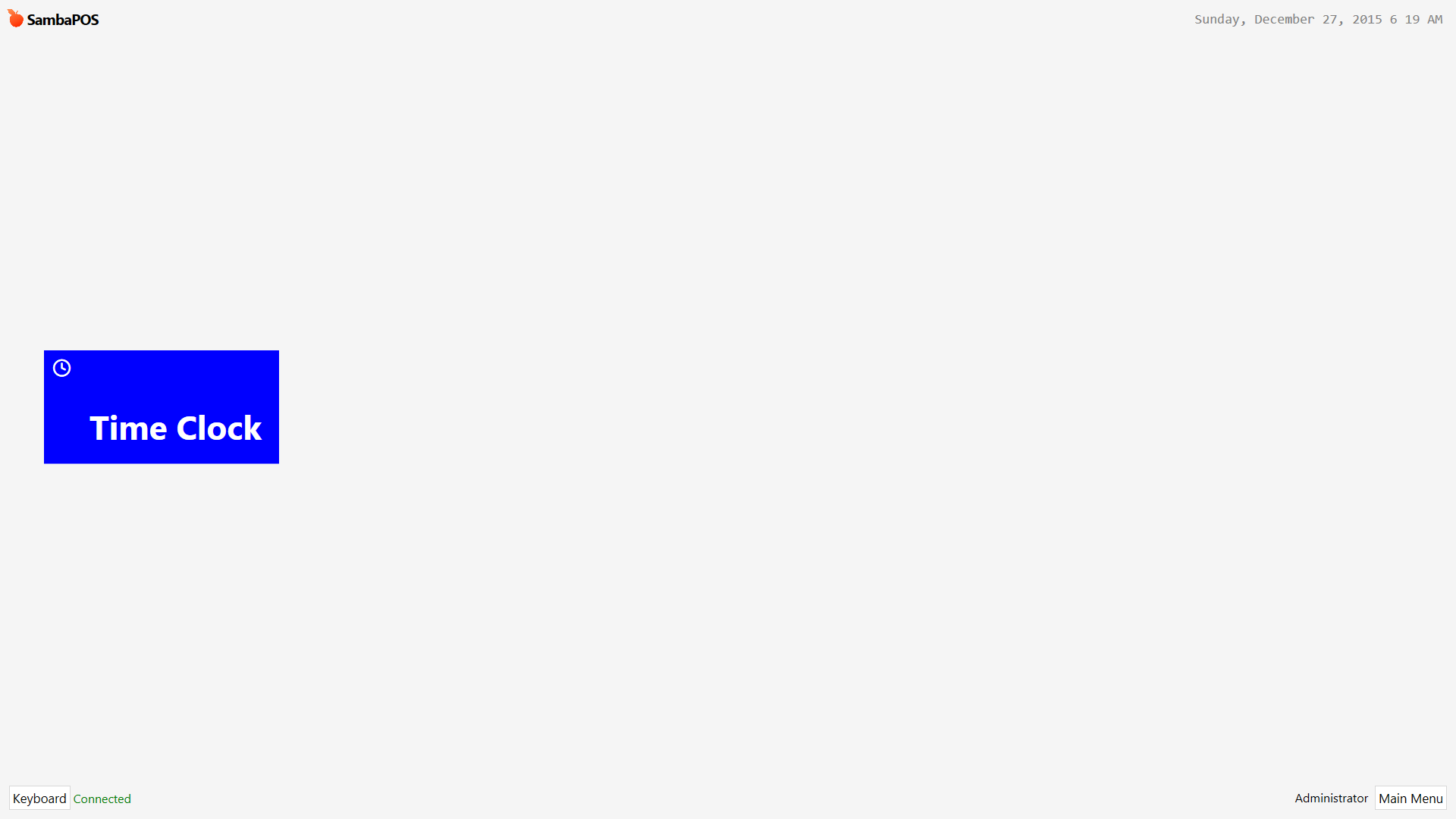
All of my buttons are gone. How do I get them back?

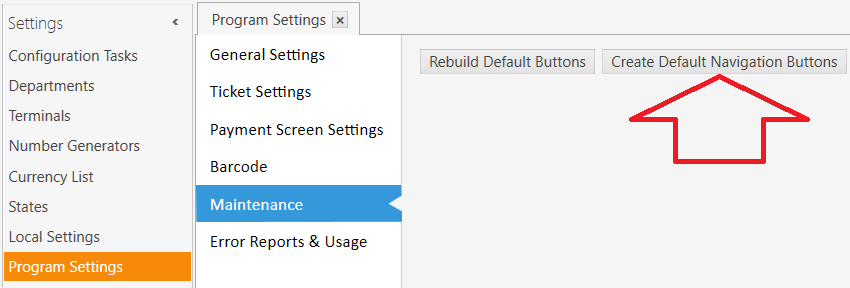
Manage > Settings > Program Settings > Maintenance > Create Default Navigation Buttons


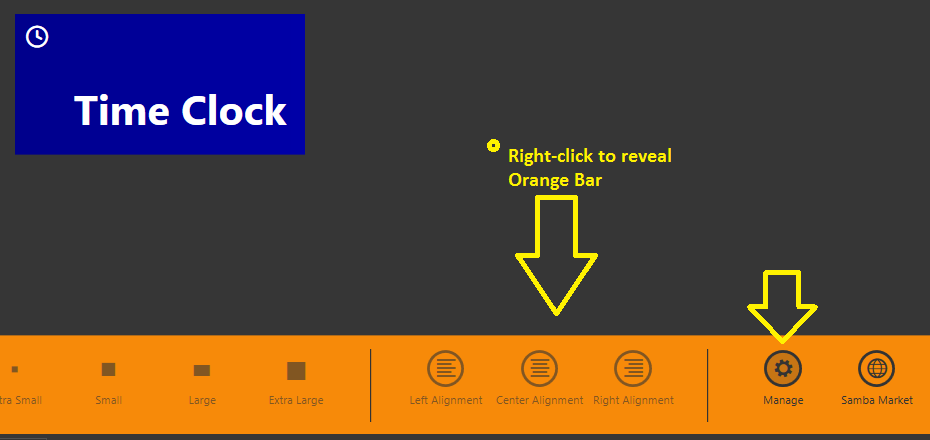
If you cannot find Management, right click anywhere on Main Menu screen to reveal Orange Bar, then click Manage…

Thank you. I didn’t know rightclicking the Main Menu button did that. Great tutorial, by the way.