I have read and re-read the tutorial but can’t find an answer.
I recently added a few new stock items. They print okay on the customer’s bill but, not on the kitchen printer. Any suggestions will be most welcome.
I have read and re-read the tutorial but can’t find an answer.
I recently added a few new stock items. They print okay on the customer’s bill but, not on the kitchen printer. Any suggestions will be most welcome.
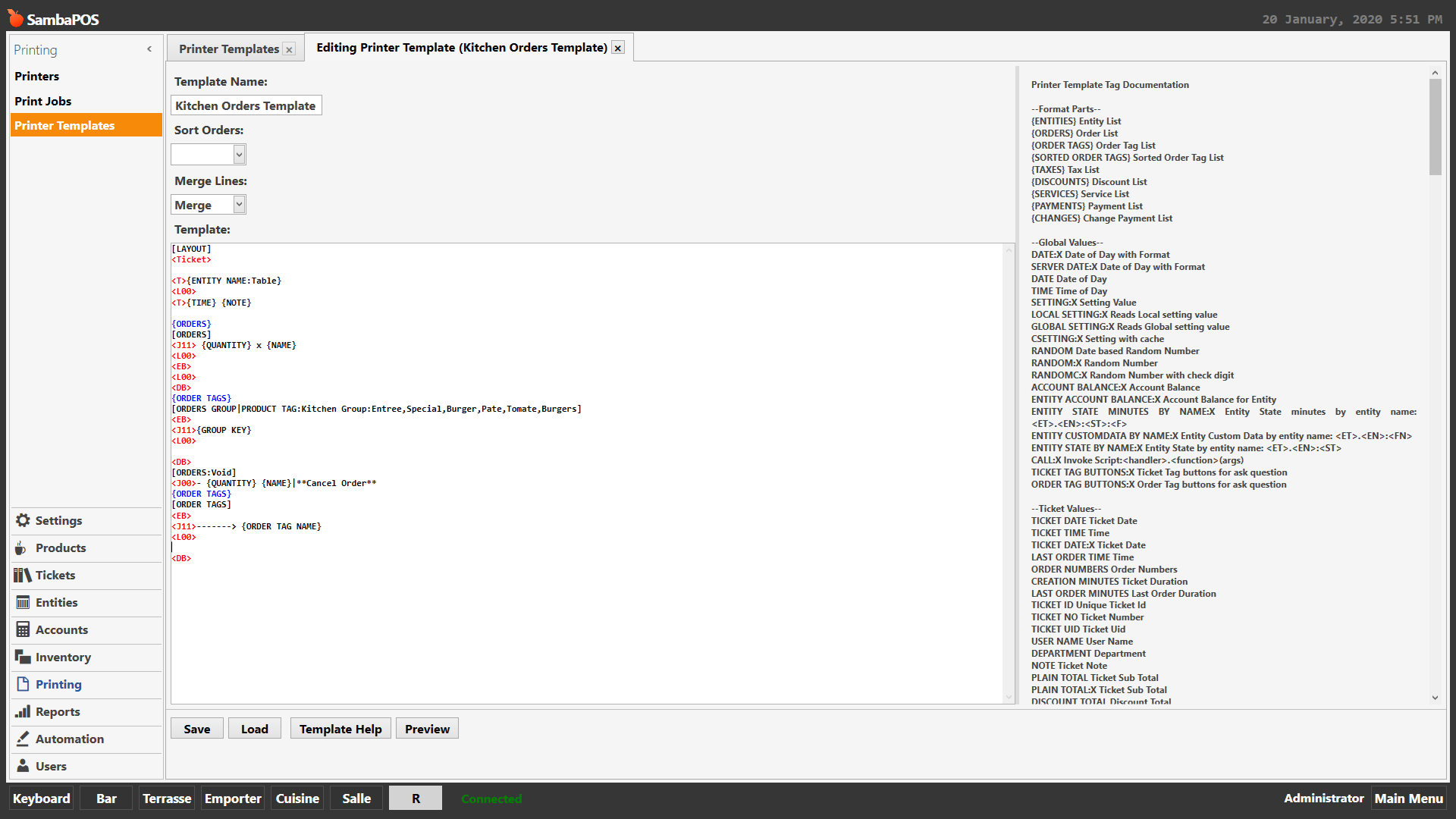
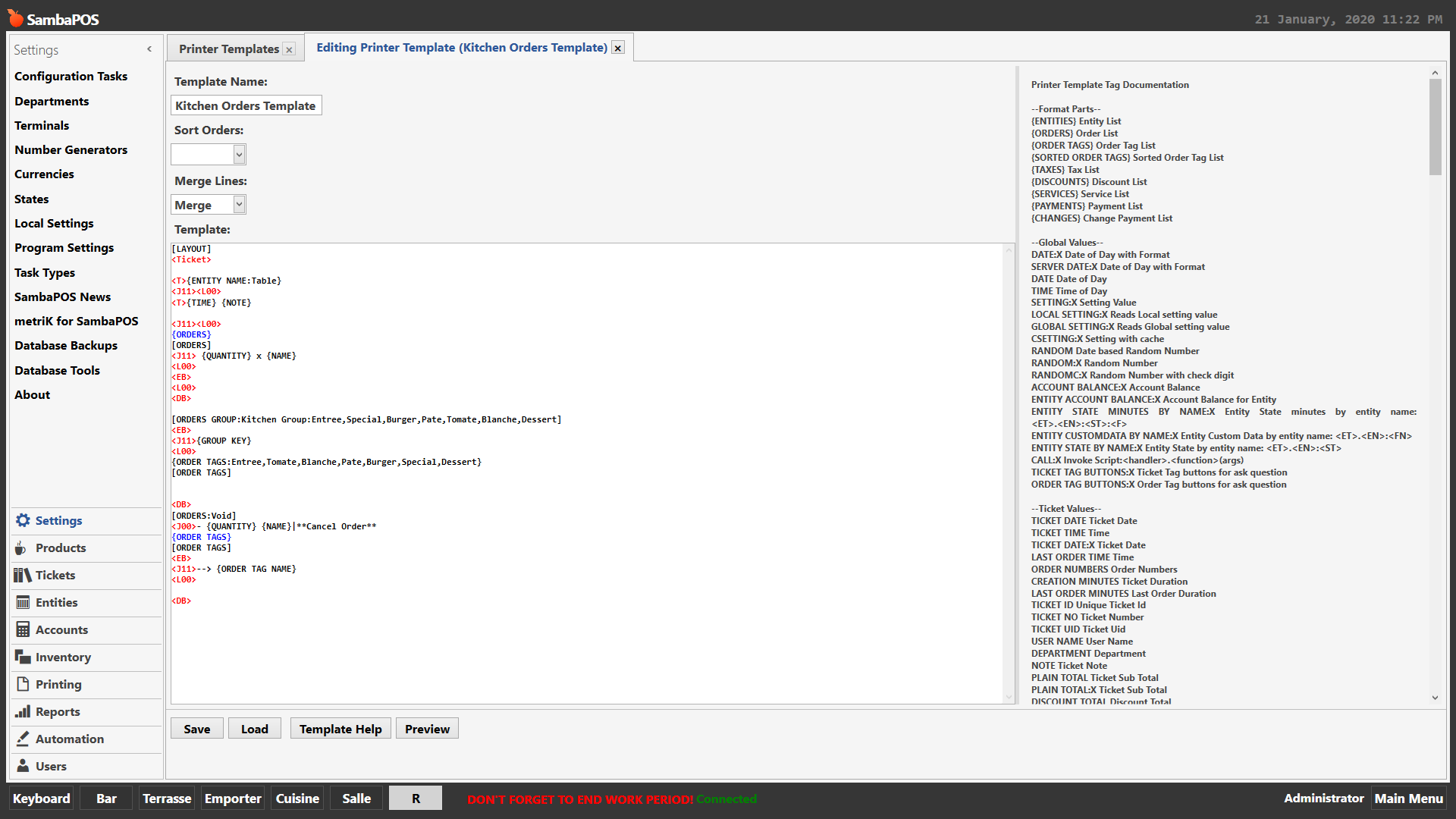
It could be a ton of things. But show your printer template and show the product. Also I changed this to a question. Tutorial category is for tutorials.
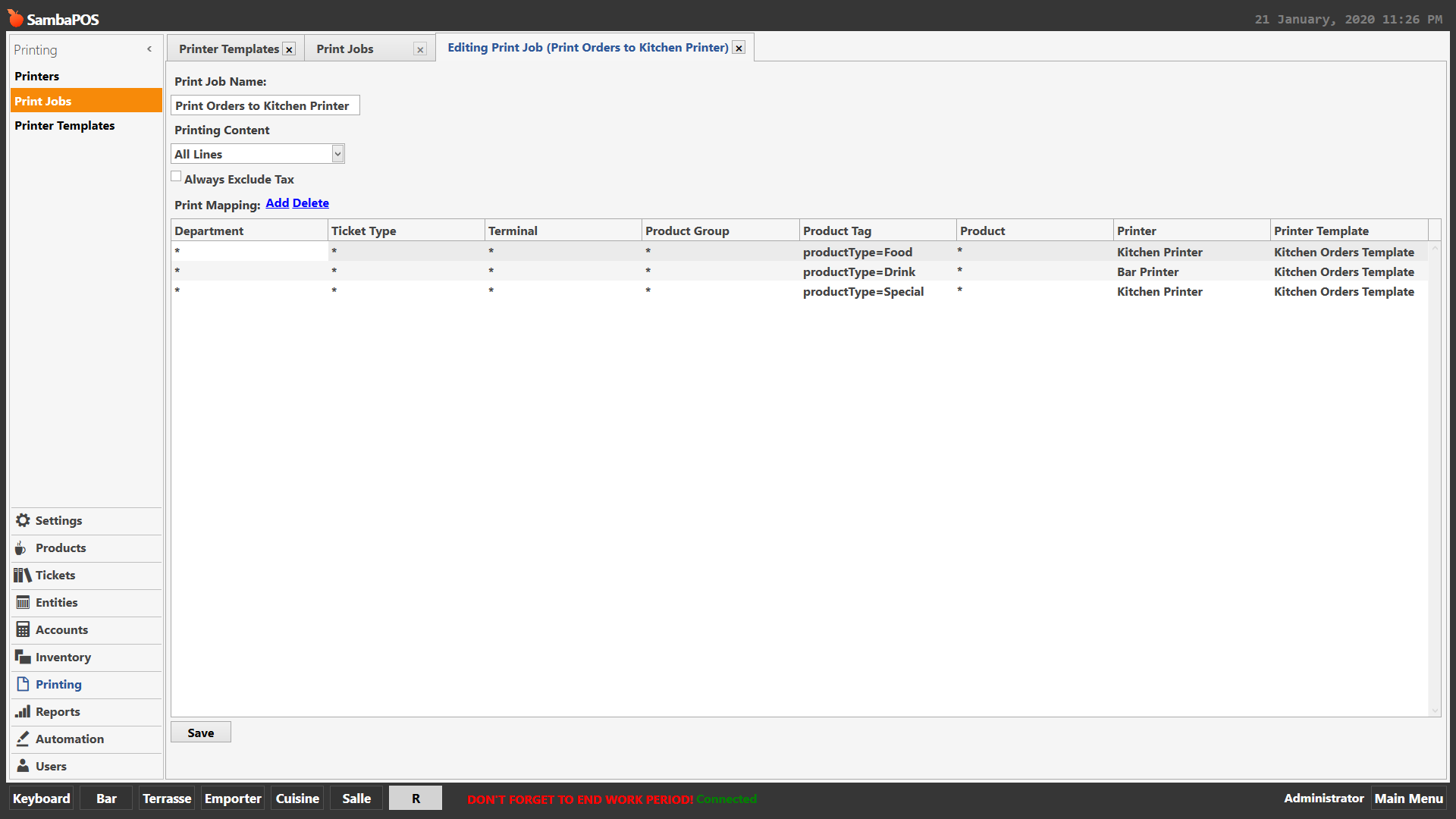
You also may need to check the mapping of your print job… make sure that product is in it.
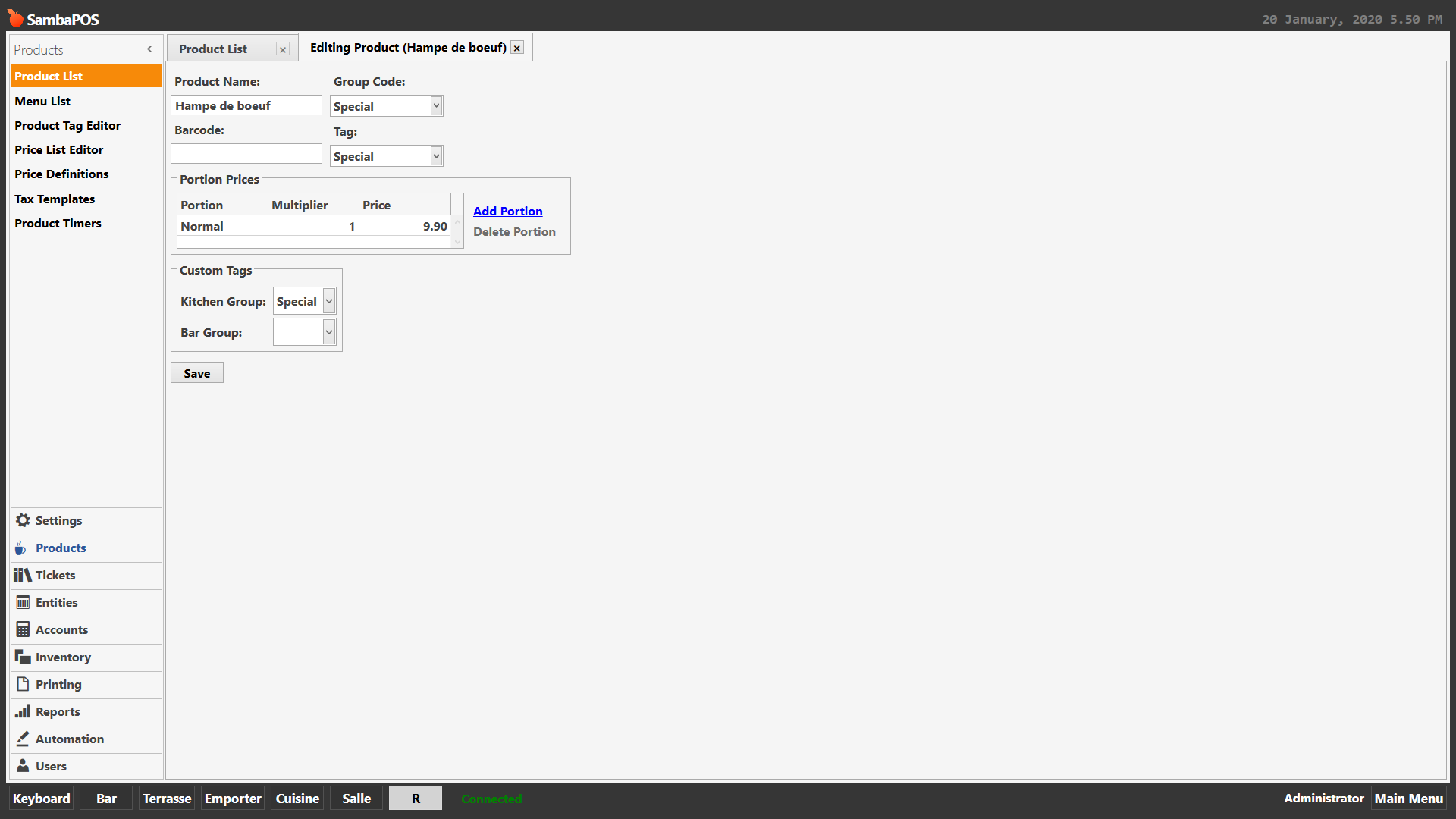
This is one of the products that doesn’t print to the kitchen printer:
First there are mistakes in your print job. You have it mapped to print all products and all product groups so adding the individual groups will not have any effect.
Second you defined it to sort orders by Product Tag of Special yet you do not have that product tag in your print job. You have a tag called Food in your print job.
Thanks, Jesse. I have deleted the “specials” from the print mapping. I can’t see where I have the “Food” tag though.
Sorry to press you, do you have any ideas I can try? I cannot see where I have the “Food” tag.
You dont have a product tag of ‘productType’…
A little more detail would be appreciated please; a solution would be wonderful.
You map to productType= but there is no product tag called productType??
I dont…
what are these tags?
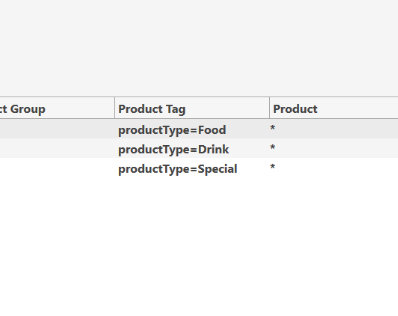
You dont have a product tag of that name…;
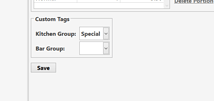
This is a quote from Jesse, I was trying to follow his advice
Where have you set food as a tag on a product?
I really don’t know.
If you tell me what to do, I’ll follow your instructions to the letter. The manual doesn’t help at all.
I have to close the bar now.
Simplest way is just to leave all as * and map by product group code.
Thank you, that works perfectly.