How can I See all tables and Customer tickets in one Screen its much easier to me to see all in one , Need help how can I do this ?
Create a Custom Entity Screen and add the widgets you want… in your case Entity Grid and Ticket Lister.
Customize those to your liking.
@kendash Thanks for quick reply I did as u suggested iam facing the issue 1.If I choose entity tables only tables updating and can choose entity buttons and assign table number same time u cannot see Customer tickets
2.If I choose customer tickets only customer tickets updating and manual created buttons not working
@emre Is there any way choose both entities in selection so tables and customer tickets will display and updated.
As I tried the ticket lister but its not showing customer nameCustom Entity.pdf (196.0 KB)
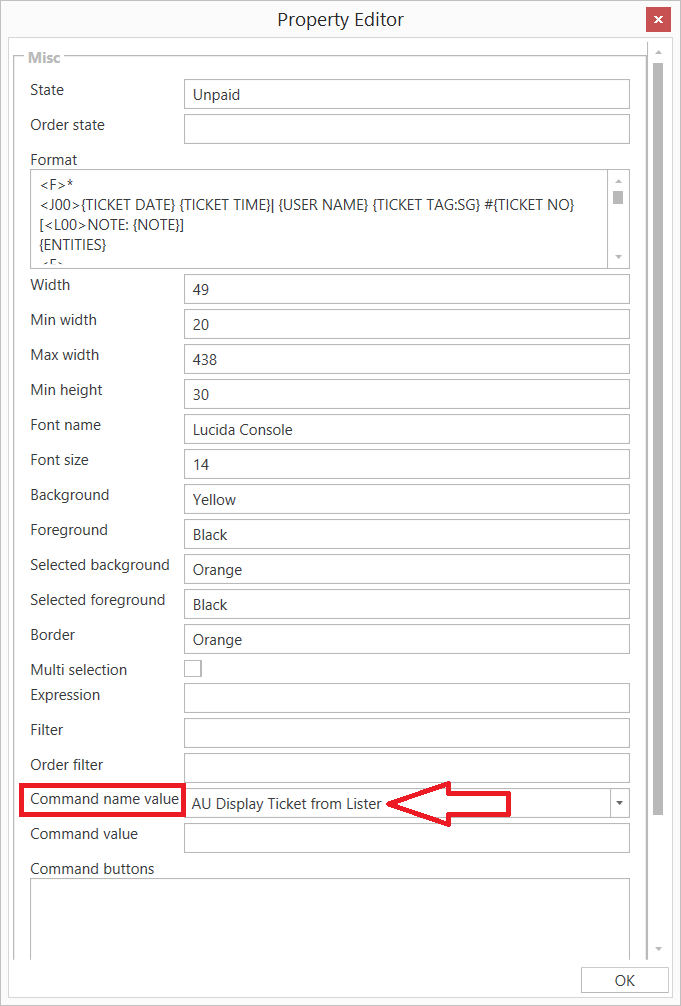
The Ticket Lister Widget will show any Entity Type that you want. You just need to set up the Template properly.
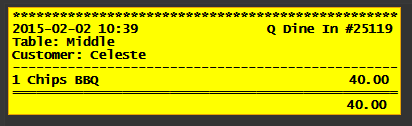
<F>*
<J00>{TICKET DATE} {TICKET TIME}| {USER NAME} {TICKET TAG:SG} #{TICKET NO}
[<L00>NOTE: {NOTE}]
{ENTITIES}
<F>-
{ORDERS}
<F>=
<R00>{TICKET TOTAL}
[ENTITIES:Table]
-- Table entity format
<L00>Table: {ENTITY NAME}
[ENTITIES:Customer]
-- Customer entity format
<J00>Customer: {ENTITY NAME}
[ORDERS]
-- Default format for orders
<J00>{QUANTITY} {NAME}|{TOTAL AMOUNT}
[ORDERS:Void]
-- Nothing will print for void lines
That said, I understand what you mean by other types of Widgets. For example, and Entity Grid will only allow you to display the Entity Type that is defined for the Entity Screen, thus, only 1 Entity Type at a time.
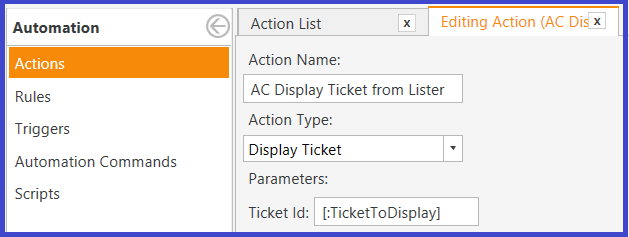
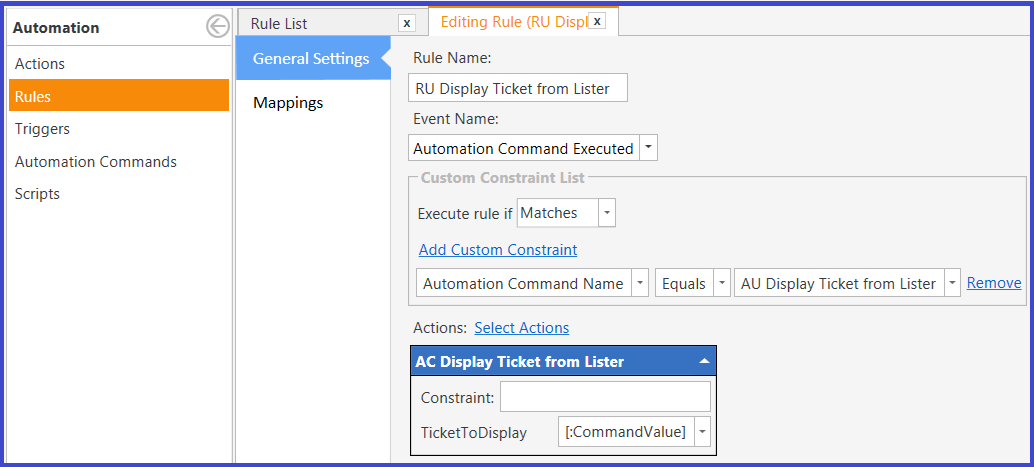
@Jesse , @emre Thanks for the quick reply , and yes the template will work but if u click on lister it wont load the ticket to settle. I want to achieve that in one screen Tables, and Customers Open Tickets so Can select and settle I think there is only one way that custom entity need to allow multi entities .