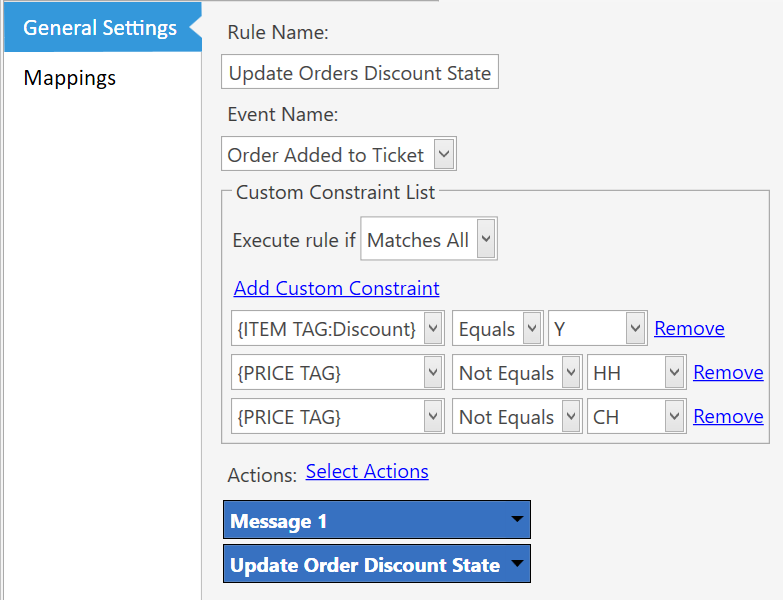
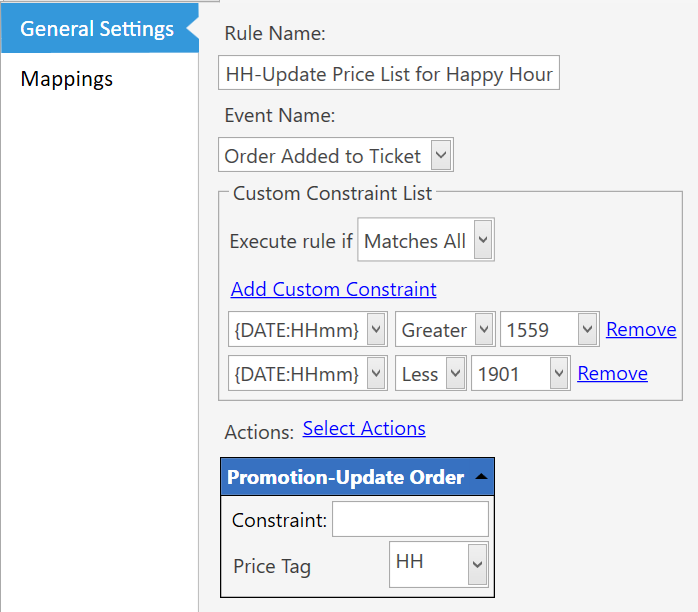
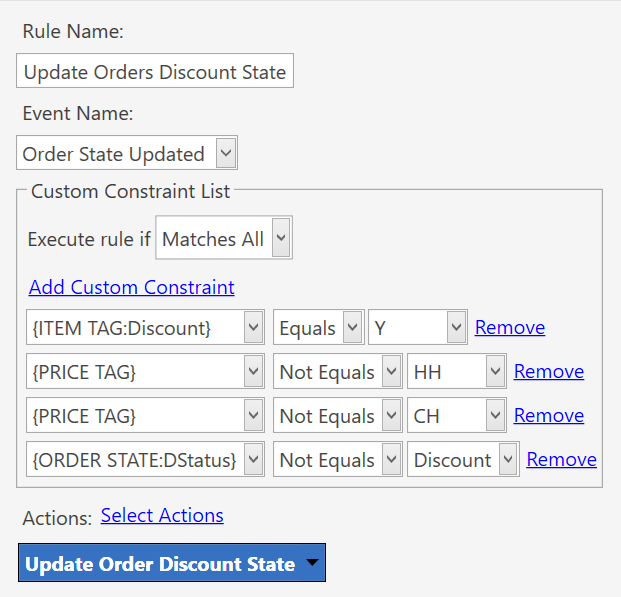
We have a loyalty discount scheme whereby a discount is given to members of the scheme. This applies to most products (but not all) and also excludes those already discounted in happy hour (HH) or cocktail hour (CH). To enable this we have a rule as follows
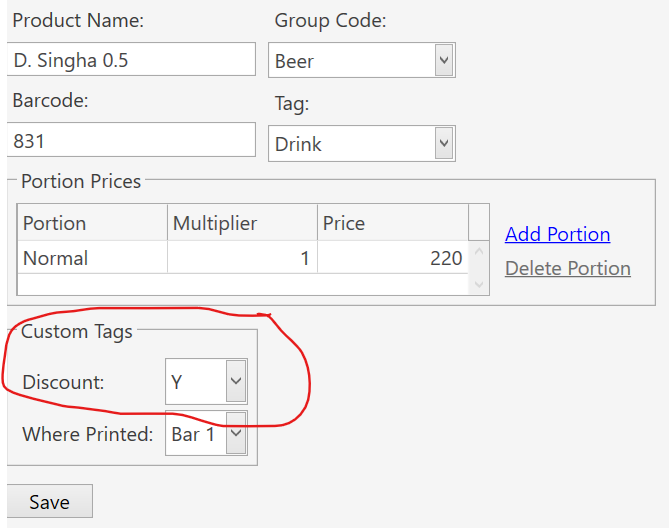
So if the product is tagged as Y for discount applicable AND is not included in HH or CH the rule should fire and the discount tag set up for later calculation. If it is included in HH or CH, the rule shouldn’t fire, so no discount tag. This has been in place for several years and working fine, but staff have recently advised that HH and CH are also now being discounted.
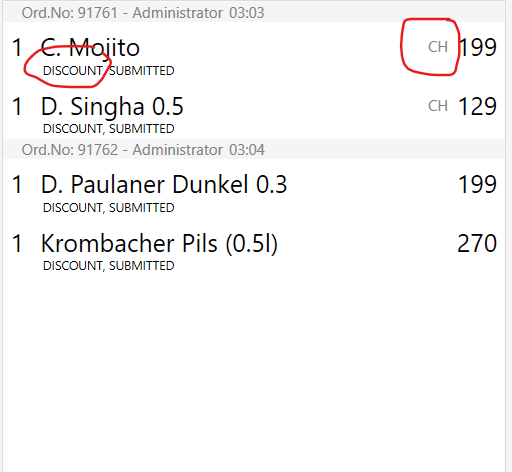
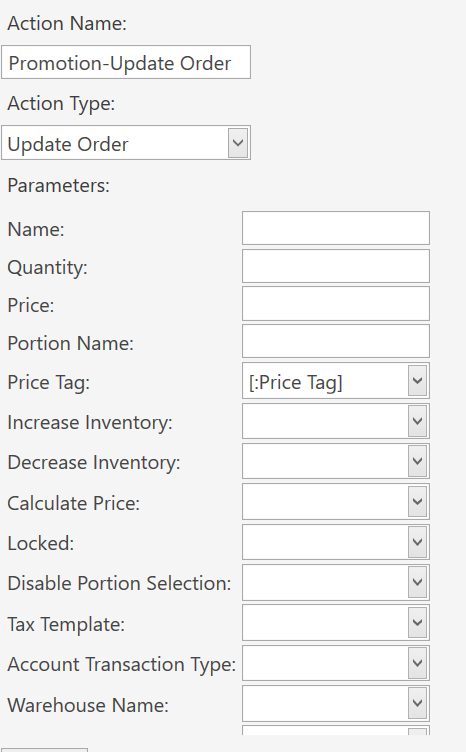
The order is being tagged correctly and the correct price picked up as below, but the discount is being applied to everything, even items with price tag CH or HH.
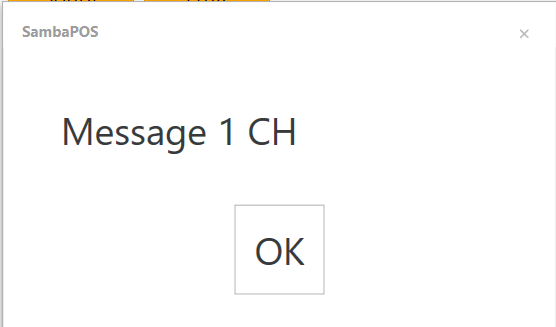
In the above rule, the message is for test purposes only and is set as Message 1 {PRICE TAG} which gives us the message box
showing the rule is firing even though {PRICE TAG} is correctly set as CH, (which should have prevented it firing).
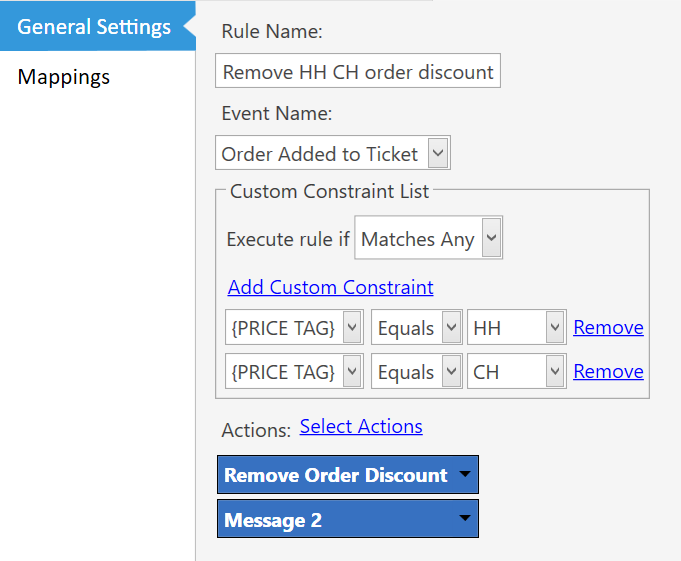
To further test this i set up another rule
Message 2 is the same as message 1, but this rule never fires irrespective of whether the item should or shouldn’t be discounted. This all implies to me tha Sambapos is ignoring the {PRICE TAG} constraint.
In the restaurant we have V5.2.22 and on my development system I have V5.2.26. I wanted to test an older version but unfortunately have recently cleared out all the out of date versions and have not been able to find them for download from the Sambapos site (although I am sure they used to be) so have not been able to confirm if the same behavior was seen in earlier versions.
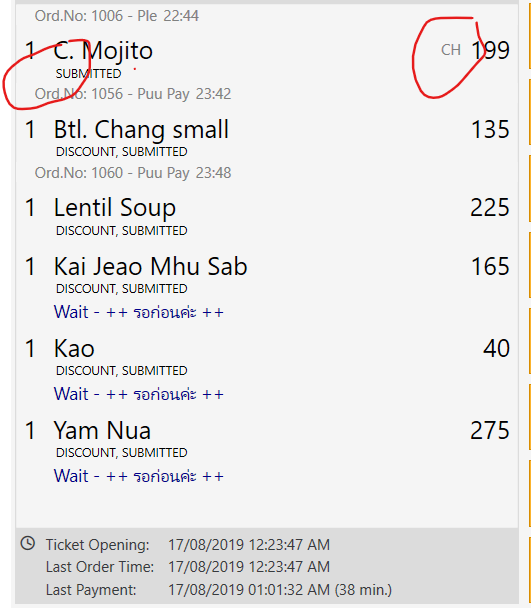
The bill below is from August 2019 and shows at that time, if the item was tagged as CH, it wasn’t discounted. As far as I am aware, nothing has changed in our setup since that time but we did update the version of Sambapos at some point.
Has anybody experienced similar behavior or can shed any light on what is happening?
My point was message 2 should fire if the price tag is HH or CH, but it isn’t.
In the first example (message 1) it shouldn’t fire if the price tag is HH or CH, but it is!
Ive had similar problem in the past and the issue is that it checks for HH or CH price tags while order is being added not after it was added.
You will have to check {PRICE TAG} after the order was added in another rule and then make additional changes to your orders or order states.
Or if it was working as it was supposed to before, maybe you need to sort your rules as they are executing in different pattern after installing new version.
@Posflow I was thinking along similar lines but as you see, message 1 is the first action executed and it confirms the price tag is correctly set to CH already. Ironically however, that means the rule should not have fired at all. The rule with message 2 on the other hand should have fired, but didn’t!
This rule executes first, suggesting the price tag has been set as required and the fact that the tag and price are being set correctly would seem to corroborate that. This is followed by execution of the rule above above showing message 1.
[SOLVED} It seems the problem was as intimated by @Posflow that constraints are checked before the rule is run or in this case several rules, all triggered by the same event. This makes the results seen in the message boxes a bit misleading as it shows changed parameters as a snapshot in time rather than as they were when the beginning at the time of evaluation. Breaking down the total process and using different events as triggers resolves the issue. In particular, setting the update of the discount state to be triggered by an order state change (marking it as new) as below
The ‘{ORDER STATE:DStatus} Not Equals Discount’ is added otherwise the rule fires three times (1. on initial state change to new; 2. on state change to Discount; 3. on state change to submitted) which whilst not changing the outcome is somewhat inefficient.