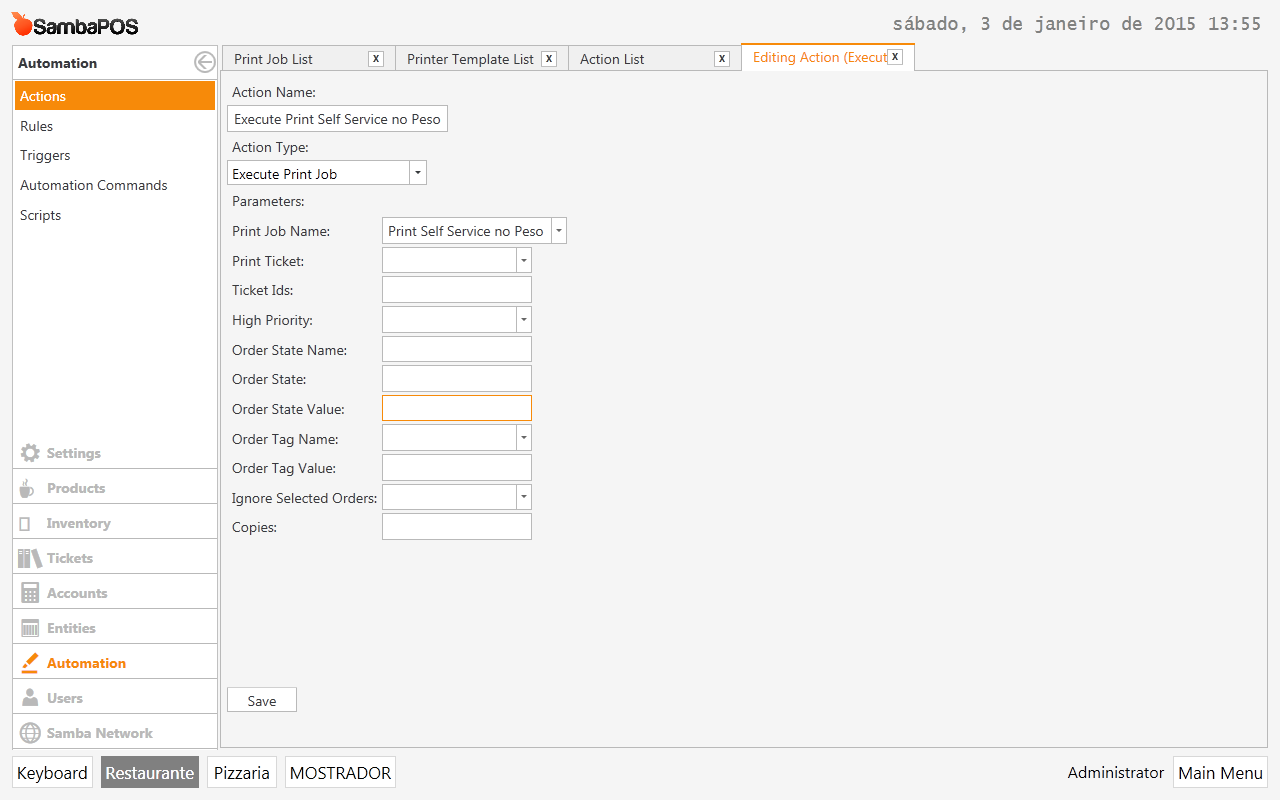
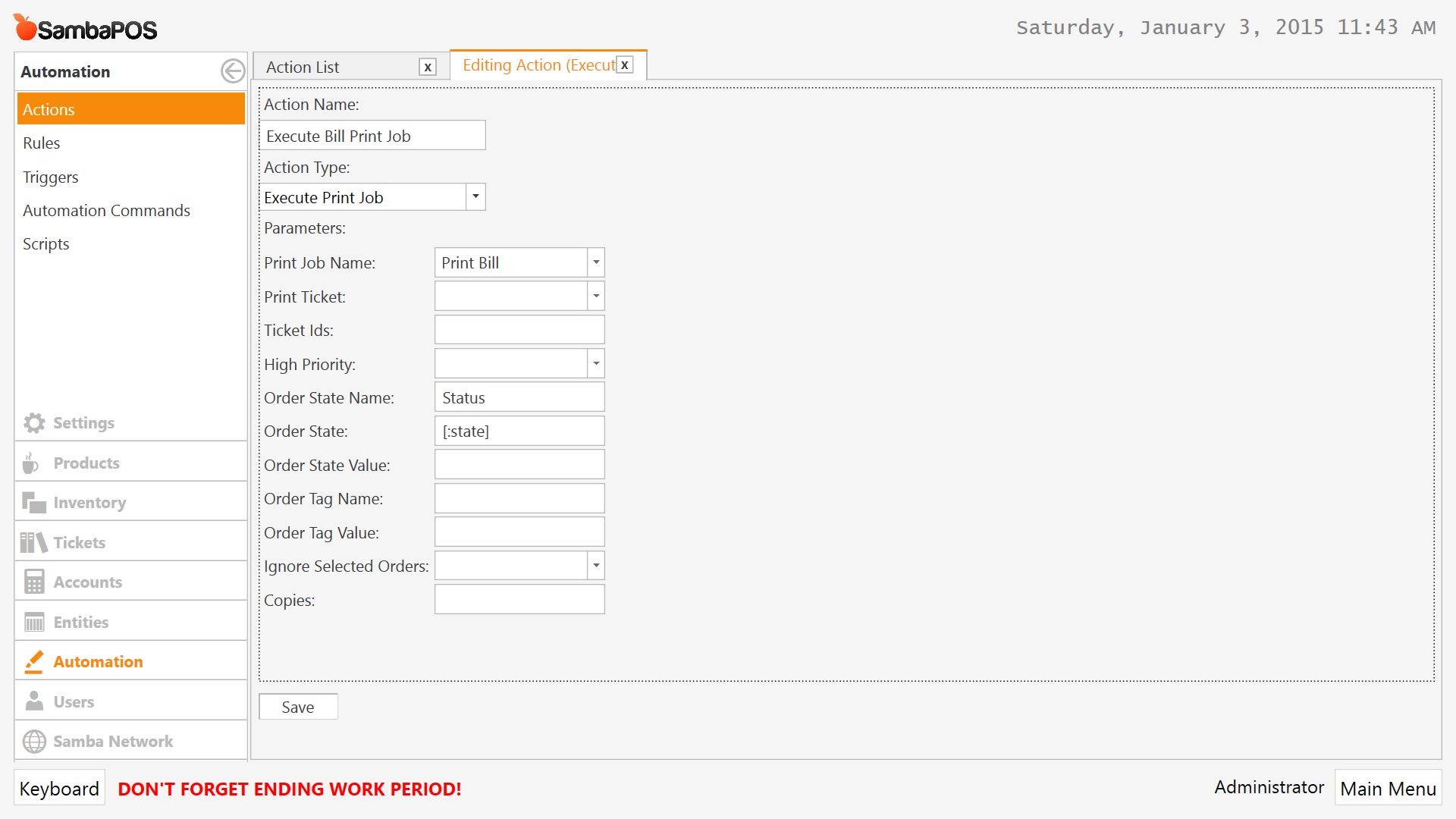
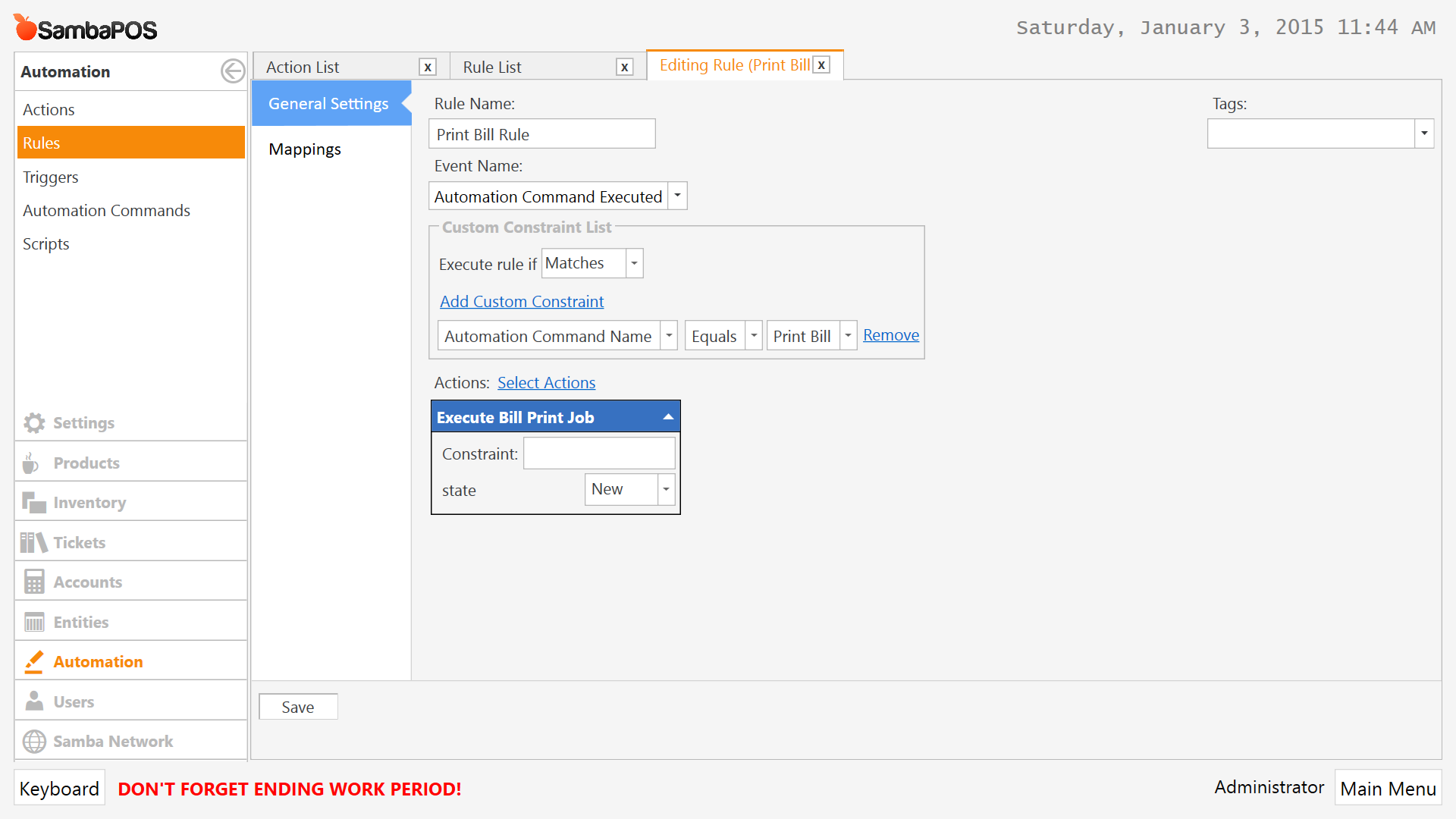
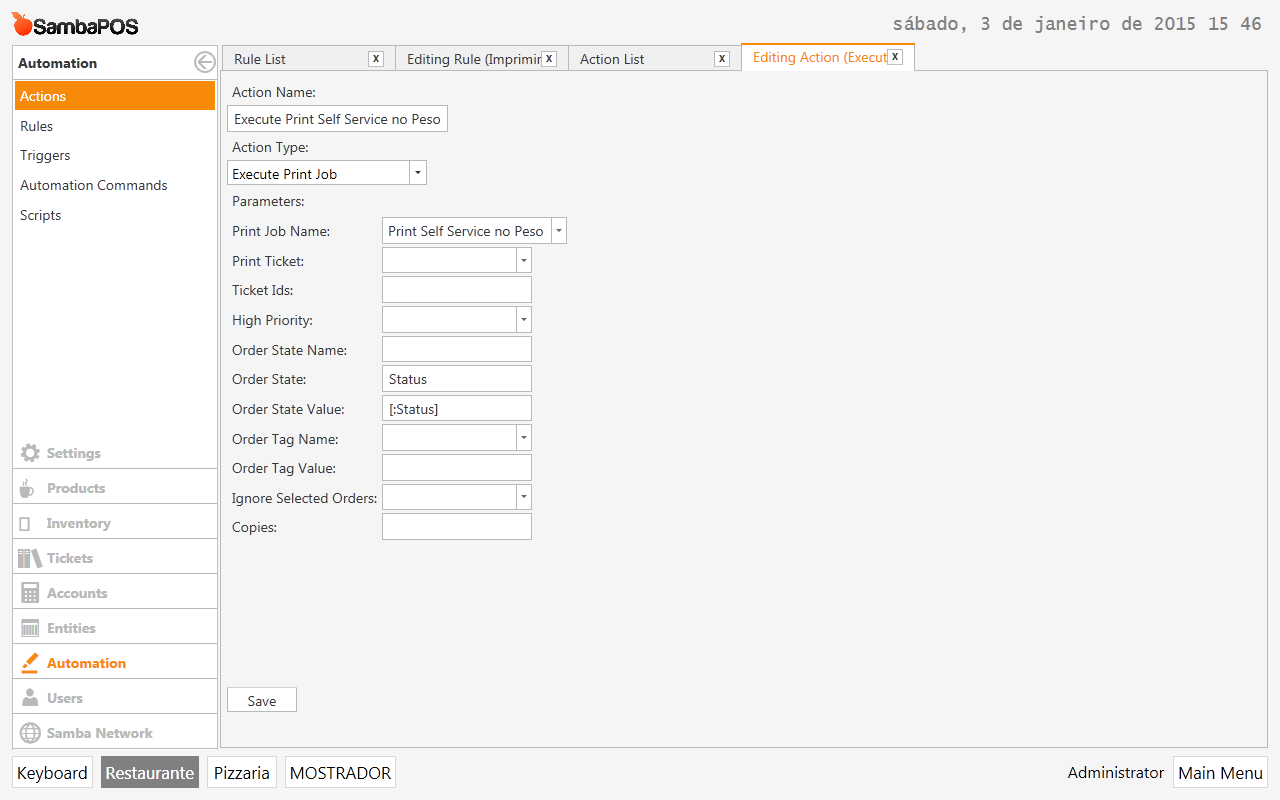
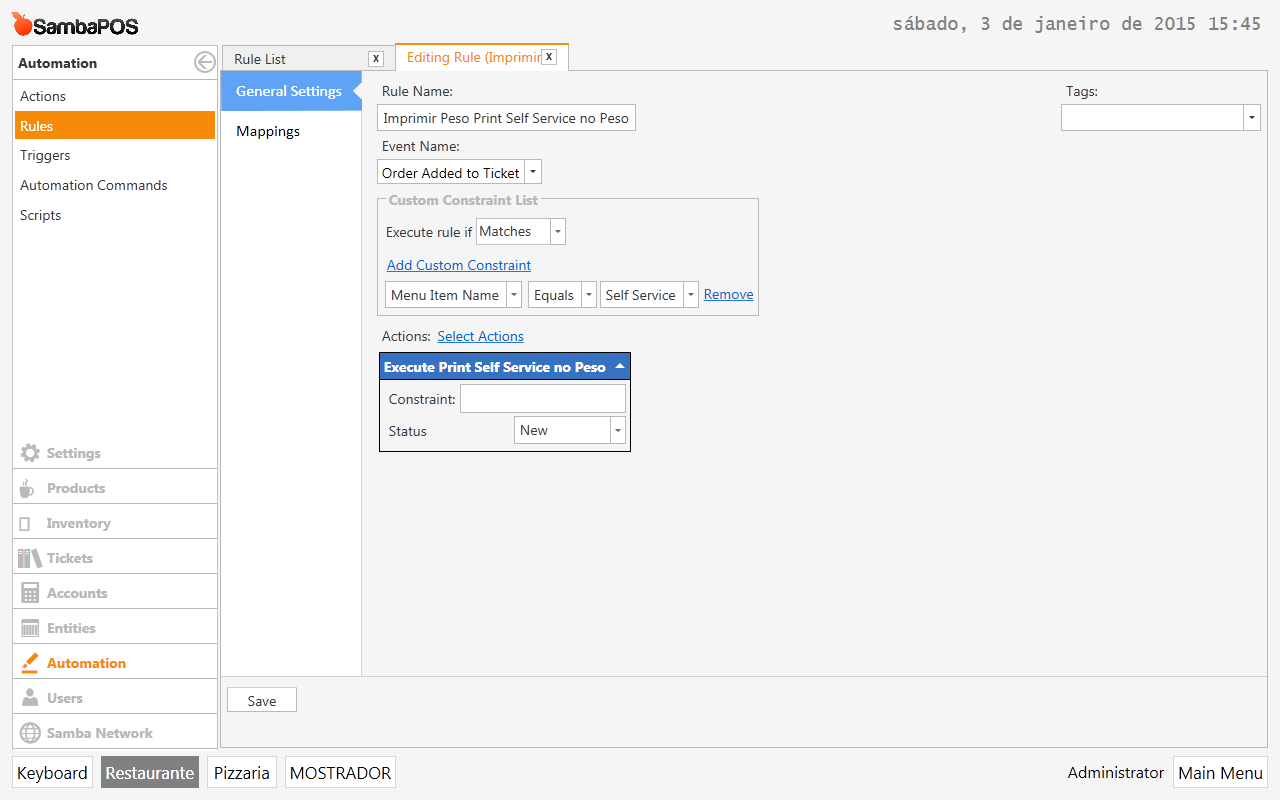
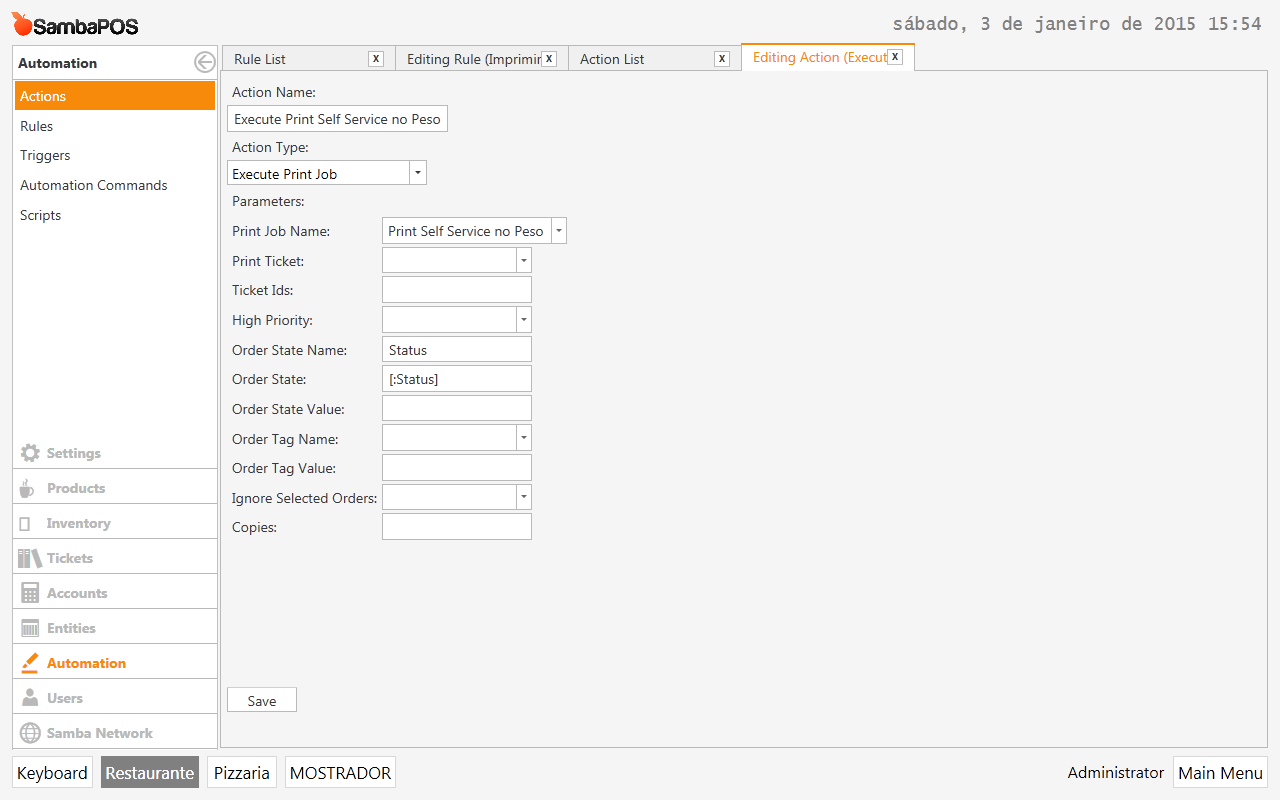
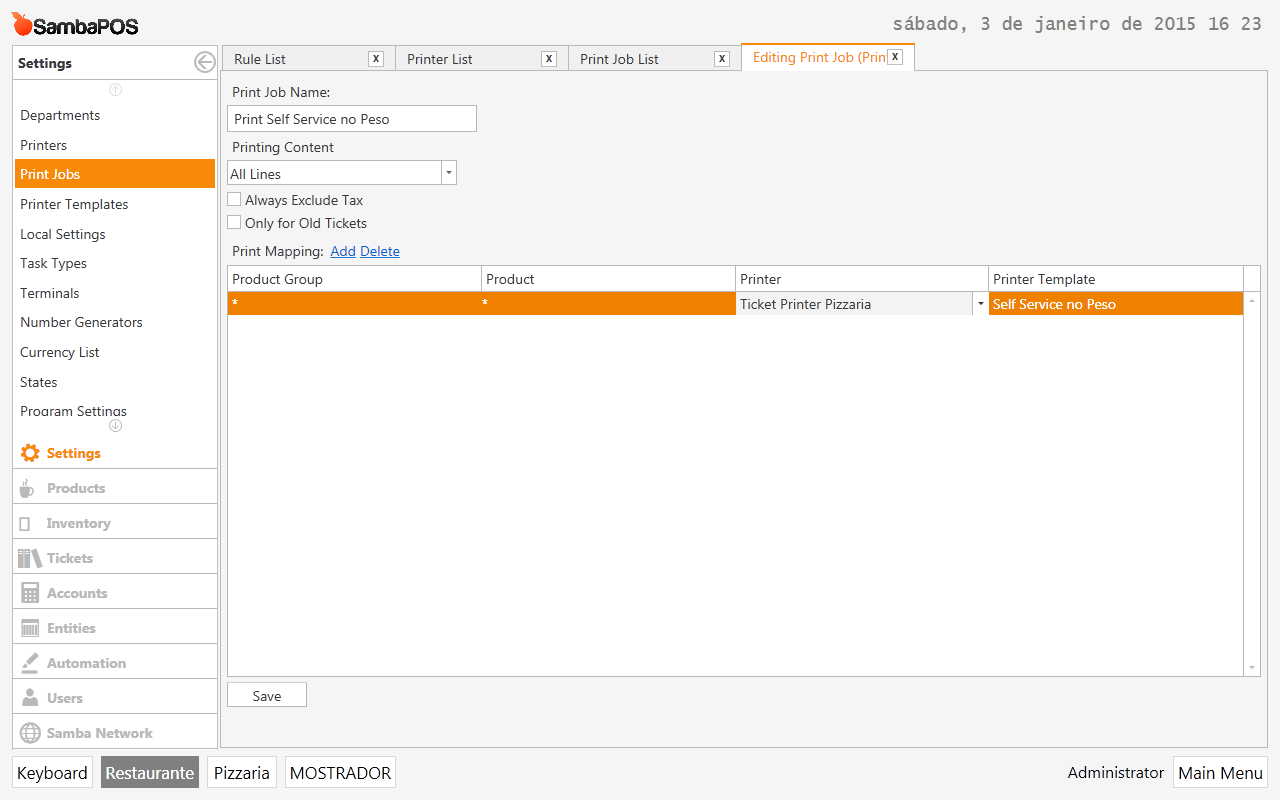
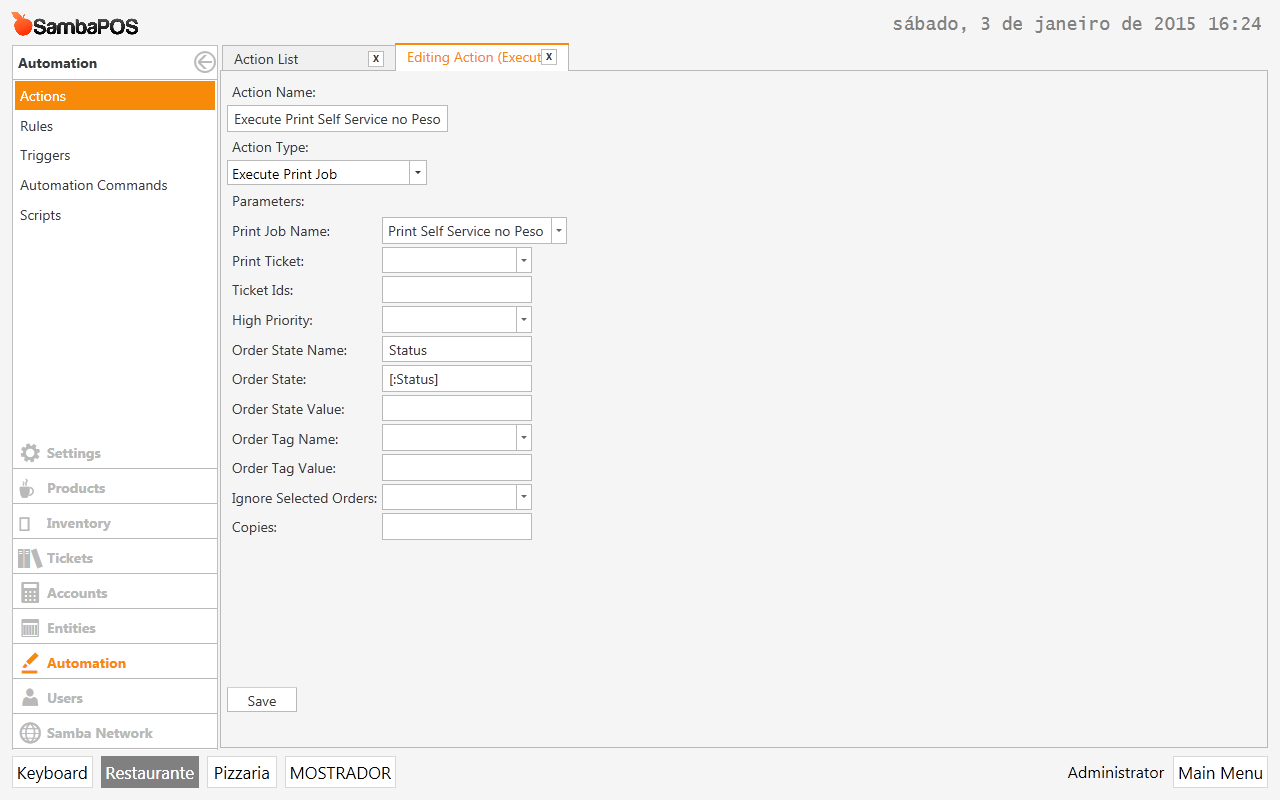
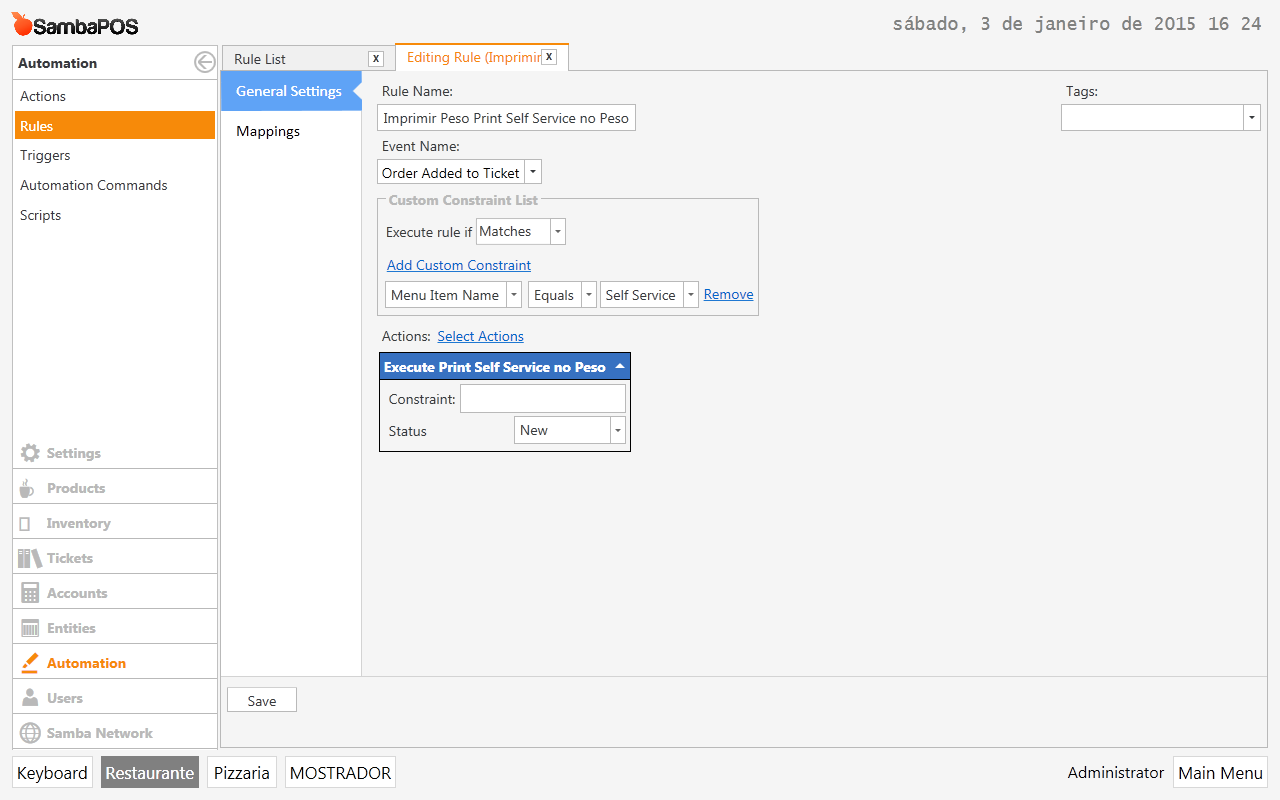
In the Action: for Order State try making it a variable and define New from within the rule instead of the Action. It will be able to read it then. Should work let me know if it doesn’t. I just tested it and it worked on mine.
PS you had it right just sometimes it can not read it unless you call the State from the rule instead of the action. You do this by using variables in the action.
I personally use variables for almost all actions. I think it is a good practice and allows more flexibility later down road.
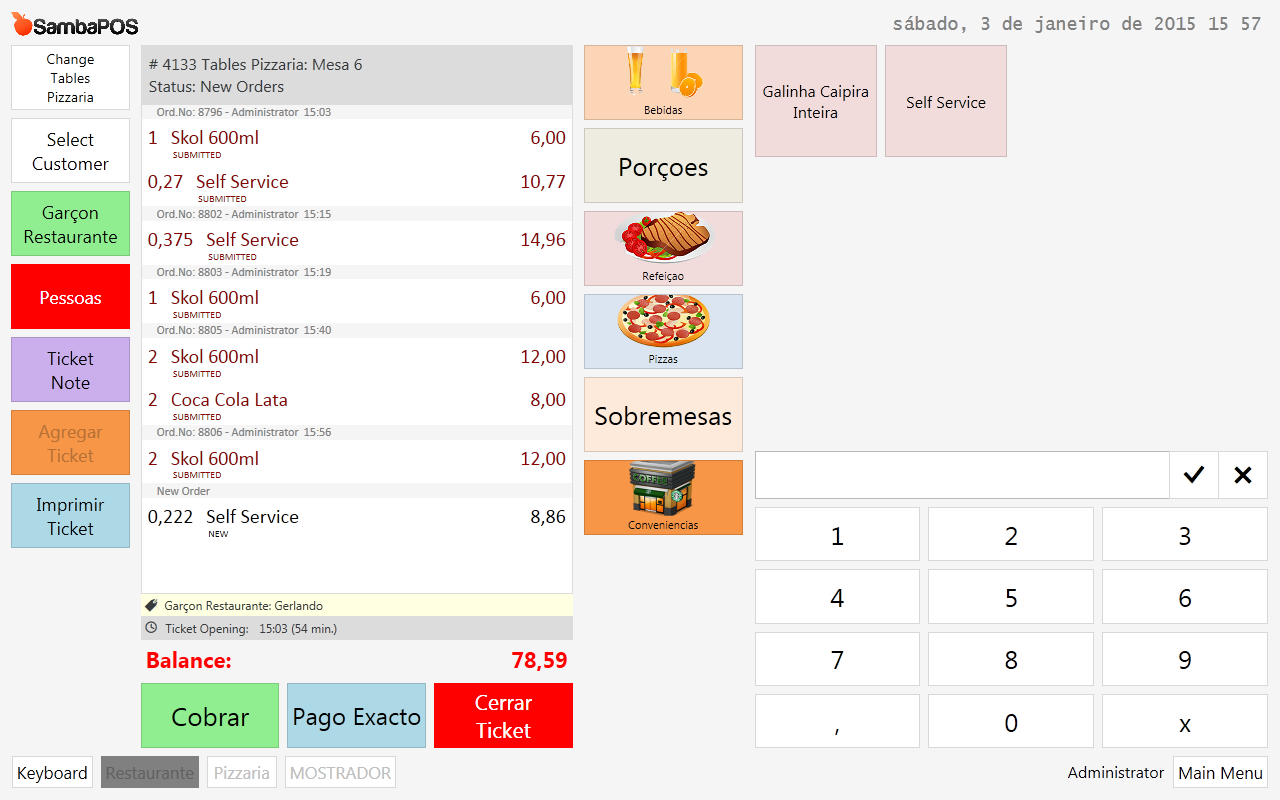
On mine it is not. It is only printing Orders with State of New. Show some screenshots of yours so I can see what is happ[ening. Show a shot of the actual Ticket Screen so I can see your order states please. And are you pressing a button to print or did you automate it/.
your state and variable are correct so it has to be a problem with something else. Probably the rule constraint. try taking the constraint off to see if it prints. If it does then we need to look into the constraint.
You have done something Wrong. I tried every combination with mine and it works just fine. Make sure you did not misspell something or forgot to save something. I added a constraint for specific menu item and it worked as intended.
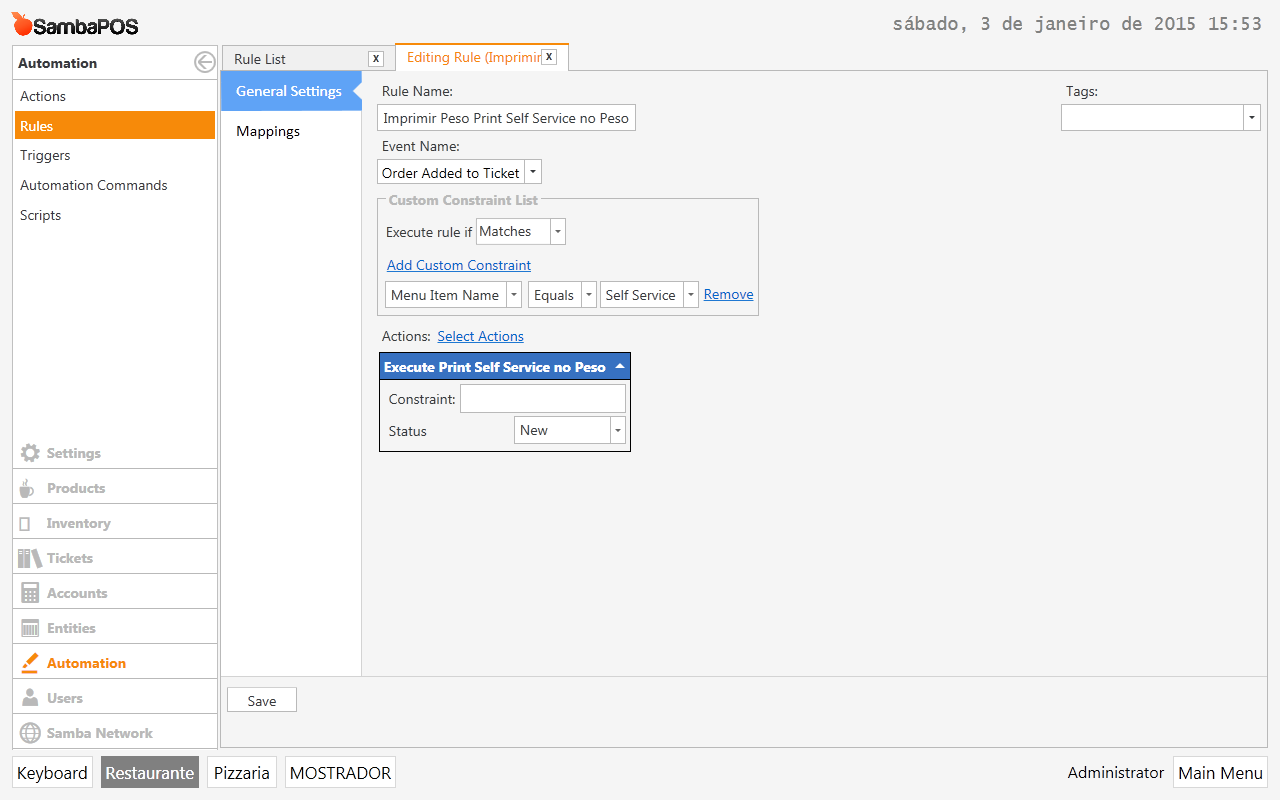
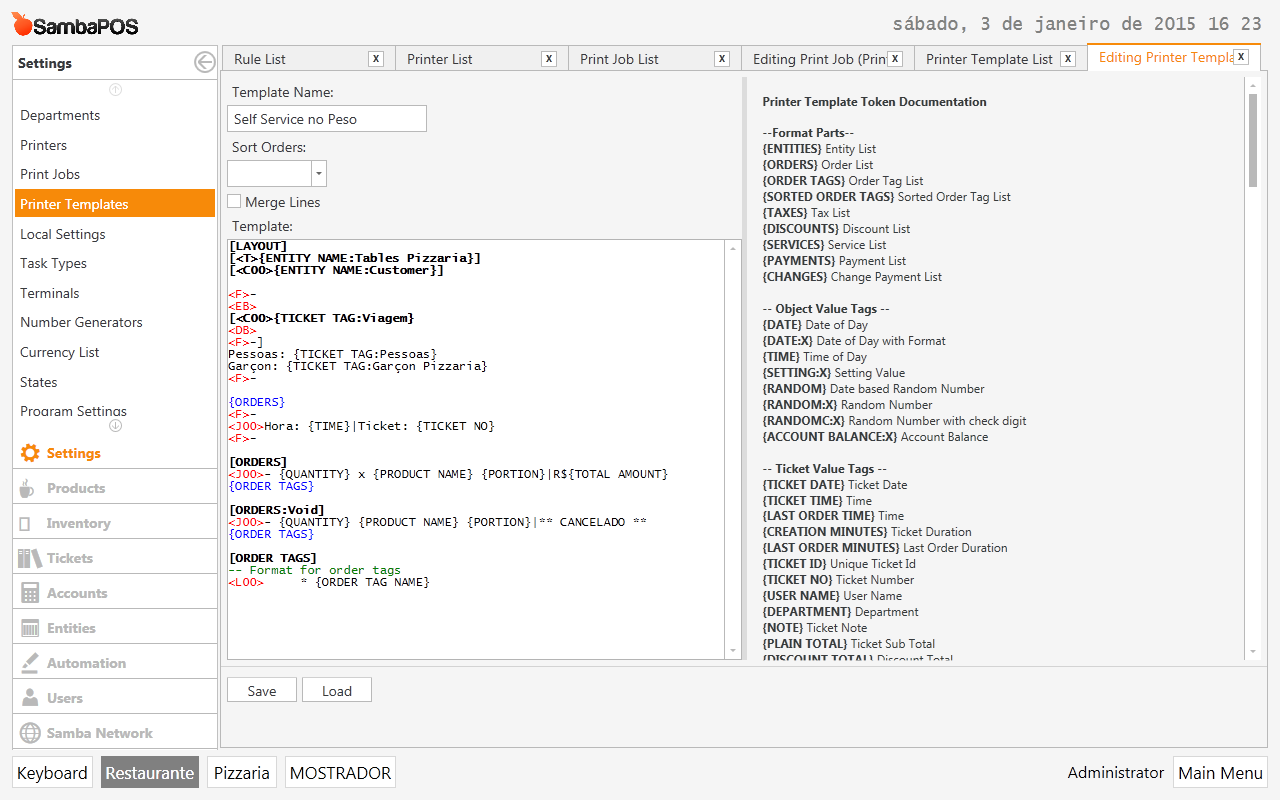
Give more screenshots of everything maybe. The Print Job, Rule, Action, Settings > States ETC
When you took the action out of the rule did you save it and then reopen it and add the action again? Its not enough to just take action out then immediately put it back.
All of those screenshots look good nothing wrong in them that I can see. I can not see if the Action is updated or not though. But if you said you did remove it then save the rule with no actions then reopened the rule and added the action it should be OK. So it must be something else we are missing. I setup mine exactly as your screenshots and it is working flawlessly.
EDIT: We can eliminate obvious stuff. Try setting printer to demo and see if it prints into notepad. This would eliminate possibility of it being printer. If it does not print to notepad then we know its a configuration issue still. If it does print to notepad then it would be something to do with printer.
The same printer is used for tickets and works, since I print tickets right after adding an order…
action was removed from rule, logged out, logged in and added…
i cant imagine why…
but now i will add an extra feature… I want to print only THE LAST ORDER ADDED… not all the NEW ones…