REPORT ORDER DETAILS Tag

Does anyone know how to use this Expression:

PA Ticket Contains a Payment

Not quite sure what should go in here?

I might explain myself a bit more. @emre I am trying to get a Report of all FOOD Group Orders paid by Account. Is that possible using Tags?

EDIT:
Umm If I enter something like PA=Cash - it works Emre but every Customer Account is difference such as “123-Finlay” or “456-Cane” therefore how do I nominate all Customer Accounts :confused:

Sample Syntax: Working

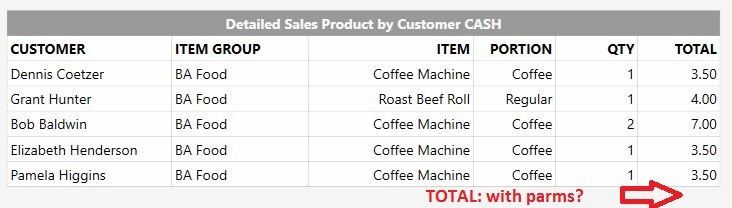
[Detailed Sales Product by Customer:6,5, 6, 3, 3, 1, 2]
>CUSTOMER|ITEM GROUP|ITEM|PORTION|QTY|TOTAL
{REPORT ORDER DETAILS:EC.Customer.Full Name.asc,O.ItemGroup,O.MenuItemName,O.PortionName,O.Quantity,O.ExactTotal:(ODI=True) && (TCET=Customers) && (PA=Cash BR1)}

Use a parameter and load customer accounts into it.

Umm ok I get “Parameter” and I get “Customer Account” but @Jesse I do not get the load thing? So Every Customer Account is unique and can be in the thousands …

How do you define food group orders? How you’ll handle partial payments?

I think you misunderstand me @emre - separating Food Group Orders is using the MG expression easy. It is the question of:

How do you report on Orders Paid by Customer Account?

I have 1,500 separate Customer Accounts…

I also do not understand your reference to:

?

Ok @Jesse - there is no doubt you are very intuitive! It took several reads of your statement before I cottoned on what you were suggesting!

So this almost works BUT feeding in the same Parameter List to get a Total screws up the Report. The Report is a little useless without a Total…

[Detailed Sales Product by Customer CASH:6,5, 6, 3, 3, 1, 2]
>CUSTOMER|ITEM GROUP|ITEM|PORTION|QTY|TOTAL
@{REPORT PAYMENT DETAILS:P.Name,P.Amount.Sum.desc:(PT=House Wallet) && Payment.Amount > 0:{0}:,}
{REPORT ORDER DETAILS:EC.Customer.Full Name.asc,O.ItemGroup,O.MenuItemName,O.PortionName,O.Quantity,O.ExactTotal:(ODI=True) && (MG=BA Food) && (PA=$1)}

I have tried this syntax BUT I get several Total Lines!

TOTAL|||||$[=F(TN('{REPORT ORDER DETAILS:O.ExactTotal.sum:(ODI=True) && (MG=BA Food) && (PA=$1)}'),'#,#0.00')]

Convert it to a table view then sum the column.

You mean through convert through SQL Script? Or just use JSCRIPT?

No put a # in the name like [#report:1,1,1,2]

Oh that was the 3rd option - can you shown me how please as never done that before?

Im still stuck with my phone so i will have to sshot a report. One min.

Look up my old v4 timeclock linked with users tutorial. It has a download that contains sample reports using table views.

Its so hard for me to link or copy stuff from my phone.

I was looking at this from another thread:

[#Pax Tickets:1,1]
>[N]Guest|[C]Amount
{REPORT TICKET DETAILS:TT.Guest,TN.TotalAmount:(TT=Guest)}

Is that what you are referring to?

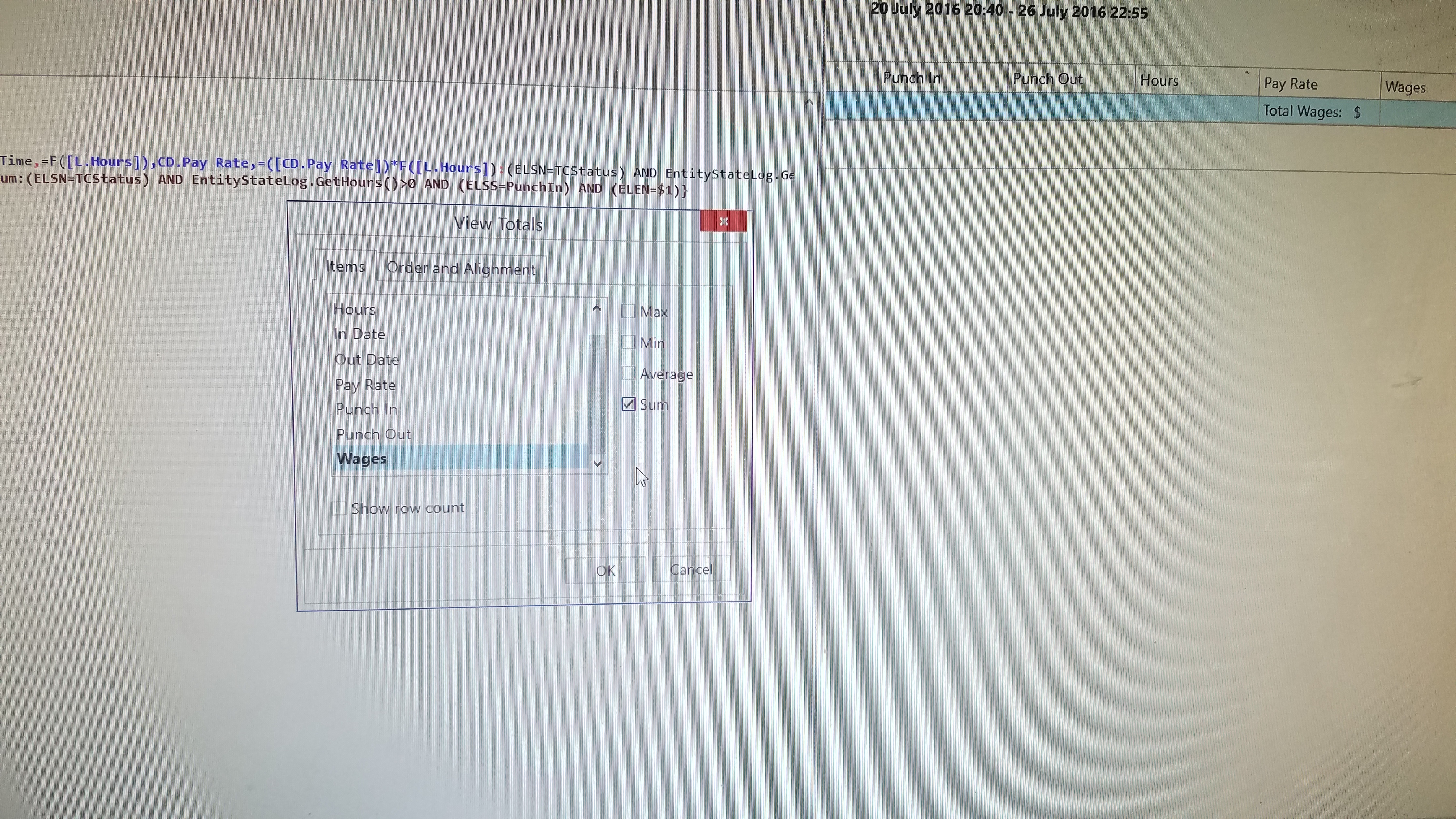
Yes that is it. You can customize the column total. I think i showed how to do it in my v4 tutorial for time clock. I mean down in the discussion i showed screenshots etc.

Never ever seen that before so [C] means SUM? If its in the Tute I will also check.

No C allows currency for that column in table view it formats the column view. N is numeric if i remember right. You have to turn on the grand total view by right clicking in a column. You can sum the column or average it etc.

Oh I better go have a read then…
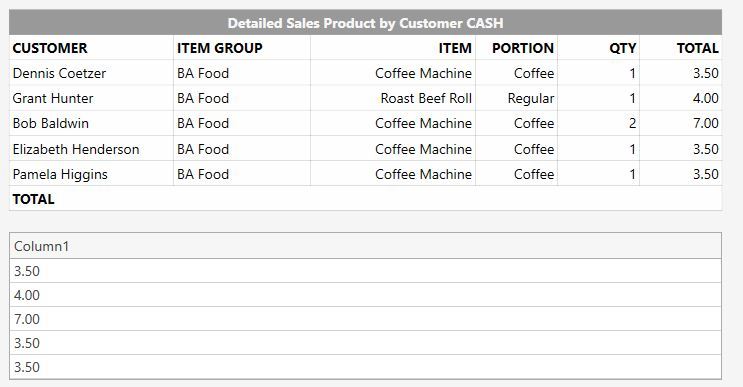
I have this so far so just need to add it up!

When I work it out how do I join it to the Table above? OR maybe I stuff the Total in the HEADER somewhere?

No im saying convert your entire report to it.

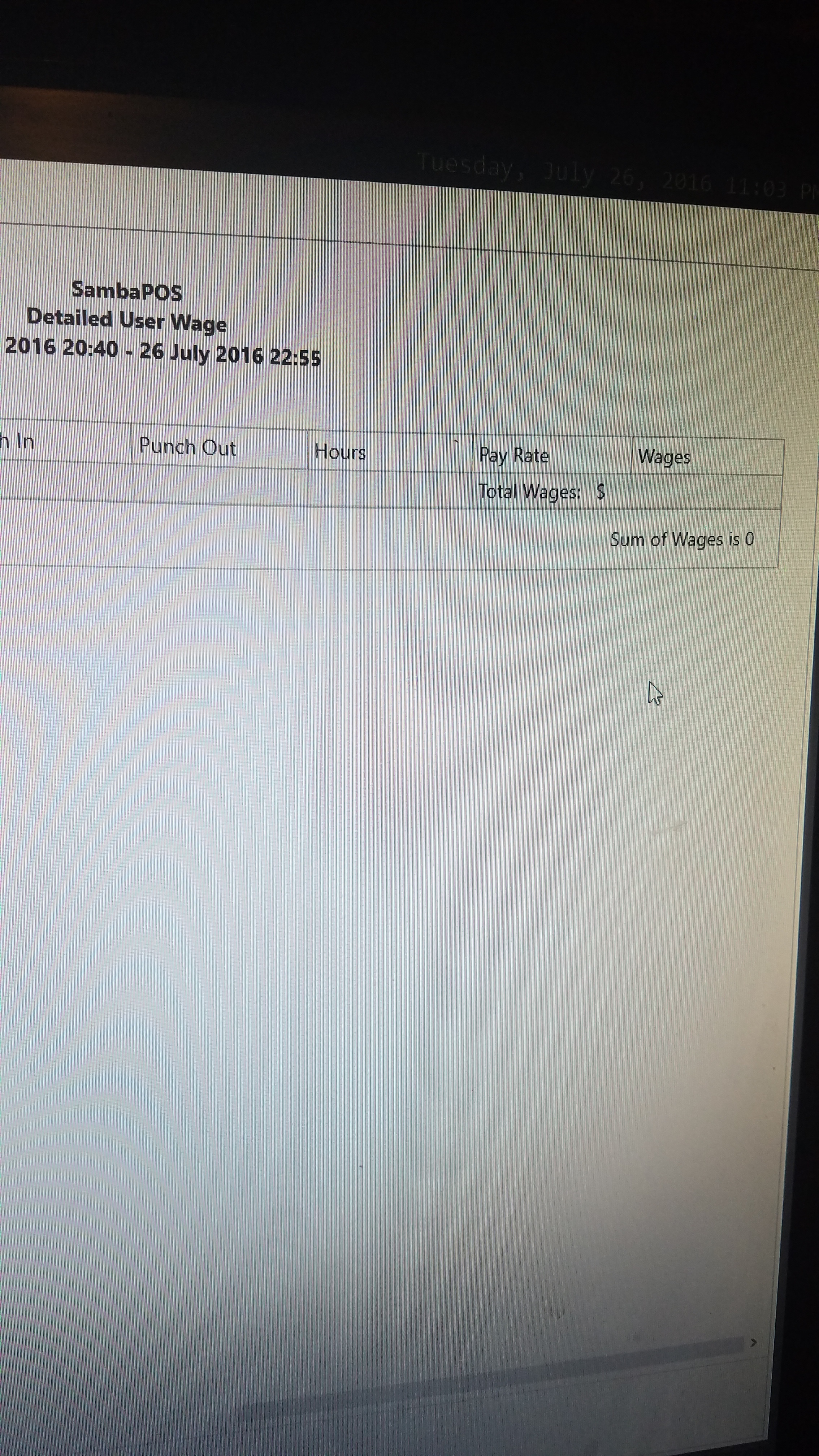
Does not look that great? Does it print differently, as has not checked that yet…

You can right click a column and open the view editor and customize it.

For example click on Options View and enable ShowFixedSummaryTotal then exit the editor and right click the new bar at bottom and format columns to total.