Reports not showing

We have a setup with a cashier terminal and 3 terminals in the restaurant, database is at the cashier. There is a report screen at the cashier which shows various data about the shift takings. Problem is that for no obvious reason this report is suddenly blank at the cashier, but if the cashier logs into one of the terminals the info is all visible. This is the same on all reports.

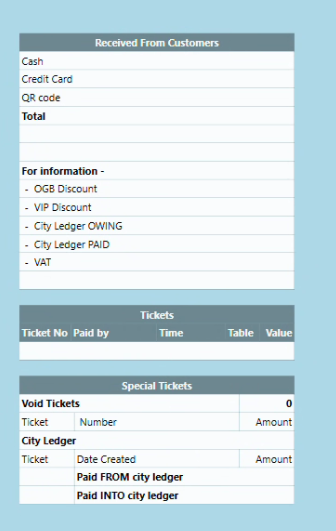
Report at cashier terminal
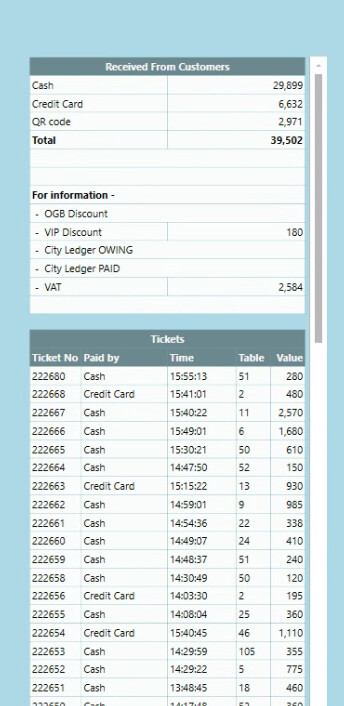
Report at remote terminal
Any suggestions?

[Edit] Further investigation shows the problem extends to all reports at the cashier terminal where, as with the example above, the report template is visible but no data is present. When the same report is viewed at a remote terminal, all is OK. The data is clearly present in the database but doesn’t seem to be communicting with the Sambapos programme at the cashier terminal in spite them being co-located there.

The Sambapos programme at the cashier has been reinstalled, but that didn’t resolve the problem.
All other functionality of the cashier terminal is working normally including showing and printing customer tickets. The problem seems to be just with reports.

Hello!

The cashier terminal isn’t pulling data into reports even though the database is local and accessible from other terminals. This usually points to a configuration or connection issue on that machine—such as Sambapos pointing to the wrong database instance, SQL permissions being different, corrupted report cache, or a mismatch in how the cashier resolves the server name. Running the report query directly in SQL Server Management Studio on the cashier will confirm if the data is accessible; if it is, then the problem lies in Sambapos settings rather than the database itself.

Hi Dan. Thanks for you suggestion. The support team at Sambapos logged into our system today and the problem was that one of the staff had changed the regional settings of the cashier terminal to Thai (reasonable enough as we are in Thailand) . This however was affecting the reports. Most of my reports are generated via SQL queries, so although MSSQL supports UTF-8 this is a functionality that was only introduced in 2019 and many of my reports were written before then with earlier versions of the database software.