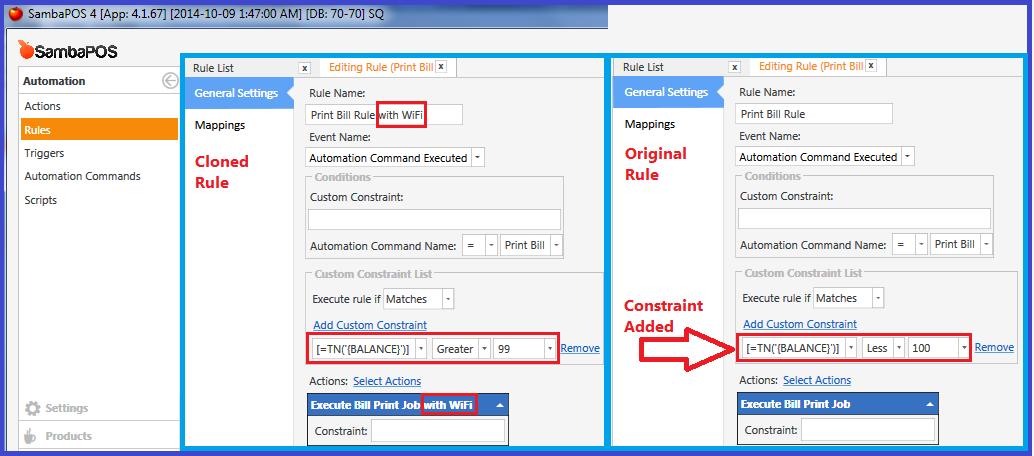
Printing Bill with or without WiFi Password
You can choose to print the WiFi Password on the Ticket (Bill) by cloning a few things and making some small modifications.
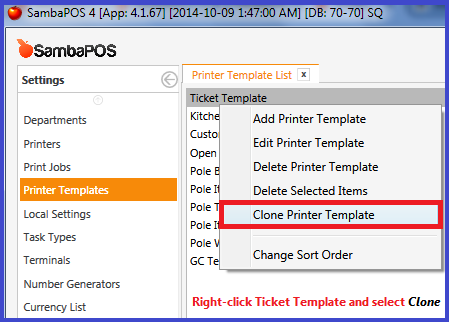
To Clone something (an Action, Rule, Template, Print Job, etc.) simply Right-click on the object and select
Clone ....
Clone Ticket Template:
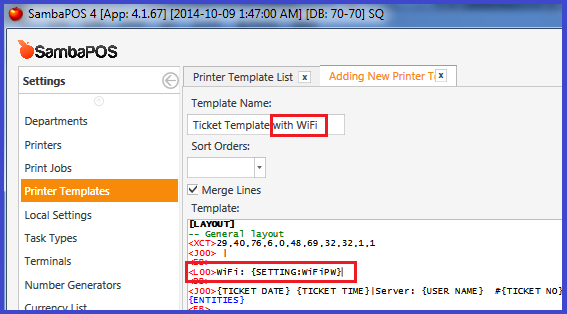
Add Tag to new Template: {SETTING:WiFiPW}
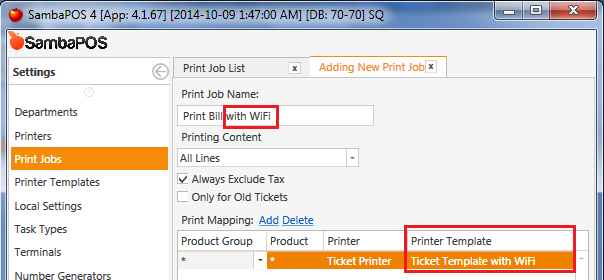
Clone Print Job and change the Printer Template for the new Job:
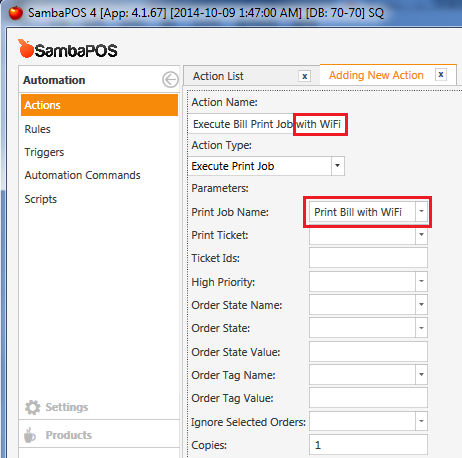
Clone Print Bill Action and change the Print Job for the new Action:
Clone Print Bill Rule and change the Print Action for the new Rule:
Also add a Constraint to the Old Rule and the New Rule to determine which Rule will fire Actions.
Left side of Constraint for both Rules: [=TN('{BALANCE}')]
Condition for New Rule (with WiFi): Greater 99
Condition for Old Rule: Less 100