Here is a quick preview of Reservation Screen.
Adding New Reservations
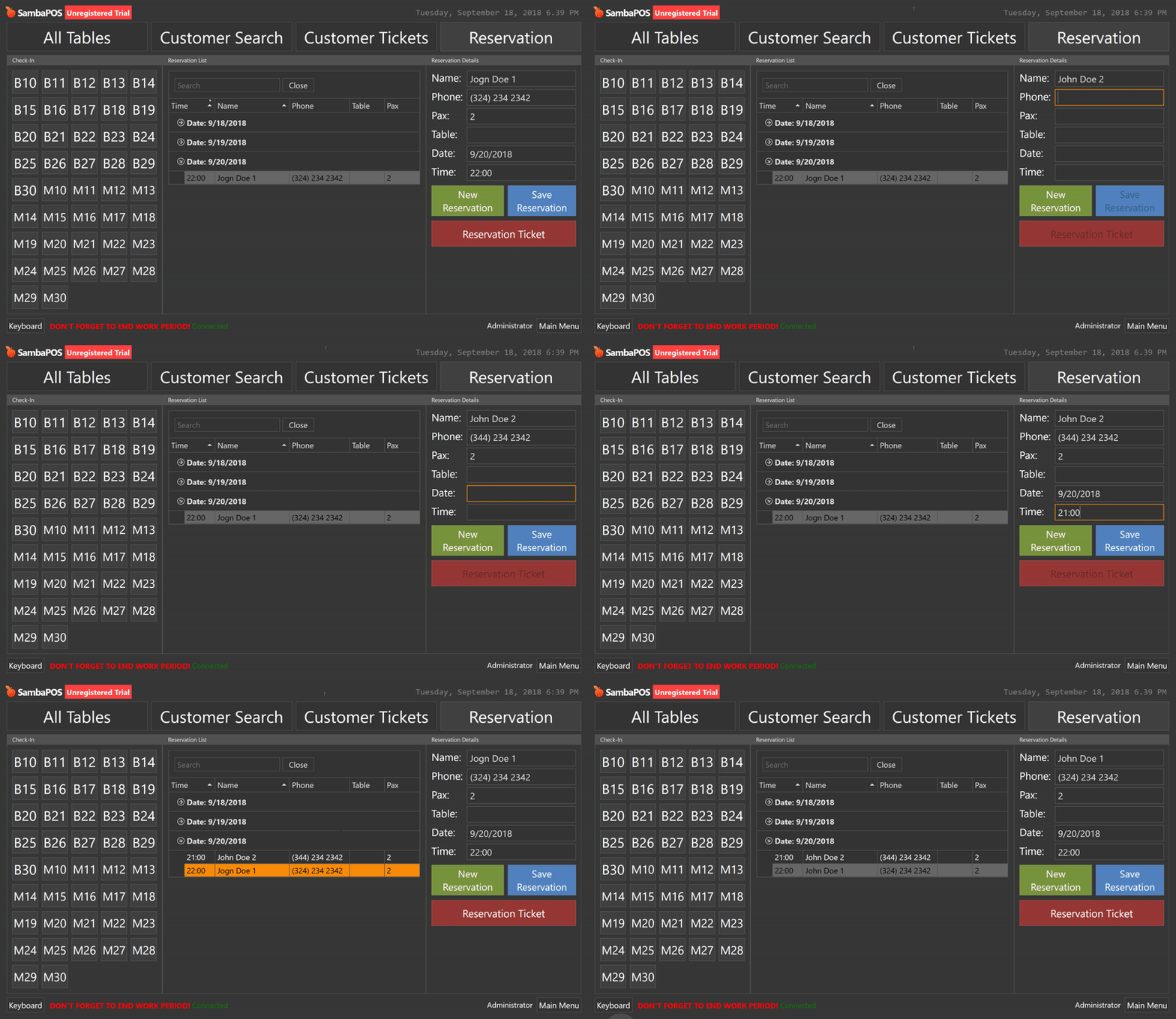
Here we can both create new reservations and update existing reservations.
Creating Pre-Order Tickets
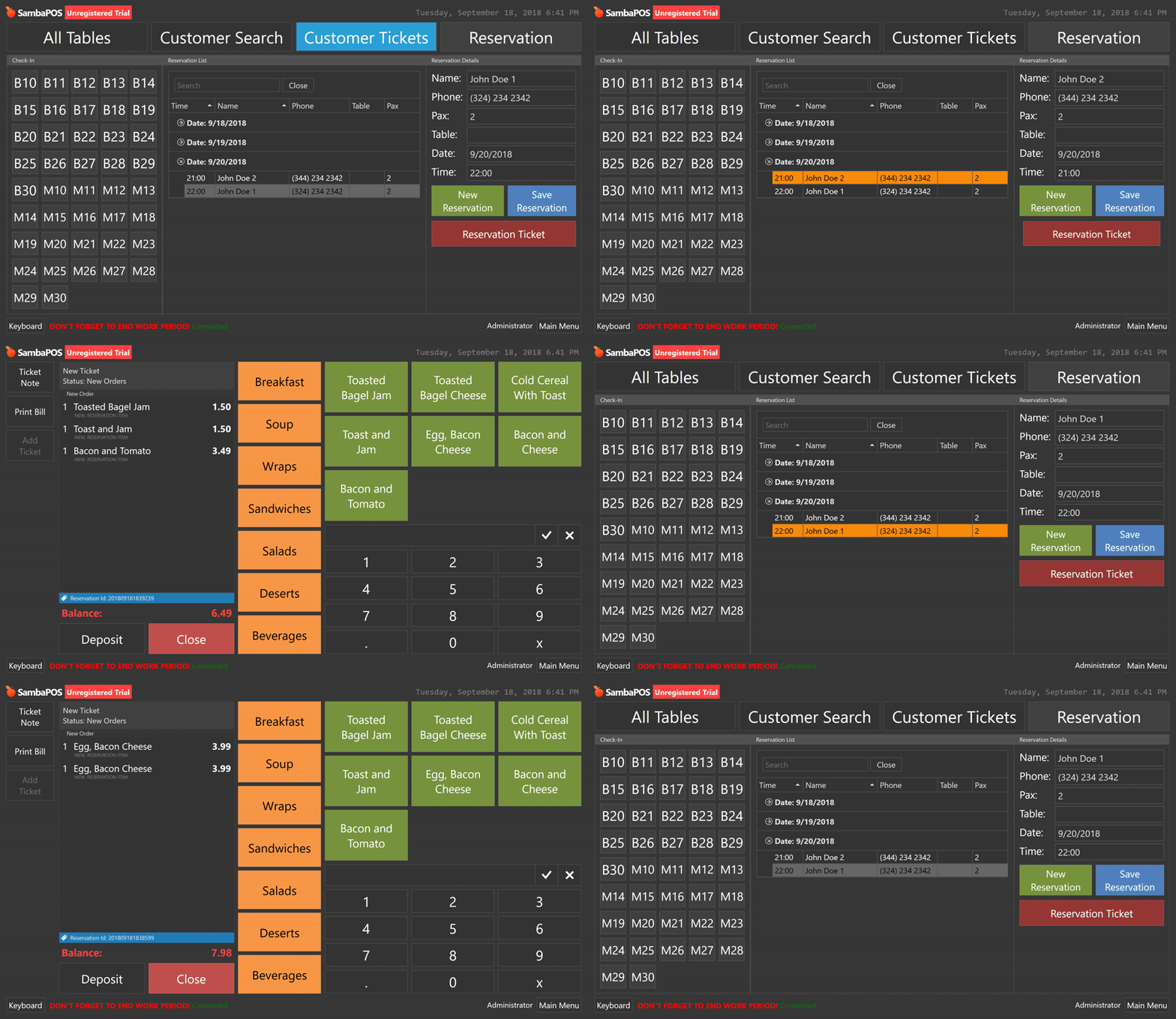
These tickets used to keep a record of orders and deposit payments.
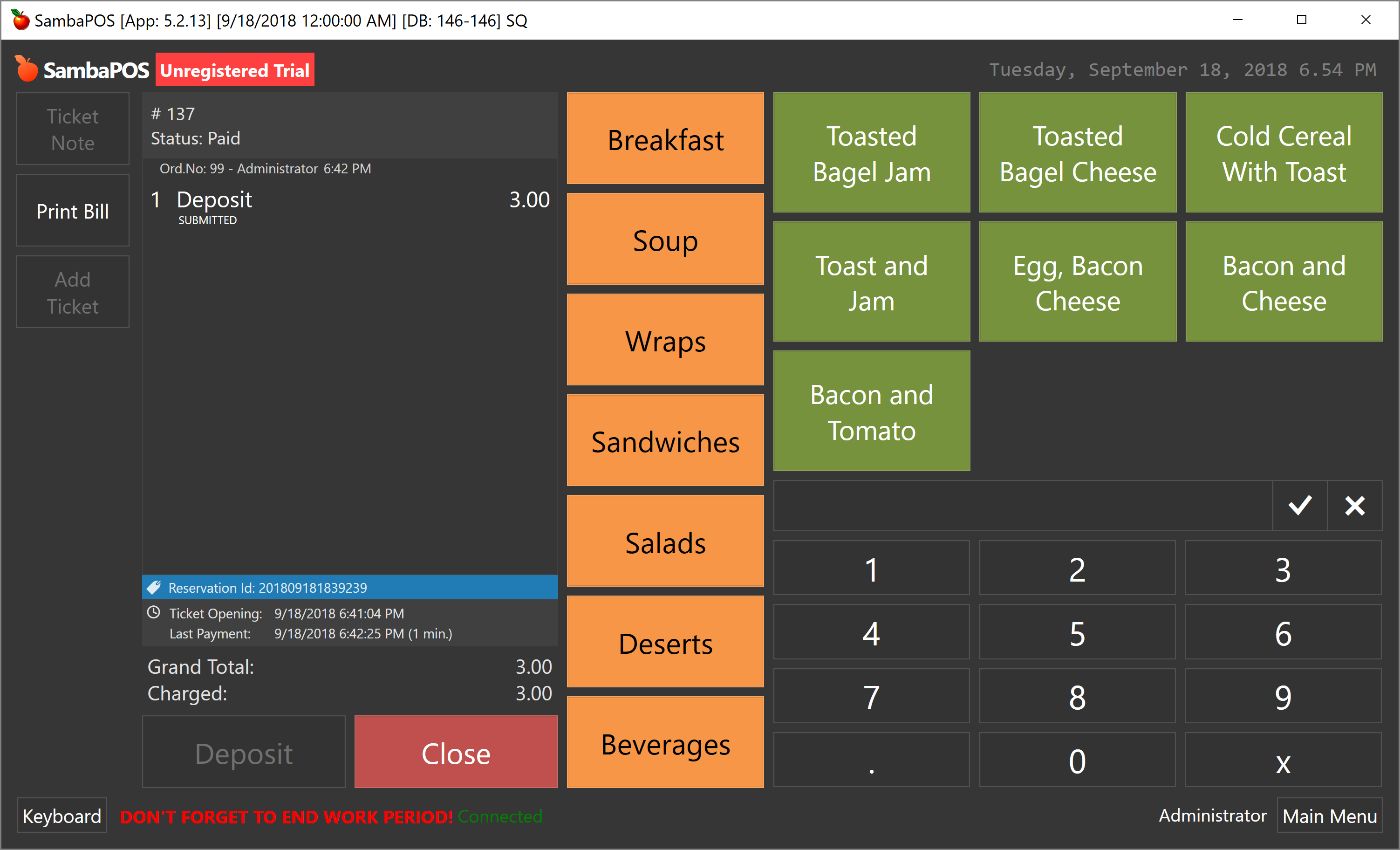
Adding Deposit to a Pre-Order Ticket
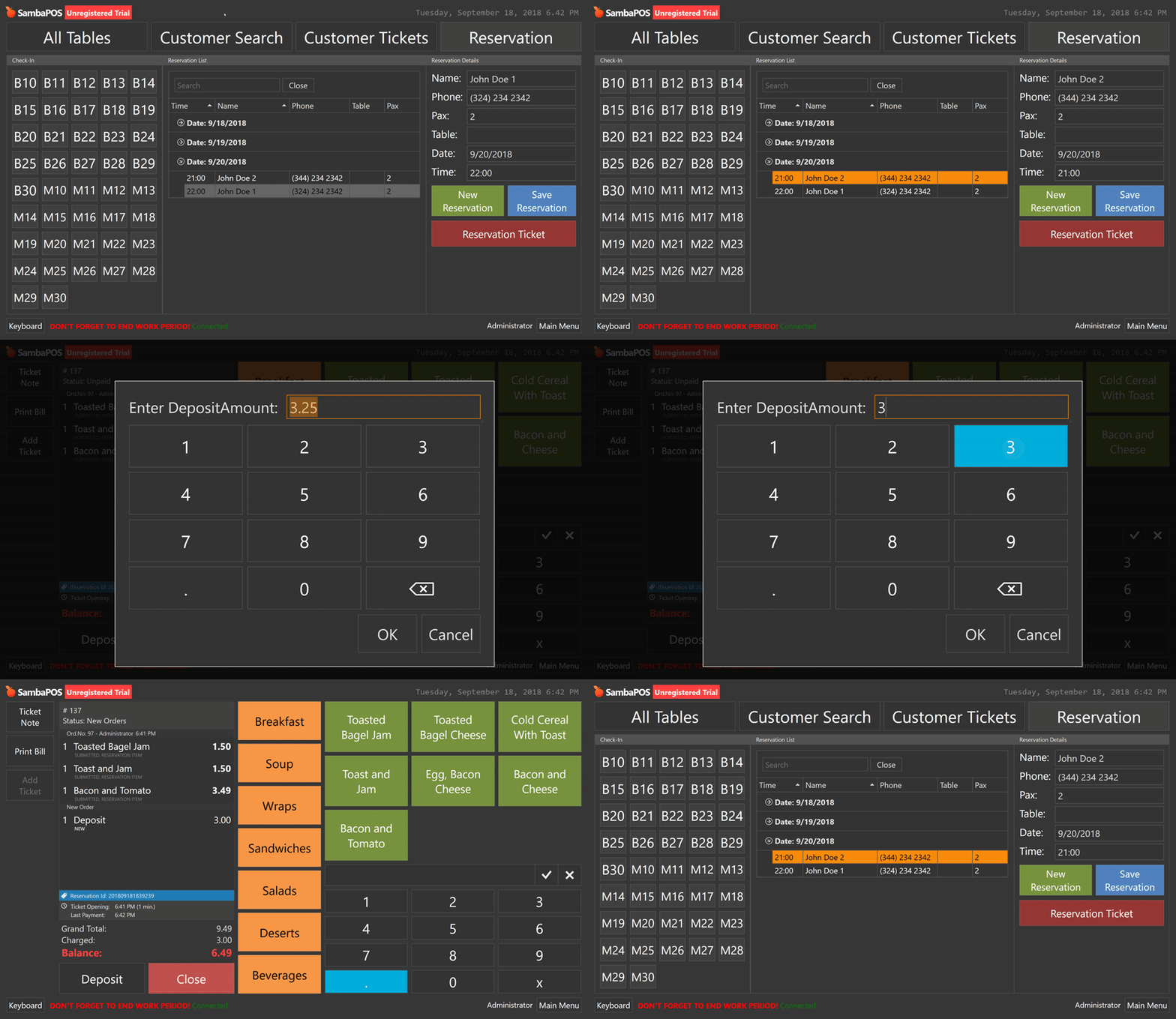
%50 deposit calculates by default. We can change it.
Check-ins
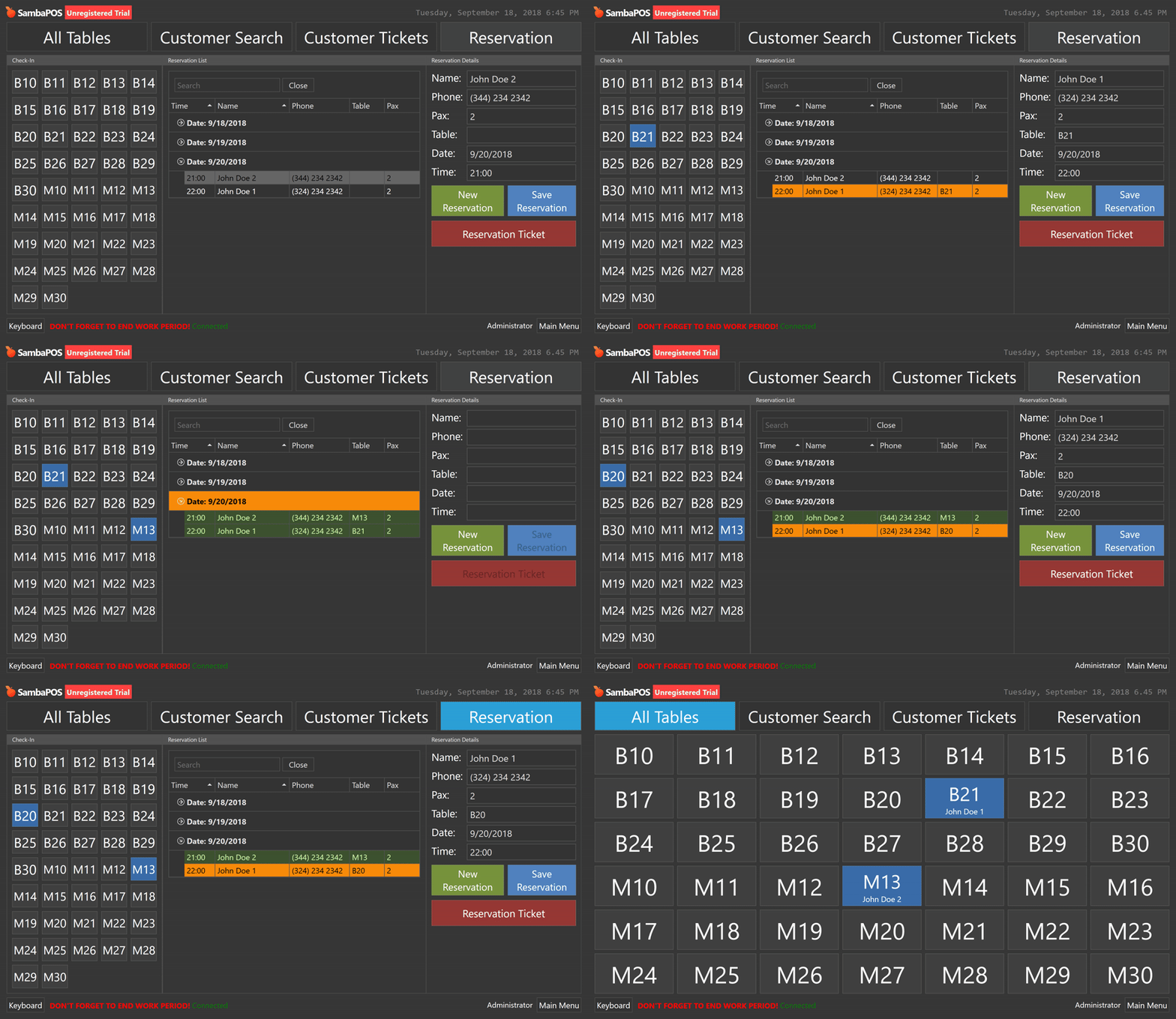
Selecting an order and clicking on an available table means customer checked-in. However reservation ticket does not convert to a ticket at this point. We can change reserved table or toggle checkin by clicking blue tables.
Converting Reservation Ticket to Regular Ticket
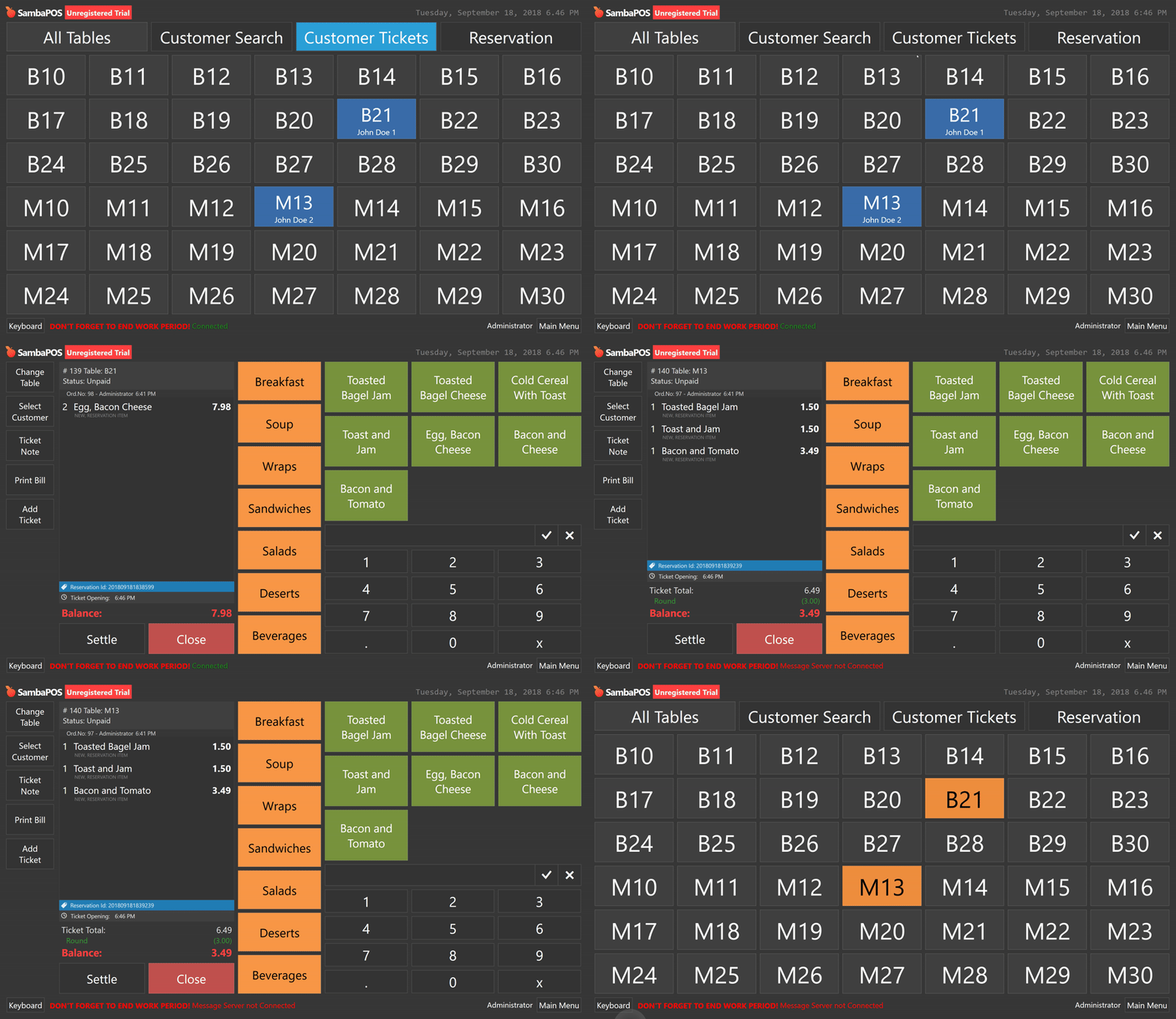
Blue color on table screen means table is reserved so it is not available for other customers. When we click on table number reservation ticket converts to real ticket, orders moves to new ticket and deposit amount added as a discount. For now I used rounding but I’ll create a separate calculation type for that.
Payment type for deposit is Cash for now. We can improve it for the Payment Type selection.
This is how reservation ticket I created for John Doe 2 changes if a deposit payment is made.
I’ll try to find a solution for linking reservation contacts with customers. Maybe we can create a customer entity while creating real ticket.