A lot of people will expect you to be everything… you have to tell them your limits. There is a reason they want to change from a competitor… likely its the same situation. If they cant work within your limits then its not worth it you will be in more work than its worth.
Anyway I gotta hit bed. We should have a phone conference some day on this. Id love to hear your experiences.
Anytime man always a pleasure talking to you. I definitely have a specific experience to share with you lol.
I’m not sure if this will work in the printer template, but try this:
{REPORT OPEN TASK DETAILS:TSC.TransactionNo:'Identifier.Contains("{TICKET ID}")'}
Are you marking any task as completed (“Completed” field as “True”)? If so, those tasks won’t show up in the report…Just keep that in mind if you wanted to do that for Gift Cards that end up with a zero balance.
No luck 
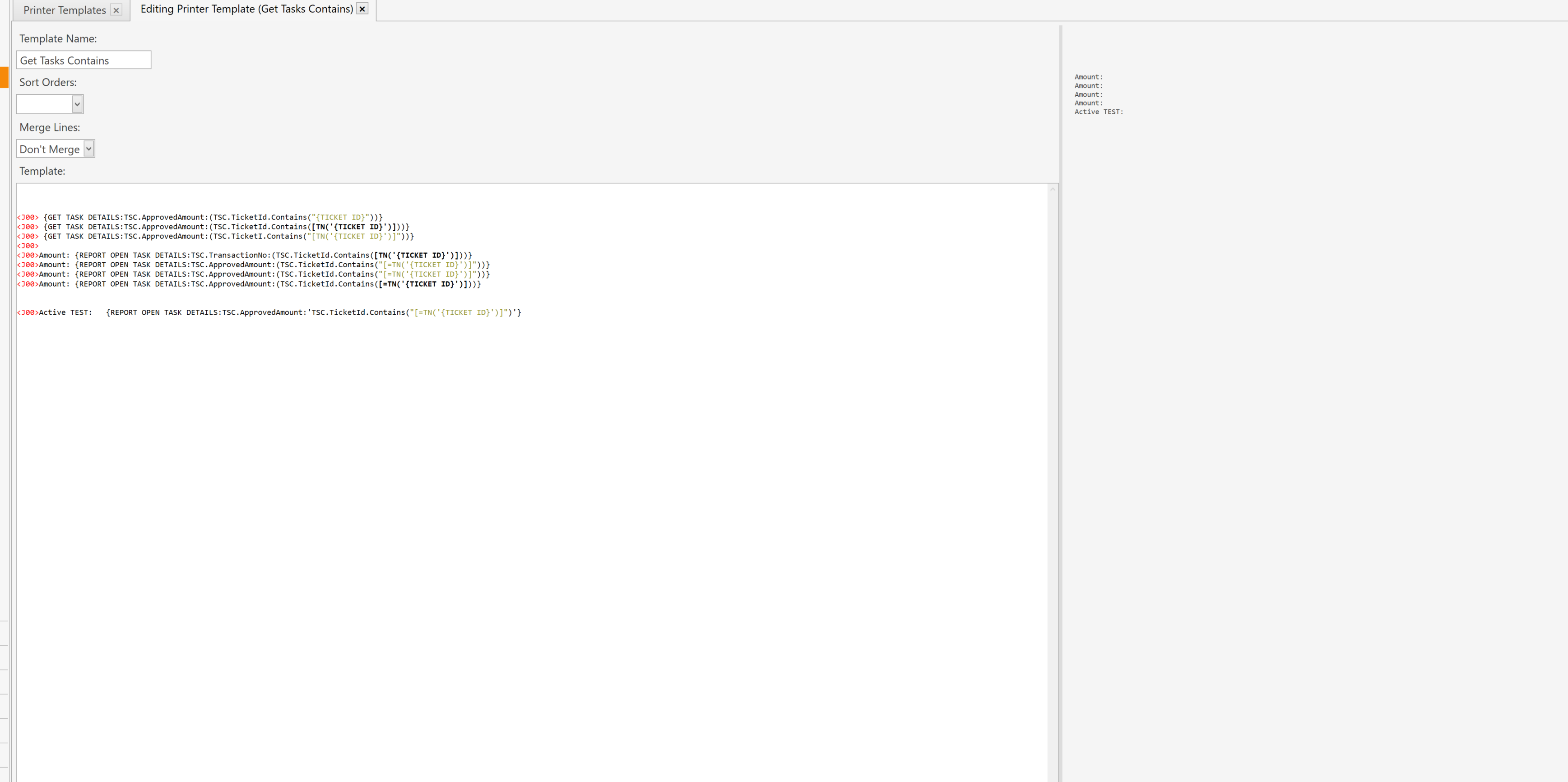
Are you marking any task as completed (“Completed” field as “True”)? If so, those tasks won’t show up in the report…Just keep that in mind if you wanted to do that for Gift Cards that end up with a zero balance.
Very useful thing to know thanks. No im not touching the completed field on my setup.
EDIT: I made some changes but still doesnt work on any of those
Hmmm, what would happen if you tried putting info into a local setting before printing. I’m just throwing out ideas, now.
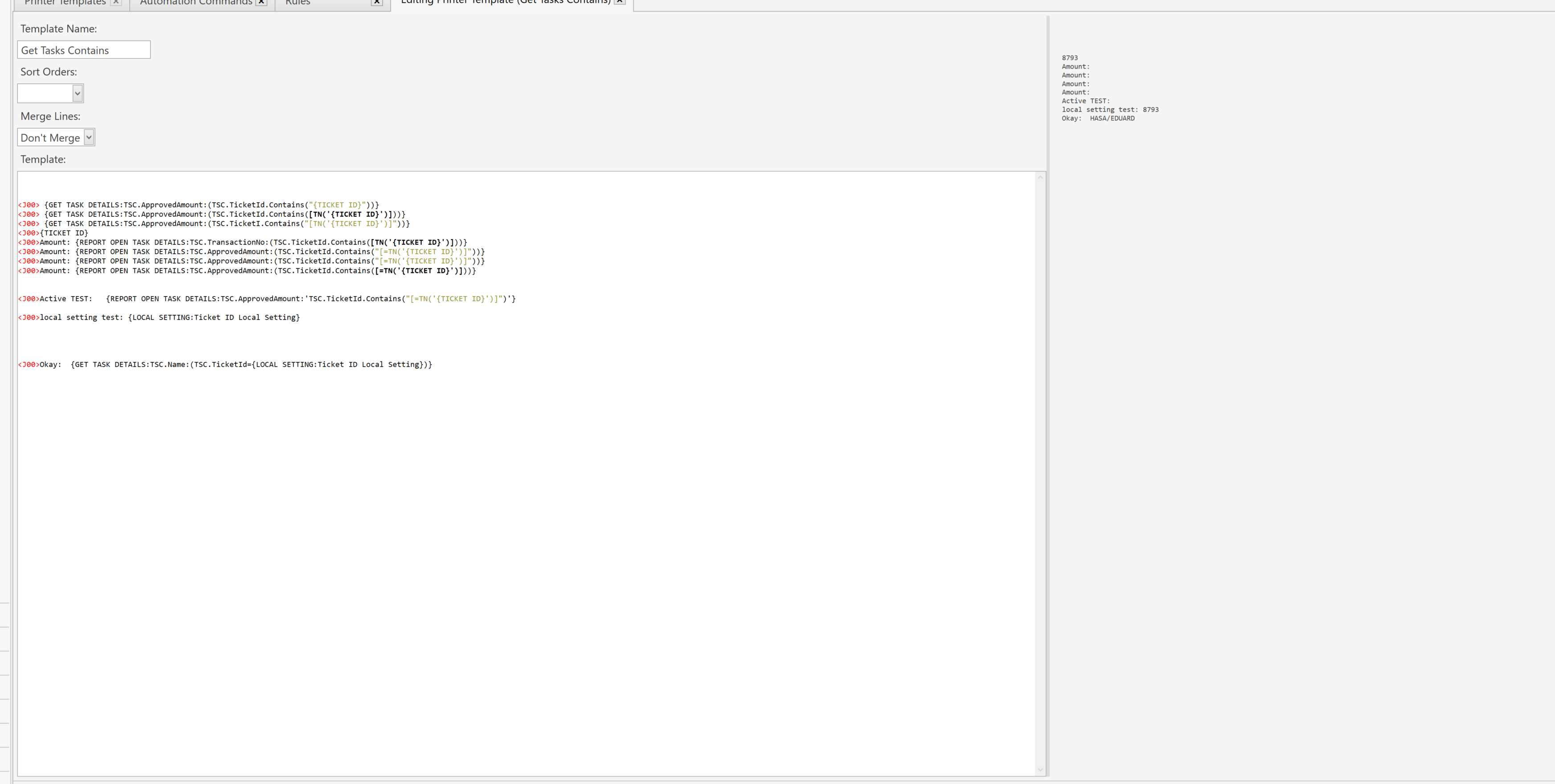
Lol its those random thrown out ideas that sometimes are a major resolution. That actually worked. Although not my preffered solution considering im introducing more areas for failure in my automation
@Jesse What do you make out of this lol? To me seems like a object type issue. It seems like its expecting a number and maybe thats the only thing it will take? Im assuming Local setting is properly setting the object type to a number and thats why this works.
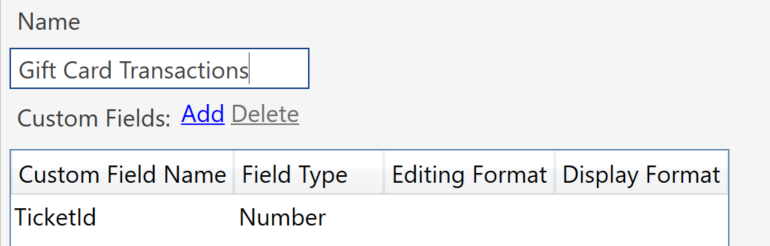
Ohhhh I think I have an idea why this might be an issue… Maybe I have to declare the custom fields and their data type. Right now I have just been adding custom field tasks on the fly. Trying now :
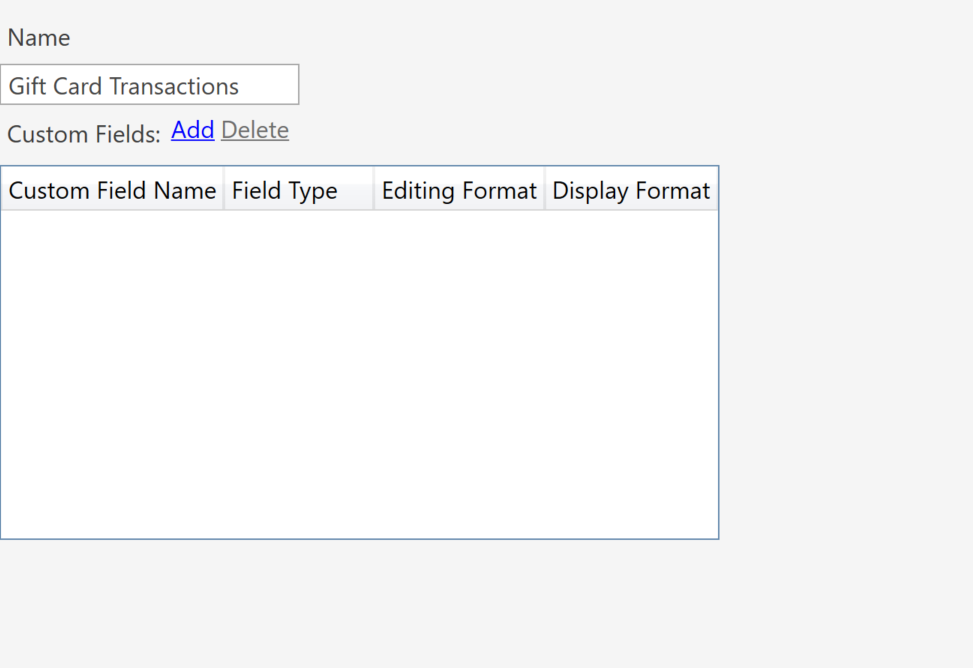
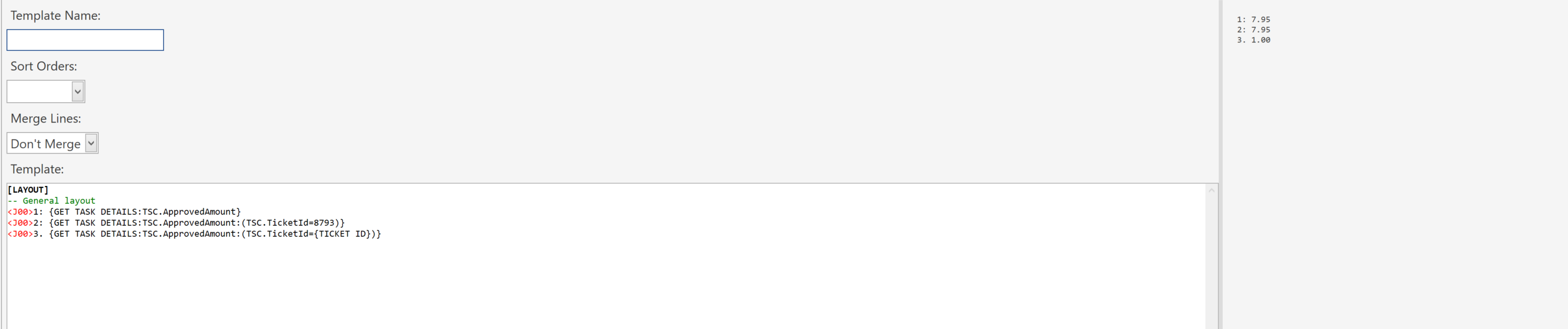
What I have been able to find out, Tasks custom field data (either on-the-fly or defined as above) are all thrown in a single field, for each individual task, in the database. It’s been a while since I’ve played with defining custom fields in Task Types…I may be wrong.
It looks like some reports can not be run in a printer template. That’s probably the issue. Having the data ready to be accessed, before the printing, is probably your best option.
Well there definitely seems to be some type of declaration going on for these fields as my screenshot of the settings shows above. Soon as I declared the custom field name “TicketId” asField Type “Number” It worked.
Yay!!! Glad you got it to work. Woot, woot!
Same lol. Thanks for the help Bob!