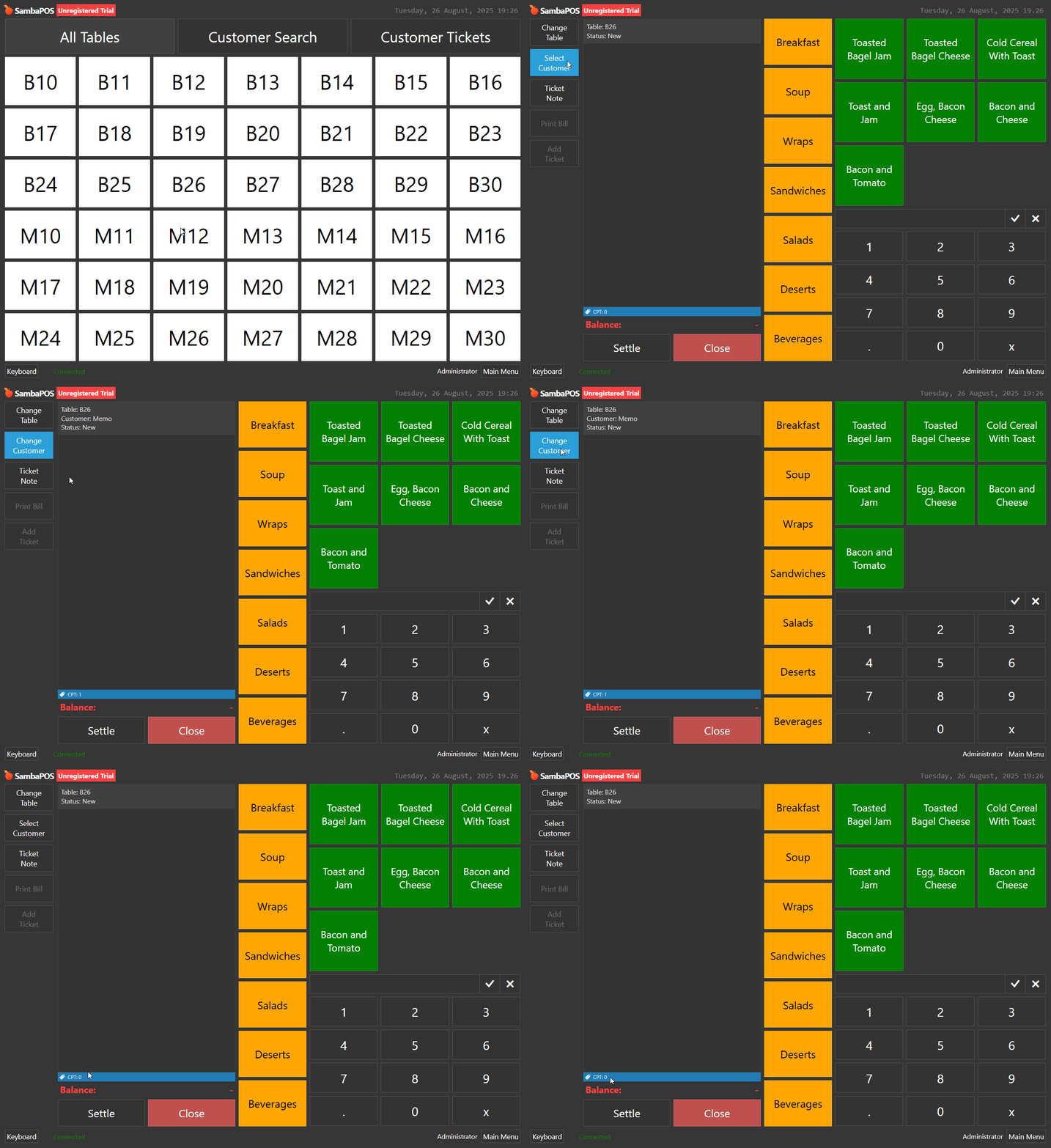
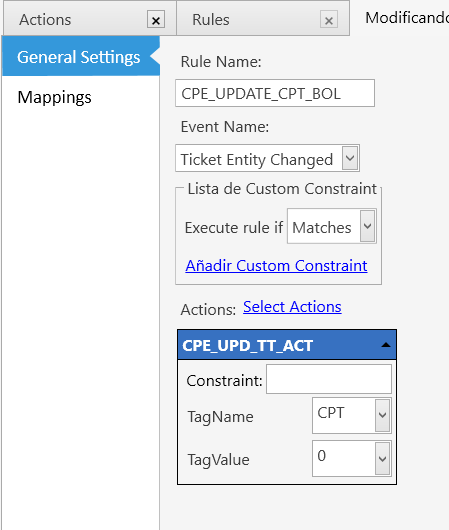
When adding a customer (Select Customer) to the ticket, CPT = 1, OK.
When Deleting the customer (Select Customer, press delete), so no more Customer Entity assigned to the ticket, so, first rule still fired (CPT=0) and the second rules should not be fired, however CPT is still = 1.
Any clue?
Do i have to use Entity Updated instead?
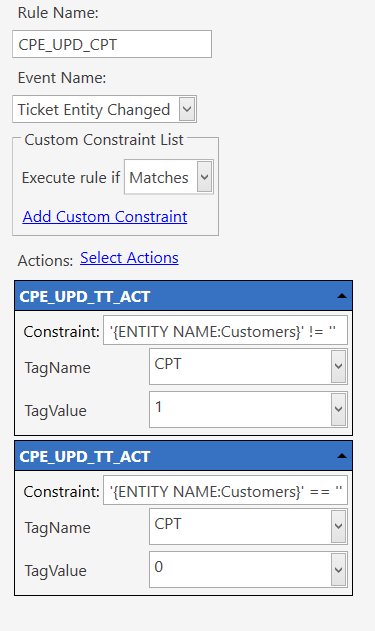
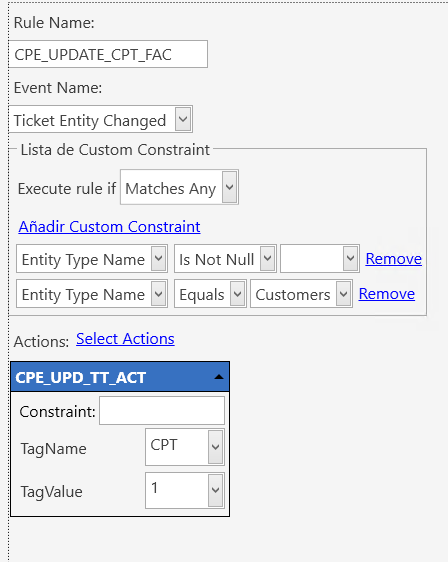
Rule1: Adding contraint 1 = 1 (always)
Rule2: Match all
Click on Select Customer and go back (i.e select none) will fired rule 2 and set CPT to 1.
Ticket Entity Changed is just what it says - you add, remove, or change an entity assigned to a ticket.
Entity Updated is after the entity’s custom data has changed.
In your scenario, I would use the Ticket Entity Changed event with two actions. One action with a constraint if there’s a specific entity type assigned to the ticket, and one with a constraint when there isn’t a certain entity type assigned to the ticket (setting tag value 0/1)
Ticket Entity Changed is fired when click on the button Select Customer.
It does not matter if Entity has not changed, if no entity was chosen. As soon as you click Select Customer, rule is fired with that event.
So the constraints will not behave as expected neither because Entity [Type] Name will be evaluated before an entity is chosen.
Example:
I click on Select Customer, the customer entity search screen shows up.
I click on the left arrow to go back to the ticket without choosing a customer.
CPT ticket tag = 1 (rule fired by the event Ticket Entity Changed, even tough: Entity has not changed (it was NULL, it is still NULL).
Also constraints were useless:
Constraint Entity Name is not null and in my example Entity Name is null (before and after the rule).
Ok I did it that way, it work well for CPT = 0 or 1.
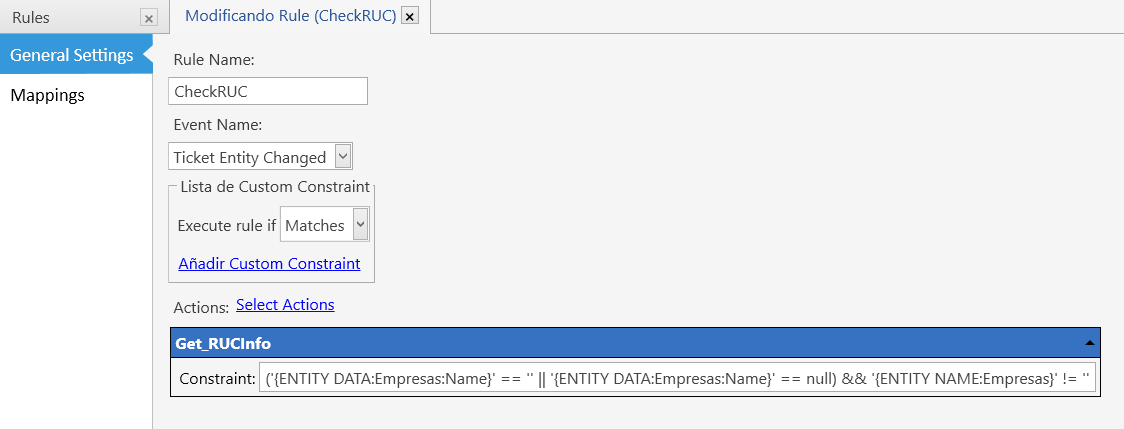
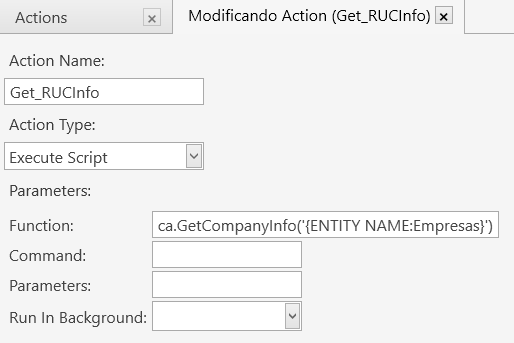
I added a third action to that Ticket Entity Changed rule (memo).
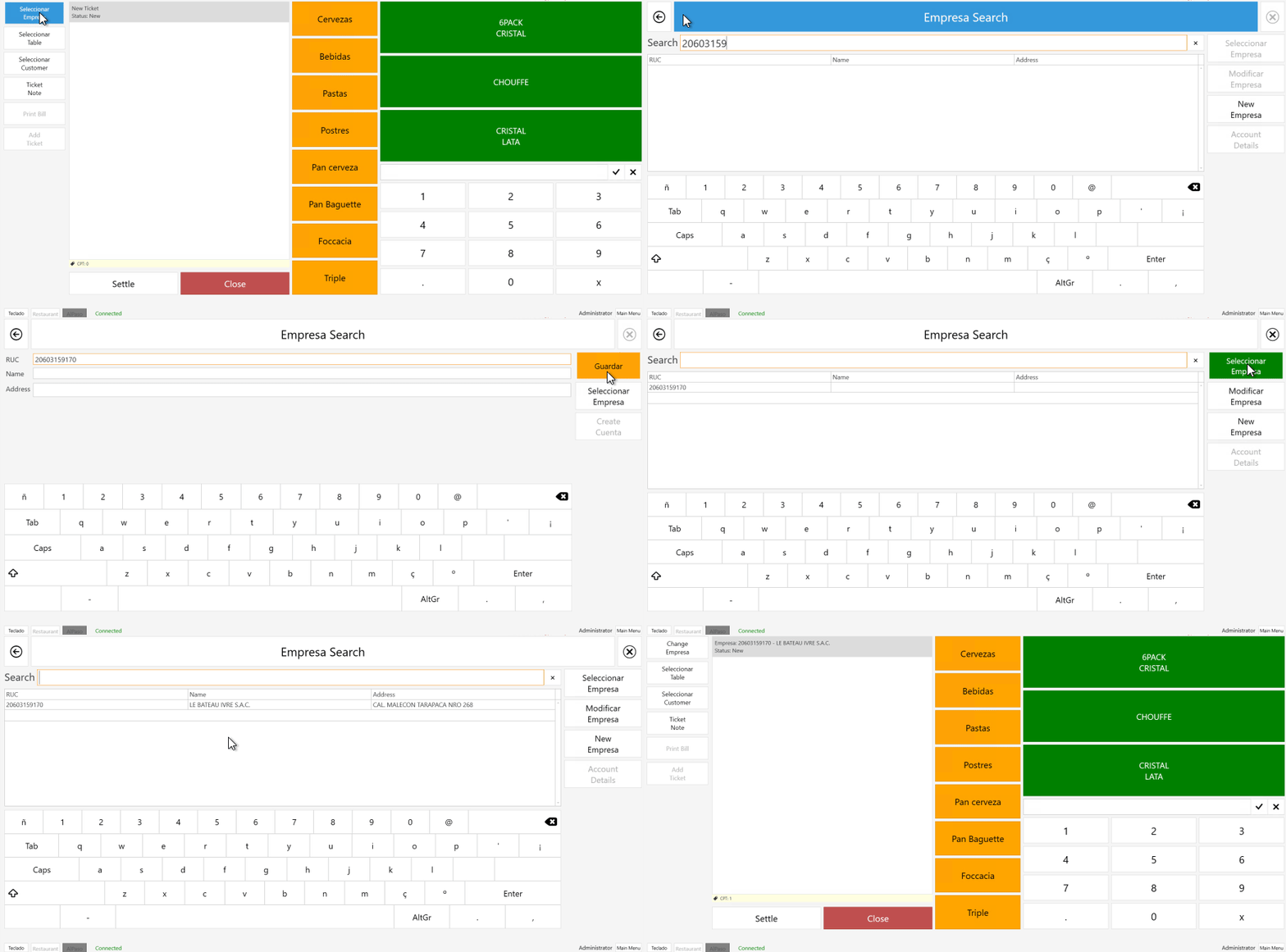
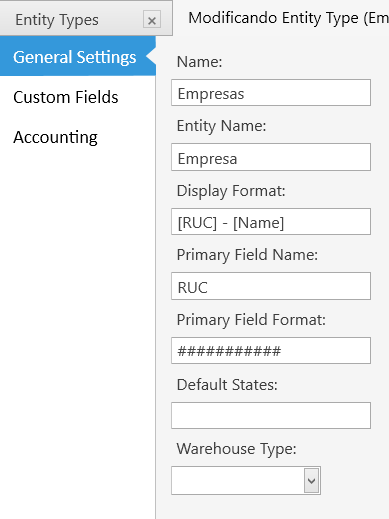
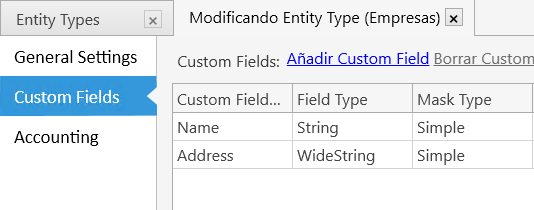
That action execute a script that use an API to get the extra data about that Entity (actually Entity = Empresa).
It works however with “some delay”:
I enter the number of that company and if new company, the script look for address, name, … and update the CustomData(json) of SambaPOS5.dbo.Entities table with this extra data.
When I select the new company, the ticket screen is shown again.
but on the top of the Ticket, I only see the number of the company, not the name.
If I Change Empresa again and go back, now the ticket shows the updated data: Number + Company Name.
I was wondering if there was a solution, so that when coming back to the ticket screen, I could see the name of the company immediately, without entering in Change Empresa and back.
I try putting that action with Entity Updated but without success
We need to see what’s going on in the script you’re calling and what data you’re reading and trying to set. Yeeting to the JS engine with a SQL query and JSON manipulation can introduce some latency.
 to go back to the ticket without choosing a customer.