Would like to know how I could create a report, that could pull me the whole days transaction list with a tot at the bottom, similar to how it’s viewed in ticket Lister screen. Except with total of ticket, and summary of total which I already gathered how to get. But actually have a list of all individual sales listed, with only date, time, ticket Id and total
Something like;
[Ticket List]
@{TICKET LIST ... etc bla bla}                 <- list of ticket IDs
>{REPORT TICKET DETAILS:x,y,z:(T.Id=$1)}       <- break/header for ticket line
{REPORT ORDER DETAILSx,y,z:(T.Id=$1)} <- ticket order detailsI’m sorry this would be my first time actually trying custom reports.
I’m a little confused on how to make that work.
could you show me a working example I could try to work from?
EDIT:
I tried this
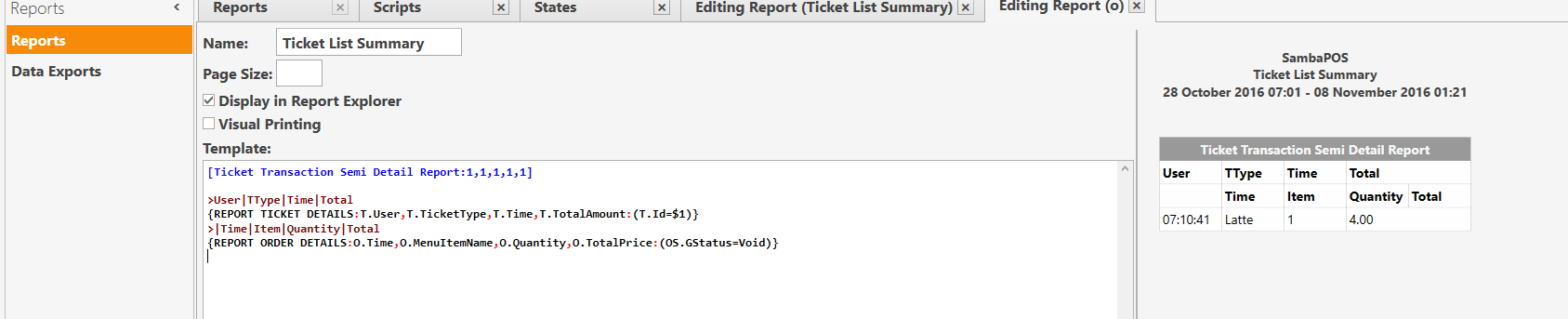
Using the example of Voids, but as you can see, it shows void reports, but not ticket details.
Am i using the wrong syntax?
Also when i try to remove 1 column to lets say 4, the report shows like this
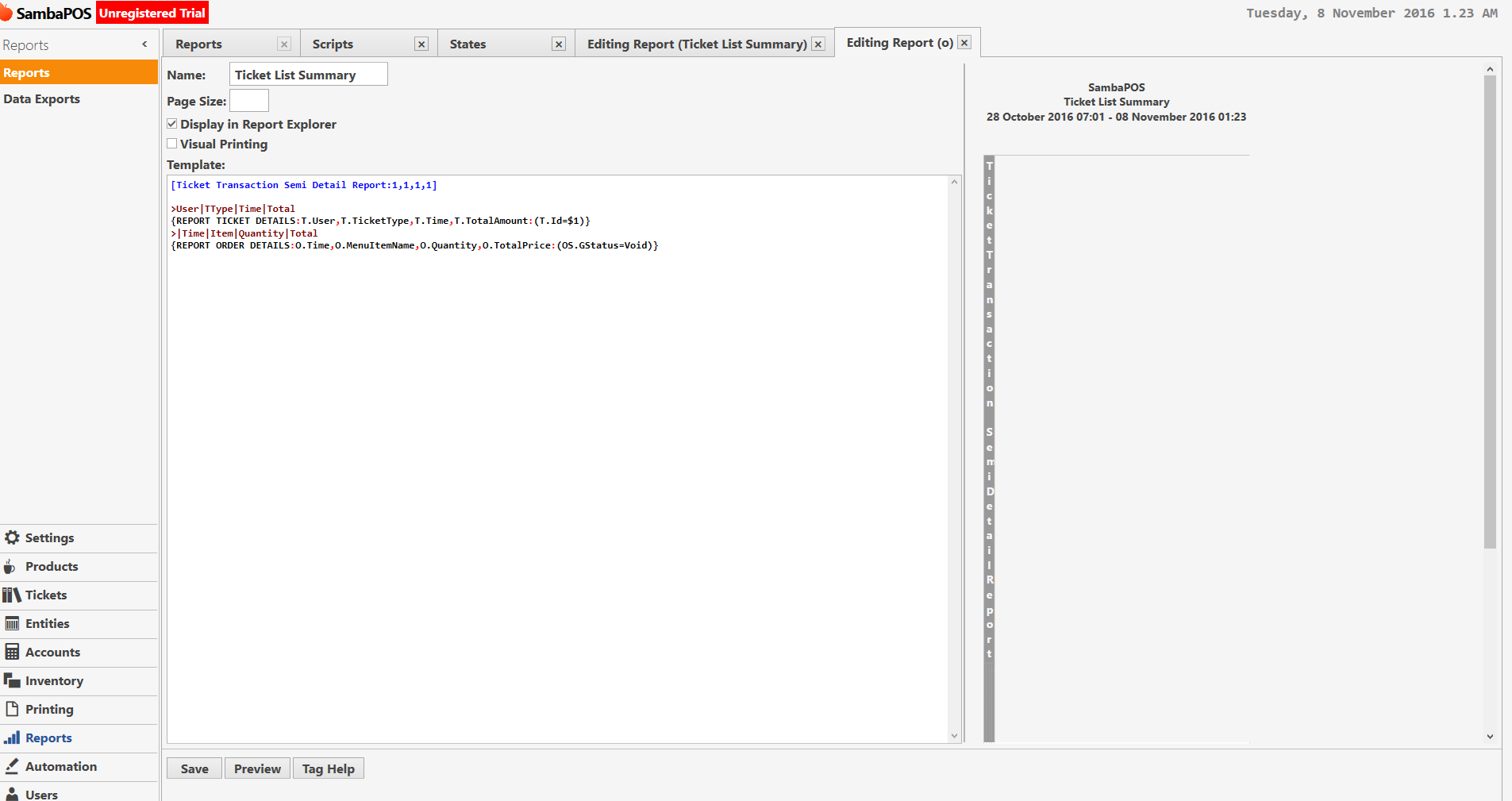
but it works with 5 columns?
weird.
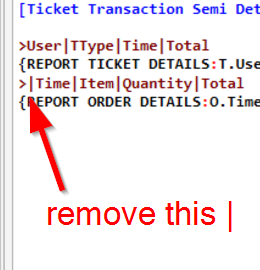
I did, and it was still showing the same as the preview screenshot
The header column count should be at least the same number as the Report Tag which has the most columns.
Header:
[Transaction...:1,1,1,1]
Inverse Bold:
>>col1|col2|col3|col4
Bold:
>col1|col2|col3|col4
Tag:
{REPORT xxx DETAILS:field1,field,field3,field4:(constraint)}
interesting, I’ll check this out. Still a bit fresh on custom reports. This is a good learning curve for me