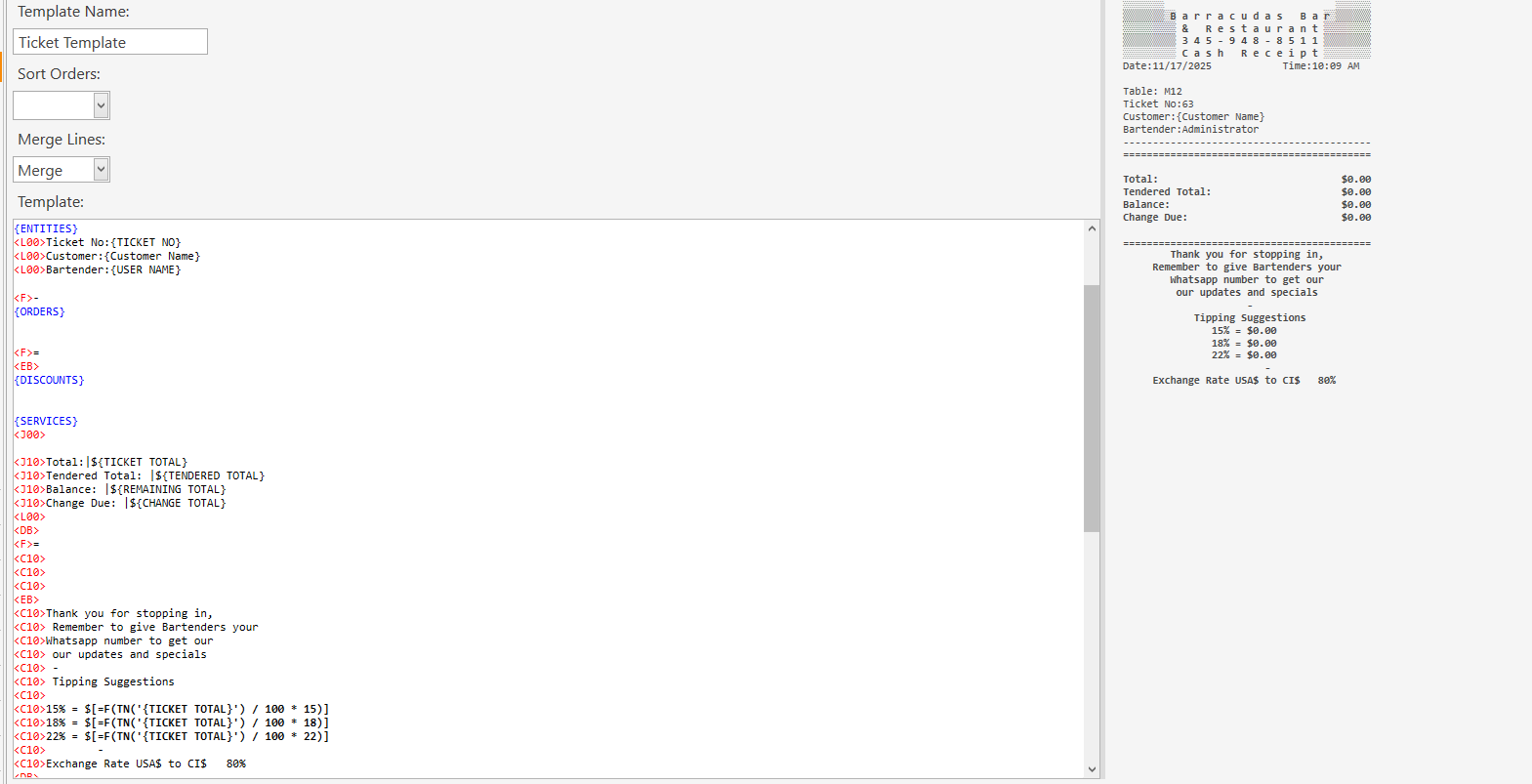
What am I doing wrong >

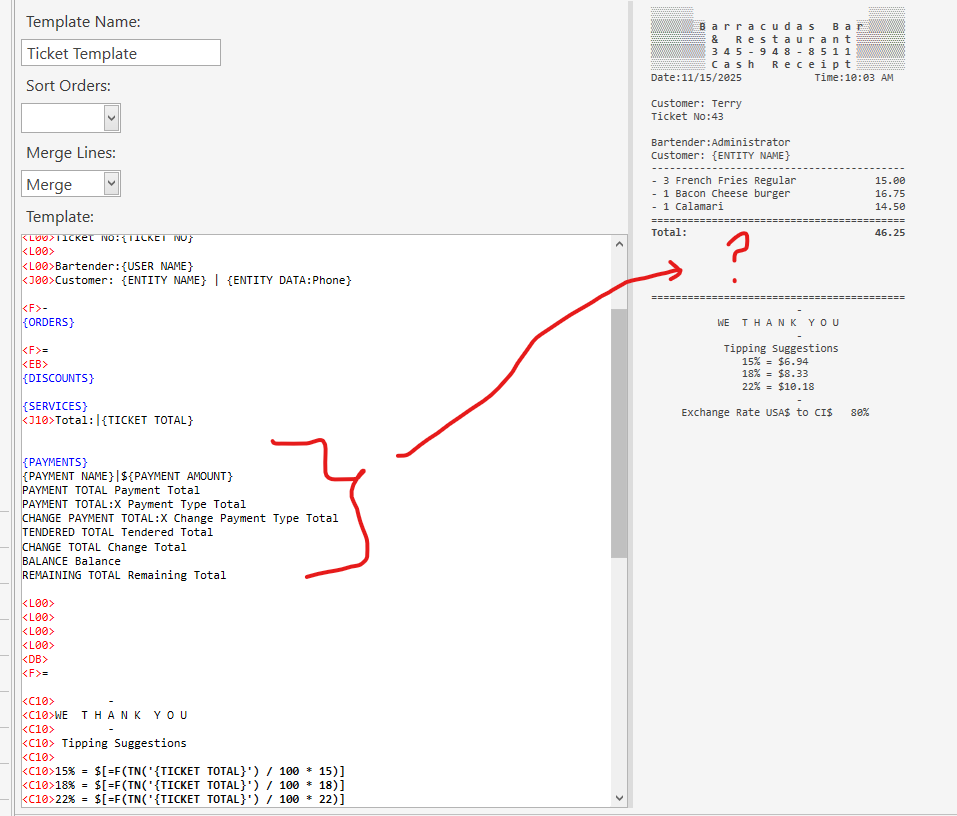
Why am I doing wrong I cannot get the results on the sales ticket


also when I go to settle I cannot print the sales ticket but once? after that it is gone, I try to retrieve it, but don’t know where it went? why does it not print out upon payment? also I need to add currency symbols to the sales ticket relative to what Credit Cards where used? Where can I put those symbols ? sales ticket posts the amounts but not from what credit card?
type or paste code here

The <L00> <F> <C00> strings are important, they tell the rendering engine how to format the text.

For example, {PAYMENT NAME}|${PAYMENT AMOUNT} - because you’re using the pipe character to left/right justify, you would use <J00> pefore the text.

When previewing the template help only the bold text gets wrapped in braces {}.

CHANGE TOTAL Change Total” would become {CHANGE TOTAL}

Have a look through this:

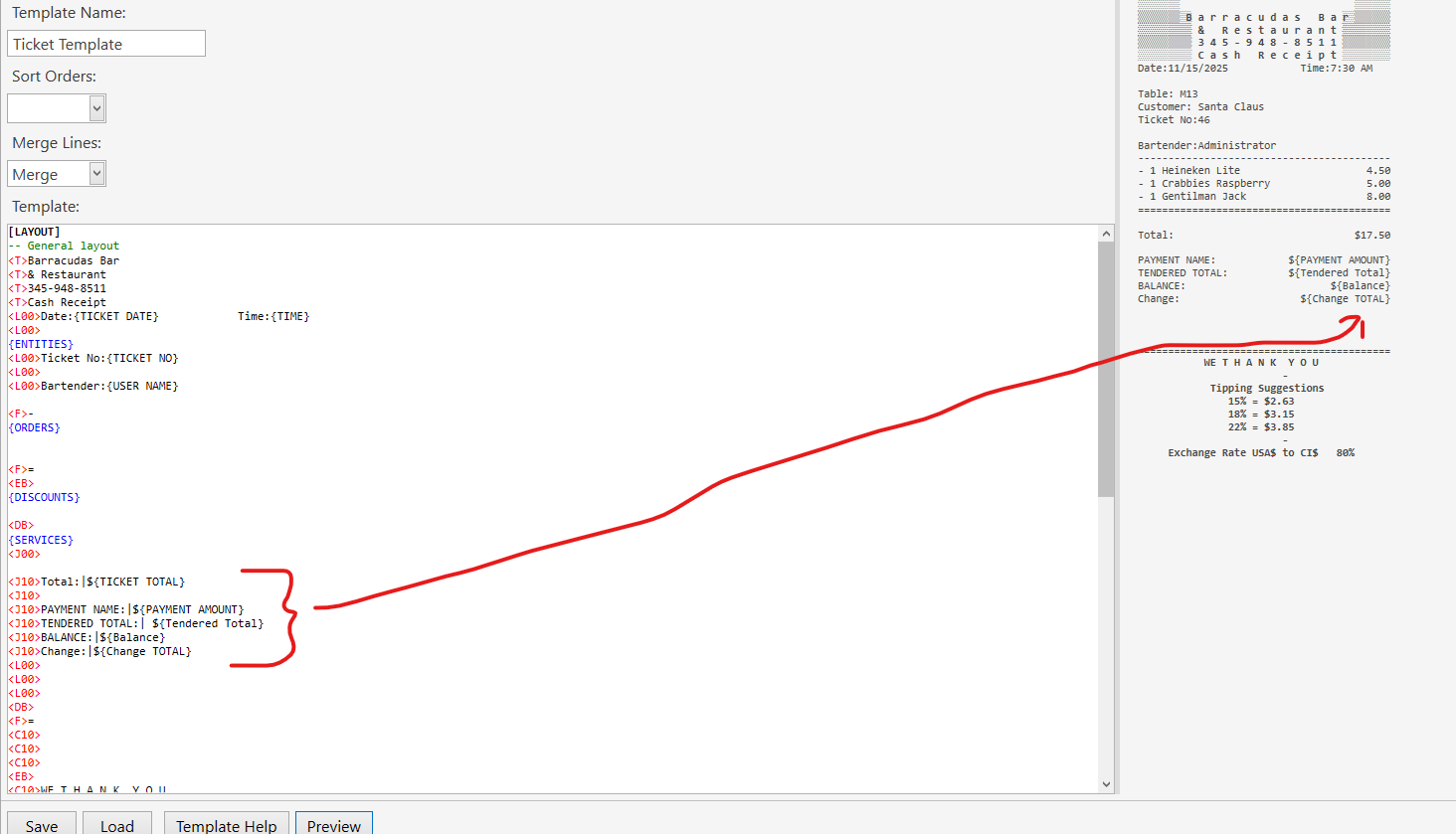
This is my setup for receipt.
Screenshot 2025-11-15 210002


Still something is not correct I am not getting the formula calculations should be {$x.xx} not words


Also I did something lost the credit break down and lost the string for that ?

you have to change it to capital letters not a mix of both
Try this

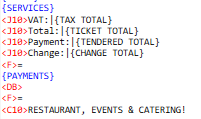
<J10> Total: | ${TICKET TOTAL}
<J00>
<C10>{TOTAL TEXT}
<J00>
{PAYMENTS}
<J10>Tendered Total: |${TENDERED TOTAL}
[<J10>Balance: |${REMAINING TOTAL}]
<J10>Change Due: |${CHANGE TOTAL}

check on your template where it says [PAYMENTS] under on your ticket template, change it to this

[PAYMENTS]
<J10>{PAYMENT TYPE NAME}: |${TENDERED}

Ok Got it , still need Credit Card Payments too.

i dont know what you mean by saying you still need Credit card payments,
i will suggest you take time and learn so you know how ticket template works by looking at this What am I doing wrong > - #2 by Memo

by the look of things you just want answers but dont want to learn

Yes, for answers, I have been at this for hours on different menu set ups and assigning images, it takes a longtime to do that , What I mean by Credit cards is that when partial payment is made via a Credit Card and then partial cash as well, to have that post to the sales receipt. If there was a type of schematic on how this flows I may understand it better.

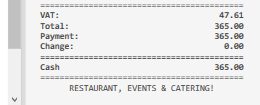
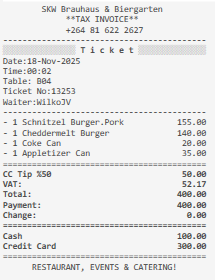
the template that i gave you will show partial payments when done, as you can see on my screenshot

copy your whole template and show it here so we can see what mistake you are making


What I am not seeing in the receipts is the payments by Credit cards ? and thank you for your help..

the template i gave and the one that you are showing is not the same and did you add this to your template…What am I doing wrong > - #6 by Lloyd_Tailor
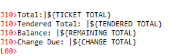
change this on your template
Screenshot_7

to this

<J10> Total: | ${TICKET TOTAL}
<J00>
{PAYMENTS}
<J10>Tendered Total: |${TENDERED TOTAL}
[<J10>Balance: |${REMAINING TOTAL}]
<J10>Change Due: |${CHANGE TOTAL}

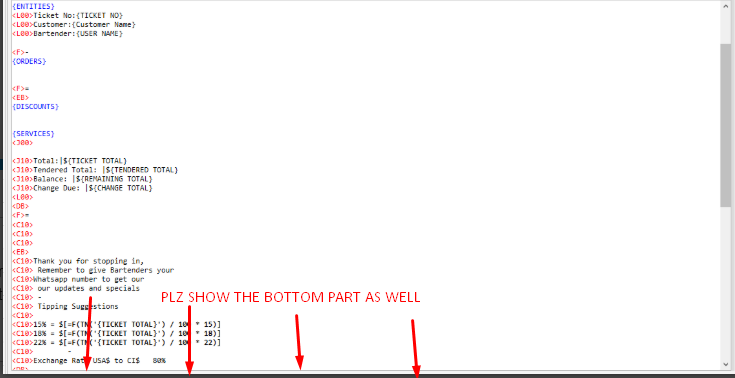
thats not the whole template, can you pls show the bottom parts of your template as well


, coz you need this part to be there so you can see the partial payments also

[PAYMENTS]
<J10>{PAYMENT TYPE NAME}: |${TENDERED}

It is too long to capture on one screen I’ll break it up into hopefully (2)


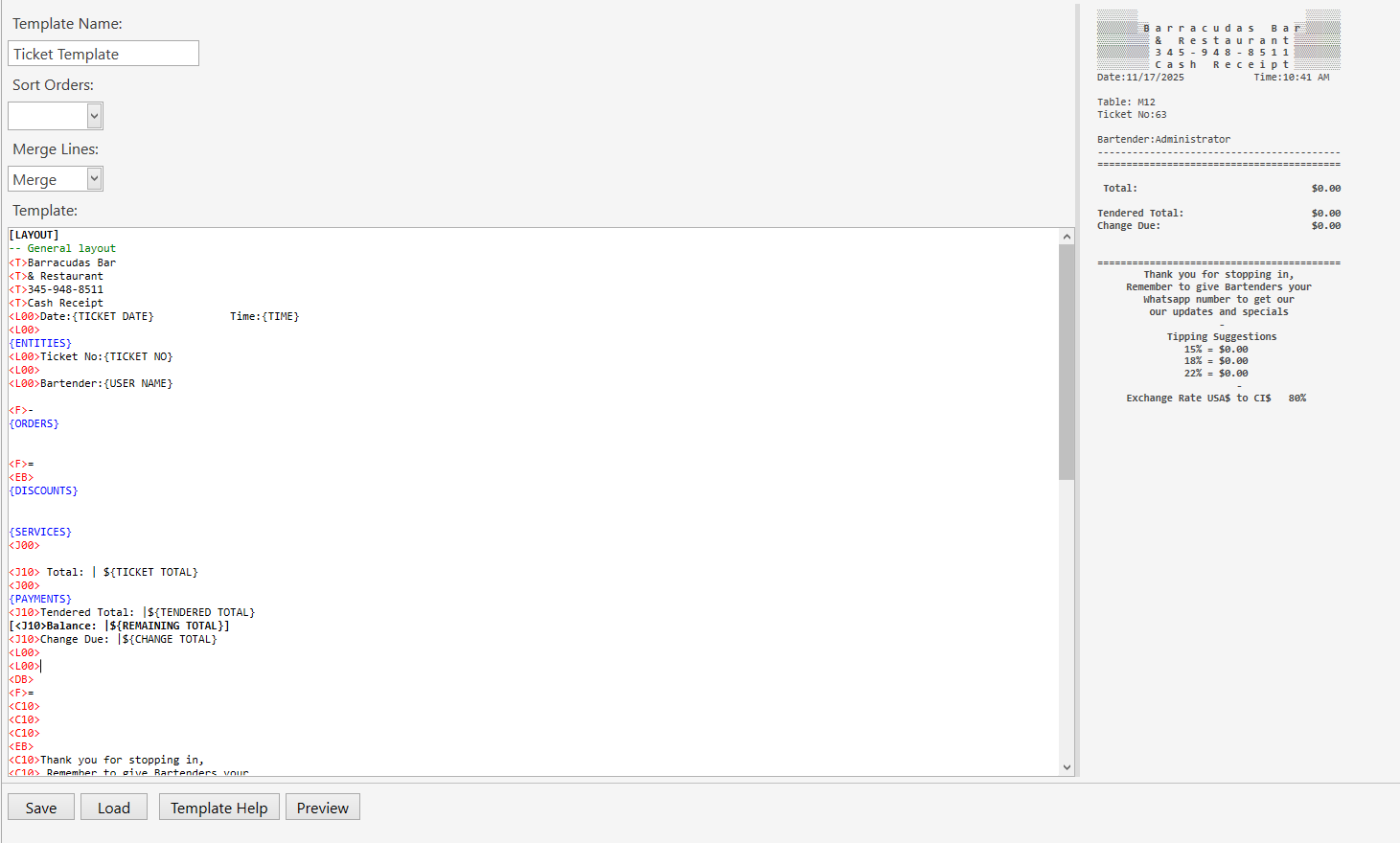
Try this one

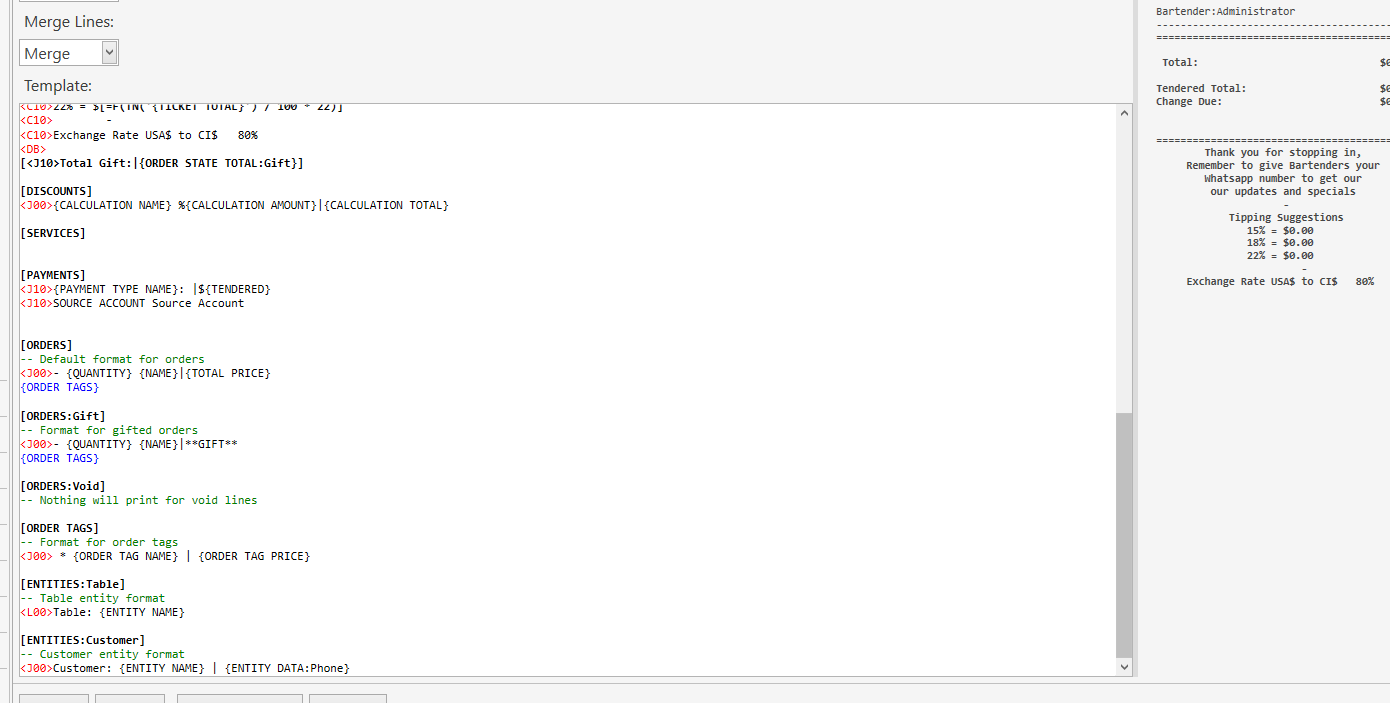
[LAYOUT]
-- General layout
<T>Receipt
<C20>Barracudas
<C20>Bar & Restaurant
<C20>Phone: 345-948-8511
<F>-
<J00>Date:{TICKET DATE}| Time:{TIME}
{ENTITIES}
<J00>Ticket No:|{TICKET NO}
<J00>Bartender:|{USER NAME}
<F>-
{ORDERS}
<F>-
{DISCOUNTS}
{SERVICES}
<J00>
<R40> Total: | ${TICKET TOTAL}
<J00>
<C00>{TOTAL TEXT}
<J00>
<F>-
{PAYMENTS}
<J10>Tendered Total: | ${TENDERED TOTAL}
<J10>Balance: | ${REMAINING TOTAL}
<J10>Change Due: | ${CHANGE TOTAL}
<J00>
<F>-
<C10>Thank you for stopping in,
<C10>Remember to give Bartenders your
<C10>Whatsapp number to get our
<C10>updates and specials
<F>-
<C10>          Tipping Suggestions
<C10>                   15% = $0.00
<C10>                   18% = $0.00
<C10>                   22% = $0.00

<C10>Exchange Rate USA$ to C$      80%

<C10>22% = ${=(INC=TN('{TICKET TOTAL}') / 100 * 22)}
<C10>----------
<C10>Exchange Rate USA$ to CI$     80%
<C10>[Total Gift:|{ORDER STATE TOTAL:Gift}]
<F>-

[DISCOUNTS]
<J00>{CALCULATION NAME} %{CALCULATION AMOUNT}|{CALCULATION TOTAL}

[SERVICES]
<J00>{CALCULATION NAME}: |${CALCULATION TOTAL}

[PAYMENTS]
<J10>{PAYMENT TYPE NAME}: |${TENDERED}

[ORDERS]
-- Default format for orders
<J00> - {QUANTITY} {NAME}|{TOTAL PRICE}
{ORDER TAGS}

[ORDERS:Gift]
-- Format for gifted orders
<J00> - {QUANTITY} {NAME}|**GIFT**
{ORDER TAGS}

[ORDERS:Void]
-- Nothing will print for void lines

[ORDER TAGS]
-- Format for order tags
<J00> * {ORDER TAG NAME} | {ORDER TAG PRICE}

[ENTITIES:Table]
-- Table entity format
<J10>Table: |{ENTITY NAME}

[ENTITIES:Customer]
-- Customer entity format
<J10>Customer: {ENTITY NAME} | {ENTITY DATA:Phone}

Receipt prints OK, but still no indication of any Funds paid by any credit card .

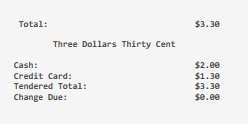
Are you looking for something like this?

That would be better , you see we get two types of credit cards one with local ci$ and the other with USA $ it is nice to know the break down on the slip, less confusion, at some point later I will see if I can get the currency symbols to sit next to the Credit card payment on the receipts thank you for you time helping
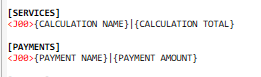
You can specify templates based on payment type:

e.g.

for payment type named “Credit Card USD”
[PAYMENTS:Credit Card USD]
<J00>{PAYMENT NAME}|US$ {PAYMENT AMOUNT}

for payment type named “Credit Card CID”
[PAYMENTS:Credit Card CID]
<J00>{PAYMENT NAME}|CI$ {PAYMENT AMOUNT}