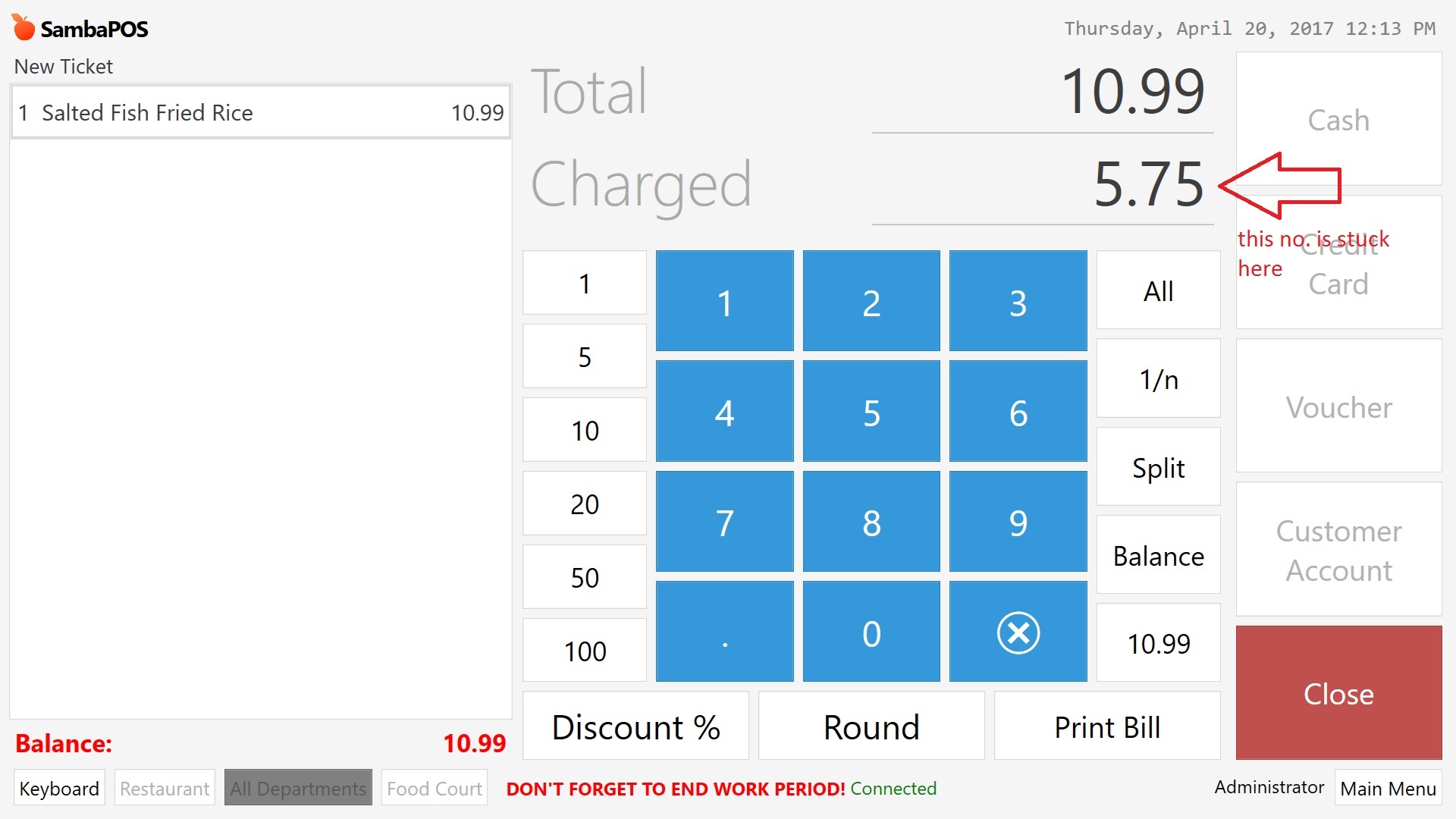
In payment, the “1/n” and “Balance” seems to do nothing,c an someone tell what they supposed to do?
and what affect its behavior so that I know how to change them back to normal operation.
I am assuming the “1/n” means split the total bill into “n” equal payments, correct? If so, it should ask me to enter the value for “n”.
I will reinstall a new copy of the SambaPOS v5 in new computer to study the defaults again and compare to my current installation in a development machine.
Thanks for the quick reply and tried your suggestion, it did give me the desired 1/n value which you mentioned but then the payment screen get stuck with the $ amount of what the last time it is calculated whatever I do for other payment on other tickets.
After trying your suggestion, I somewhat understand what the “Balance” do, it seems to mean to return the number on the “Total” back to the total balance left unpaid - somewhat like a reset.
Problem goes away after completely exit SambaPOS and I figure out the operation of the “1/n” and the usage of the the $amount of “1/n” below the button Balance with the help of a new install of Samba in another machine. However, this seems to be a bug somewhere if user is pressing the wrong thing during the payment.
For now, I will move on as I can deal with by an exit and run the program again but if more people encounter the same issue, it then warrant a fix Samba. It may be just some memory issue my my computer as well.
Balance mode is for making a Payment to an Entity Account, based on the (Customer) Entity that is assigned to the Ticket, assuming that Entity has a related Account.