Sure it was pointed out few days ago but recommendation is not to reset ticket number as will cause potential conflicts in the system.
The recommendation on the presumption its to have a simple lower number for ticket reference is to have a seperate tag which is setup to be incremental with each new ticket and use this is templates etc and add action to reset on work period close.
Ticket id is unique ‘key’ in database
Ticket number should be unique and often used in automation work flow.
A customer order number/ticket reference tag can be whatever you want it to be without negatively effecting the system setup.
EDIT:
Don’t think it was in this thread am- can’t see it, but was recently when someone asked similar question.
We have established that. I’m asking you why you want it to do that? It seems silly I keep asking that but its important and will help me recommend a better option for you.
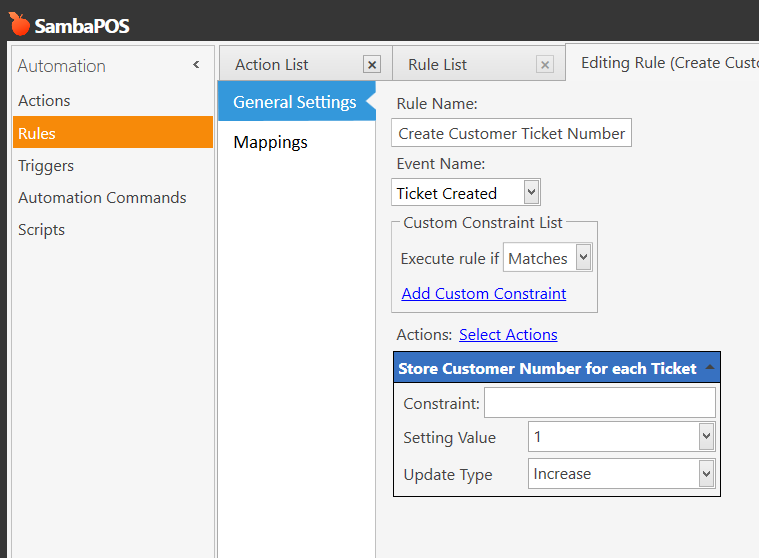
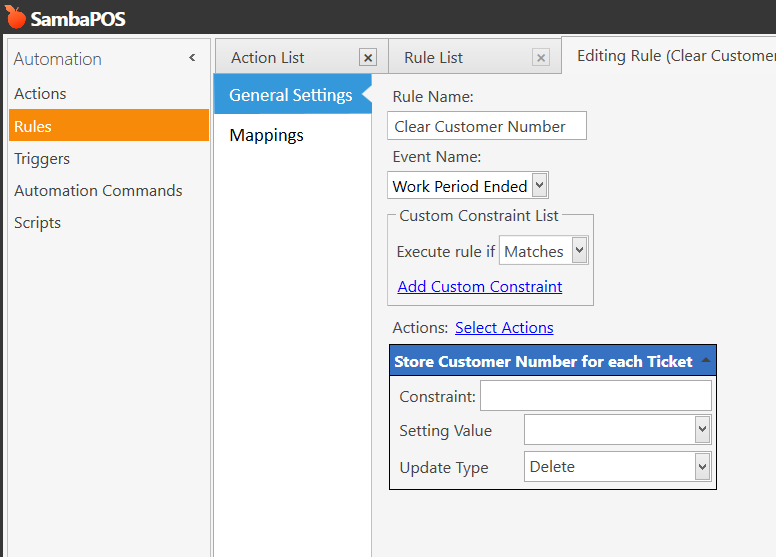
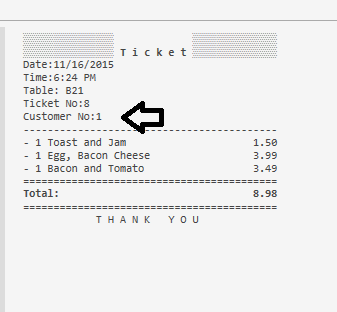
Ok now we are getting somewhere. You want a system to place a number on an order so you can call it out. We can build that. You shouldnt mess with Ticket No or Order No it can cause database instability and data corruption. Instead we can use a program setting that increments and is reset at Work Period close back to 1. This program setting can be automatically printed on tickets.
I already shared a system for this a month or so ago let me see if I can find it.
EDIT: I cant find it but its simple enough I will just show you. Give me a few minutes.
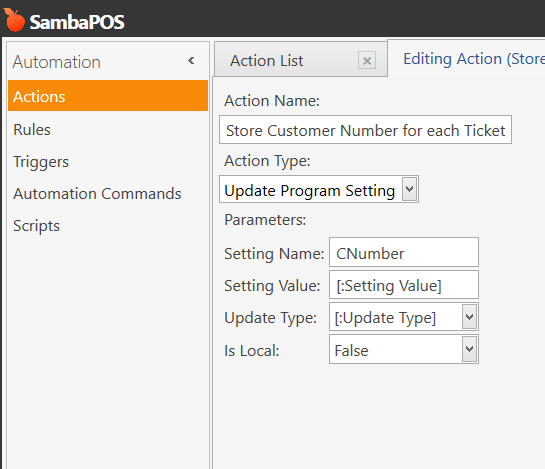
Create an Update Program Setting action like the following:
The solution above is only for v5 it would not work like the screenshots show in version 4. You could get a system similar in v4 it would just need to be created differently the Delete option for Program Setting is not available in v4.