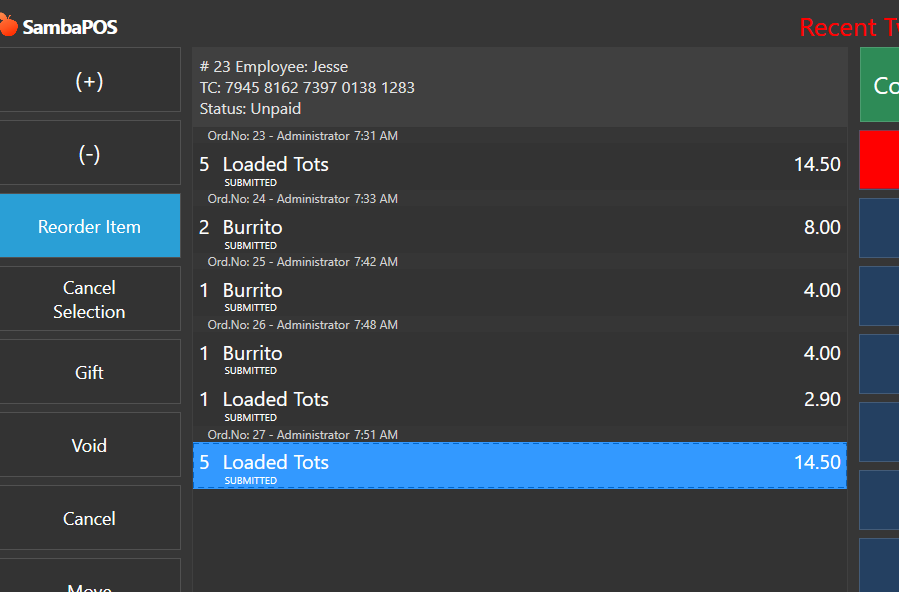
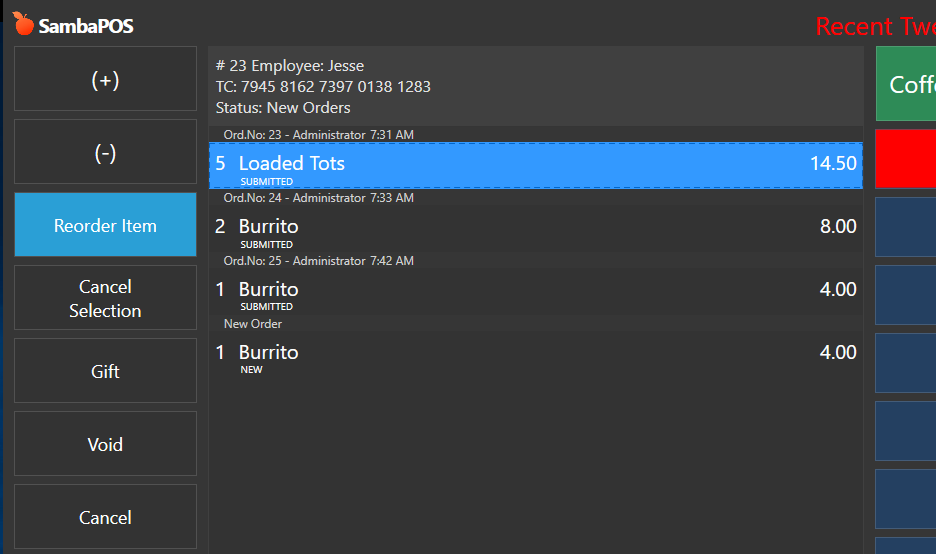
Here is your button.
Create an Automation Command Button - Map it to Order Line
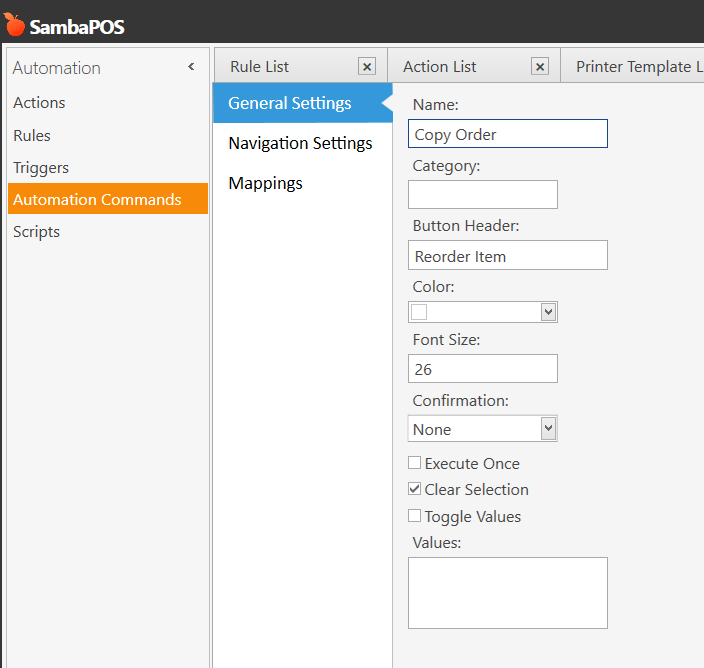
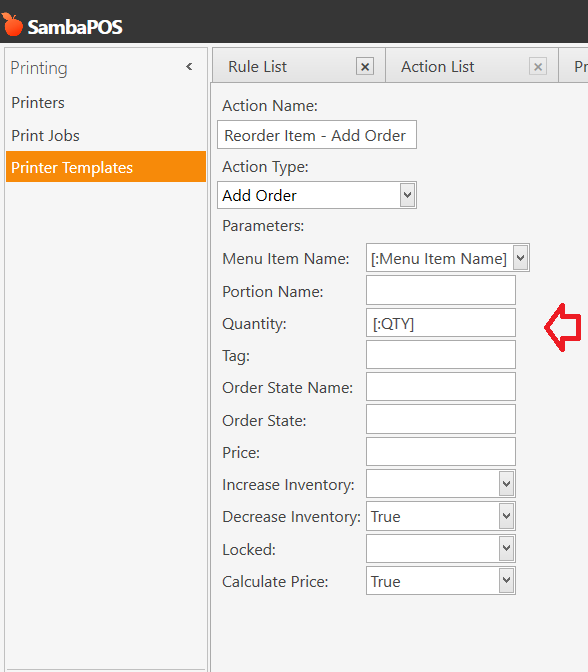
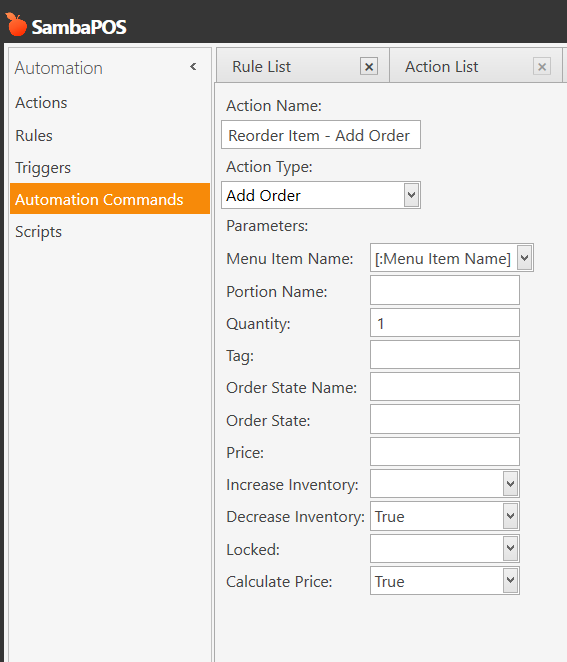
Create an Add Order action and fill it out as shown below
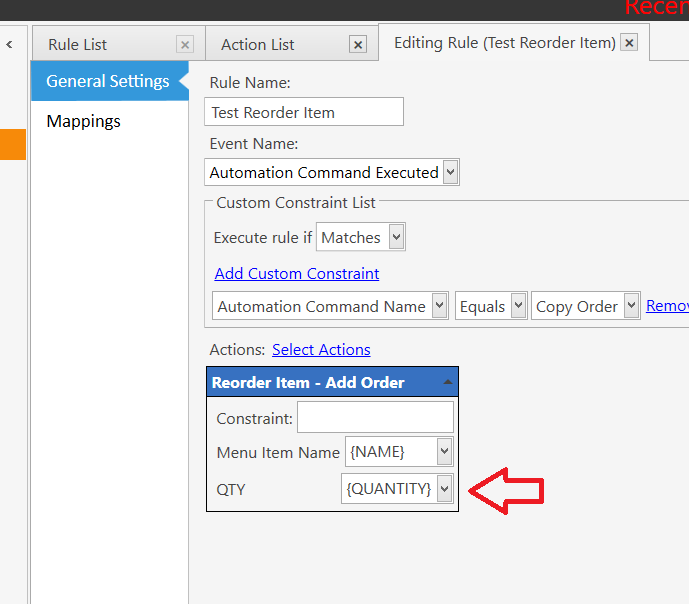
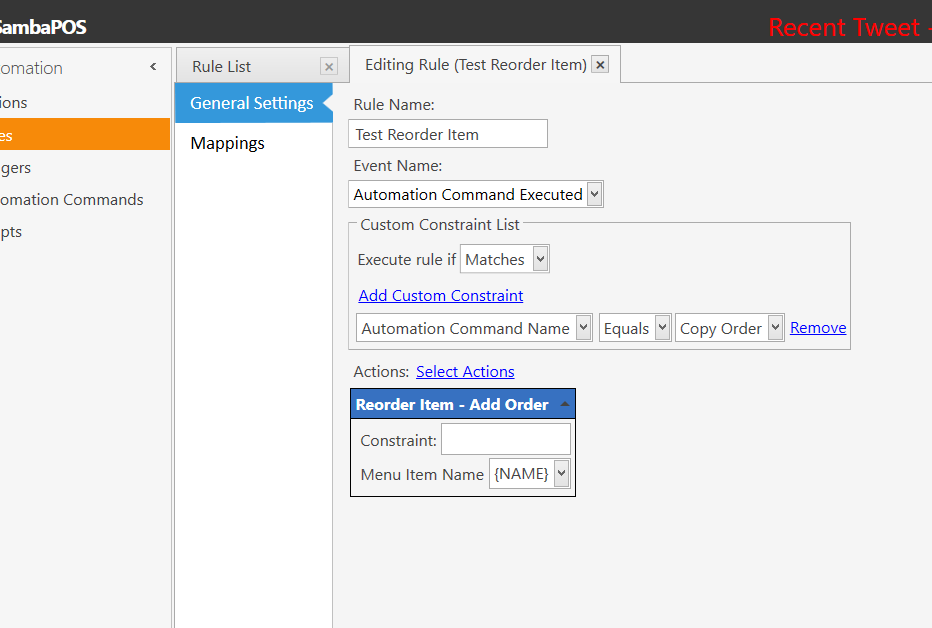
Create an Automation Command Executed rule for your new button and add your new action with {NAME} for the parameter as shown below
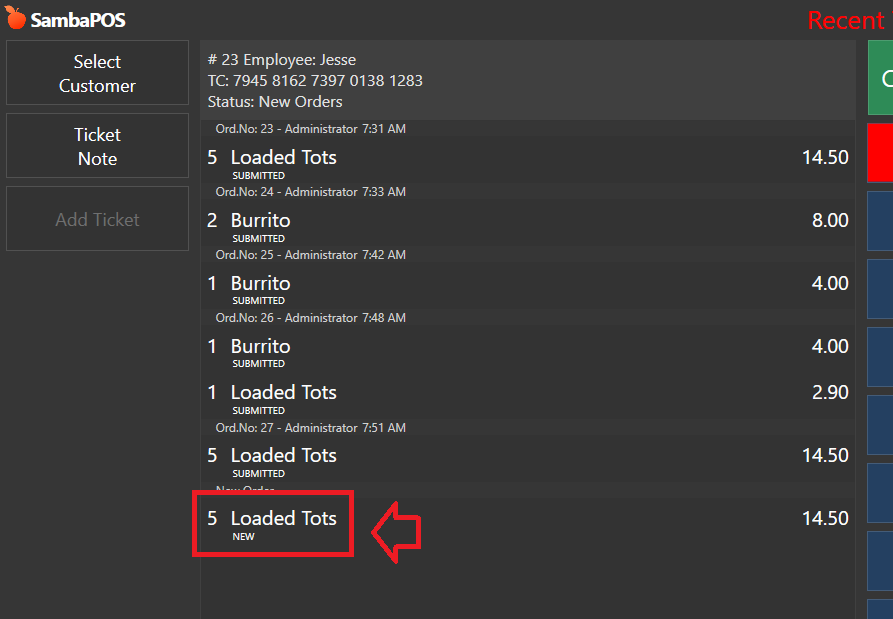
Thats it… its that simple. So now click on items you want to reorder and press your button.
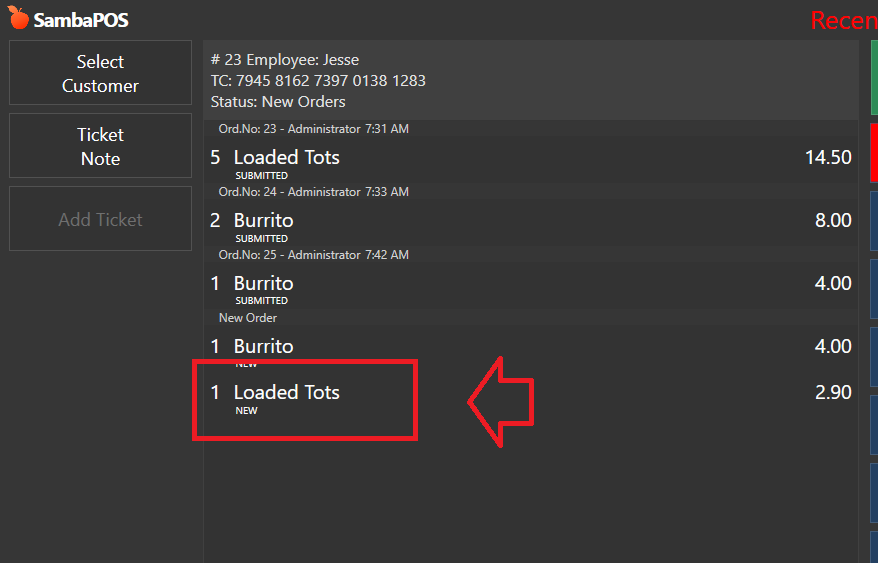
OPTIONAL: If you merge lines and want it to copy the same QTY then change the action and rule as shown below