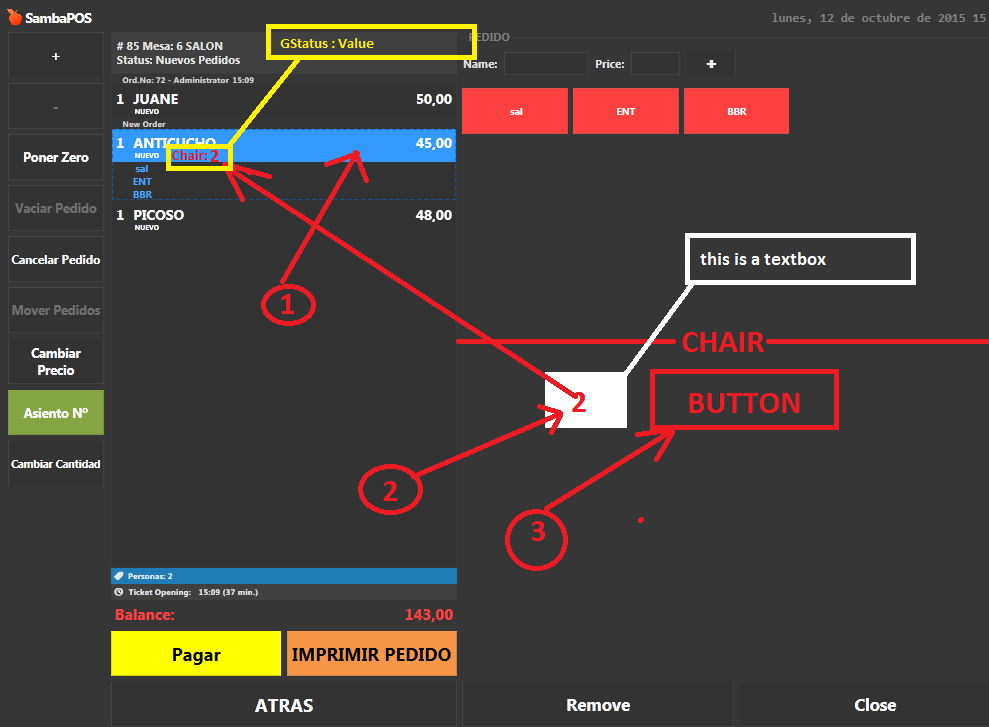
this scenario, it’s posible???
I try to find the best way to work for no delay
That is in the order state position and the right side is order tags so would probably be be allot of work to get an order tag to translate to a state - well fair bit of automation.
Your easier option would probably be an ask question popup with either numbers 1-? values for chairs which then updates the state from the command value or use a keyboard in the ask question which I have seen but not done myself yet.
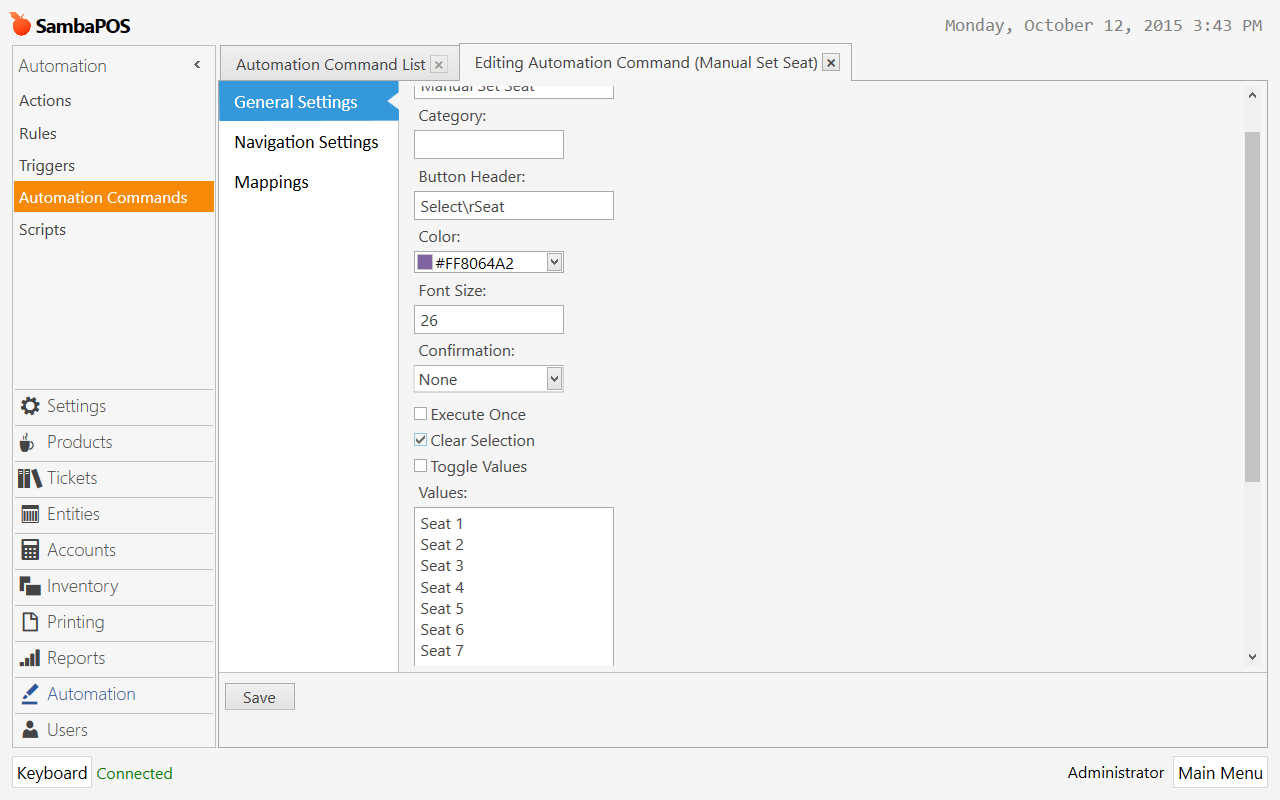
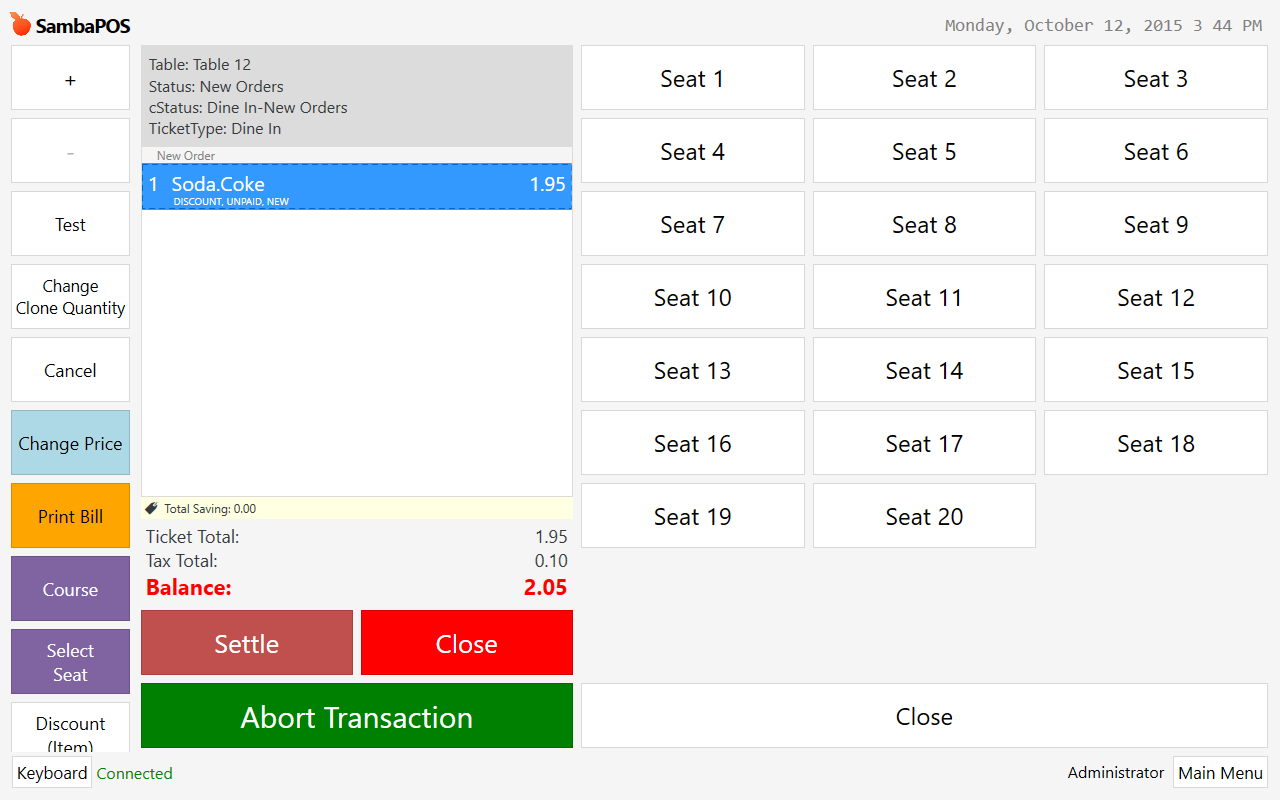
as you would with a popup?
already did
but it takes many CLICK
You need to make it simple for the waiter
Is this an option for every order?
You could trigger the automation command with order added if so which using the command value alternative would mean just add order and select chair.
I order and choose chair
Lol that’s less complicated than you asked at start of your post. It’s two clicks.
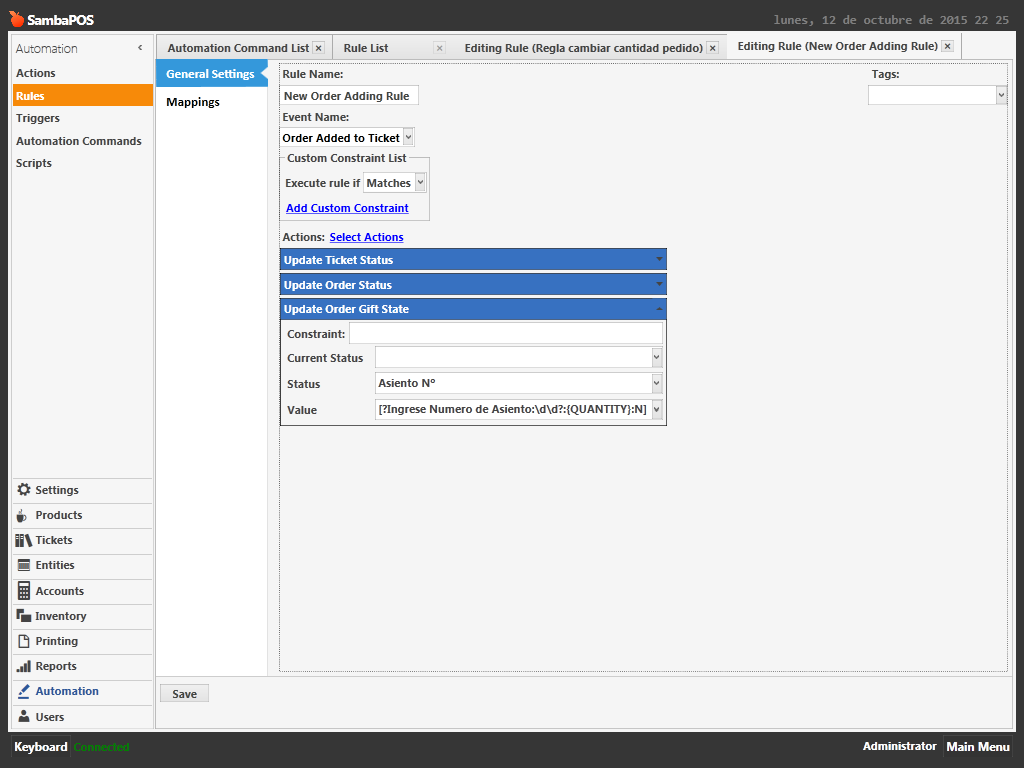
You choose chair first (ticket tag chair no) than have event Order Add To Ticket set chair state. It stay that chair until you change it so, much less click.
returning to this thread
I think it was not a good idea
not always used sillasn
if you or I need in order texbox on the display tag
help me please
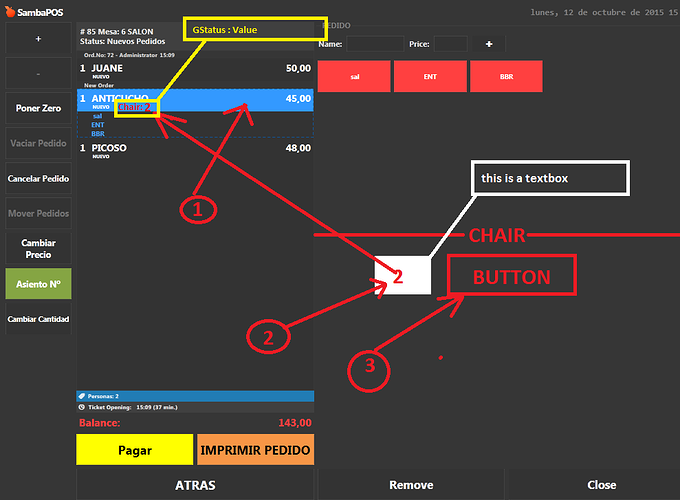
@Erme
Help!
You can create a popup that you type your chair number and press enter.
I am sorry but I cant understand what you said.
I already did
operates
but
It is not always used
only when there are large groups
that scenario would be perfect
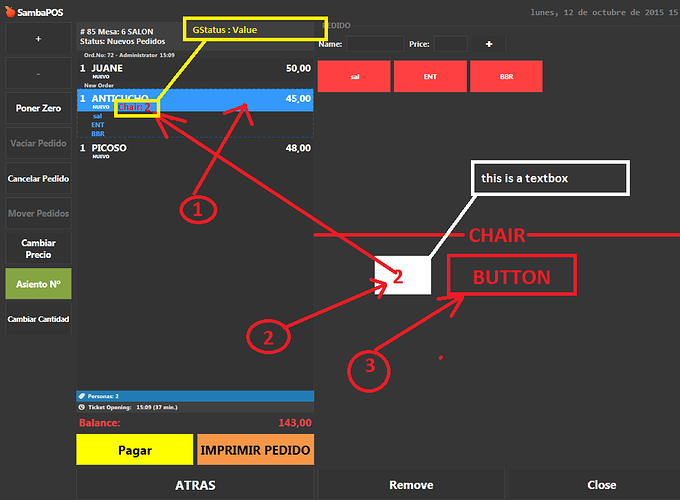
Then use Order Tags for Chair numbers instead of states. You can have it set the state using Order Tagged rule. You can then clear that tag.
Why don’t you just use Free Tagging order tag then. But I tell you now, it is not a good idea.
Free tagging is exactly what you drew in the picture. Text box to input text and there is + Burton to tag it.
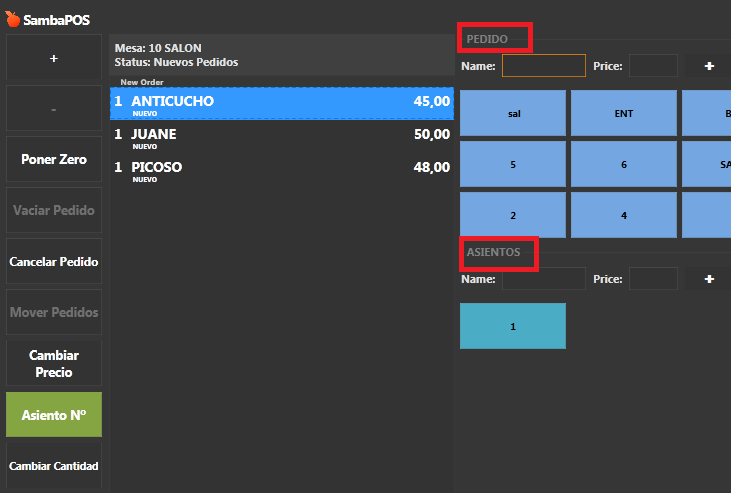
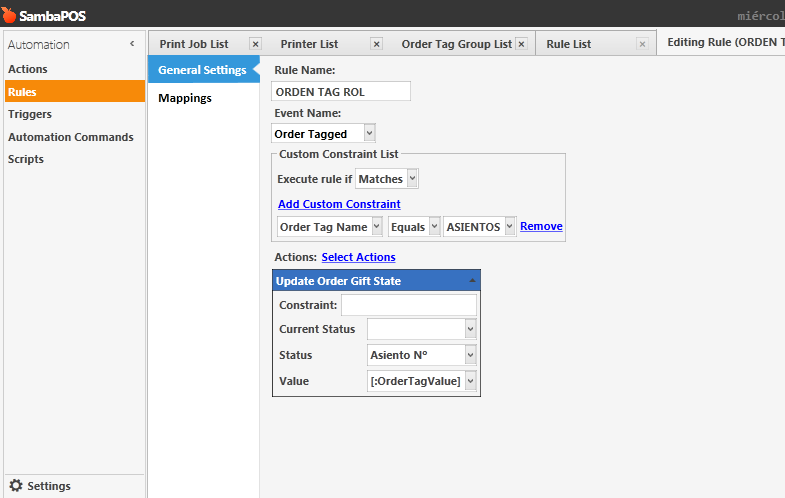
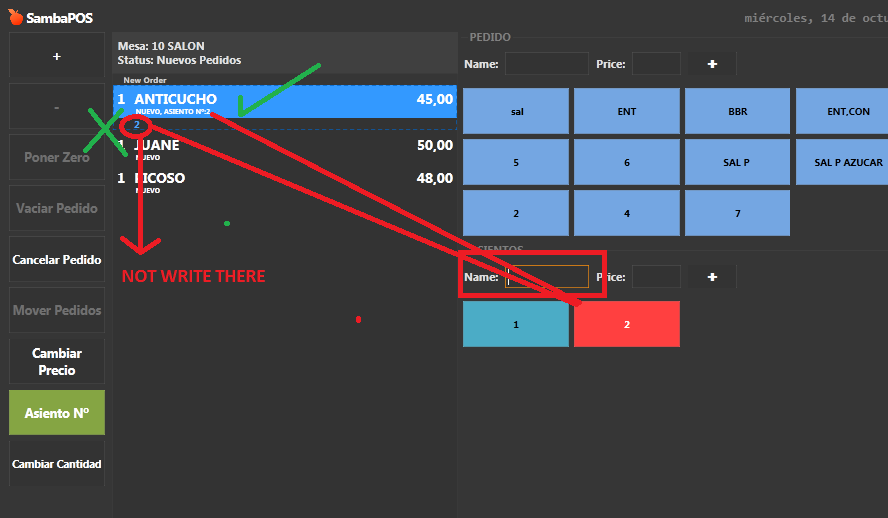
Order tagged works but want to hide tax !!