Why? If your adding to ticket with barcode you dont need to do anything, barcode in numberpad will add order to ticket anyway?!?
If its price check ticket and only the one price check item ticket total will include tax.
There are several order level PRICE tags;
{PRICE}
{TOTAL}
{TOTAL AMOUNT}
No idea how tax comes into these as like I said we deal in prices inc VAT in UK so price is the gross price not exc.
As @sukasem says, if your prices are plus tax a price check would shurly show plus tax price anyway…
You could always use multiple script calls
Might need to split into an execute automation command for the barcode prompt into the command value and use [:CommandValue] in each of the script calls where the barcode would have come from the prompt previously in order to use the same value in all calls.
Its because of the script generating the output for the ask question I expect, so hes relying on sample scripts provided.
Rick is not so fluient in scripts…
In my country its mandatory to display prices including vat on the rack for the customers.
No i don’t have a customer display.
It have many software’s that can show price check for example L-boss.
And yes you are right:
But customer must know the total price for the item he’s interested in because vat is constant throughout the country.
If your displaying tax inclusive prices would you typically not price your items including tax on the till?
You know there is an options that prices include taxes and then tax calculations are done from set prices rather than on top of…
I have no idea where to insert it or what the full script details need to be to add it to whats been provided, this is literally he first time ive even looked at scripts so dont understand what all the parts are, what they mean, how they link to db tables, where the stuff even comes from lol
function checkPrice(inputBarcode) {
	qry =  "SELECT m.[Name], s.[Name], p.[Price] FROM [MenuItemPrices] p LEFT JOIN [MenuItemPortions] s ON s.[Id] = p.[MenuItemPortionId] LEFT JOIN [MenuItems] m ON m.[Id] = s.[MenuItemId] WHERE m.[Barcode]="+inputBarcode;
	var priceList = sql.Query(qry).Delimit(' ').All;
	var priceCount = priceList.Length;
	var response = '';
	for (t = 0; t < priceCount ; t++) {
		response += priceList[t]+'<linebreak/>';
    }
	return response.replace('Normal ','');
}
I dont understand what are you trying to say.
Well today m not at work staying home celebrating my birthday today with family.
So I don’t want to give statements without trying anything. And I understand what solutions you are giving me I will try tomorrow to just simply add order from barcode display total amount and name via ask Que, cancel last order add to ticket and then close ticket.
Don’t get me wrong but I still have lots of things to do including price check.
And that is Accounts with credit and debit.
So you could understand my situation I literally had migraine with this credit and debit.
But m glad I get through now I have proper understanding with whole accounts.
I can minus payouts(supplier) and pickups from cash through payment transaction as a credit and I could see in account screen that pickup and payout goin into credit in cash account.
In supplier accounts I can payout from cashier via cash, it will minus it from cash and added to the supplier accounts. Also When we purchasing goods from warehouse it will go into debit supplier account and if we paying supplier from warehouse via cash or cheque it will go into credit, so in the end we will get the exact total amount.
And all of this happening on account screen not via reports.
In reports I just have to add all the accounts.
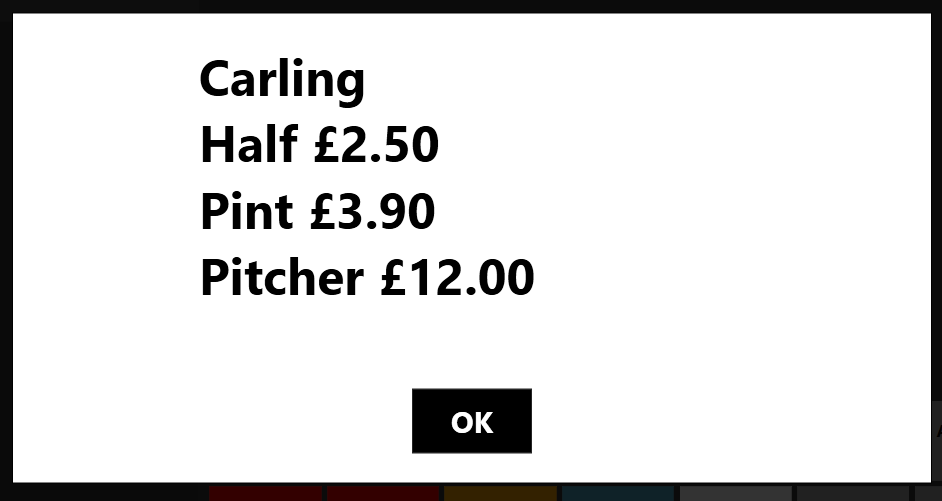
is there a way we can separate the two scirpt, so the first that shows portion and price and then a second thats just the product name.
Then call both scripts in an ask question action so i can put a linebreak between the name and portion prices to get a layout like this? then i could also change the text size of the product name from the portion and prices below?
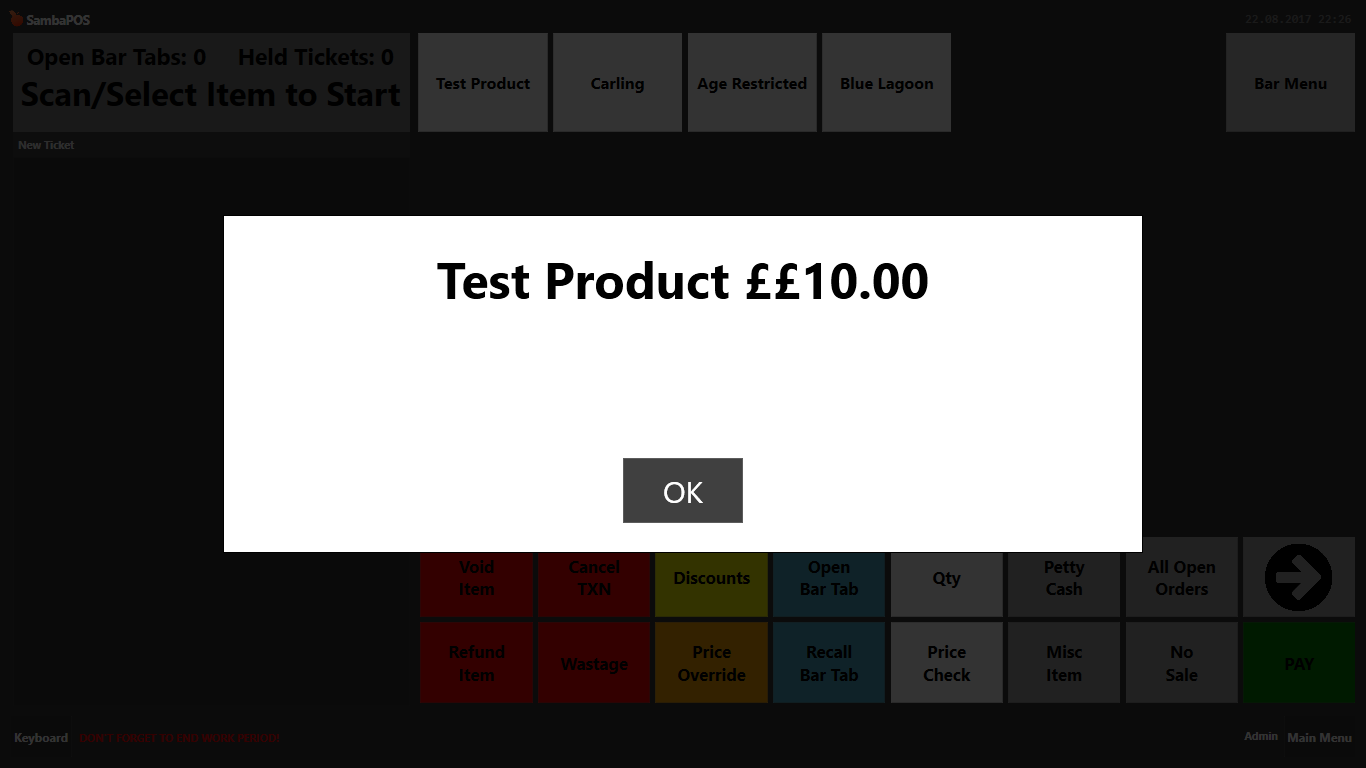
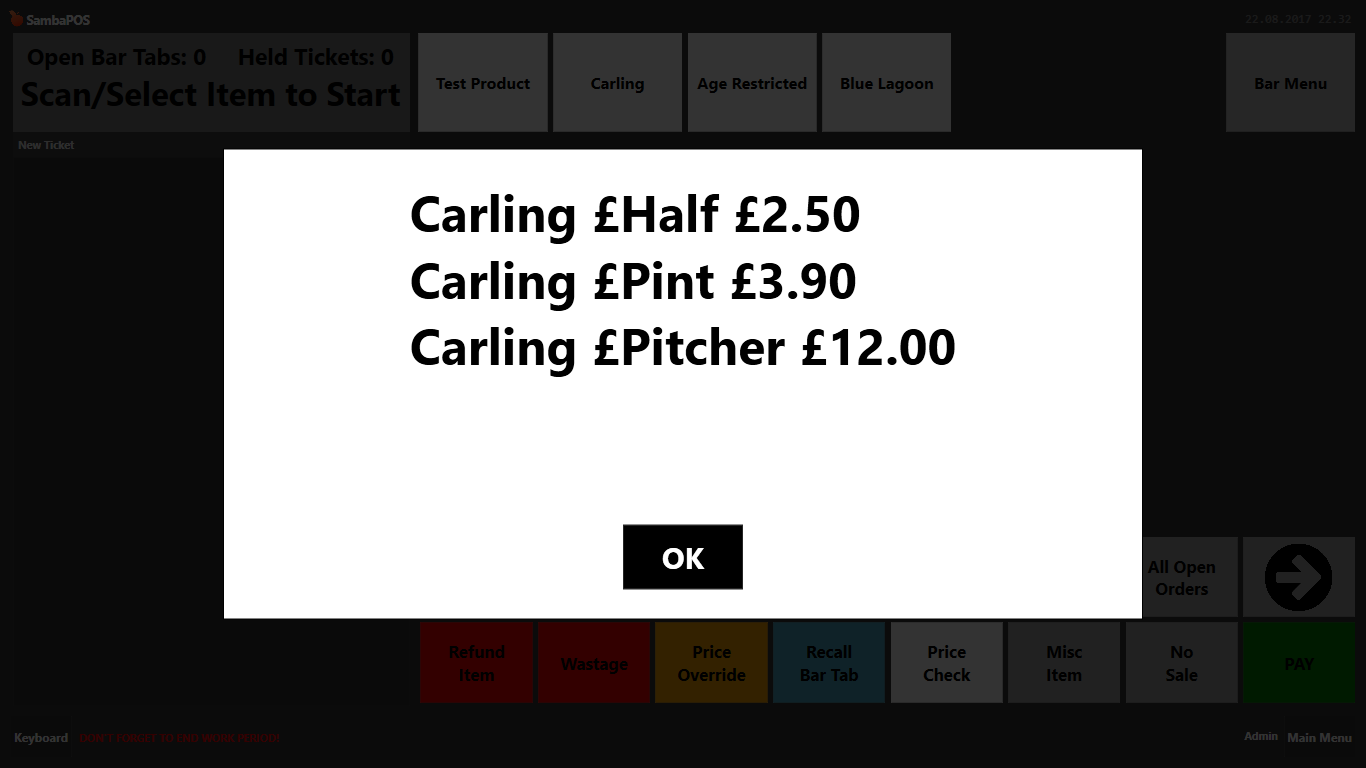
So this is the script without the product name, that would also solve the doubling of the £ symbol
        function checkPrice(inputBarcode) {
        	qry =  "SELECT s.[Name], p.[Price] FROM [MenuItemPrices] p LEFT JOIN [MenuItemPortions] s ON s.[Id] = p.[MenuItemPortionId] LEFT JOIN [MenuItems] m ON m.[Id] = s.[MenuItemId] WHERE m.[Barcode]="+inputBarcode;
        	var priceList = sql.Query(qry).Delimit('  £').All;
        	var priceCount = priceList.Length;
        	var responce = '';
        	for (t = 0; t < priceCount ; t++) {
        		responce += priceList[t]+'<linebreak/>';
        		}
        	return responce
        }
What would the script be for just the product name? This would also solve the issue of the £ sign appearing twice
[quote="RickH, post:120, topic:15625"]
What would the script be for just the product name? This would also solve the issue of the £ sign appearing twice
[/quote]


function checkPrice(inputBarcode) {
 	var qry = "SELECT m.[Name], s.[Name], p.[Price] FROM [MenuItemPrices] p LEFT JOIN [MenuItemPortions] s ON s.[Id] = p.[MenuItemPortionId] LEFT JOIN [MenuItems] m ON m.[Id] = s.[MenuItemId] WHERE m.[Barcode]='" + inputBarcode +"'";
	var priceList = sql.Query(qry).All;
	var priceCount = priceList.Length;
	var response = 'Product Name: ' + priceList[0].substr(0,priceList[0].indexOf(','));
	for (t = 0; t < priceCount; t++) {
		var list = priceList[t].split(','); //list[0] = Product Name, list[1] = Portion Name, list[2] = Price,
		list[1] = list[1].replace('Normal ','');
		list[2] = '$'+list[2];
		response +=  '<linebreak/>Size: ' + list[1] + ' - ' + list[2];
    }
	return response;
}
Brill ill try it in a few mins, id almost cracked it with two scripts using the ask question to format size. I just ran into 1 issue, when the product had portions the product name was repeated the same number of times as there were number of portions
one slight tweak, you put a space after the word normal in the return responce.replace that needs deleting and reponse should be spelt with a ‘c’ responce, im testing now