It is just variable name can be anything. BTW should change <linebreak/> to just \r I never used I normally used either \r or <br/>
Already one step ahead 
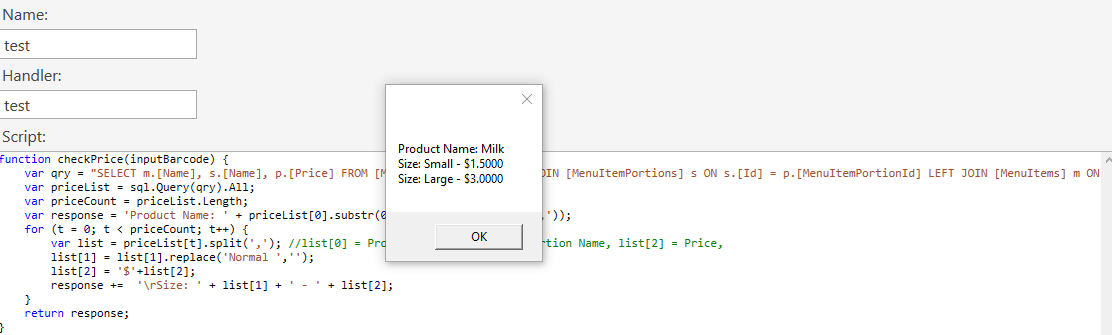
You can change Normal to Regular I think would sound better in case you have Normal and other portion name. .replace('Normal','Regular')
2 Likes
Comma is not a delimit I would have used but if it works (ie a comma in portion will mess it up, generally best to use a ‘special character’ unlikely to ever be used in actual enteries.
Looks like your there Rick.
Good to see you starting to see the power of scripts 
1 Like
so i played about with it to get this for non portioned products, i removed a ‘space’ from before the price so that it correctly aligns to the left with the product line above
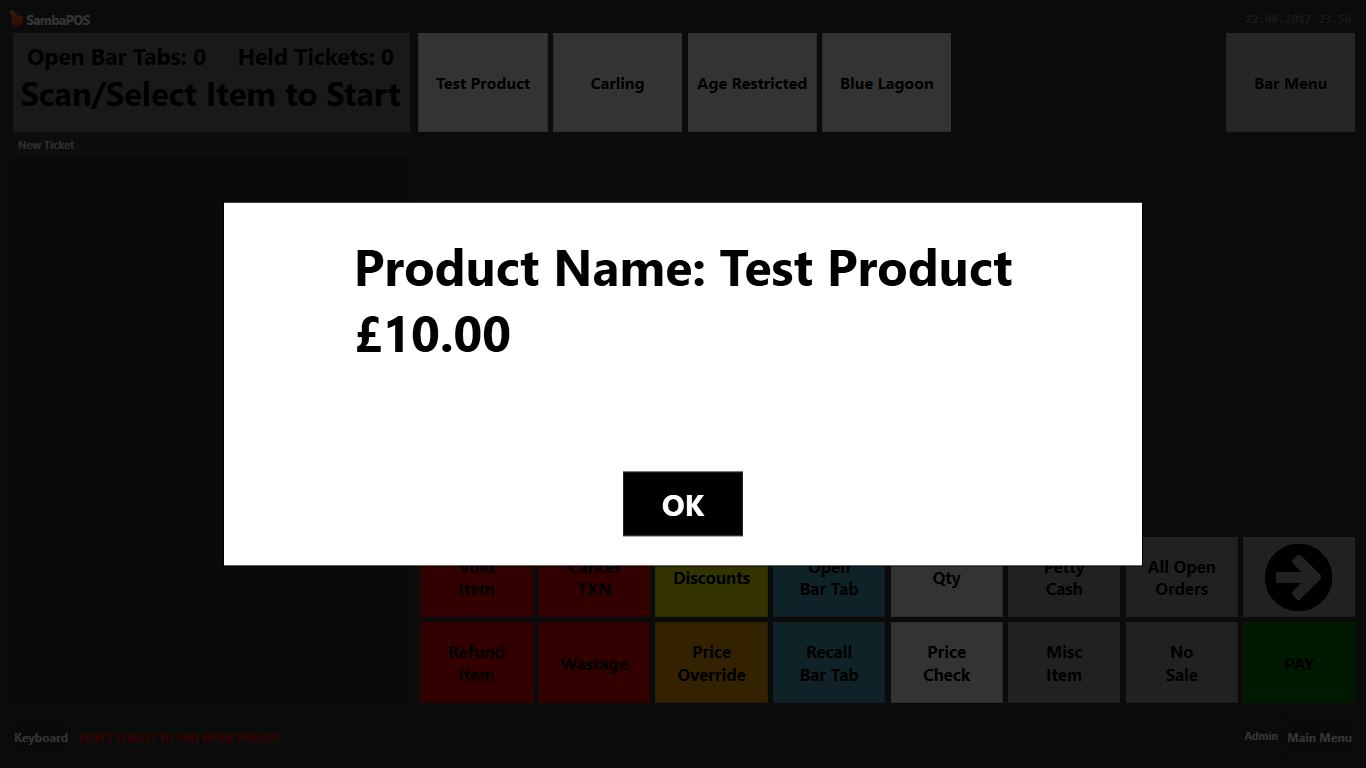
However when there is a portion there is now now space between the portion name and price, i cant work out how to put a space here without it interferring with the non portion and moving it out of alignment
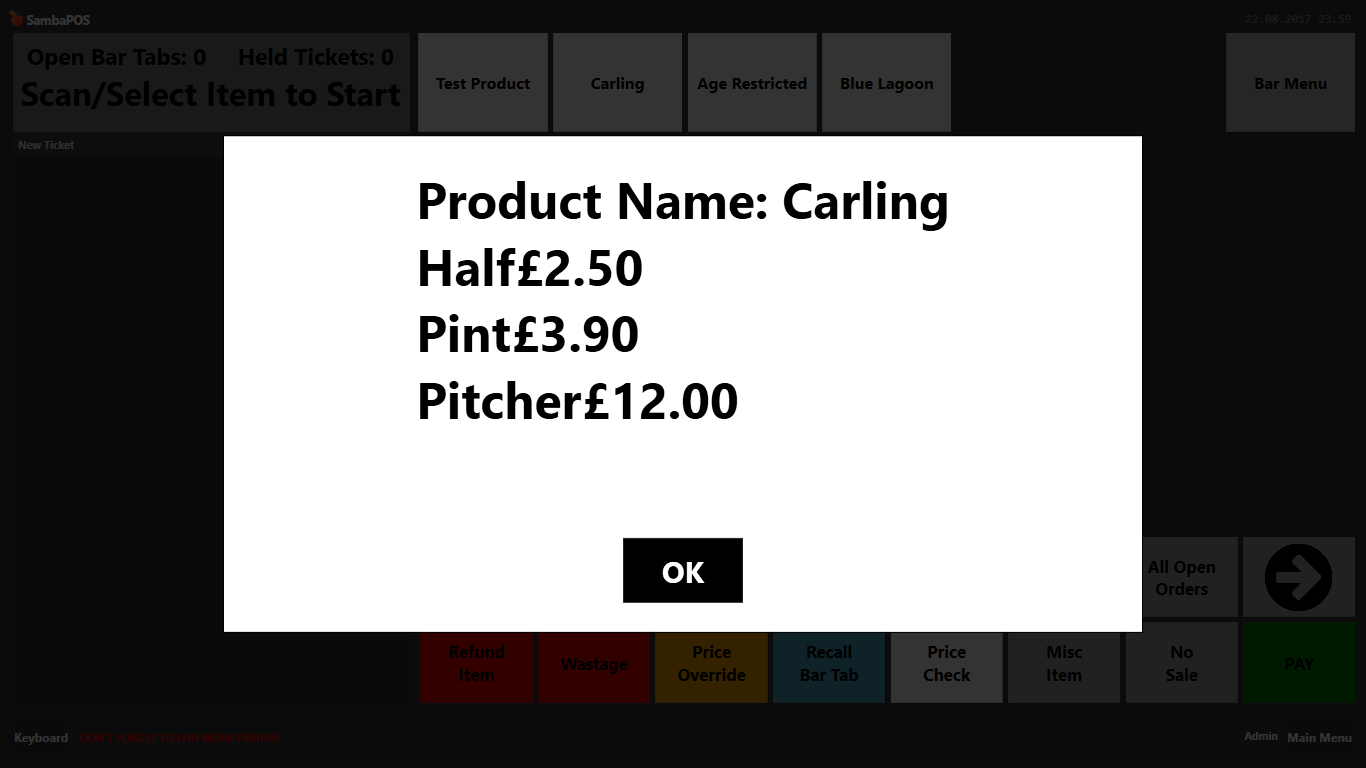
With the space back in out of alignment
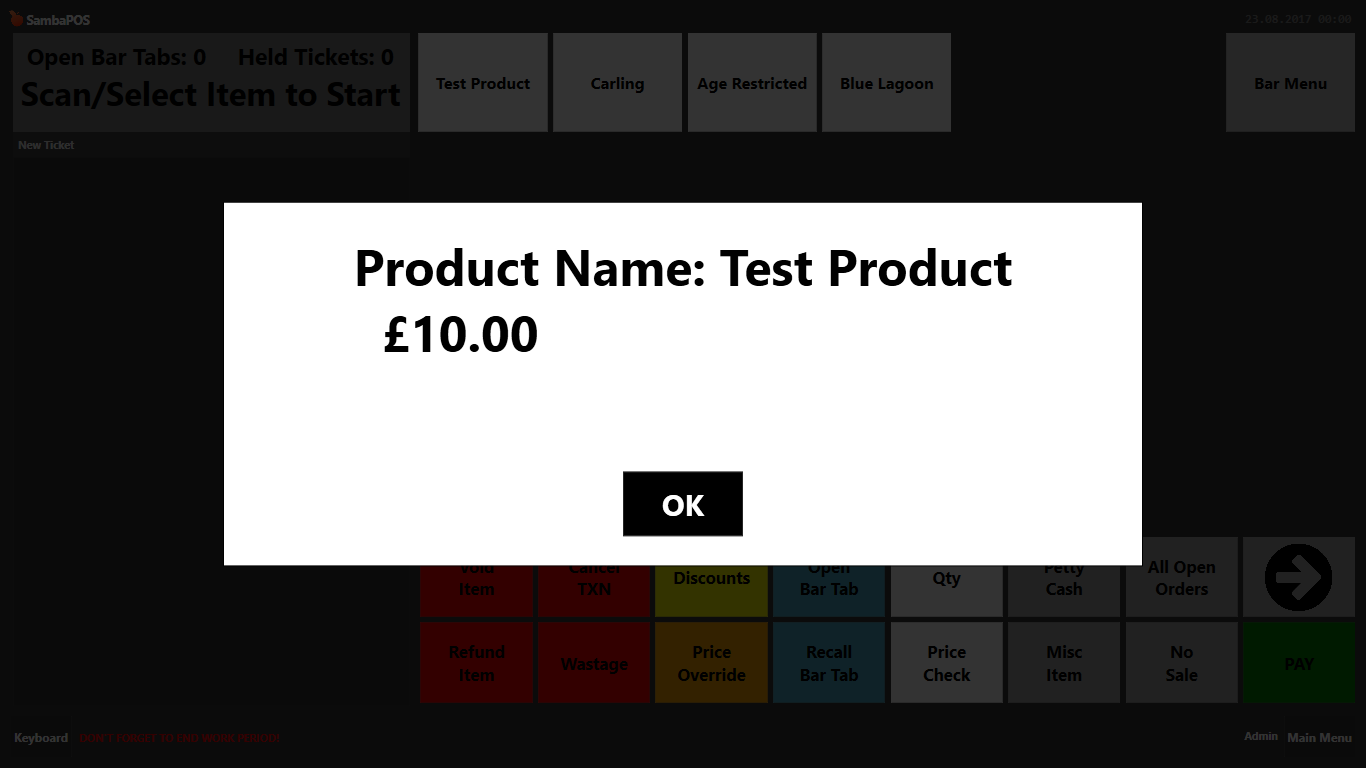
but portion in alignment
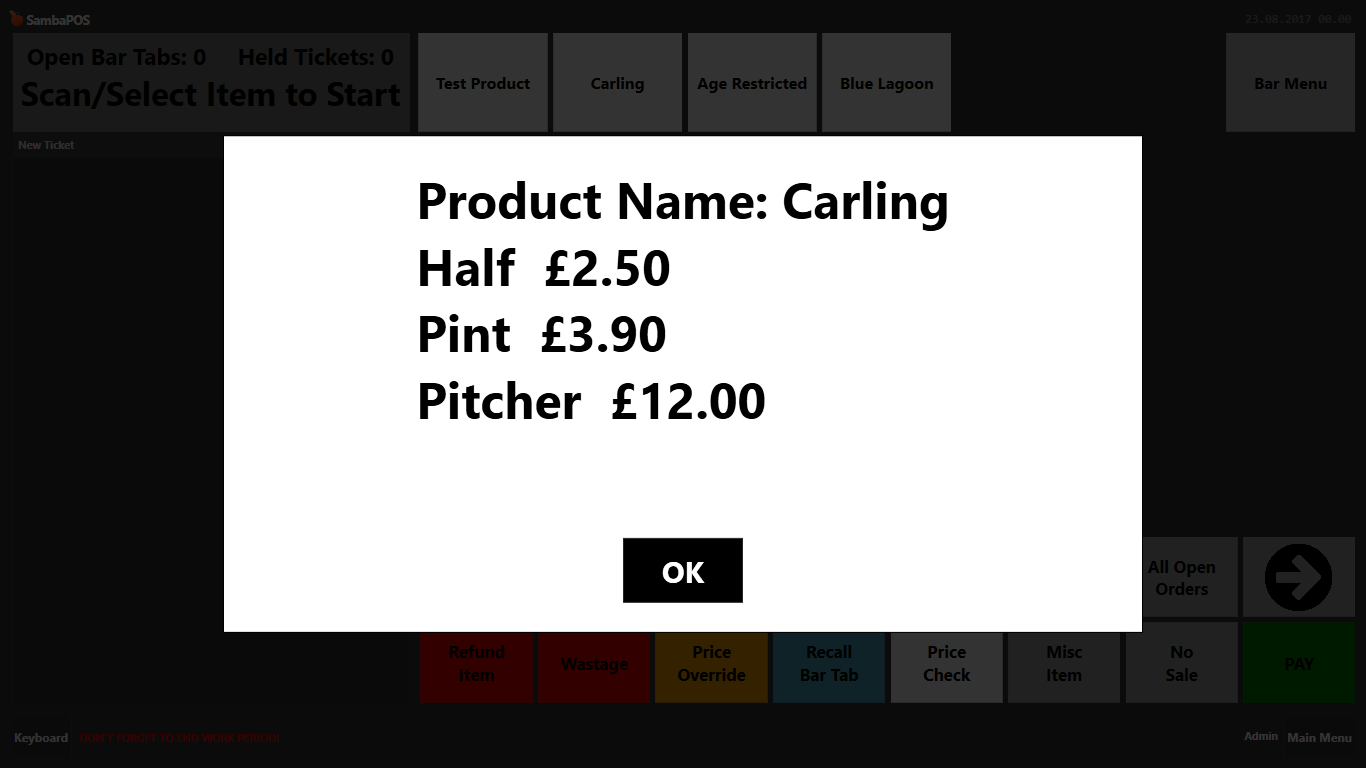
also can i change the text soze of the product name to be different from the portion and price? can you add size tags into the script is that possible?
This is where the seperate calls would have made things more understandable for yourrself.
Either way it would be posible.
Pretty sure like with /r or linebreak the scrip should be able to return formatting code.
You probably need a if expression in there to set different format for portion or not.
Can you paste the latest version of your script?
Show Message doesn’t support format tag only Ask Question. You should know it
His screen shots are ask questions 
1 Like
Ahh see only OK button I thought it is show message lol.
Sorry i meant ask question ill post in few mins, little one decided to get out of bed
If its easier to format then splitting it in 2 would be better, i did try but messed it up. I couldnt work out how to split the script to just show product name and then a second one to show portion and price i ended up displaying nothing haha
You would want the if after the length variable, if priceCount < 1 single portion format, else for loop for multi portion format.
I also wanted a linebreak after producr name, tried various places but each messed it up
Splitting in 2 would make that really easy by putting linebreak in the ask question between script calls
This product name you should see ‘Product Name:’ That why I add it. I knew you will not know what is it if I dont have Product Name word.
var response = 'Product Name: ' + priceList[0].substr(0,priceList[0].indexOf(','));
And this Size: and -
response += '<linebreak/>Size: ' + list[1] + ' - ' + list[2];
Also Comment:
//list[0] = Product Name, list[1] = Portion Name, list[2] = Price,
Show example of the two formats and paste the current script and will work it out
To break that down Rick,
its;
‘Product Name: ’ sting plus priceList[0].substr(0,priceList[0].indexOf(’,'));
Which is first line (row of SQL return) ie priceList[0] with everything after the first comma removed (is product name) ie substr(0,priceList[0].indexOf(’,’))
The returned sql query will have product name on every row in first column;
NAME | PORTION | PRICE
So taking the first portion you cutting out just the product name.
Then within the loop you are then splitting the row on comma and setting that row as list variable for each loop giving
list [0] = Name
list [1] = Portion
list [2] = Price
@sukasem - thats a nice bit of code with the second split… like it  and the cheaky replace - which is obviously only relevent if normal portion rather than using an if… again nice
1 Like
so this is the script for both product name and portion and price
    function checkPrice(inputBarcode) {
     	var qry = "SELECT m.[Name], s.[Name], p.[Price] FROM [MenuItemPrices] p LEFT JOIN [MenuItemPortions] s ON s.[Id] = p.[MenuItemPortionId] LEFT JOIN [MenuItems] m ON m.[Id] = s.[MenuItemId] WHERE m.[Barcode]='" + inputBarcode +"'";
    	var priceList = sql.Query(qry).All;
    	var priceCount = priceList.Length;
    	var responce = 'Product Name: ' + priceList[0].substr(0,priceList[0].indexOf(','));
    	for (t = 0; t < priceCount; t++) {
    		var list = priceList[t].split(','); //list[0] = Product Name, list[1] = Portion Name, list[2] = Price,
    		list[1] = list[1].replace('Normal','');
    		list[2] = '£'+list[2];
    		responce +=  '<linebreak/>' + list[1] + '  ' + list[2];
        }
    	return responce;
}before @sukasem did the changes and made the above i tried to separate the previous script we used in two and came out with these:
Product Name
function checkPrice(inputBarcode) {
	qry =  "SELECT m.[Name] FROM [MenuItemPrices] p LEFT JOIN [MenuItemPortions] s ON s.[Id] = p.[MenuItemPortionId] LEFT JOIN [MenuItems] m ON m.[Id] = s.[MenuItemId] WHERE m.[Barcode]="+inputBarcode;
	var priceList = sql.Query(qry).Delimit(' ').All;
	var priceCount = priceList.Length;
	var response = '';
	for (t = 0; t < priceCount ; t++) {
		response += priceList[t]+'<linebreak/>';
    }
	return response.replace('Normal','');
}
Portion and Price
function checkPrice(inputBarcode) {
	qry =  "SELECT s.[Name], p.[Price] FROM [MenuItemPrices] p LEFT JOIN [MenuItemPortions] s ON s.[Id] = p.[MenuItemPortionId] LEFT JOIN [MenuItems] m ON m.[Id] = s.[MenuItemId] WHERE m.[Barcode]="+inputBarcode;
	var priceList = sql.Query(qry).Delimit('  £').All;
	var priceCount = priceList.Length;
	var response = '';
	for (t = 0; t < priceCount ; t++) {
		response += priceList[t]+'<linebreak/>';
	}
	return response.replace('Normal','');
}
and that gave this result:
Non Portion (actually the space before the portion is still there when removing ‘normal’
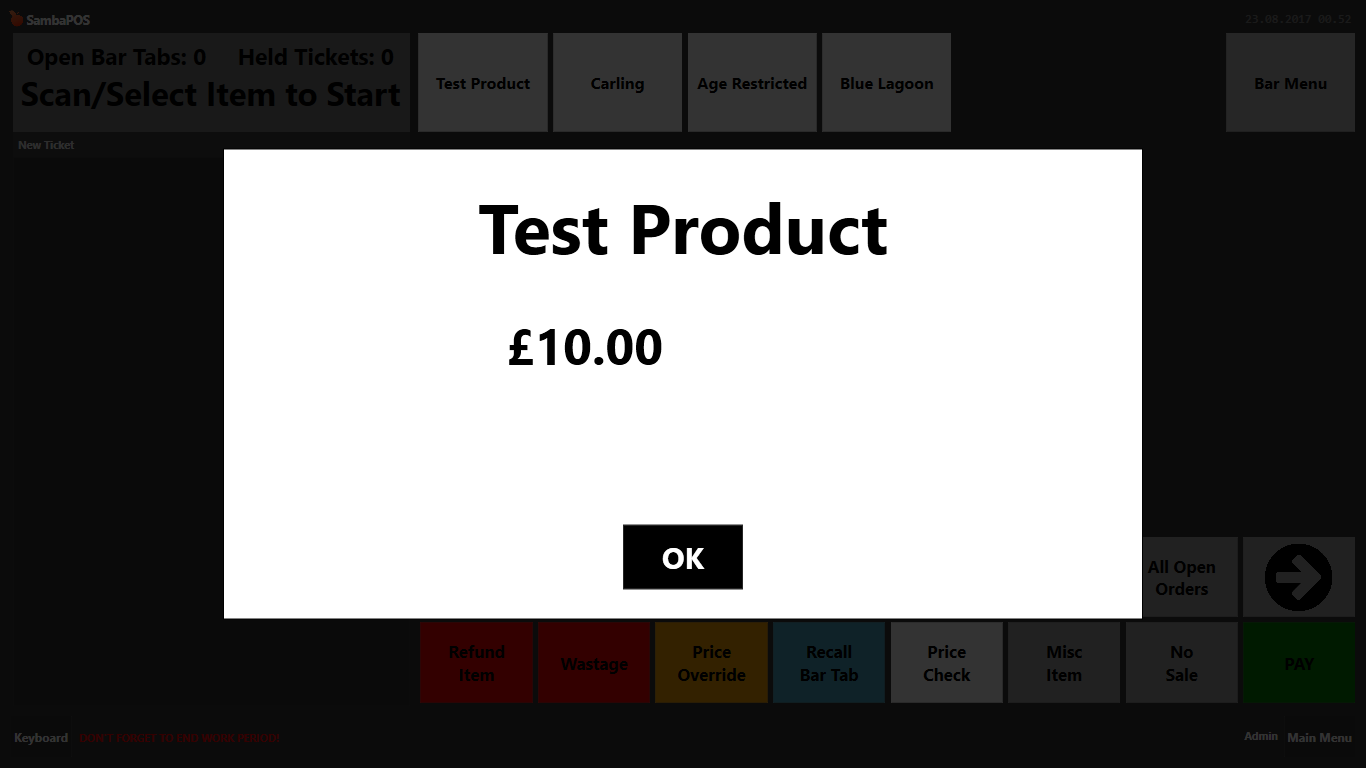
With Portion (gives the product name repeated the same number of times as there are portions, instead of just once BUT allows me to change the size of the product name and portion price independantly, and i can put a linebreak after the product name)

so ideally the two scripts and calls work well but with these issues to iron out:
- Extra space in front of the price when there are no portions and ‘normal’ has been replaced with ’ ’
- Product name appearing same number of times as the number of portions when there is more than 1 portion
- is there a way to right align the prices

So after the car = priceCount line add new lines with if(priceCount<1) {
} else {
With existing code after the else and a closing } on new line after the closing } of the for loop.
The in the first part of the if you’ll want your one portion format.
And the section afte the else will be for muti portion products.
Am struggling to try full code as have retired to bed and using my phone lol
The if split should allow you to seperate the two formats depending on portion count.
As for right alight you will want to try adding the formatting code you would use in the ask question normally as part of the string parts of the variable for response.