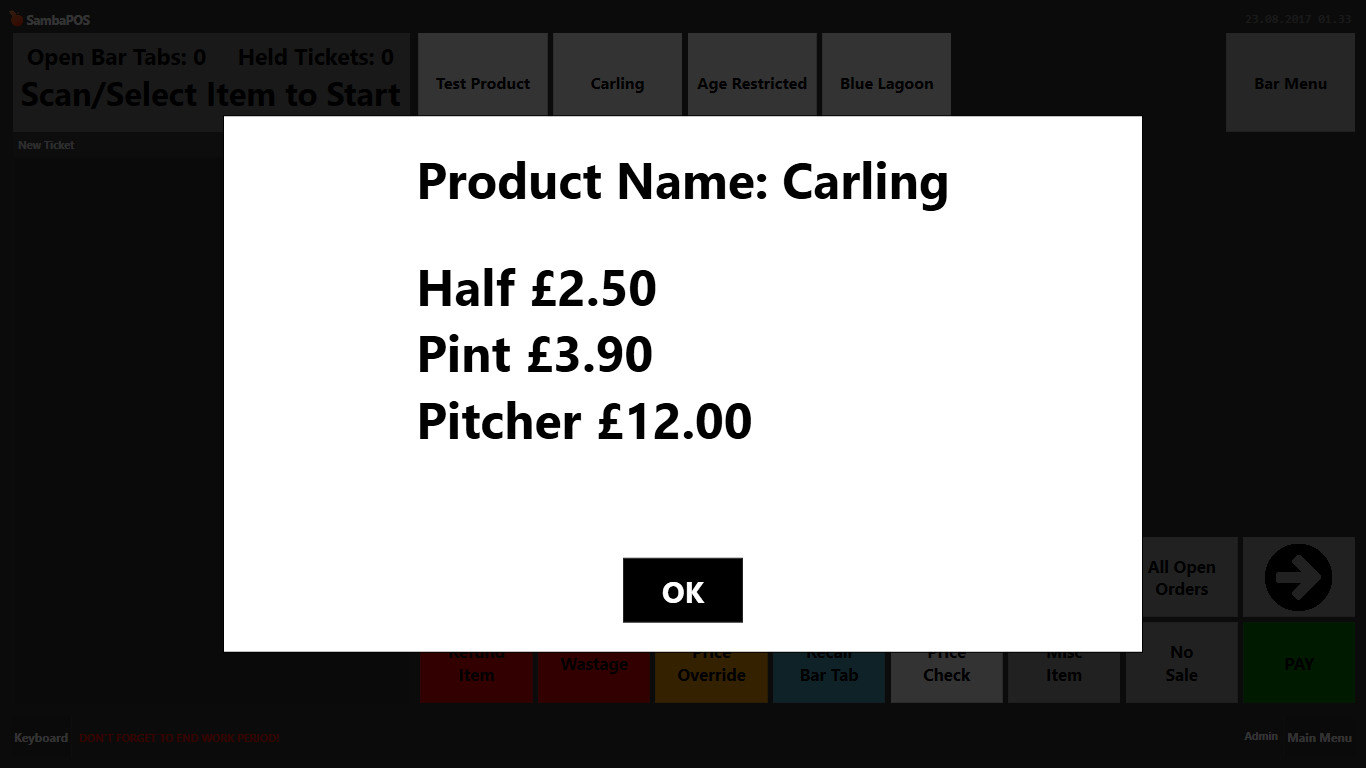
is this all in the single script or are these to edit the two scripts and use those instead?
It would in theory be a single script.
If you prefer seperate scripts you could as mentioned before but you’ve got this far and good learning.
If and for are probably two most used script expressions so good to understand.
ill try this in the single script now
It’s not the best way to show and explain to you but as said I’m on my phone now and not easy to work on full script 
Plus anyway, it’s will test your skills more 
so i did this but nothing seems to have changed?
function checkPrice(inputBarcode) {
 	var qry = "SELECT m.[Name], s.[Name], p.[Price] FROM [MenuItemPrices] p LEFT JOIN [MenuItemPortions] s ON s.[Id] = p.[MenuItemPortionId] LEFT JOIN [MenuItems] m ON m.[Id] = s.[MenuItemId] WHERE m.[Barcode]='" + inputBarcode +"'";
	var priceList = sql.Query(qry).All;
	var priceCount = priceList.Length;
	var responce = 'Product Name: ' + priceList[0].substr(0,priceList[0].indexOf(','));
	for (t = 0; t < priceCount; t++) {
	if(priceCount<1) {
} else {
	}
		var list = priceList[t].split(','); //list[0] = Product Name, list[1] = Portion Name, list[2] = Price,
		list[1] = list[1].replace('Normal','');
		list[2] = '£'+list[2];
		responce +=  '<linebreak/>' + list[1] + '  ' + list[2];
    }
	return responce;
}function checkPrice(inputBarcode) {
var qry = “SELECT m.[Name], s.[Name], p.[Price] FROM [MenuItemPrices] p LEFT JOIN [MenuItemPortions] s ON s.[Id] = p.[MenuItemPortionId] LEFT JOIN [MenuItems] m ON m.[Id] = s.[MenuItemId] WHERE m.[Barcode]=’” + inputBarcode +"’";
var priceList = sql.Query(qry).All;
var priceCount = priceList.Length;
if(priceCount<1) {
} else {
var responce = ‘Product Name: ’ + priceList[0].substr(0,priceList[0].indexOf(’,’));
for (t = 0; t < priceCount; t++) {
var list = priceList[t].split(’,’); //list[0] = Product Name, list[1] = Portion Name, list[2] = Price,
list[1] = list[1].replace(‘Normal’,’’);
list[2] = ‘£’+list[2];
responce += ‘’ + list[1] + ’ ’ + list[2];
}
}
return responce;
}
Not quite, see above, in theory that should give you same result on multi portion and nothing/undefined on single portion product of you want to try/test that.
that doesnt work on single or multi portion, both return nothing
Was wrong closing bracket (square) should have been curly, have changed. Still nothing?
yea still nothing with curly bracket
Try adding
var responce = ‘less than one’;
In the empty line in first half of the if to test what’s happening.
Misspelt responce so double check you caught that.
still nothing
function checkPrice(inputBarcode) {
var qry = “SELECT m.[Name], s.[Name], p.[Price] FROM [MenuItemPrices] p LEFT JOIN [MenuItemPortions] s ON s.[Id] = p.[MenuItemPortionId] LEFT JOIN [MenuItems] m ON m.[Id] = s.[MenuItemId] WHERE m.[Barcode]=’” + inputBarcode +"’";
var priceList = sql.Query(qry).All;
var priceCount = priceList.Length;
if(priceCount<1) {
var responce = ‘less than one’;

} else {
var responce = ‘Product Name: ’ + priceList[0].substr(0,priceList[0].indexOf(’,’));
for (t = 0; t < priceCount; t++) {
var list = priceList[t].split(’,’); //list[0] = Product Name, list[1] = Portion Name, list[2] = Price,
list[1] = list[1].replace(‘Normal’,’’);
list[2] = ‘£’+list[2];
responce += ‘’ + list[1] + ’ ’ + list[2];
}
}
return responce;
}WHat you guys doing.
STOP!!! LOL
Use this as is.
function checkPrice(inputBarcode) {
 	var qry = "SELECT m.[Name], s.[Name], p.[Price] FROM [MenuItemPrices] p LEFT JOIN [MenuItemPortions] s ON s.[Id] = p.[MenuItemPortionId] LEFT JOIN [MenuItems] m ON m.[Id] = s.[MenuItemId] WHERE m.[Barcode]='" + inputBarcode +"'";
	var priceList = sql.Query(qry).All;
	var priceCount = priceList.Length;
	var response = 'Product Name: ' + priceList[0].substr(0,priceList[0].indexOf(','));
	for (t = 0; t < priceCount; t++) {
		var list = priceList[t].split(','); //list[0] = Product Name, list[1] = Portion Name, list[2] = Price,
		list[1] = list[1].replace('Normal','');
		list[2] = '$'+list[2];
		response += '\r' + list[1] + (list[1] ? ' ' : '') + list[2];
    }
	return response;
}
3 Likes
Wooooo alignment spot on, so how to i add a linebreak after the product name and before the 1st portion?
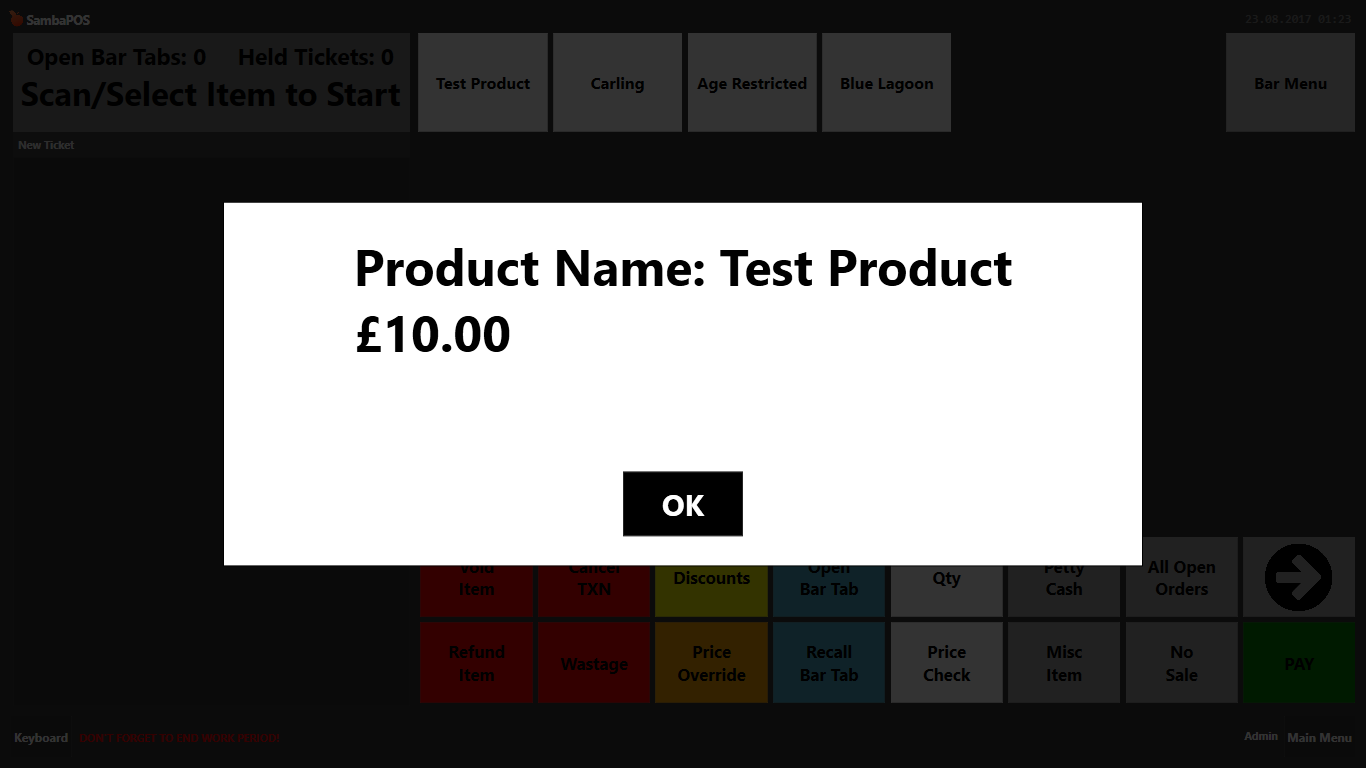
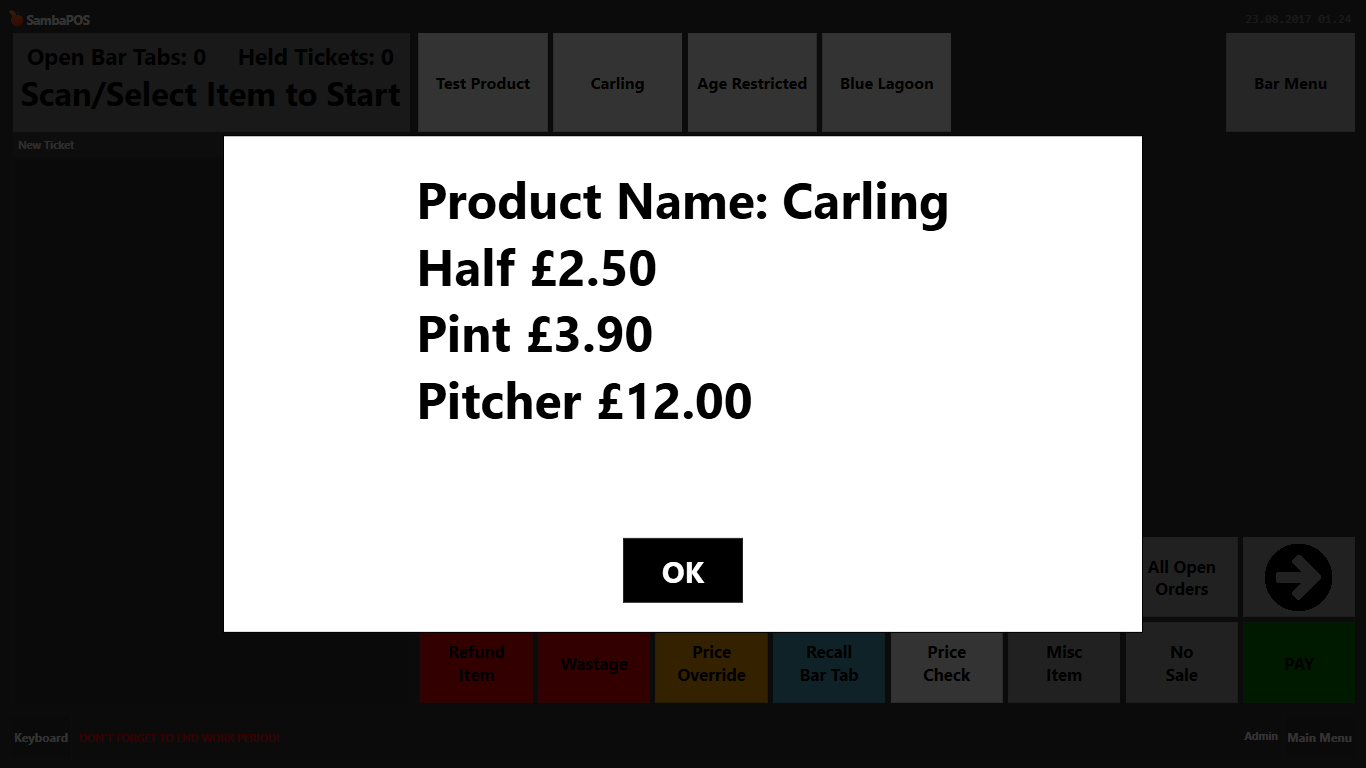
and can i add size tags to make the text size of the portion & price smaller than the text of the product name?
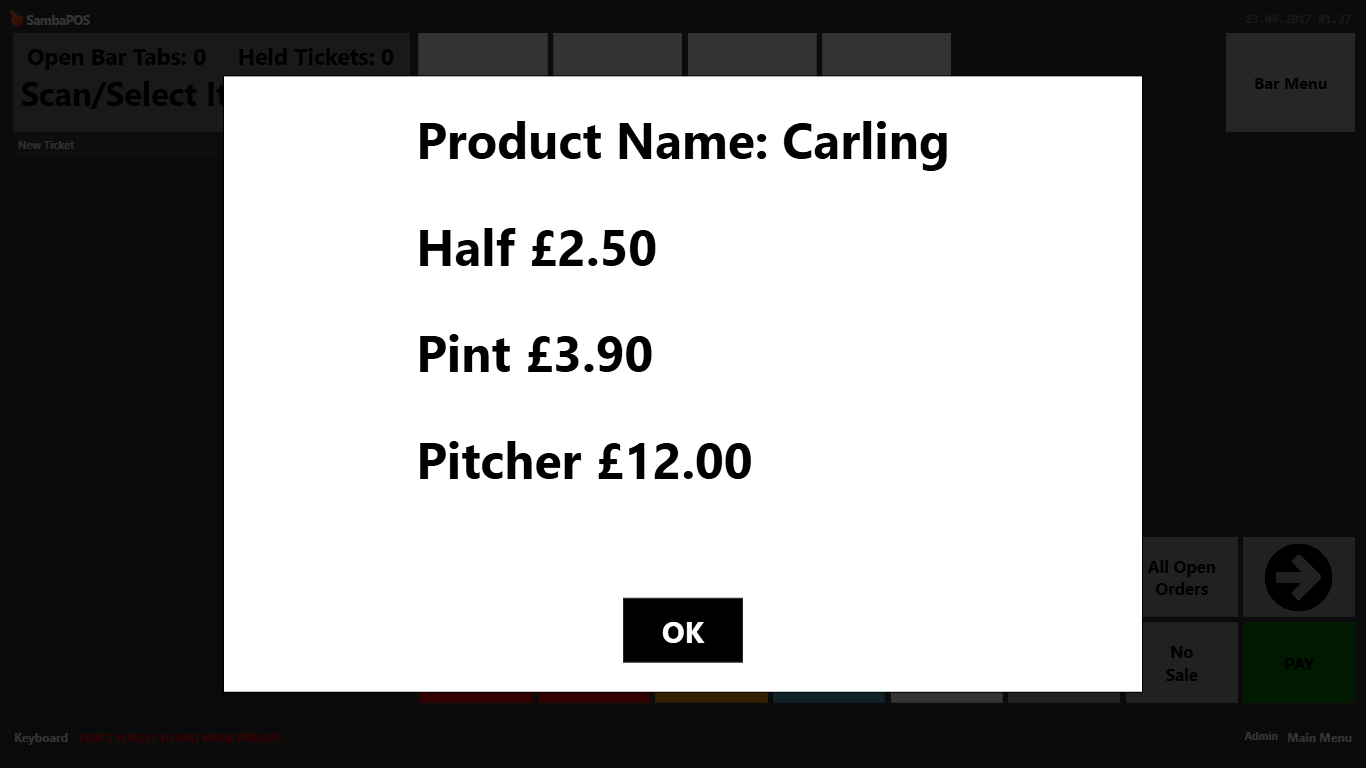
Add it on the end of the line above for look where you start Product Name and have the su sting bit, on end of that line before semicolon put +’/r’
For size you’ll want to try adding the same size formatting tags in as strings where needed in the responce variable.
Presumable an opening size in from of Product Name: and after su sting bit before the /r above.
And similarly after the /r in first sting inside the loop and adding string to close on end.