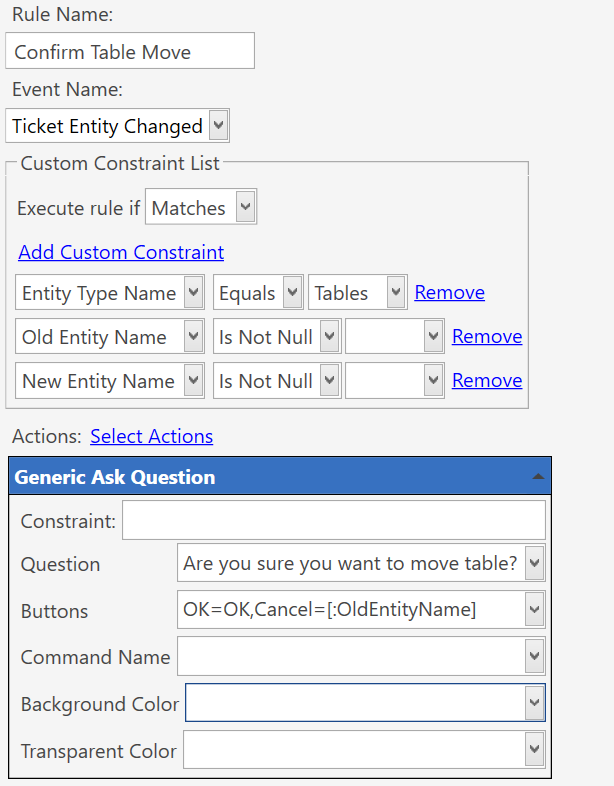
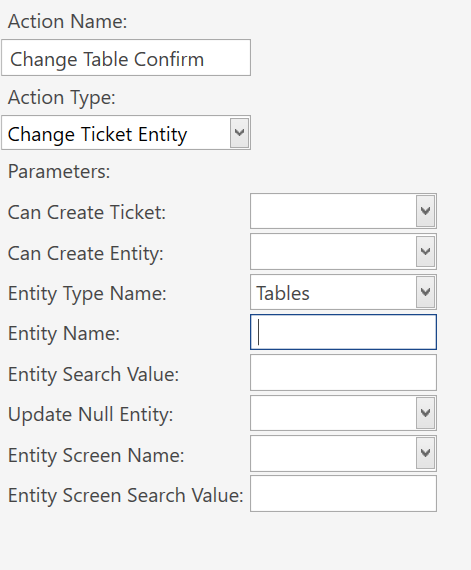
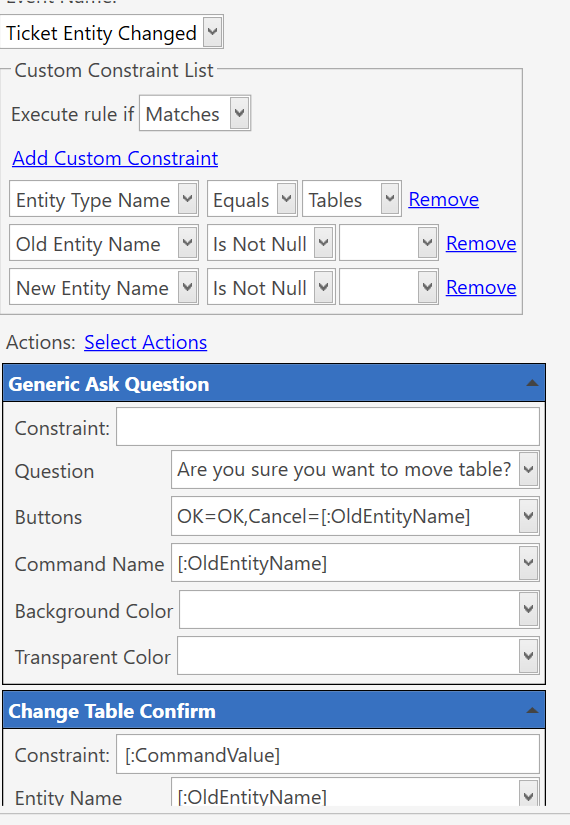
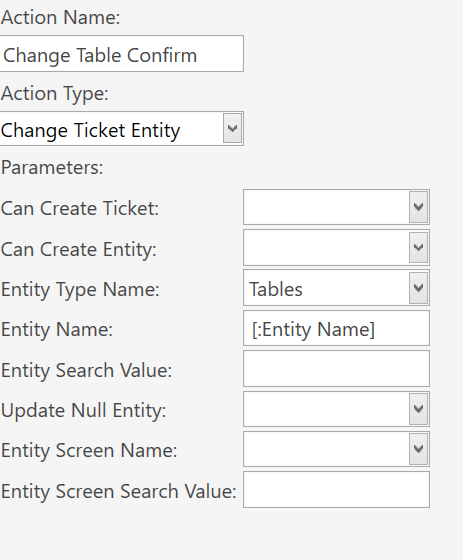
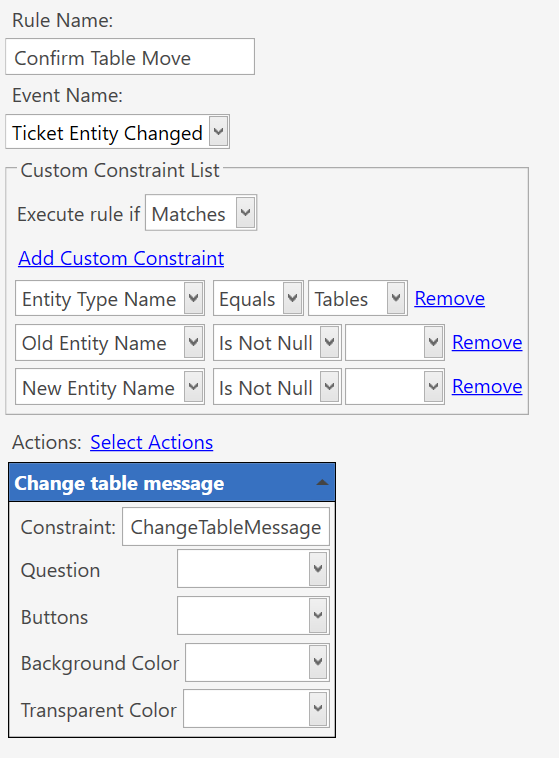
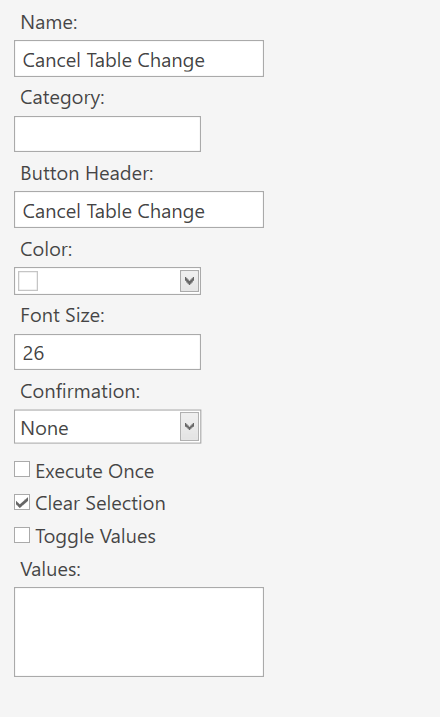
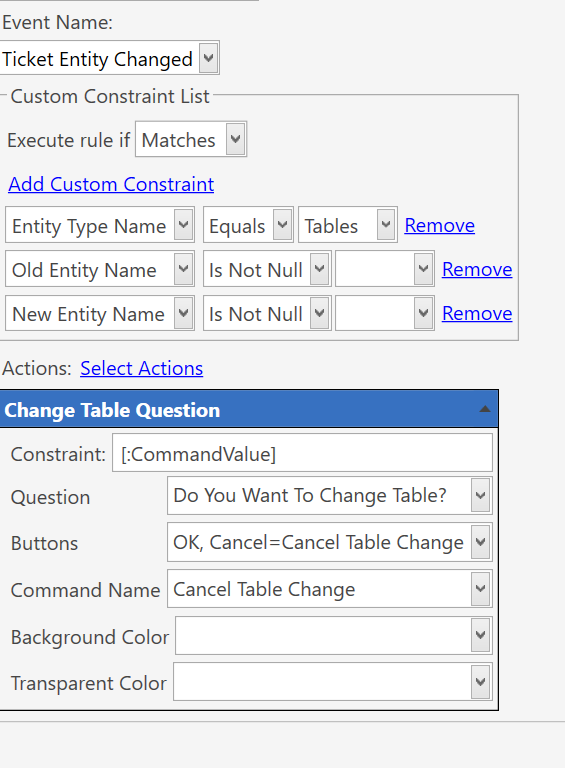
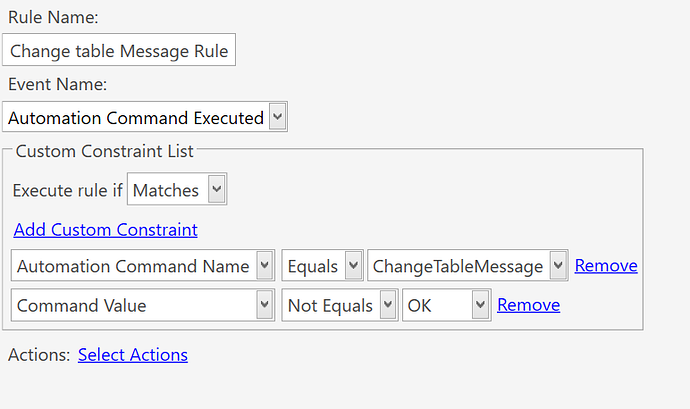
You are right I was doing literally. But now I managed to get message after creating new rule as you shown above. However, Both OK and Cancel button is changing tables. I don’t know I should be trying different in cancel. Here is the rule I have made:
You need to set a command name on the ask question and a rule set to be triggered from the ask question.
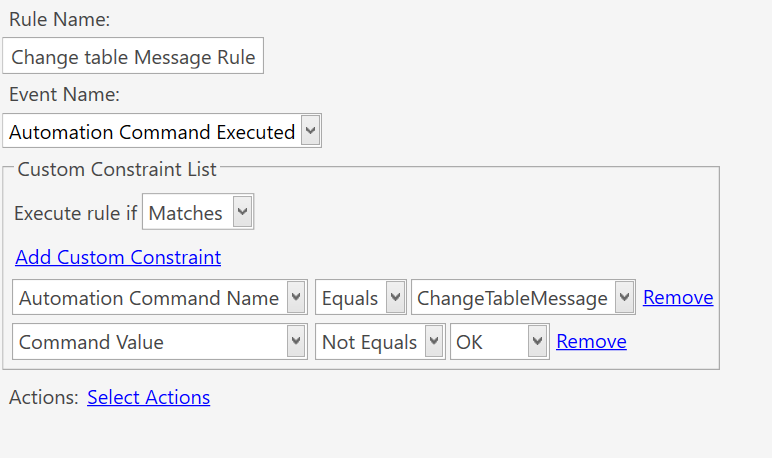
It will have constraints of the ask question command name and command value NOT = OK
Then in that rule add an action to change ticket entity to [:CommandValue]
The ask question will triger that rule.
If not OK ie Old Entity Name from command value of ask question button it will fire and the action will use the old entity name which will now be in the command value to change it back.
Put [:Entity Name] in that field within the action.
That will allow you to set the value from the rule.
Then in that field in the rule where you added this action put [:CommandValue] which when the rule fires will be the old entity name sent over from the cancel button of the ask question.
No, the change table action needs to be in its own rule.
An automation command executed rule.
Take the change table action out of that one.
Change command name in the ask question to say ChangeTableMessage
Make the new rule.
Event automation command executed.
Constraints command name = ChangeTableMessage
Command value NOT = OK
Put the change entity action in and out [:CommandValue] in for the entity name field.
Thats because your ask question goes no where!!!
Ask question command name is like a button, and the = are the values.
You need an automation command executed rule.
You had it almost before;