I am fairly certain a windows update caused all this.
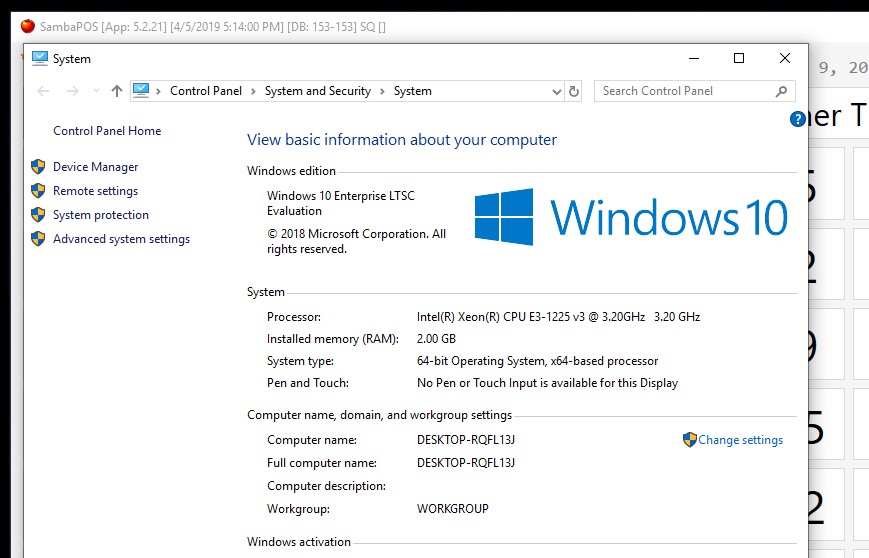
Yeah, it’s not the same version of Windows. You have Win 10 Enterprise LTSC which is the 2019 release. The one we are using as well as @Jesse is the 2016 version, LTSB which means the same as LTSC but Microsoft renamed it in 2019 release. So it’s likely whatever patch for .net framework you are relying on already exists on this version since its newer, and also same matter where once all windows updates were done, it also worked for me on 2016 version.
It’s important SambaPOS works without issue on freshly installed Win 10 IoT Enterprise LTSB 2016 64bit, because the availability of 2019 edition is not common across all POS suppliers and distributors. For example, all of our suppliers except one only offer 2016 release.
Are you able to obtain an evaluation build of Win 10 IoT Enterprise LTSB 2016 64bit ?
I didnt find an ISO for 2016.
I finally “fixed” it!!
Well not really whilst trying to “fix” the event viewer i broke the registery and corrupted my hard drive! oops!
My laptop would only book to a black screen, it wouldnt load the windows login screen, did some research and tried to update/rollback and fix the bios but that didnt work
tried to roll back windows but didnt work
tried to repair hard drive, that worked but still wouldnt get to windows login
tried to do restore point but that didnt work
in the end i had to completely reset my laptop which took me back to windows 8!
Then i had to upgrade to windows 10, reinstall SQL and everything else i used to have haha
and now i can access samba again wooooooooo!!!
Think im on windows update 1809 so it must have been the 1803 update that broke something (which i then broke a little bit more haha)

4 Likes
So I figured out just now if you have ever installed the MSSMS Release 18.0 RC1 it will upgrade you to .NET 4.7.2
Just fyi, its not a bad thing but I thought I would let you know. I had installed that and it may be why I never got this issue again.
Yeah, I am pretty sure the issue with SambaPOS not opening on fresh Win 10 is because a later version of .net framework has been set as a dependency by mistake, possibly a default setting changed on the dev system used to build it maybe because MSSMS Release 18.0 RC1 or something similar was installed.
Ok I’ve got to the bottom of what the issue is with 5.2.20 not opening. I just tested again on a fresh install of Windows 10 IoT Enterprise 2016 64bit and it worked, running correctly after install with no windows updates done.
The issue is not with SambaPOS itself, it is with the Samba.Modules.PaymentControllers.dll file we use for Paymentsense integration. I would take a guess that when @Jesse had this issue, he may also have had a payment integration DLL setup, possibly the same one is used as with Paymentsense?
I tested placing the Samba.Modules.PaymentControllers.dll file to the SambaPOS program folder, and it stops it launching and logs in event log like posted previously. This is the 1.0.10.0 version of the DLL and was fresh downloaded today from https://sambapos.com/?wpfb_dl=192.
I can confirm this same DLL works with 5.2.18 on the same OS, but does not work with 5.2.20.
@VehbiEmiroglu can you please look into why this is happening and possibly release a new version of the DLL that works with 5.2.20. Thanks.
3 Likes
I have a different controller specific to OpenEdge but we have been doing a lot of work on it. It’s likely mine was fixed at some point.
1 Like
Oh yes i will update with a fresh one thanks for reporting
3 Likes
@VehbiEmiroglu when will you be able to do this? I have a client currently using 5.2.20 and we can’t setup Paymentsense because of this issue. I can’t downgrade them to 5.2.18 as we are using a new feature in 5.2.20 for them.
1 Like
Yes i uploaded it. And in next version i will ship dll with setup (in a different folder ofcourse)
Is it on the same link https://sambapos.com/?wpfb_dl=192 as I just downloaded again, file version is still 1.0.10.0 (unless of course you didn’t change the version number) ?
Yes true still 1.0.10.0 now. Also link is correct too
2 Likes
did we ever find a fix for this? ive downloaded the latest 5.2.22 version and samba will not work on windows 10, here is what in the event viewer log, i have no idea what it means
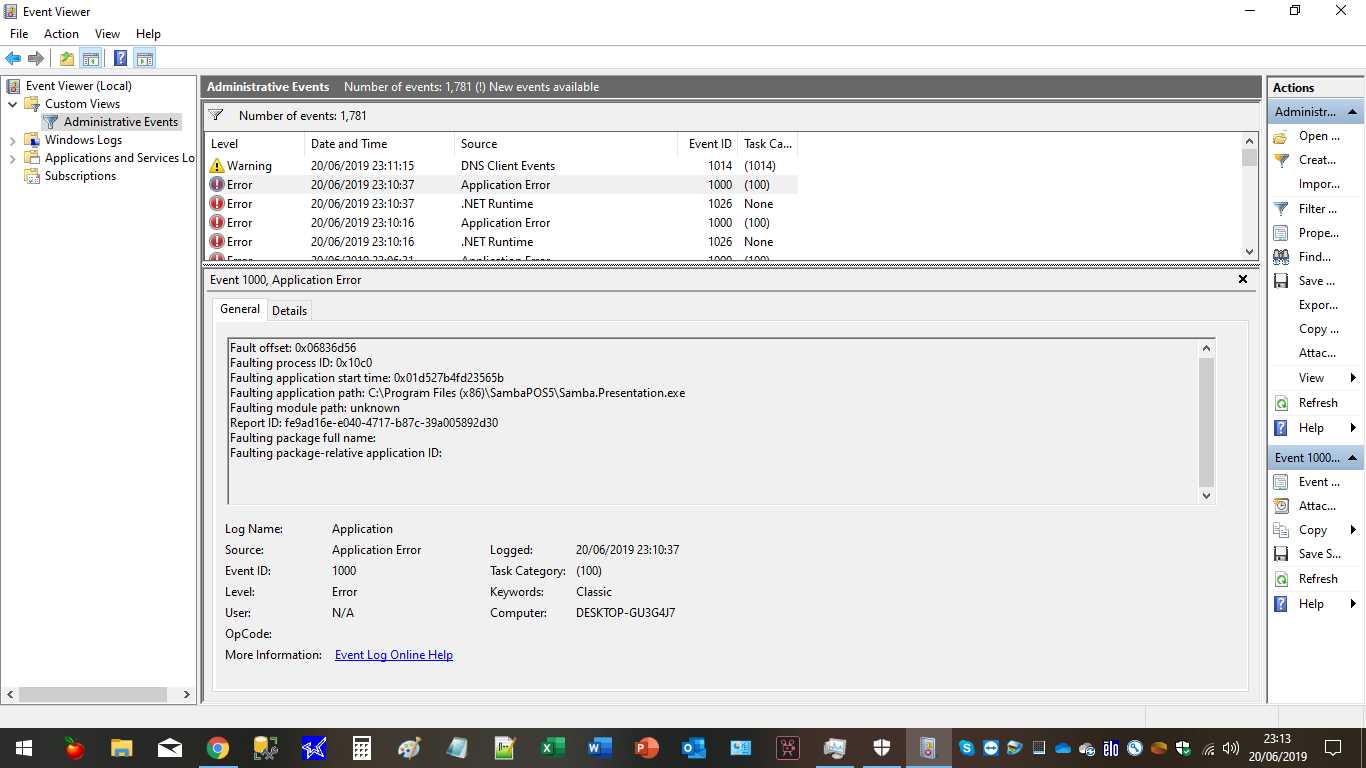
ive got an application error and a .Net runtime error
this is the.Net error
+ System
|||- Provider
| [ Name ] .NET Runtime |
|---|
|||- EventID 1026
| [ Qualifiers ] 0 |
|---|
Level 2
Task 0
Keywords 0x80000000000000
|||- TimeCreated
| [ SystemTime ] 2019-06-20T22:10:37.593874700Z |
|---|
EventRecordID 2075
Channel Application
Computer DESKTOP-GU3G4J7
Security
- EventData
Application: Samba.Presentation.exe Framework Version: v4.0.30319 Description: The process was terminated due to an unhandled exception. Exception Info: System.NullReferenceException at Microsoft.Practices.ServiceLocation.ServiceLocator.get_Current() at Samba.Presentation.App.get_TelemetryService() at Samba.Presentation.App.HandleException(System.Exception) at Samba.Presentation.App.AppDispatcherUnhandledException(System.Object, System.Windows.Threading.DispatcherUnhandledExceptionEventArgs) at System.Windows.Threading.Dispatcher.CatchException(System.Exception) at System.Windows.Threading.Dispatcher.CatchExceptionStatic(System.Object, System.Exception) at System.Windows.Threading.ExceptionWrapper.CatchException(System.Object, System.Exception, System.Delegate) at System.Windows.Threading.ExceptionWrapper.TryCatchWhen(System.Object, System.Delegate, System.Object, Int32, System.Delegate) at System.Windows.Threading.Dispatcher.LegacyInvokeImpl(System.Windows.Threading.DispatcherPriority, System.TimeSpan, System.Delegate, System.Object, Int32) at MS.Win32.HwndSubclass.SubclassWndProc(IntPtr, Int32, IntPtr, IntPtr) at MS.Win32.UnsafeNativeMethods.DispatchMessage(System.Windows.Interop.MSG ByRef) at System.Windows.Threading.Dispatcher.PushFrameImpl(System.Windows.Threading.DispatcherFrame) at System.Windows.Threading.Dispatcher.PushFrame(System.Windows.Threading.DispatcherFrame) at System.Windows.Application.RunDispatcher(System.Object) at System.Windows.Application.RunInternal(System.Windows.Window) at System.Windows.Application.Run(System.Windows.Window) at Samba.Presentation.App.Main()
this is the application error
+ System
|||- Provider
| [ Name ] Application Error |
|---|
|||- EventID 1000
| [ Qualifiers ] 0 |
|---|
Level 2
Task 100
Keywords 0x80000000000000
|||- TimeCreated
| [ SystemTime ] 2019-06-20T22:10:37.678459100Z |
|---|
EventRecordID 2076
Channel Application
Computer DESKTOP-GU3G4J7
Security
- EventData
Samba.Presentation.exe
1.0.0.0
5ce6a85b
unknown
0.0.0.0
00000000
c0000005
06836d56
10c0
01d527b4fd23565b
C:\Program Files (x86)\SambaPOS5\Samba.Presentation.exe
unknown
fe9ad16e-e040-4717-b87c-39a005892d30
Previous version was working fine until i upgraded to latest version, although the previous version stopped working on my laptop
If its the issue im thinking of there was some sort of clash with a windows update.
I think uninstall samba and delete the program files etc in app data or whatever the hidden folder is and reinstall.
1 Like
all deletedm trying a re install now, is 5.2.22 the latest has no beta 5.2.23 been released yet?
Full delete and reinstall has worked cheers JTR